1. හැඳින්වීම
This manual provides detailed instructions for setting up, operating, and maintaining your THOMSON 40-inch FHD Fire TV. Please read this manual thoroughly before using the television to ensure proper functionality and safety. Keep this manual for future reference.
2 ආරක්ෂිත තොරතුරු
ගින්න, විදුලි කම්පනය සහ තුවාල ඇතිවීමේ අවදානම අවම කිරීම සඳහා මෙම නිෂ්පාදනය භාවිතා කරන විට සෑම විටම මූලික ආරක්ෂක පියවරයන් අනුගමනය කරන්න.
- රූපවාහිනිය වර්ෂාවට හෝ තෙතමනයට නිරාවරණය නොකරන්න.
- වාතාශ්රය විවෘත කිරීම අවහිර නොකරන්න.
- බල ප්ලග් එක සඳහා නිසි බිම් සැකසීම සහතික කරන්න.
- අකුණු කුණාටු ඇති විට හෝ දිගු කාලයක් භාවිතා නොකළ විට රූපවාහිනිය විසන්ධි කරන්න.
- සියලුම සේවා සුදුසුකම් ලත් සේවා පුද්ගලයින් වෙත යොමු කරන්න.
3. පැකේජ අන්තර්ගතය
සියලුම අයිතම ඔබගේ පැකේජයට ඇතුළත් කර ඇති බව තහවුරු කරගන්න:
- THOMSON 40-inch FHD Fire TV
- දුරස්ථ පාලකය (බැටරි සහිත)
- විදුලි රැහැන්
- රූපවාහිනී නැවතුම්පොළ (කෑලි 2)
- රූපවාහිනී නැවතුම්පළ සඳහා ඉස්කුරුප්පු
- පරිශීලක අත්පොත (මෙම ලේඛනය)

Image: The product box illustrating the TV, remote control, and various features like Fire TV, Alexa, and Dolby Audio.
4. නිෂ්පාදන අවසන්view
Familiarize yourself with the components and connections of your THOMSON Fire TV.
4.1 ඉදිරිපස View

Image: The front of the TV, showcasing its slim bezel and the Fire TV smart interface with popular streaming applications.
4.2 පැත්ත View සහ මානයන්
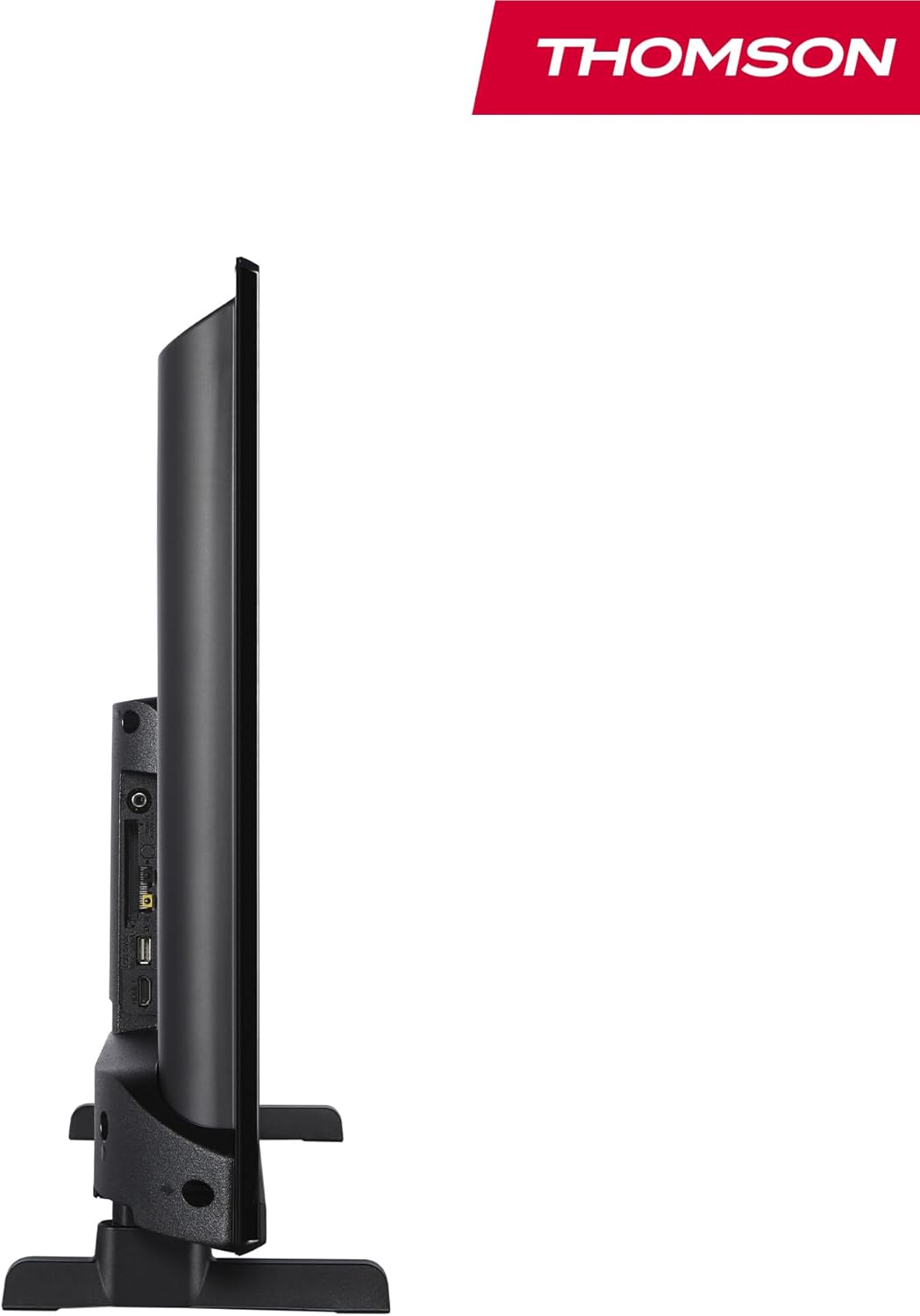
රූපය: පැත්තක් view of the television, demonstrating its thin profile.

Image: A diagram illustrating the physical dimensions of the TV, including width, height, and depth with the stand.
4.3 පසුපස View සහ වරායන්
The rear panel of your TV features various input and output ports for connecting external devices.

රූපය: සවිස්තරාත්මක view of the TV's rear panel, highlighting all connectivity ports such as HDMI, USB, Audio Out, CI+, and antenna inputs.
- ශබ්ද විකාශනය: බාහිර ශ්රව්ය පද්ධති සම්බන්ධ කිරීම සඳහා.
- CI+: Common Interface Plus slot for conditional access modules.
- හෙඩ්ෆෝන්: පුද්ගලික සවන්දීම සඳහා 3.5mm ජැක් එකක්.
- AV IN: පැරණි උපාංග සංයුක්ත වීඩියෝ සහ ස්ටීරියෝ ශ්රව්ය සමඟ සම්බන්ධ කිරීම සඳහා.
- USB 2.0: USB ධාවක වලින් මාධ්ය නැවත ධාවනය සඳහා.
- HDMI 1.4 (x2): High-Definition Multimedia Interface for connecting Blu-ray players, game consoles, etc.
- ඇන්ටනාව: For connecting a terrestrial antenna (DVB-T2).
- චන්ද්රිකාව: For connecting a satellite dish (DVB-S2).
- LAN: රැහැන්ගත ජාල සම්බන්ධතාවය සඳහා ඊතර්නෙට් වරාය.
5. පිහිටුවීම
5.1 රූපවාහිනී නැවතුම සවි කිරීම
- තිරයට හානි වීම වැළැක්වීම සඳහා රූපවාහිනියේ මුහුණ මෘදු, පැතලි මතුපිටක් මත ප්රවේශමෙන් තබන්න.
- රූපවාහිනියේ පතුලේ ඇති අනුරූප තව් සමඟ ස්ටෑන්ඩ් කෑලි පෙළගස්වන්න.
- සපයා ඇති ඉස්කුරුප්පු භාවිතයෙන් ස්ටෑන්ඩ් සුරක්ෂිත කරන්න.
5.2 මූලික බල-සක්රියතාවය සහ ජාල සම්බන්ධතාවය
- විදුලි රැහැන රූපවාහිනියට සහ බිත්ති අලෙවිසැලකට සම්බන්ධ කරන්න.
- එය ක්රියාත්මක කිරීමට රූපවාහිනියේ හෝ දුරස්ථ පාලකයේ බල බොත්තම ඔබන්න.
- Follow the on-screen instructions for initial setup, including language selection and network connection (Wi-Fi or Ethernet).
- Log in with your Amazon account to activate Fire TV features.
5.3 Tuner Setup (Triple-Tuner)
Your TV is equipped with a triple-tuner for DVB-C (cable), DVB-S2 (satellite), and DVB-T2 (terrestrial) reception.

Image: The DVB-T2/C/S2 tuner inputs, allowing connection to various broadcast sources.
- Connect your antenna or satellite cable to the appropriate input on the TV.
- Navigate to the TV settings and select 'Channel Scan' or 'Tuner Setup'.
- Choose your broadcast type (Antenna, Cable, or Satellite) and follow the prompts to scan for available channels.
6. මෙහෙයුම් උපදෙස්
6.1 ෆයර් ටීවී අතුරුමුහුණත
The Fire TV interface provides easy access to your favorite streaming services, apps, and live TV.
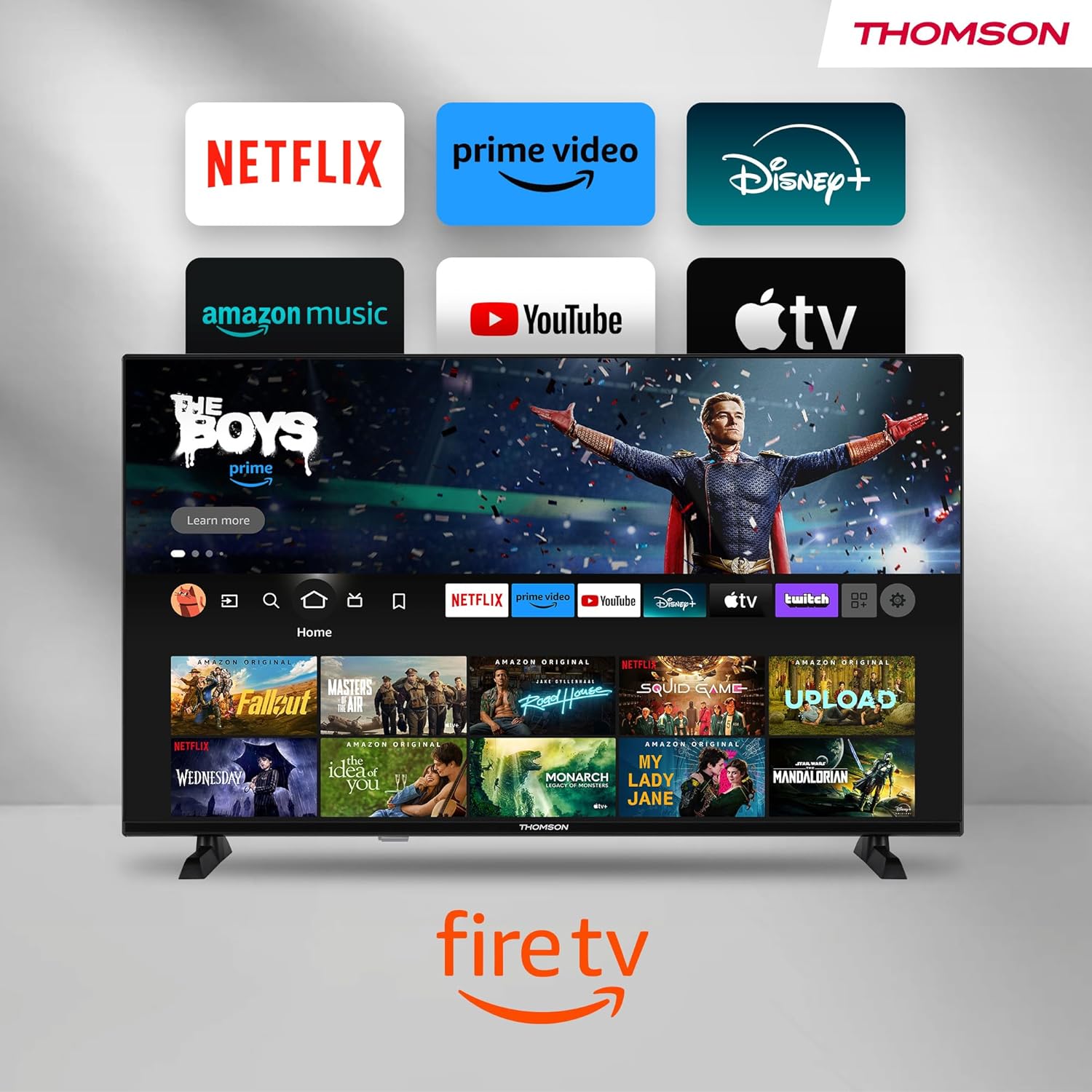
Image: The Fire TV home screen, showing a selection of popular streaming apps and content recommendations.
Navigate using the remote control's directional pad. The home screen provides personalized recommendations and quick access to your installed applications.
6.2 ඇලෙක්සා හඬ පාලනය
Use the integrated Alexa voice control for hands-free operation.
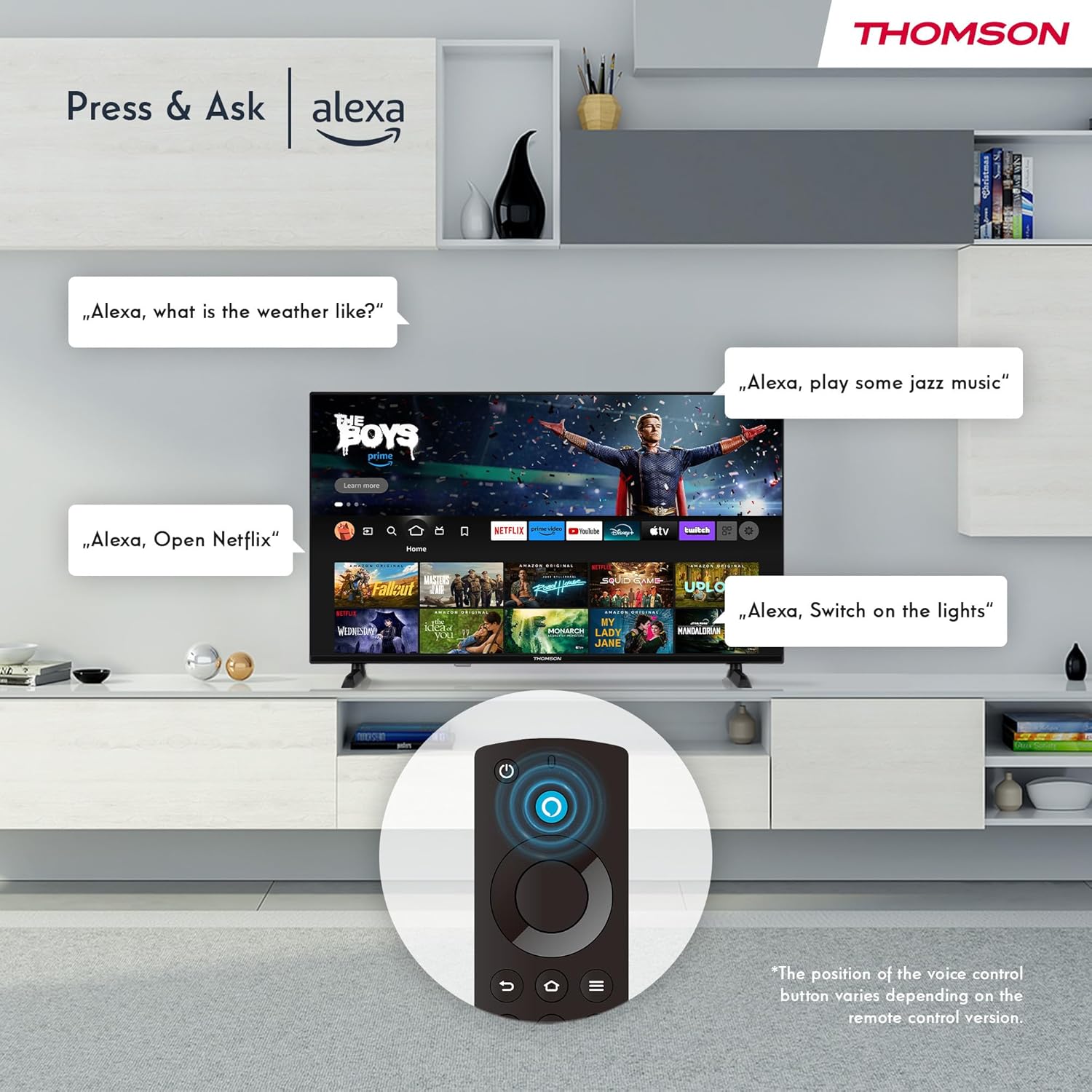
Image: Demonstrating Alexa voice commands for controlling the TV, searching content, and managing smart home devices.
ඔබගේ දුරස්ථ පාලකයේ Alexa බොත්තම ඔබා ඔබේ විධානය කියන්න. ඔබට Alexa ගෙන් මෙසේ ඉල්ලා සිටිය හැකිය:
- ඒ සඳහා සොයන්න චිත්රපට හෝ රූපවාහිනී වැඩසටහන්.
- යෙදුම් දියත් කරන්න.
- Control playback (pause, play, skip).
- Check the weather or news.
- අනුකූල ස්මාර්ට් නිවාස උපාංග පාලනය කරන්න.
6.3 ස්මාර්ට් නිවාස ඒකාබද්ධ කිරීම
Manage your connected smart home devices directly from your TV's integrated dashboard.

Image: The Smart Home dashboard, providing a centralized control panel for various smart devices in your home.
Access the Smart Home dashboard to monitor and control devices such as cameras, lights, and plugs.
6.4 AirPlay ක්රියාකාරීත්වය
Stream content directly from your Apple devices (iPhone, iPad, Mac) to your THOMSON Fire TV using AirPlay.

Image: A demonstration of Apple AirPlay, showing content being mirrored from an iOS device to the television screen.
Ensure both your Apple device and the TV are connected to the same Wi-Fi network. Select the AirPlay icon on your Apple device and choose your THOMSON TV from the list of available devices.
6.5 Creating User Profiles
බහු පරිශීලක වෘත්තිකයෙකු සාදන්නfiles for personalized content recommendations and settings.

රූපය: පරිශීලක වෘත්තිකයාfile selection screen on Fire TV, allowing different users to have their own personalized viewඅත්දැකීමෙන්.
From the Fire TV home screen, navigate to the profile selection to add or switch profiles. එක් එක් profile can have its own watch history and app preferences.
6.6 HDR10 සහ ඩොල්බි ඕඩියෝ
Experience enhanced picture quality with HDR10 and immersive sound with Dolby Audio.

Image: A visual comparison demonstrating the improved contrast and color vibrancy offered by HDR10 technology.

Image: A graphic illustrating the immersive sound experience provided by Dolby Audio.
HDR10 provides a wider range of colors and contrasts, while Dolby Audio delivers rich, clear, and powerful sound.
6.7 දුරස්ථ පාලනය
The ergonomic Bluetooth remote control provides easy navigation and direct access to key features.
- ඇලෙක්සා බොත්තම: Press and hold to activate voice commands.
- සංචලන පෑඩ්: For moving through menus and selecting items.
- Netflix/Prime Video බොත්තම්: මෙම ප්රවාහ සේවා වෙත සෘජු ප්රවේශය.
- Amazon Silk Button: වෙත සෘජු ප්රවේශය web බ්රවුසරය.
7. නඩත්තු කිරීම
ඔබේ රූපවාහිනියේ ආයු කාලය සහ ප්රශස්ත ක්රියාකාරිත්වය සහතික කිරීම සඳහා, මෙම නඩත්තු මාර්ගෝපදේශ අනුගමනය කරන්න:
- තිරය පිරිසිදු කිරීම: මෘදු, ලින්ට් රහිත රෙද්දකින් තිරය මෘදු ලෙස පිස දමන්න. මුරණ්ඩු සලකුණු සඳහා, තිරයට කෙලින්ම නොව, රෙදි වලට යොදන, රූපවාහිනී සඳහා විශේෂයෙන් නිර්මාණය කර ඇති තිර පිරිසිදු කරන්නෙකු භාවිතා කරන්න.
- කැබිනට් මණ්ඩලය පිරිසිදු කිරීම: රූපවාහිනී කැබිනට්ටුව පිස දැමීමට මෘදු වියළි රෙද්දක් භාවිතා කරන්න. උල්ෙල්ඛ පිරිසිදු කරන්නන් හෝ ද්රාවක භාවිතා නොකරන්න.
- වාතාශ්රය: අධික උනුසුම් වීම වැළැක්වීම සඳහා රූපවාහිනියේ පිටුපස ඇති වාතාශ්රය විවරයන් අවහිර නොවන බවට වග බලා ගන්න.
- විදුලි රැහැන්: විදුලි රැහැනෙහි කිසියම් හානියක් සිදුවී ඇත්දැයි නිතිපතා පරීක්ෂා කරන්න. හානි වී ඇත්නම්, වහාම එය ප්රතිස්ථාපනය කරන්න.
8. දෝශ නිරාකරණය
ඔබේ රූපවාහිනිය සමඟ ගැටළු ඇති වුවහොත්, පහත පොදු ගැටළු සහ විසඳුම් වෙත යොමු වන්න:
| ගැටලුව | විය හැකි හේතුව / විසඳුම |
|---|---|
| බලය නැත | Check if the power cord is securely plugged into the TV and the wall outlet. Ensure the outlet is active. |
| පින්තූරයක් නැත, නමුත් ශබ්දය පවතී | Check input source. Ensure external devices are properly connected and powered on. |
| ශබ්දයක් නැත, නමුත් පින්තූරය තිබේ | Check volume level. Ensure Mute is not activated. Check audio cables for external devices. |
| දුරස්ථ පාලකය ක්රියා නොකරයි | Check batteries. Ensure there are no obstructions between the remote and the TV. Re-pair the Bluetooth remote if necessary. |
| Wi-Fi වෙත සම්බන්ධ විය නොහැක | Ensure Wi-Fi is enabled on the TV. Check Wi-Fi password. Restart your router. Move TV closer to router. |
| යෙදුම් මන්දගාමී හෝ කැටි වී ඇත | Restart the TV. Clear app cache or data in settings. Ensure sufficient internet speed. |
ගැටලුව දිගටම පවතින්නේ නම්, කරුණාකර පාරිභෝගික සහාය අමතන්න.
9. පිරිවිතර
| විශේෂාංගය | විස්තර |
|---|---|
| ආදර්ශ අංකය | 40FF2S34 හඳුන්වා දීම |
| තිර ප්රමාණය | අඟල් 40.0 (සෙ.මී. 100) |
| සංදර්ශක තාක්ෂණය | LED |
| විභේදනය | 1080p (සම්පූර්ණ HD) |
| Refresh Rate | 60 Hz |
| දර්ශන අනුපාතය | 16:9 |
| සම්බන්ධතාවය | Wi-Fi, Bluetooth 5.0, 2x HDMI 1.4, USB 2.0, AV IN, Audio Out, CI+, LAN |
| සුසර කරන්නන් | DVB-C, DVB-S2, DVB-T2 |
| විශේෂ ලක්ෂණ | Fire TV, Alexa Voice Control, AirPlay, HDR10, Dolby Audio, Smart Home Dashboard, User Profiles |
| මානයන් (නැවතුම් සහිත) | 90.2 x 55.4 x 17.5 cm (W x H x D) |
| බර | කිලෝ ග්රෑම් 9 කි |
| බලශක්ති කාර්යක්ෂමතා ශ්රේණිගත කිරීම | E |
| ඇතුළත් සංරචක | දුරස්ථ පාලකය |
| සහාය දක්වන භාෂා | Spanish, French, English, Italian, Germanic languages |
10. වගකීම් සහ සහාය
Your THOMSON Fire TV comes with a manufacturer's warranty. Please refer to the warranty card included in your package for specific terms and conditions.
For technical support, troubleshooting assistance, or warranty claims, please visit the official THOMSON support website or contact their customer service line. Keep your purchase receipt and model number (40FF2S34) handy when contacting support.
මාර්ගගත සහාය: www.thomsonconsumer.com/support/සහාය