1. හැඳින්වීම
This manual provides essential information for setting up, operating, maintaining, and troubleshooting your Khadas Mind 2 Mini PC. Please read this manual thoroughly before using the device to ensure optimal performance and longevity.
2. පැකේජ අන්තර්ගතය
ඔබගේ පැකේජයේ සියලුම අයිතම ඇති බව තහවුරු කරගන්න:
- Mind 2 Mini PC
- බල ඇඩැප්ටරය
- USB-C කේබලය
- උපදෙස් අත්පොත (මෙම ලේඛනය)
3. නිෂ්පාදන අවසන්view
3.1 භෞතික ලක්ෂණ සහ වරායන්
The Khadas Mind 2 Mini PC features a compact design with essential ports for connectivity.

රූපය 3.1: Khadas Mind 2 Mini PC with its compact form factor and side ports.
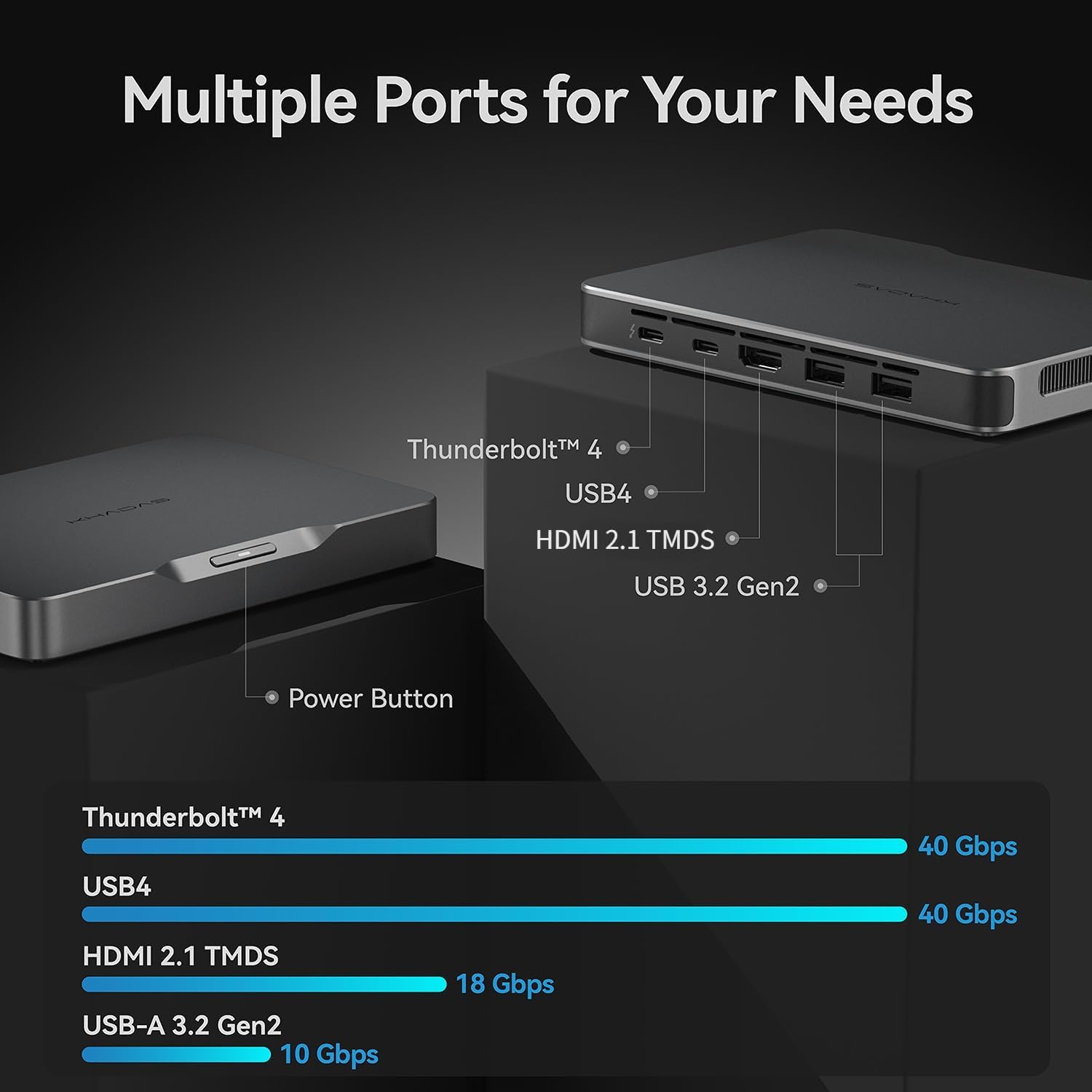
The device includes multiple ports for various peripherals and displays:
- තණ්ඩර්බෝල්ට් 4: For high-speed data transfer (up to 40Gbps) and power delivery.
- USB4: Offers data transfer speeds up to 40Gbps.
- HDMI 2.1 TMDS: Supports video output up to 18Gbps.
- USB-A 3.2 Gen2: Two ports for connecting standard USB devices, with speeds up to 10Gbps.
- බල බොත්තම: Located on the device for power control.

රූපය 3.2: Port configuration and data transfer speeds.
3.2 අභ්යන්තර සංරචක
The Khadas Mind 2 is equipped with advanced internal hardware for high performance.

රූපය 3.3: Internal layout showing key components.
- සකසනය: Intel Core Ultra 7 155H (16 Cores, 22 Threads, up to 4.8GHz).
- මතකය: 32GB LPDDR5 RAM.
- ගබඩා: 1TB PCIe 4.0 SSD.
- ග්රැෆික්ස්: Integrated Arc Graphics with AI Boost NPU.

රූපය 3.4: Intel Core Ultra 7 155H Processor details.

රූපය 3.5: Arc Integrated Graphics and AI Boost NPU capabilities.
4. පිහිටුවීම
4.1 සම්බන්ධක පර්යන්ත
- සම්බන්ධක සංදර්ශකය: Use an HDMI cable to connect your monitor to the HDMI 2.1 TMDS port on the Khadas Mind 2. Alternatively, use a USB-C to DisplayPort/HDMI adapter with the Thunderbolt 4 or USB4 ports.
- යතුරුපුවරුව සහ මූසිකය සම්බන්ධ කරන්න: Plug your USB keyboard and mouse into the USB-A 3.2 Gen2 ports. For wireless devices, ensure their receivers are connected or pair via Bluetooth.
- සම්බන්ධක බලය: Connect the provided USB-C power adapter to the Thunderbolt 4 port on the Khadas Mind 2 and then to a power outlet.
4.2 බල ගැන්වීම
Press the power button located on the device. The system will boot into Windows 11 Home. Follow the on-screen instructions for initial Windows setup if this is your first use.
5. මෙහෙයුම් උපදෙස්
5.1 මූලික මෙහෙයුම
The Khadas Mind 2 operates like a standard Windows 11 Home desktop PC. Utilize the connected keyboard, mouse, and display for navigation and interaction.
5.2 Portability and Battery
The Khadas Mind 2 is designed for portability, weighing approximately 435 grams and measuring 2 cm thick. It includes a built-in 5.55Wh battery.
රූපය 5.1: Khadas Mind 2 Mini PC size comparison.
රූපය 5.2: Built-in battery for uninterrupted mobility.
When unplugged, the device can enter sleep mode without data loss, offering up to 25 hours of standby time. It can resume operation in approximately 2 seconds.
5.3 සම්බන්ධතාවය
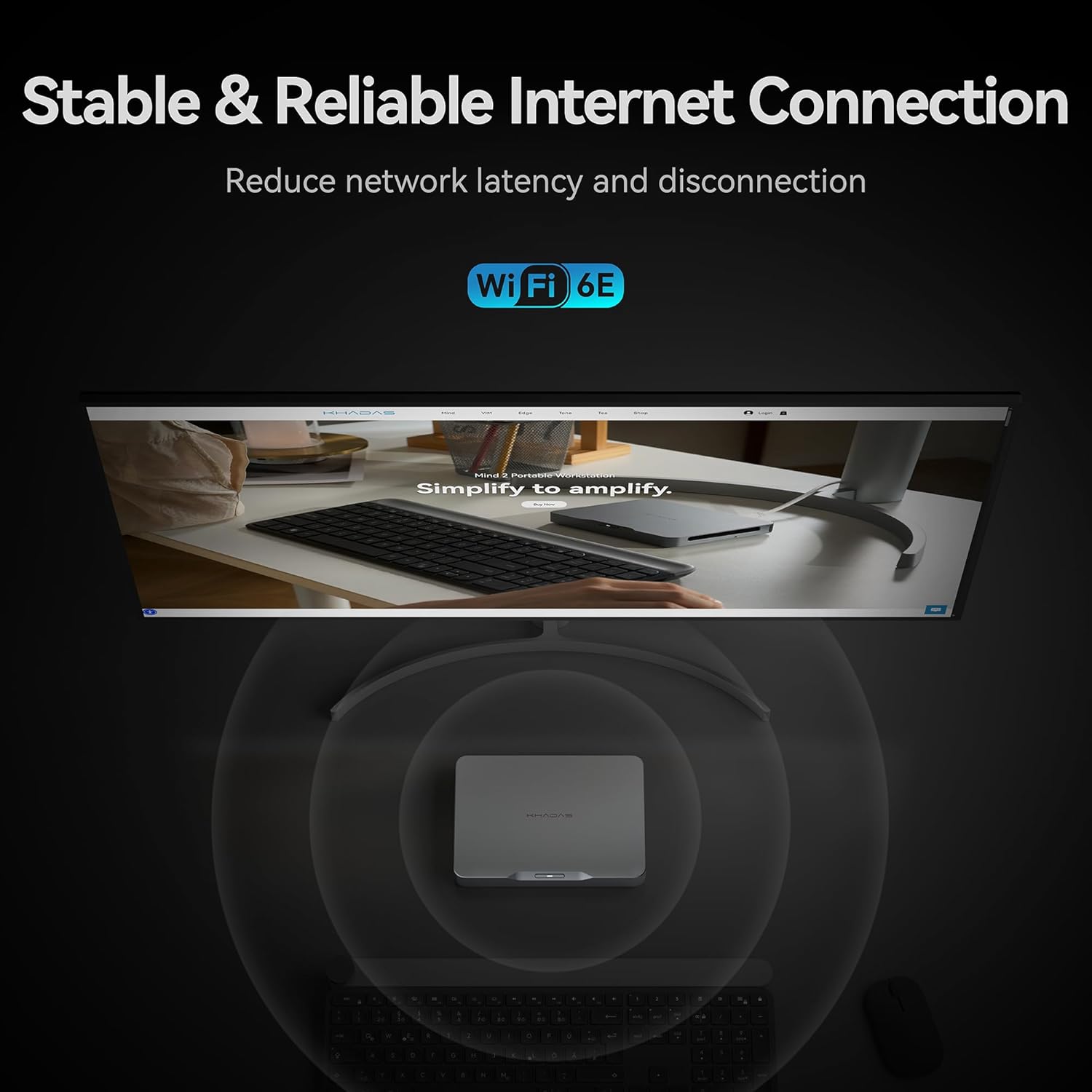
The device supports modern wireless standards for network and peripheral connections.

රූපය 5.3: Stable and reliable internet connection via Wi-Fi 6E.
- Wi-Fi 6E: Provides stable and high-speed wireless internet connectivity.
- බ්ලූටූත් 5.3: For connecting wireless accessories such as headphones, keyboards, and mice.
5.4 ගබඩා පුළුල් කිරීම
The Khadas Mind 2 allows for easy storage expansion via an M.2 2230 SSD slot.

රූපය 5.4: Easy SSD expansion via magnetic cover.
To add an M.2 2230 SSD:
- Locate the magnetic cover on the bottom of the device.
- Press to open the cover, revealing the M.2 2230 slot.
- Insert the M.2 2230 SSD into the slot and secure it.
- Close the magnetic cover.
5.5 Mind Link Expansion Interface
The Khadas Mind 2 features a proprietary Mind Link expansion interface for connecting modular accessories, offering ultra-high-speed transmission.

රූපය 5.5: Mind Link expansion interface.
This interface provides PCIe 5.0 x8 bandwidth and a maximum transfer speed of 256 GT/s, enabling connection to various Mind ecosystem modules (sold separately).
6. නඩත්තු කිරීම
6.1 පිරිසිදු කිරීම
- Use a soft, dry, lint-free cloth to clean the exterior of the device.
- සැර රසායනික ද්රව්ය, ද්රාවක හෝ උල්ෙල්ඛ ද්රව්ය භාවිතා කිරීමෙන් වළකින්න.
- Keep ventilation openings clear of dust and debris using compressed air if necessary.
6.2 මෘදුකාංග යාවත්කාලීන
Regularly check for and install operating system and driver updates to ensure system stability and security. Khadas may provide specific software for driver management; refer to official Khadas support channels for guidance.
7. දෝශ නිරාකරණය
If you encounter issues with your Khadas Mind 2 Mini PC, refer to the following common troubleshooting steps:
- බලය නැත: Ensure the power adapter is securely connected to both the device and a working power outlet. Try a different power outlet or USB-C cable if available.
- සංදර්ශකය නැත: Verify that your monitor is powered on and correctly connected to the Khadas Mind 2. Try a different display cable or port. Ensure the correct input source is selected on your monitor.
- පර්යන්තය අනාවරණය නොවීය: Reconnect the peripheral. Try a different USB port. Ensure drivers are up to date for the peripheral. For Bluetooth devices, re-pair them.
- පද්ධතිය ප්රතිචාර නොදක්වයි: Press and hold the power button for 10-15 seconds to force a shutdown, then restart the device.
- අධික උනුසුම් වීම: Ensure the device is placed in a well-ventilated area and that its vents are not obstructed. Reduce heavy workload if sustained high temperatures are observed.
- මෘදුකාංග ගැටළු: Perform system updates. If issues persist, consider performing a system restore or reinstalling Windows 11 Home.
For persistent issues, contact Khadas customer support.
8. පිරිවිතර
| විශේෂාංගය | පිරිවිතර |
|---|---|
| ප්රොසෙසරය | Intel Core Ultra 7 155H (4.8 GHz, 16 Cores, 22 Threads) |
| RAM | 32 GB LPDDR5 (6400 MHz) |
| ගබඩා කිරීම | 1 TB SSD (PCIe x4) |
| ග්රැෆික් කාඩ්පත | Dedicated Arc Graphics (8 GB RAM) |
| මෙහෙයුම් පද්ධතිය | Windows 11 Home |
| රැහැන් රහිත සම්බන්ධතාව | බ්ලූටූත්, Wi-Fi 6E |
| අයිතමයේ බර | අවුන්ස 15.3 (ආසන්න වශයෙන් ග්රෑම් 435) |
| නිෂ්පාදන මානයන් (LxWxH) | අඟල් 5.75 x 4.13 x 0.79 |
| බැටරි | 1 D battery required (included), 5.55Wh built-in |
| මාදිලියේ නම | Khadas Mind Portable Workstation |
| අයිතම ආදර්ශ අංකය | 32GB+1TB, Intel Core Ultra 7 155H |
9. වගකීම් සහ සහාය
9.1 ප්රතිලාභ ප්රතිපත්තිය
සිල්ලර වෙළෙන්දාගේ ආපසු ලබා දීමේ ප්රතිපත්තියට යටත්ව, මෙම නිෂ්පාදනය මිලදී ගැනීමෙන් දින 30ක් ඇතුළත ආපසු ලබා දීම සඳහා සුදුසුකම් ලබයි.
9.2 පාරිභෝගික සහාය
For technical assistance, warranty claims, or further inquiries, please contact Khadas customer support through their official website or the retailer where the product was purchased. Provide your product model number and purchase details for efficient service.
Khadas is committed to providing support for their products. As noted in customer feedback, their support team is responsive and helpful in addressing product-related issues.


