1. නිෂ්පාදන අවසන්view
The Tongtion Wireless HDMI Extender (Model H-1) provides a solution for extending HDMI video and audio signals wirelessly. It supports 1080P Full HD resolution at 60Hz and offers a transmission range of up to 1640 feet (500 meters) in line-of-sight conditions. Designed for plug-and-play operation, it eliminates the need for complex driver installations or software configurations, making it suitable for various applications including conference rooms, live events, and home theaters.
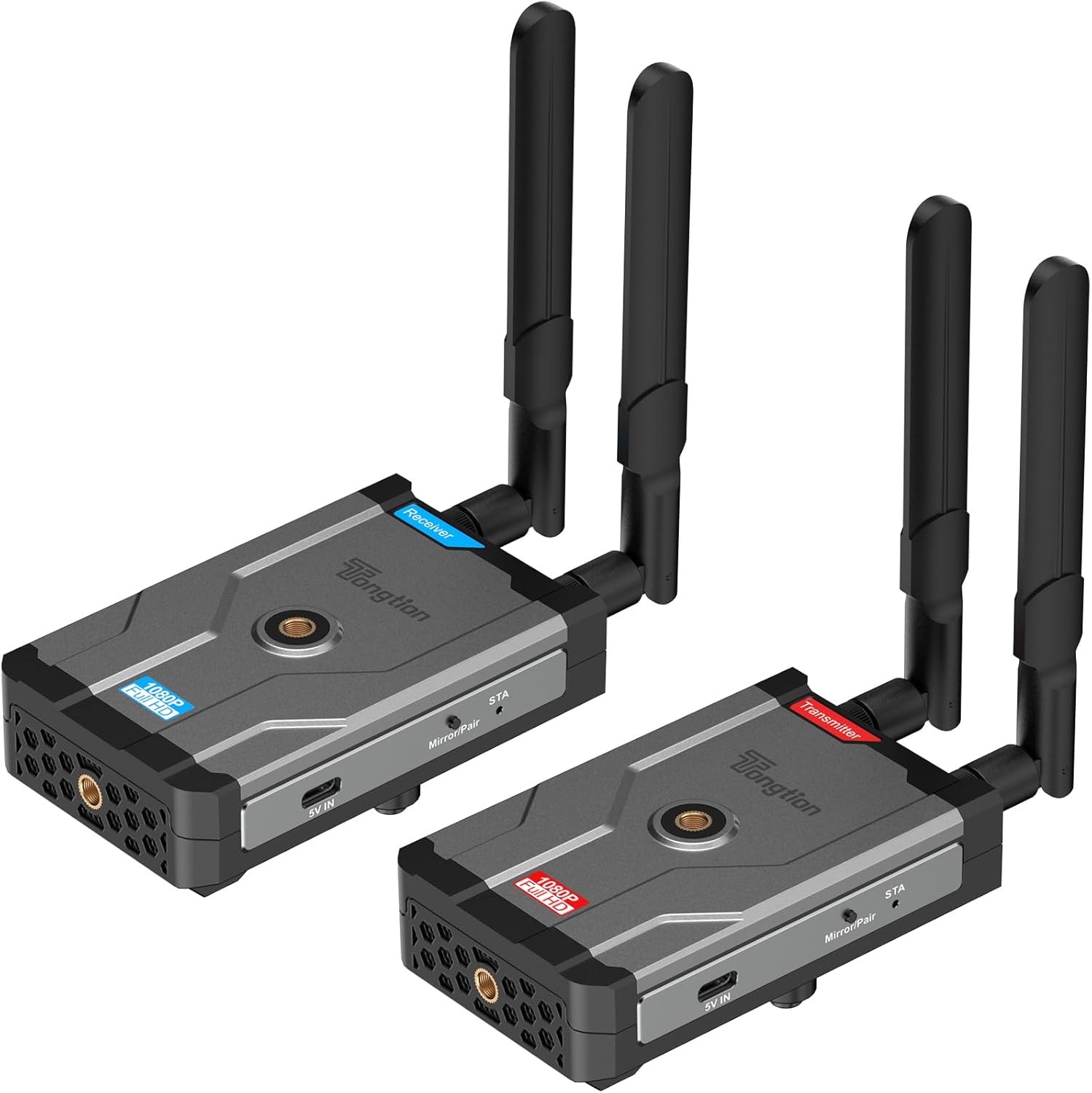
Image: The Tongtion Wireless HDMI Extender system, showing both the transmitter and receiver units with their antennas.
2. පෙට්ටියේ ඇති දේ
සියලුම සංරචක පැකේජයේ ඇති බව තහවුරු කර ගන්න:
- 1 x රැහැන් රහිත HDMI සම්ප්රේෂකය
- 1 x රැහැන් රහිත HDMI ලබන්නා
- 4 x ඇන්ටනා
- 2 x බල ඇඩැප්ටර
- 2 x USB-C Power Cables
- 1 x පරිශීලක මාර්ගෝපදේශය
- HDMI කේබල්

Image: A visual representation of the package contents, including the transmitter, receiver, antennas, power adapters, USB-C cables, and user guide.
3. පිරිවිතර
| විශේෂාංගය | විස්තර |
|---|---|
| ආදර්ශ අංකය | H-1 |
| විභේදන සහාය | 1920×1080@60Hz (1080P Full HD) |
| සම්ප්රේෂණ පරාසය | Up to 500m (1640ft) Line-of-Sight |
| රැහැන් රහිත සංඛ්යාතය | 5GHz (802.11a/n) |
| ඇන්ටෙනා වින්යාසය | 2T2R Dual-Antenna |
| HDMI සම්මතය | HDMI1.4 / HDCP1.4 |
| බල විකල්ප | Power bank, NP-F series batteries (not included), USB-C ports |
| වර්ණය | කළු |
| අයිතමයේ බර | රාත්තල් 1.17 (කිලෝ ග්රෑම් 0.53) |
| නිෂ්පාදන මානයන් | 5.87 x 3.74 x 0.96 අඟල් (14.9 x 9.5 x 2.4 cm) |
| විශේෂ ලක්ෂණය | ස්වයංක්රීය ක්රමාංකනය |
4. සැකසුම් උපදෙස්
The Tongtion Wireless HDMI Extender is designed for true plug-and-play operation, requiring no drivers or software installation.
- ඇන්ටනා සම්බන්ධ කරන්න: Screw the four provided antennas onto the designated ports on both the Transmitter and Receiver units. Ensure they are securely fastened.

රූපය: සමීප රූපය view of the transmitter and receiver units, highlighting the antenna connection points.
- ග්රාහකයාට බලය සපයන්න: Connect one end of a USB-C power cable to the Receiver unit's USB-C port and the other end to a power adapter. Plug the power adapter into an electrical outlet. Alternatively, use a power bank or compatible NP-F series battery (not included) for portable power.
- සංදර්ශනයට ග්රාහකයා සම්බන්ධ කරන්න: Use an HDMI cable to connect the HDMI OUT port on the Receiver unit to the HDMI input port on your display device (e.g., TV, projector, monitor).
- Power the Transmitter: Connect the second USB-C power cable to the Transmitter unit's USB-C port and the other end to its power adapter. Plug the power adapter into an electrical outlet. Similar to the receiver, a power bank or NP-F series battery can be used.
- Connect Transmitter to Source: Use an HDMI cable to connect the HDMI IN port on the Transmitter unit to the HDMI output port on your source device (e.g., laptop, camera, set-top box, PC, DV).

Image: A diagram illustrating the connection process: transmitter connected to a laptop and receiver connected to a television.
- ස්වයංක්රීය යුගලනය: The Transmitter and Receiver units are designed to pair automatically within seconds. No manual pairing or software configuration is typically required. Wait for the connection indicator lights on both units to show a stable connection.
Note: For optimal performance, ensure a clear line of sight between the transmitter and receiver, especially for longer distances. Walls and other obstructions can reduce the effective transmission range.
5. මෙහෙයුම් උපදෙස්
Once the setup is complete and the units are paired, the system operates automatically.
- බල ගැන්වීම: සම්ප්රේෂක සහ ග්රාහක ඒකක දෙකම ක්රියාත්මක කර ඇති බවට සහතික වන්න.
- මූලාශ්ර උපාංග ප්රතිදානය: Ensure your source device (laptop, camera, etc.) is outputting video via its HDMI port.
- සංදර්ශක ආදානය: Set your display device (TV, projector) to the correct HDMI input channel where the Receiver is connected.
- සංඥා සම්ප්රේෂණය: ඔබගේ මූලාශ්ර උපාංගයෙන් ලැබෙන වීඩියෝ සහ ශ්රව්ය සංඥා රැහැන් රහිතව ඔබගේ සංදර්ශකය වෙත සම්ප්රේෂණය කෙරේ.
- One-Button Sync: If pairing is lost or you need to re-sync, press the sync button on both the Transmitter and Receiver units simultaneously.

Image: A visual representation of the extender in operation, showing a clear 1080P Full HD signal being transmitted wirelessly to a display.
5.1. Universal Device Compatibility
The system is compatible with a wide range of HDMI-enabled devices:
- මූලාශ්ර උපාංග: Cameras, Laptops, Set-top boxes, Switchers, PCs, DVs.
- සංදර්ශක උපාංග: Projectors, TVs, Monitors.
It supports HDMI1.4/HDCP1.4, allowing for protected content streaming from various platforms.

Image: An illustration demonstrating the broad compatibility of the wireless HDMI extender with various input and output devices.
5.2. Transmission Range and Performance
The device offers a long-range 5GHz dual-antenna transmission, minimizing interference and ensuring stable signal coverage.
- Line-of-Sight (LOS) Range: අඩි 1640 (මීටර් 500) දක්වා
- Through-Wall Penetration: Effective range is reduced when transmitting through walls or obstructions. Typical ranges are 164-295 feet (50-90 meters) through complex home environments.
- ප්රමාදය: The system is designed for low latency, suitable for video streaming and presentations. Note: Not recommended for gaming due to potential minor latency.

Image: A graphic depicting the extensive transmission range of 1640 feet and the low latency of 0.15 seconds, with a visual of the transmitter and receiver units.

රූපය: උඩින් ඇති දෙයක් view of a house layout illustrating the signal penetration capabilities through walls and the difference between line-of-sight and obstructed transmission ranges.
6. දෝශ නිරාකරණය
ඔබට ගැටළු ඇති වුවහොත්, පහත පොදු දෝශ නිරාකරණ පියවර වෙත යොමු වන්න:
- සංදර්ශකයේ සංඥාවක් නොමැත:
- Ensure both Transmitter and Receiver are powered on and their power indicators are lit.
- Verify all HDMI cables are securely connected to the correct ports (HDMI IN on Transmitter, HDMI OUT on Receiver).
- Check that your display device is set to the correct HDMI input source.
- Ensure the source device is outputting an HDMI signal.
- Try pressing the sync button on both units simultaneously to re-establish pairing.
- Reduce the distance between the Transmitter and Receiver, and remove any obstructions.
- Intermittent Signal / Poor Quality:
- Ensure antennas are securely attached and oriented correctly.
- Check for strong interference sources (e.g., Wi-Fi routers, microwaves) operating on the 5GHz band nearby.
- Move the units closer together or adjust their positions to improve line of sight.
- Verify that the power supply is stable and sufficient for both units.
- ශ්රව්ය නැත:
- ඔබගේ මූලාශ්ර උපාංගයේ ශ්රව්ය සැකසුම් පරීක්ෂා කරන්න.
- Ensure the display device's volume is not muted or set too low.
- Confirm HDMI cables are fully inserted.
- Units Not Pairing:
- ඒකක දෙකම බල ගන්වා ඇති බවට සහතික වන්න.
- Perform a manual sync by pressing the pairing button on both units.
- Power cycle both the Transmitter and Receiver units.
7. නඩත්තු කිරීම
To ensure the longevity and optimal performance of your Wireless HDMI Extender, follow these maintenance guidelines:
- පිරිසිදු කිරීම: ඒකකවල බාහිර පිරිසිදු කිරීම සඳහා මෘදු වියළි රෙද්දක් භාවිතා කරන්න. දියර පිරිසිදු කරන්නන් හෝ එයරොසෝල් භාවිතා නොකරන්න.
- ගබඩා: දිගු කාලයක් භාවිතයේ නොමැති විට, සෘජු හිරු එළියෙන් සහ අධික උෂ්ණත්වයන්ගෙන් ඈත්ව සිසිල් වියළි ස්ථානයක ඒකක ගබඩා කරන්න.
- හැසිරවීම: Handle the units and antennas with care to avoid physical damage. Avoid dropping or subjecting them to strong impacts.
- වාතාශ්රය: Ensure the units have adequate ventilation to prevent overheating, especially during prolonged operation. Do not block ventilation holes.
- බල සැපයුම: Always use the provided power adapters or compatible power sources to prevent damage.
8. වගකීම් සහ සහාය
The Tongtion Wireless HDMI Extender comes with a වසර 1ක වගකීමක් මිලදී ගත් දින සිට.
Tongtion also provides ජීවිත කාලය සඳහා සහාය for this product. If you encounter any issues or have questions that are not covered in this manual, please contact Tongtion customer support through their official channels or refer to the 24/7 troubleshooting guides mentioned in the product features.
වැඩිදුර සහාය සඳහා, පිවිසෙන්න Tongtion Store on Amazon.


