හැඳින්වීම
The HP 527pq 27-inch WQHD LED Monitor is designed to enhance productivity and provide a comfortable viewing experience. Featuring a 27-inch WQHD (2560 x 1440) resolution IPS panel with a 100 Hz refresh rate, it delivers clear and vibrant visuals with 100% sRGB color accuracy. The monitor offers 4-way adjustability for ergonomic comfort and includes HP Eye Ease technology to reduce blue light without impacting color. Its sleek design features a 3-sided micro-edge bezel, and it supports daisy-chaining with other compatible HP Series 5 Pro USB-C monitors or docks. Constructed with at least 90% recycled plastic content and sustainably sourced packaging, this monitor reflects a commitment to environmental responsibility.
පෙට්ටියේ ඇති දේ
සැකසීම සමඟ ඉදිරියට යාමට පෙර සියලුම සංරචක පවතින බව තහවුරු කර ගන්න.
- HP Series 5 Pro 27 inch QHD Monitor - 527pq
- ඩිස්ප්ලේපෝට් කේබලය
- HDMI කේබලය
- වගකීම් කාඩ්පත
- USB වර්ගය-B සිට A කේබලය දක්වා
- ඉක්මන් සැකසුම් පෝස්ටරය
- AC විදුලි රැහැන
සැලසුම
1. එකලස් කිරීම නිරීක්ෂණය කරන්න
Carefully remove the monitor and stand components from the packaging. Attach the stand base to the stand column, then secure the assembled stand to the back of the monitor until it clicks into place. Ensure all connections are firm.
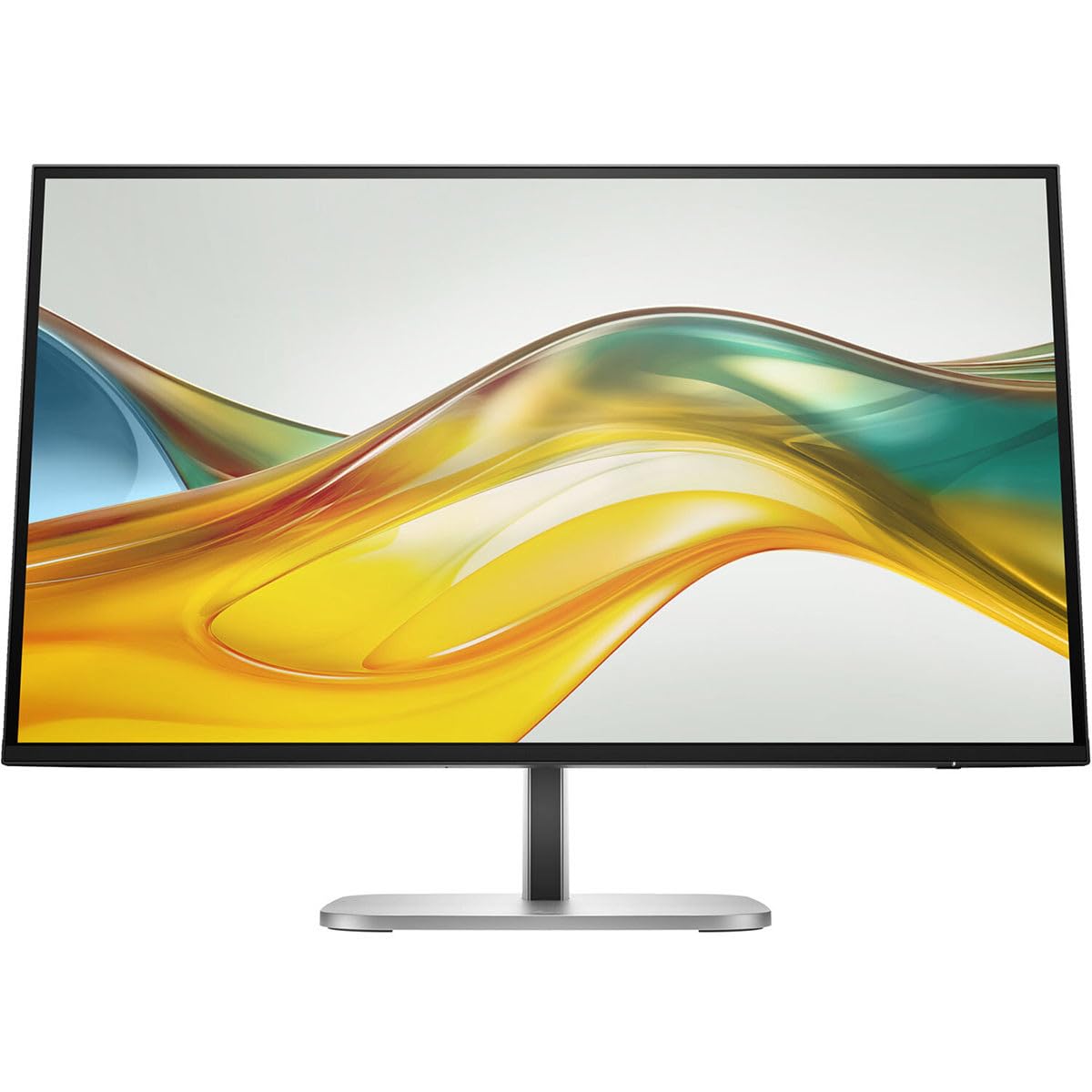
රූපය 1: ඉදිරිපස view of the HP 527pq monitor with stand.
2. කේබල් සම්බන්ධ කිරීම
Connect the power cord to the monitor and a power outlet. For video input, use either the provided HDMI cable or DisplayPort cable to connect the monitor to your computer's video output port. To enable the integrated USB hub, connect the USB Type-B to A cable from the monitor to an available USB port on your computer.

රූපය 2: පසුපස view of the monitor with connection ports and cable management slot.
Utilize the integrated cable management slot on the stand to organize your cables for a tidy workspace.
3. කාර්යක්ෂමතා ගැලපීම
Adjust the monitor's height, tilt, swivel, and pivot to achieve an optimal viewing position. Refer to the Quick Setup Poster for detailed ergonomic guidelines. The monitor's 4-way adjustability helps reduce strain during extended use.

රූපය 3: පැත්ත view illustrating the monitor's adjustable stand.
මෙහෙයුම් උපදෙස්
බලය සක්රිය / අක්රිය
Press the power button, usually located on the bottom right bezel or rear of the monitor, to turn the monitor on or off. The power indicator light will illuminate when the monitor is active.
තිරය මත සංදර්ශකය (OSD) මෙනුව
Access the OSD menu by pressing the menu button on the monitor. Use the navigation buttons to browse through options such as brightness, contrast, color settings, and input selection. Press the select button to confirm changes and the exit button to close the menu.
ආදාන තේරීම
If you have multiple devices connected, use the OSD menu or a dedicated input select button to switch between HDMI and DisplayPort inputs.
සංදර්ශක සැකසුම්
- දීප්තිය සහ වෙනස: ඔබට ගැලපෙන පරිදි OSD මෙනුවේ මෙම සැකසුම් සකසන්න viewපරිසරය.
- වර්ණ සැකසුම්: The monitor supports 100% sRGB. Fine-tune color temperature and gamma for optimal visual fidelity. HP Progressive White Balance ensures consistent color representation.
- HP අක්ෂි පහසුව: This feature reduces blue light emissions without affecting color accuracy, contributing to eye comfort during prolonged use. It can be enabled or disabled via the OSD menu.
නඩත්තු කිරීම
මොනිටරය පිරිසිදු කිරීම
- තිරය: මෘදු, ලින්ට් රහිත රෙද්දකින් තිරය මෘදු ලෙස පිස දමන්න. මුරණ්ඩු සලකුණු සඳහා, සැහැල්ලුවෙන් dampජලය හෝ උල්ෙල්ඛ නොවන තිර පිරිසිදු කරන්නෙකු සහිත රෙදි. මධ්යසාර මත පදනම් වූ පිරිසිදු කරන්නන් හෝ රළු රසායනික ද්රව්ය භාවිතා කිරීමෙන් වළකින්න.
- Casing: මොනිටරය පිරිසිදු කිරීමට මෘදු වියළි රෙද්දක් භාවිතා කරන්න c.asing. Do not spray cleaning solutions directly onto the monitor.
- පිරිසිදු කිරීමට පෙර සෑම විටම මොනිටරය විදුලිබල අලෙවිසැලෙන් විසන්ධි කරන්න.
කේබල් කළමනාකරණය
Regularly check and adjust cables routed through the stand's cable management slot to prevent tangles and ensure proper airflow. This helps maintain a clean and organized workspace.
දෝෂගවේෂණය
| ගැටලුව | විය හැකි හේතුව | විසඳුම |
|---|---|---|
| බලය නැත | Power cable disconnected or power outlet issue. | Ensure the AC power cord is securely connected to both the monitor and a working power outlet. |
| No signal on screen | Video cable disconnected or incorrect input selected. | Check that the HDMI or DisplayPort cable is firmly connected to both the monitor and your computer. Select the correct input source via the OSD menu. |
| දිලිසෙන හෝ විකෘති වූ රූපයක් | වැරදි විභේදනය හෝ නැවුම් කිරීමේ අනුපාත සැකසුම්. | Adjust your computer's display settings to the recommended WQHD (2560 x 1440) resolution and 100 Hz refresh rate. |
| USB ports ක්රියා නොකරයි | USB Type-B to A cable not connected. | Ensure the USB Type-B to A cable is connected from the monitor to your computer to activate the USB hub functionality. |
පිරිවිතර
| විශේෂාංගය | විස්තර |
|---|---|
| ආදර්ශ අංකය | 9D9S0UT#ABA |
| තිර ප්රමාණය | අඟල් 27 |
| විභේදනය | WQHD (2560 x 1440) |
| පැනල් තාක්ෂණය | තලය තුළ මාරු කිරීමේ (IPS) තාක්ෂණය |
| දර්ශන අනුපාතය | 16:9 |
| Refresh Rate | 100 Hz |
| දීප්තිය | 350 නිට් |
| ප්රතිචාර කාලය | 5 ms |
| සම්බන්ධතාවය | HDMI, DisplayPort, USB Hub |
| වර්ණය | කළු |
| නිෂ්පාදන මානයන් (LxWxH) | අඟල් 1.8 x 24.1 x 14 |
| අයිතමයේ බර | රාත්තල් 10.1 කි |
| නිෂ්පාදකයා | හෙව්ලට් පැකාර්ඩ් |
වගකීම් සහ සහාය
This HP monitor comes with a manufacturer's warranty. Please refer to the included Warranty Card for specific terms, conditions, and duration of your product's warranty. For technical support, service, or additional information, please visit the official HP support website or contact HP customer service. Keep your purchase receipt and product serial number readily available when seeking support.