1. හැඳින්වීම
This manual provides instructions for the proper setup, operation, and maintenance of your Califone On-Ear Headset with Gooseneck Microphone, Model CAFKH08GTBK. This headset is designed for clear verbal communication and audio listening, featuring a unidirectional gooseneck microphone and in-line volume control. Please read this manual thoroughly before using the product to ensure optimal performance and longevity.
2. නිෂ්පාදන අවසන්view
2.1 ප්රධාන ලක්ෂණ
- Inline volume control for easy audio adjustment.
- Durable 6-foot CaliTuff cord, designed to be cut and chew-resistant.
- Comfortable leatherette ear cushions for extended wear.
- ආරක්ෂිත සහ සුවපහසු ගැළපීමක් සඳහා සකස් කළ හැකි හිස් පටිය.
- Unidirectional gooseneck microphone that swings up when not in use.
2.2 පැකේජයේ අන්තර්ගතය
නිෂ්පාදන පැකේජයට ඇතුළත් වන්නේ:
- 1 x Califone On-Ear Headset with Gooseneck Microphone (Model CAFKH08GTBK)
2.3 නිෂ්පාදන සංරචක

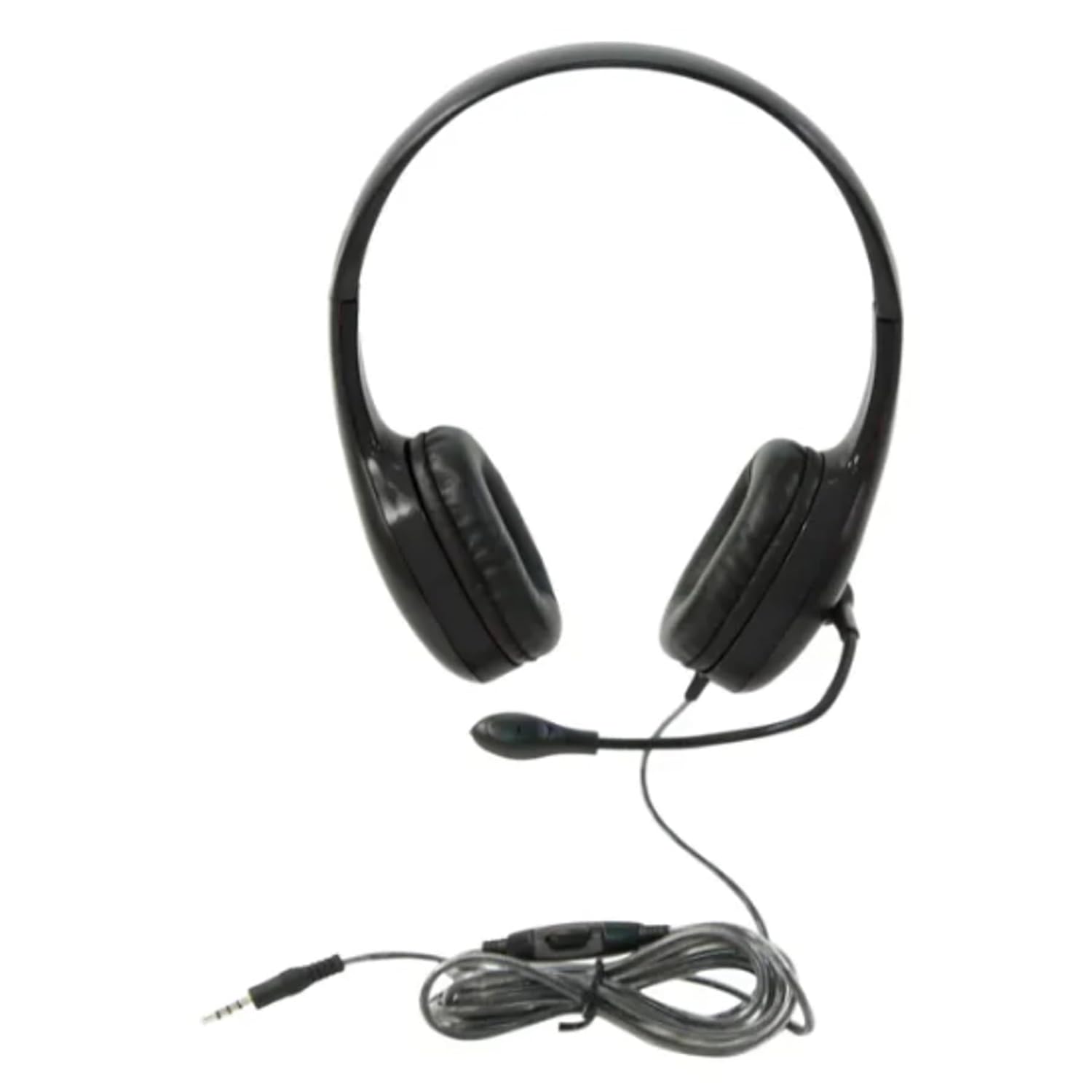
රූපය 1: Califone On-Ear Headset. This image shows the complete headset with the adjustable headband, on-ear earcups, and the flexible gooseneck microphone extended. The attached cord with the 3.5mm jack and inline volume control is also visible.
රූපය 2: 3.5mm Jack and Inline Volume Control. This image focuses on the 3.5mm audio jack and the inline control unit located on the headset's cord. The control unit features a rotary dial for adjusting volume.
3. පිහිටුවීම
- හෙඩ්සෙට් එක සම්බන්ධ කරන්න: Locate the 3.5mm audio jack on your computer, tablet, smartphone, or other compatible audio device. Insert the 3.5mm plug from the headset firmly into the audio jack.
- හෙඩ්බෑන්ඩ් එක සකසන්න: Place the headset on your head. Adjust the headband by sliding the earcups up or down until they rest comfortably over your ears and the headband fits securely.
- මයික්රෆෝනය ස්ථානගත කරන්න: Gently bend the flexible gooseneck microphone to position it approximately 1-2 inches (2.5-5 cm) from your mouth for optimal voice pickup. Ensure it is not directly in front of your mouth to avoid breath noises.
- Initial Volume Check: Before playing audio or speaking, ensure the inline volume control is set to a low level to prevent sudden loud sounds.
4. මෙහෙයුම් උපදෙස්
4.1 ශ්රව්ය නැවත ධාවනය
Once connected, your device should automatically recognize the headset. Play audio from your device. Adjust the volume using the inline volume control on the headset cord or through your device's system volume settings.
4.2 මයික්රෆෝනය භාවිතා කිරීම
For voice communication (e.g., video calls, online gaming, voice recording):
- Ensure the microphone is positioned correctly (refer to Section 3.3).
- In your device's audio settings, select the Califone headset as the input (microphone) device.
- If not in use, the gooseneck microphone can be swung upwards and away from your face.
5. නඩත්තු කිරීම
5.1 පිරිසිදු කිරීම
- Disconnect the headset from your device before cleaning.
- Wipe the ear cushions and exterior surfaces with a soft, damp රෙදි. දරුණු රසායනික ද්රව්ය හෝ උල්ෙල්ඛ පිරිසිදු කරන්නන් භාවිතා නොකරන්න.
- Avoid getting moisture into the earcup speakers or microphone.
5.2 Storage and Cord Care
- Store the headset in a clean, dry place away from extreme temperatures.
- Avoid tightly wrapping the cord around the headset or pulling on it excessively, despite its durable CaliTuff design.
- Do not expose the cord to sharp objects or excessive bending.
6. දෝශ නිරාකරණය
| ගැටලුව | හැකි විසඳුම |
|---|---|
| හෙඩ්සෙට් එකෙන් සද්දයක් නෑ. |
|
| මයික්රෆෝනය ක්රියා නොකරයි. |
|
| ශබ්දය විකෘති හෝ නොපැහැදිලි ය. |
|
7. පිරිවිතර
| විශේෂාංගය | විස්තර |
|---|---|
| ආදර්ශ අංකය | CAFKH08GTBK |
| සම්බන්ධතා තාක්ෂණය | Wired (3.5mm jack) |
| කන් ස්ථානගත කිරීම | ඔන්-කන් |
| මයික්රෆෝන වර්ගය | Gooseneck, Unidirectional |
| රැහැන් දිග | 6 feet (CaliTuff) |
| විශේෂ ලක්ෂණ | Adjustable Headband, Inline Volume Control |
| නිෂ්පාදන මානයන් | 26.67 x 24.13 x 21.59 සෙ.මී |
| අයිතමයේ බර | 159 ග්රෑම් |
| වර්ණය | කළු |
| නිෂ්පාදකයා | Caliphone International |
| මුල් රට | ඇඑජ |
8. වගකීම් තොරතුරු
This Califone On-Ear Headset (Model CAFKH08GTBK) is covered by a වසර 3ක වගකීමක් from the date of purchase. This warranty covers manufacturing defects and workmanship under normal use. For warranty claims or detailed terms and conditions, please refer to the official Califone webවෙබ් අඩවිය හෝ ඔවුන්ගේ පාරිභෝගික සහාය අමතන්න.
9. පාරිභෝගික සහාය
If you encounter any issues not covered in the troubleshooting section or require further assistance, please contact Califone customer support. You can typically find contact information, FAQs, and additional resources on the official Califone webඅඩවිය.
Please have your product model number (CAFKH08GTBK) and proof of purchase ready when contacting support.


