1. හැඳින්වීම
ස්තූතියි, උදව් කළාටasing the ZEBRONICS Envy 2 Wireless Over-Ear Headphone. This manual provides essential information for the proper setup, operation, and maintenance of your device. Please read it carefully before use and retain it for future reference.
2. පැකේජ අන්තර්ගතය
- Headphone - 1 Unit
- Aux cable - 1 Unit
- External MIC - 1 Unit
- QR code guide - 1 Unit
- Charging cable (Type-C) - 1 Unit
3. නිෂ්පාදන අවසන්view
The ZEBRONICS Envy 2 features a comfortable over-ear design with intuitive controls and versatile connectivity options.
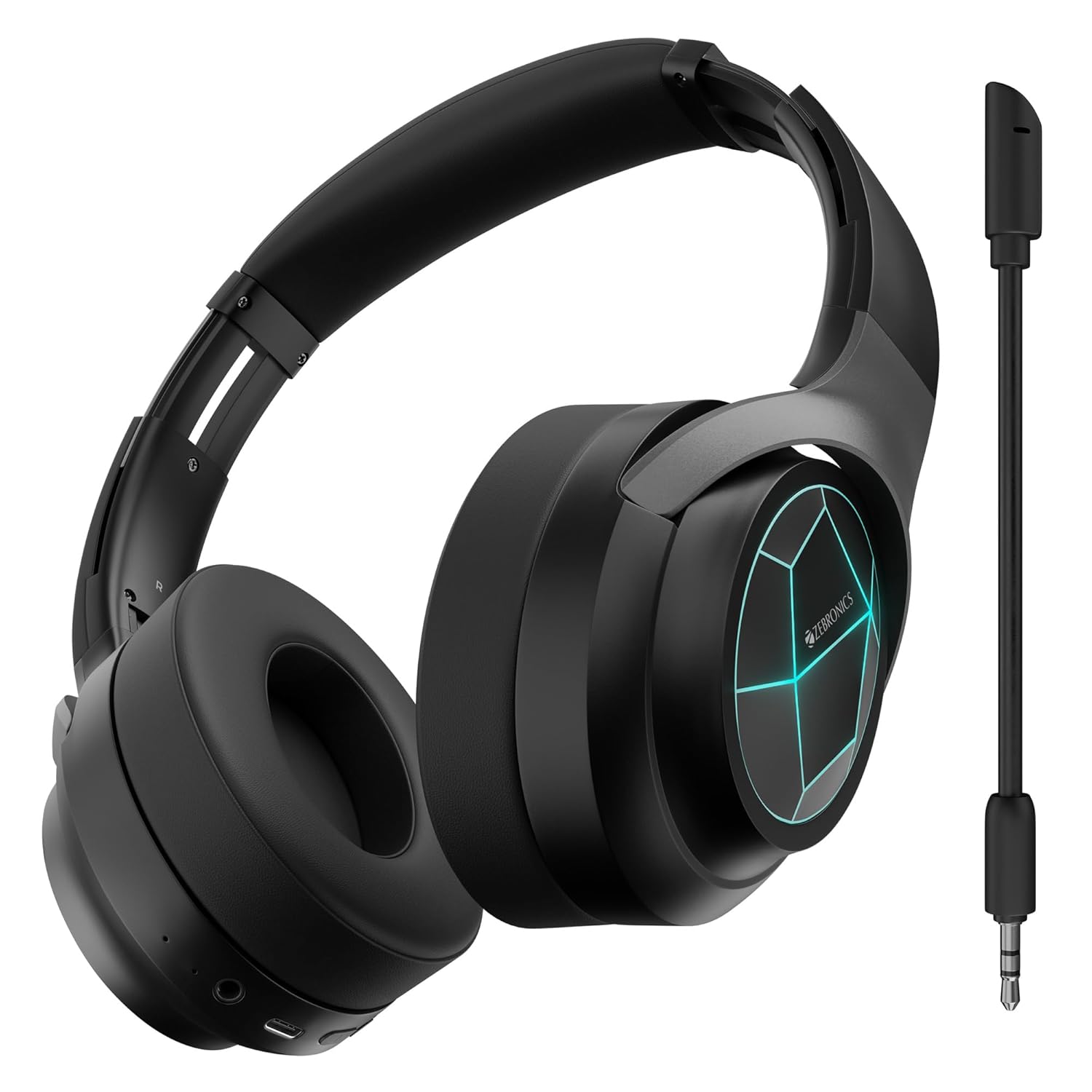
රූපය 1: ඉදිරිපස view of the ZEBRONICS Envy 2 Wireless Over-Ear Headphone, showcasing its sleek black design and illuminated earcups.
3.1 සංරචක සහ පාලන
- කරාබු: Padded for comfort, housing 40mm drivers.
- හෙඩ්බෑන්ඩ්: Adjustable and foldable for portability.
- බල/බහුකාර්ය බොත්තම: For power on/off, play/pause, call management.
- ශබ්දය වැඩි කිරීම/ඊළඟ ධාවන පථ බොත්තම: Adjust volume or skip tracks.
- ශබ්දය අඩු කිරීම/පෙර ධාවන පථ බොත්තම: Adjust volume or go to previous tracks.
- මාදිලි බොත්තම: To switch between modes (e.g., Gaming Mode).
- Type-C Charging Port: අභ්යන්තර බැටරිය ආරෝපණය කිරීම සඳහා.
- 3.5mm AUX ආදානය: රැහැන්ගත ශ්රව්ය සම්බන්ධතාවය සඳහා.
- මයික්රෆෝන වරාය: For attaching the detachable microphone.
- LED දර්ශක: For power, pairing, and charging status.

Figure 2: Close-up showing the 40mm drivers for deep bass, media and volume controls, foldable design, and LED lights on the earcups.
4 ප්රධාන ලක්ෂණ
- ගතික බාස්: Equipped with dual 40mm powerful drivers for enhanced audio experience.
- රැහැන් රහිත සම්බන්ධතාවය: Utilizes Bluetooth v5.3 for stable and efficient wireless connection.
- රැහැන්ගත සම්බන්ධතාවය: Supports 3.5mm AUX input for universal compatibility.
- වෙන් කළ හැකි මයික්රෆෝනය: Includes a flexible, detachable microphone for clear communication, especially during gaming.
- පාරිසරික ශබ්ද අවලංගු කිරීම (ENC): Reduces ambient noise for clearer calls.
- දිගු පසුධාවන කාලය: Offers up to 65 hours of playback on a single charge (at 50% volume with LED off).
- සූදු ප්රකාරය: Provides a low-latency audio experience optimized for gaming.
- ද්විත්ව යුගලනය: Allows simultaneous connection to two devices, enabling seamless switching.
- හඬ සහායක සහාය: හෑන්ඩ්ස්-ෆ්රී පාලනය සඳහා හඬ සහායක සමඟ අනුකූල වේ.
- නම්යශීලී නිර්මාණය: Enhances portability and ease of storage.
- මෘදු කන් කුෂන්: Designed for extended comfort during long listening sessions.
- LED විදුලි පහන්: Integrated LED lights on the earcups for a distinctive visual appeal.
5. හෙඩ්ෆෝනය ආරෝපණය කිරීම
Before first use, fully charge the headphone. Use the provided Type-C charging cable.
- Connect the Type-C end of the charging cable to the headphone's charging port.
- ආරෝපණ කේබලයේ USB-A කෙළවර අනුකූල USB බල ඇඩැප්ටරයකට (ඇතුළත් කර නැත) හෝ පරිගණකයේ USB පෝට් එකකට සම්බන්ධ කරන්න.
- LED දර්ශකය ආරෝපණ තත්ත්වය පෙන්වනු ඇත (උදා: ආරෝපණය වන විට රතු, සම්පූර්ණයෙන්ම ආරෝපණය වූ විට අක්රිය).
- A full charge typically takes approximately X hours (refer to product specifications for exact time).

Figure 3: Illustration highlighting the headphone's impressive battery life of up to 65 hours and its built-in rechargeable battery.
6. බ්ලූටූත් යුගලනය
Follow these steps to pair your ZEBRONICS Envy 2 headphone with a Bluetooth-enabled device.
- Ensure the headphone is fully charged and turned off.
- යුගල කිරීමේ මාදිලිය දක්වමින් LED දර්ශකය නිල් සහ රතු විකල්ප ලෙස දැල්වෙන තුරු බල/බහු ක්රියාකාරී බොත්තම ඔබාගෙන සිටින්න.
- ඔබගේ උපාංගයේ (ස්මාර්ට්ෆෝන්, ටැබ්ලටය, ලැප්ටොප්), බ්ලූටූත් සක්රීය කර පවතින උපාංග සොයන්න.
- Select "Zeb-Envy 2" from the list of found devices.
- යුගලනය වූ පසු, LED දර්ශකය සෙමෙන් නිල් පැහැයෙන් දැල්වෙයි.
6.1 Dual Pairing
The headphone supports dual pairing, allowing connection to two Bluetooth devices simultaneously.
- Pair the headphone with the first device as described above.
- Disable Bluetooth on the first device. The headphone will re-enter pairing mode.
- Pair the headphone with the second device.
- Re-enable Bluetooth on the first device. The headphone should automatically connect to both devices.

Figure 4: The headphone connected to both a laptop and a smartphone, illustrating the dual pairing feature with Bluetooth v5.3.
7. රැහැන්ගත සම්බන්ධතාවය (AUX)
For a wired connection, use the provided 3.5mm AUX cable.
- Plug one end of the 3.5mm AUX cable into the headphone's AUX input port.
- Plug the other end into the 3.5mm audio output jack of your audio source (e.g., smartphone, computer, gaming console).
- The headphone will automatically switch to AUX mode.

Figure 5: The headphone showing the detachable and flexible microphone, along with the AUX input port for wired audio.
8. Using the Detachable Microphone
The ZEBRONICS Envy 2 comes with a detachable microphone for clear voice input.
- Locate the microphone port on the headphone.
- Insert the detachable microphone firmly into the port.
- Adjust the flexible microphone arm to position it optimally for your voice.
- To remove, gently pull the microphone out of the port.
9. Call Function and Voice Assistant
Manage calls and activate your device's voice assistant with ease.
9.1 Call Function (ENC)
- ඇමතුම්වලට පිළිතුරු දීම / අවසන් කිරීම: බල/බහුකාර්ය බොත්තම වරක් ඔබන්න.
- ඇමතුම් ප්රතික්ෂේප කිරීම: තත්පර 2ක් සඳහා බල/බහු ක්රියාකාරී බොත්තම ඔබාගෙන සිටින්න.
- පාරිසරික ශබ්ද අවලංගු කිරීම (ENC): The built-in ENC technology helps reduce background noise during calls for clearer conversations.

Figure 6: Visual representation of the Environmental Noise Cancellation (ENC) feature, showing the headphone surrounded by a noise-reducing field.
9.2 හ oice සහකාර
- හඬ සහායක සක්රිය කිරීම: Press the Voice Assistant button (if available, or typically a double-press of the Multi-function button) to activate your device's voice assistant (e.g., Siri, Google Assistant).

Figure 7: The headphone highlighting soft ear cushions for comfort, the call function, and support for voice assistants like Siri and Google Assistant.
10. ක්රීඩා මාදිලිය
The ZEBRONICS Envy 2 features a dedicated Gaming Mode for a low-latency audio experience, crucial for competitive gaming.
- ක්රීඩා මාදිලිය සක්රිය කිරීම: Press the Mode button (or refer to the QR code guide for specific button press).
- ප්රතිලාභ: Reduces audio delay, ensuring synchronized sound with on-screen action.
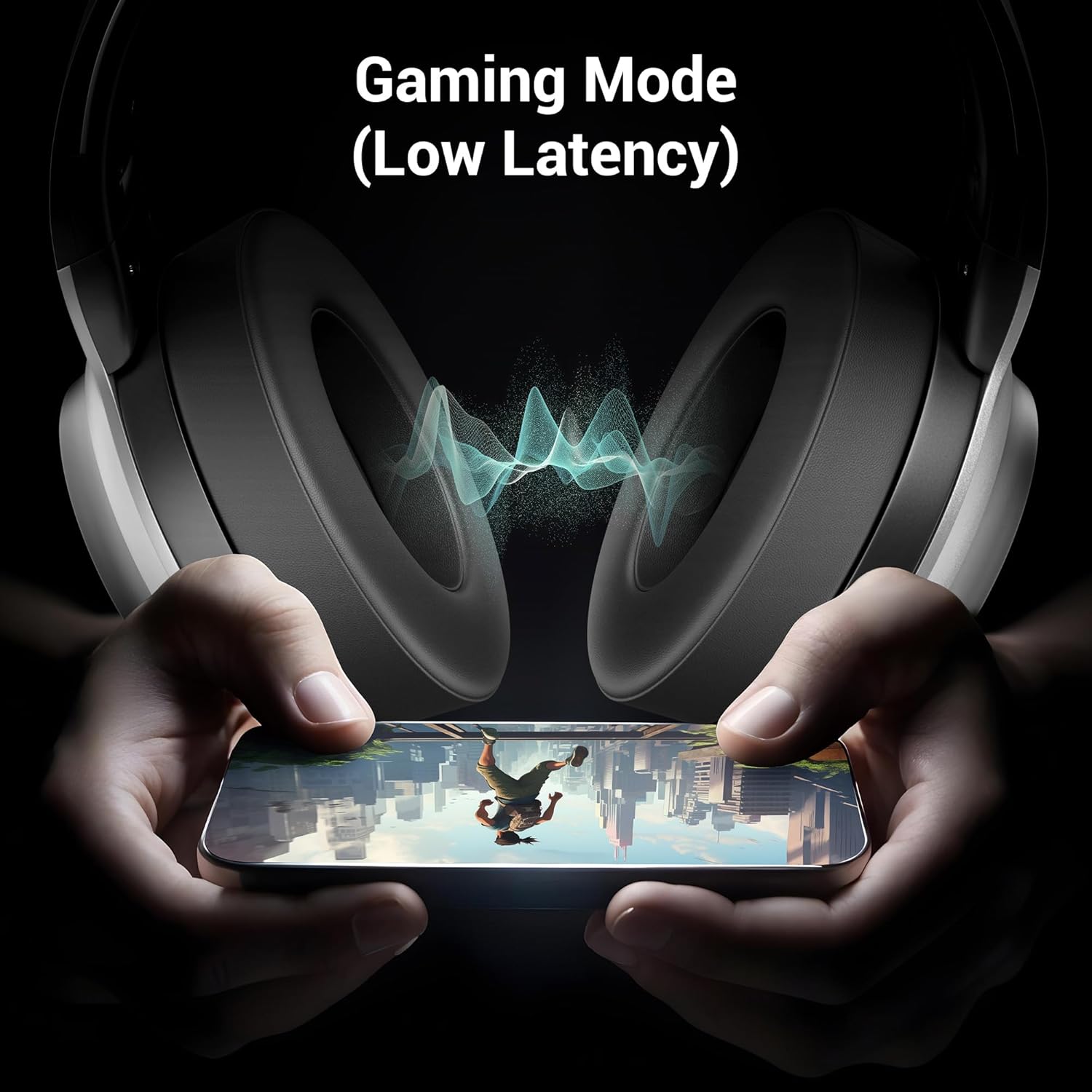
Figure 8: The headphone illustrating its Gaming Mode, emphasizing low latency for an immersive gaming experience.
11. නඩත්තුව සහ රැකවරණය
- Clean the headphone with a soft, dry cloth. Do not use harsh chemicals or abrasive materials.
- Avoid exposing the headphone to extreme temperatures, humidity, or direct sunlight.
- Store the headphone in a cool, dry place when not in use. The foldable design aids in compact storage.
- Do not attempt to disassemble or modify the headphone, as this will void the warranty.
12. දෝශ නිරාකරණය
| ගැටලුව | විය හැකි හේතුව | විසඳුම |
|---|---|---|
| Headphone does not power on | අඩු බැටරි | Charge the headphone fully. |
| බ්ලූටූත් හරහා යුගල කළ නොහැක. | Headphone not in pairing mode; device Bluetooth off; too far apart | Ensure headphone is in pairing mode (flashing blue/red). Turn on device Bluetooth. Keep devices within 10 meters. |
| ශබ්දයක් නැත | Volume too low; incorrect source; headphone not connected | Increase volume on headphone and device. Check connection (Bluetooth or AUX). Ensure correct audio output is selected on your device. |
| මයික්රෆෝනය ක්රියා නොකරයි | Microphone not properly attached; muted; incorrect input selected | Ensure detachable mic is securely inserted. Check if mic is muted on the headphone or device. Select the correct microphone input on your device settings. |
13. පිරිවිතර
| විශේෂාංගය | විස්තර |
|---|---|
| මාදිලියේ නම | Zeb Envy 2 |
| සම්බන්ධතා තාක්ෂණය | රැහැන් රහිත (බ්ලූටූත්), රැහැන්ගත (AUX) |
| බ්ලූටූත් අනුවාදය | 5.3 |
| ශ්රව්ය ධාවක වර්ගය | ගතික ධාවකය |
| රියදුරු ප්රමාණය | 40 මි.මී |
| බැටරි ආයු කාලය | Up to 65 Hours (at 50% Volume, LED OFF) |
| ආරෝපණ වරාය | වර්ගය-C |
| මයික්රෆෝනය | Detachable & Flexible Mic with ENC |
| කන් ස්ථානගත කිරීම | කනට උඩින් |
| පාලන ක්රමය | තල්ලු බොත්තම |
| ගැළපෙන උපාංග | Laptops, Tablets, Smartphones, Gaming Consoles |
| අයිතමයේ බර | ග්රෑම් 238 යි |
| නිෂ්පාදන මානයන් (LxWxH) | 8.4 x 15.4 x 22.2 සෙ.මී |
| ද්රව්ය | ප්ලාස්ටික් |
14 ආරක්ෂිත තොරතුරු
- Do not use the headphone at high volume for extended periods to prevent hearing damage.
- Do not use the headphone while driving or in situations where ambient sounds are necessary for safety.
- Keep the device away from water, moisture, and flammable substances.
- දේශීය රෙගුලාසිවලට අනුව වගකීමෙන් යුතුව භාණ්ඩය බැහැර කරන්න.
15. වගකීම් සහ සහාය
Your ZEBRONICS Envy 2 headphone is covered by a manufacturer's warranty. For detailed warranty information, technical support, or service inquiries, please refer to the QR code guide included in your package or visit the official ZEBRONICS webඅඩවිය.


