1. හැඳින්වීම
Welcome to the user manual for your new redbeat M2 11-inch Android 15 Gaming Tablet. This guide provides essential information for setting up, operating, maintaining, and troubleshooting your device. Please read this manual thoroughly to ensure optimal performance and longevity of your tablet.

Image: redbeat M2 Gaming Tablet with its protective case.
2. පෙට්ටියේ ඇති දේ
Upon unboxing your redbeat M2 tablet, verify that all the following items are included:
- M2 ටැබ්ලට්
- කළු නඩුව
- Type-C කේබල්
- උපදෙස් පොත
- කාඩ් ඉඳිකටුවක්

Image: All items included in the redbeat M2 tablet package.
3. පිහිටුවීම
Follow these steps to set up your redbeat M2 tablet for first-time use:
- බල ගැන්වීම: Press and hold the power button located on the side of the tablet until the redbeat logo appears.
- භාෂා තේරීම: ලැයිස්තුවෙන් ඔබ කැමති භාෂාව තෝරන්න.
- Wi-Fi සම්බන්ධතාවය: Connect to a Wi-Fi network by selecting your network and entering the password.
- Google ගිණුම: ඔබගේ Google ගිණුමෙන් පුරනය වන්න හෝ නව එකක් සාදන්න. Google Play Store වෙතින් යෙදුම් බාගත කිරීමට මෙය අවශ්ය වේ.
- ආරක්ෂක සැකසුම: Set up a screen lock (PIN, pattern, or password) for device security.
- කියවීමේ මාදිලිය: Configure your preferred reading mode (chromatic or grayscale) for optimal viewසැනසිල්ල.
- සංචාලන මාදිලිය: Select your preferred navigation method (e.g., 3-button navigation or gesture navigation).
Video: A demonstration of the redbeat M2 tablet's initial setup and user interface.
4. නිෂ්පාදන අවසන්view
The redbeat M2 tablet features a sleek, all-metal body with a thickness of 0.75mm and a weight of 511g, making it highly portable. Key physical components include:
- බල බොත්තම: Located on the side, used for powering on/off and screen lock.
- වෙළුම් බොත්තම්: ශ්රව්ය පරිමාව සකසන්න.
- USB-C වරාය: අයකිරීම් සහ දත්ත හුවමාරුව සඳහා.
- 3.5mm හෙඩ්ෆෝන් ජැක්: ශ්රව්ය ප්රතිදානය සඳහා.
- MicroSD කාඩ් පත: පුළුල් කළ හැකි ගබඩා කිරීම සඳහා.
- Dual SIM Card Slot: Supports 2 Nano SIM cards for 4G LTE connectivity.
- ඉදිරිපස කැමරාව: වීඩියෝ ඇමතුම් සහ සෙල්ෆි සඳහා.
- පසුපස කැමරාව: අධි-විභේදන ඡායාරූප සහ වීඩියෝ සඳහා.
- කථිකයන්: Four stereo speakers for immersive audio.

Image: The redbeat M2 tablet showcasing ඒක සිහින් profile and protective case.
Video: A brief demonstration of a tablet's ultra-thin metal body, similar to the redbeat M2.
5. මෙහෙයුම් උපදෙස්
The redbeat M2 runs on the Android 15 operating system, offering a personalized and secure user experience. It is GMS certified, allowing full access to the Google Play Store for downloading your favorite applications.
මූලික සංචාලනය:
- ස්වයිප්: Navigate through home screens, app drawers, and menus.
- තට්ටු කරන්න: අයිතම තෝරන්න, යෙදුම් විවෘත කරන්න, නැතහොත් ක්රියා තහවුරු කරන්න.
- විශාලනය කිරීමට පින්ච් කරන්න: තිරයේ අන්තර්ගතය විශාල කරන්න හෝ අඩු කරන්න.
- Three-Pointer Screenshot: Use a three-finger gesture to quickly capture a screenshot.
Video: Demonstration of the three-pointer screenshot gesture on an Android tablet.
6. සම්බන්ධතාවය
Stay connected with the redbeat M2's versatile connectivity options:
- 4G LTE ද්විත්ව සිම්පත: The tablet supports two Nano SIM cards, allowing you to make calls and access mobile data simultaneously. Compatible network frequencies include GSM: B2/3/5/8, WCDMA: B1/2/4/5/8, LTE: B1/2/3/4/7/8/12/17/20/28ab/40/41/38/66.
- ද්විත්ව කලාප Wi-Fi: Supports 2.4G and 5G Wi-Fi for fast and stable internet access.
- බ්ලූටූත් 5.0: For efficient wireless connection to accessories like headphones and keyboards.
- GPS: සංචාලනය සහ ස්ථාන සේවා සඳහා ඒකාබද්ධ GPS.

Image: redbeat M2 tablet highlighting its 4G Global Connectivity and dual SIM support.
7. Display and Performance
Experience smooth performance and vibrant visuals:
- සකසනය: Powered by the Unisoc T616 octa-core processor, ensuring optimal performance for gaming, high-definition video playback, and graphics-intensive applications.
- RAM: 16GB RAM (8GB physical + 8GB extended memory) for seamless multitasking.
- ගබඩා: 256GB ROM, expandable up to 1TB with an SD/TF card (not included), providing ample space for apps, media, and documents.
- සංදර්ශකය: 11-inch 2K display with a resolution of 1915*1200, offering sharper images and richer colors.
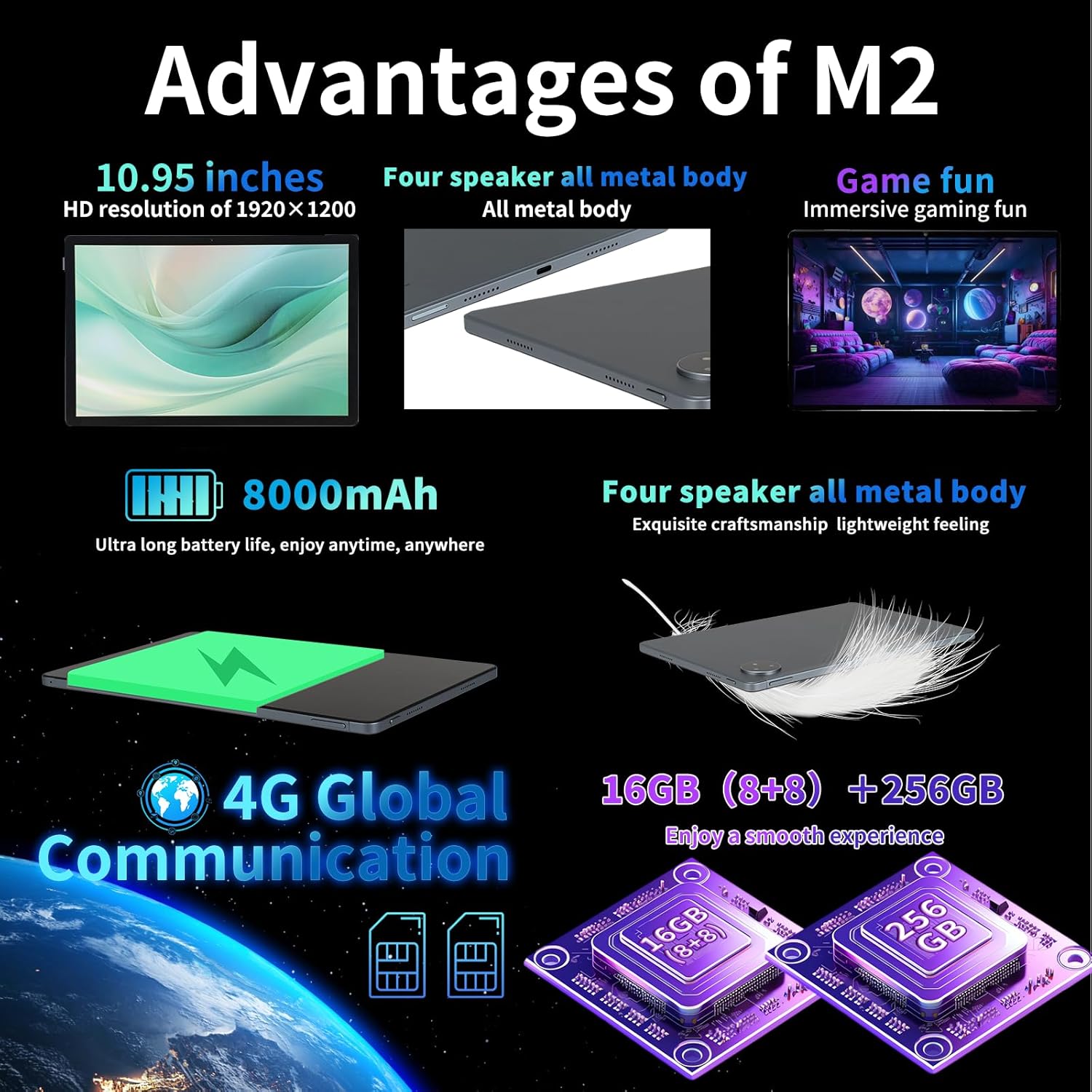
Image: Key advantages and specifications of the redbeat M2 tablet.
8. කැමරාව
Capture your moments with the integrated cameras:
- පසුපස කැමරාව: පැහැදිලි ඡායාරූප සහ වීඩියෝ සඳහා 13MP.
- ඉදිරිපස කැමරාව: වීඩියෝ ඇමතුම් සහ සෙල්ෆි සඳහා 5MP.
9. බැටරි සහ ආරෝපණය
The redbeat M2 is equipped with an 8000mAh large-capacity battery and supports 18W fast charging:
- භාවිත කාලය: Up to 12 hours of continuous TV watching or 10 hours of gaming on a full charge.
- පොරොත්තු කාලය: දින 30 දක්වා.
- අයකිරීම: Use the provided 18W fast charger and Type-C cable for quick recharging.
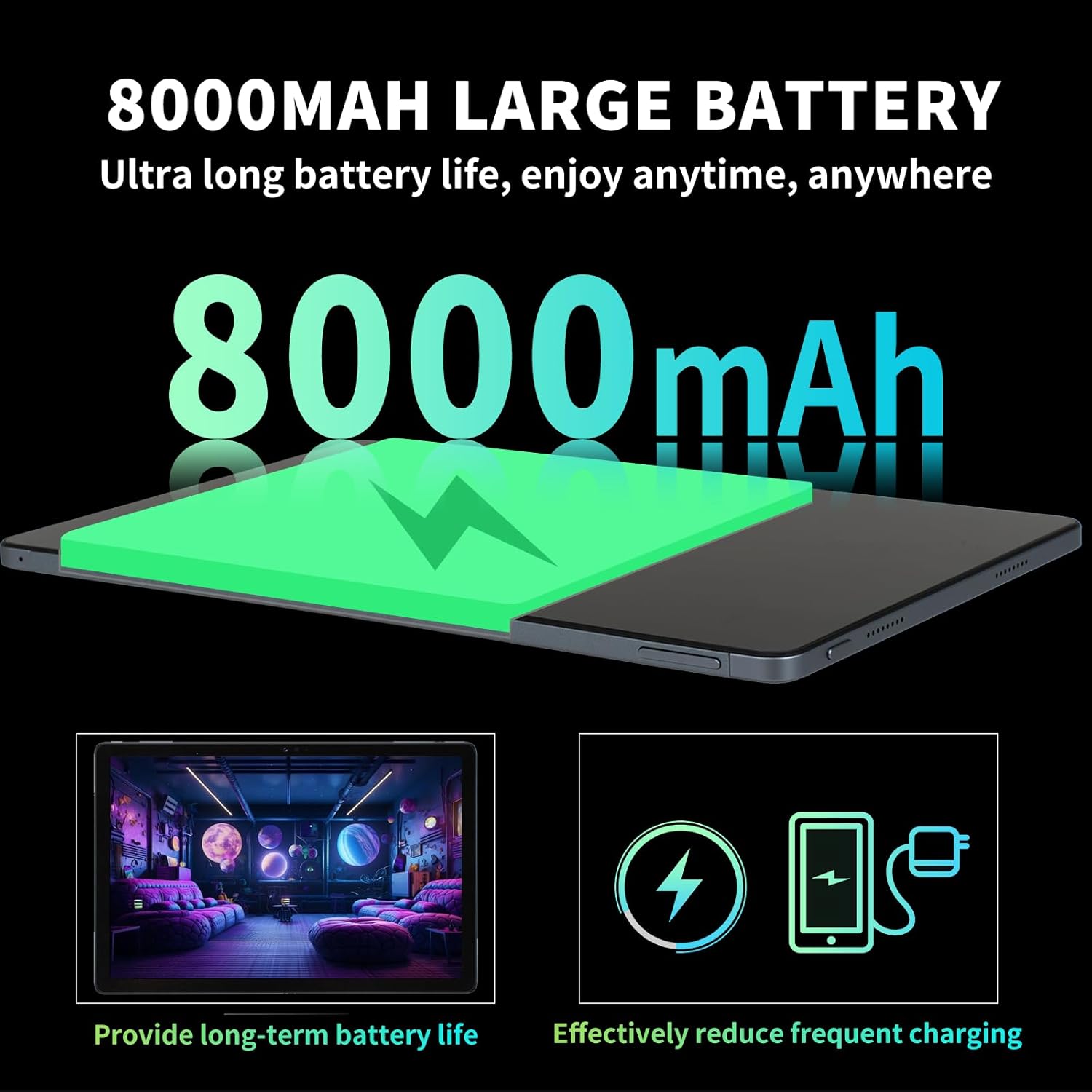
Image: Details on the 8000mAh battery and its benefits.
Video: A demonstration of a tablet's large battery capacity and reverse charging capabilities.
10. නඩත්තු කිරීම
To ensure the longevity and optimal performance of your redbeat M2 tablet, follow these maintenance guidelines:
- පිරිසිදු කිරීම: තිරය සහ ශරීරය පිරිසිදු කිරීමට මෘදු, ලින්ට් රහිත රෙද්දක් භාවිතා කරන්න. රළු රසායනික ද්රව්යවලින් වළකින්න.
- මෘදුකාංග යාවත්කාලීන: නවතම විශේෂාංග, ආරක්ෂක පැච් සහ කාර්ය සාධන වැඩිදියුණු කිරීම් වලින් ප්රයෝජන ගැනීමට නිතිපතා පද්ධති යාවත්කාලීන කිරීම් පරීක්ෂා කර ස්ථාපනය කරන්න.
- බැටරි සත්කාර: අධික උෂ්ණත්වයන්ගෙන් වළකින්න. බැටරිය නිතර නිතර සම්පූර්ණයෙන්ම බැස යාමට ඉඩ නොදෙන්න.
- ගබඩා කළමනාකරණය: වරින් වර අනවශ්ය දේ ඉවත් කරන්න fileගබඩා ඉඩ නිදහස් කර කාර්ය සාධනය පවත්වා ගැනීමට.
11. දෝශ නිරාකරණය
If you encounter issues with your redbeat M2 tablet, try the following solutions:
- උපාංගය ප්රතිචාර නොදක්වයි: නැවත ආරම්භ කිරීමට බල කිරීම සඳහා බල බොත්තම තත්පර 10-15ක් පමණ ඔබාගෙන සිටින්න.
- Wi-Fi/බ්ලූටූත් ගැටළු: Toggle Wi-Fi or Bluetooth off and on. Restart your router if Wi-Fi problems persist.
- යෙදුම් බිඳ වැටීම: Clear the app's cache and data in Settings > Apps. If the issue continues, uninstall and reinstall the app.
- මන්දගාමී කාර්ය සාධනය: භාවිතයට නොගත් යෙදුම් වසා දමන්න, හැඹිලිය හිස් කරන්න, සහ ප්රමාණවත් ගබඩා ඉඩක් සහතික කරන්න. අවසාන විසඳුම ලෙස කර්මාන්තශාලා යළි පිහිටුවීම සලකා බලන්න (පළමුව ඔබේ දත්ත උපස්ථ කරන්න).
- බැටරිය ඉක්මනින් සිඳී යාම: Reduce screen brightness, disable unnecessary features (GPS, Bluetooth, Wi-Fi when not in use), and identify power-hungry apps in battery settings.
12. පිරිවිතර
| විශේෂාංගය | පිරිවිතර |
|---|---|
| වෙළඳ නාමය | redbeat |
| මාදිලියේ නම | M2 |
| මෙහෙයුම් පද්ධතිය | Android 15 |
| තිර ප්රමාණය | අඟල් 11 |
| තිර විභේදනය | 1920 x 1200 පික්සල (2K) |
| ප්රොසෙසරය | යුනිසොක් T616 ඔක්ටා-කෝර් (2 GHz) |
| RAM | 16GB (8GB + 8GB දිගු කරන ලදී) |
| අභ්යන්තර ගබඩාව | 256GB |
| පුළුල් කළ හැකි ගබඩාව | Up to 1TB (via MicroSD/TF card) |
| බැටරි ධාරිතාව | 8000mAh |
| වේගවත් ආරෝපණය | 18W |
| පසුපස කැමරාව | 13MP |
| ඉදිරිපස කැමරාව | 5MP |
| සම්බන්ධතාවය | 4G LTE (Dual SIM), 2.4G/5G Wi-Fi, Bluetooth 5.0, GPS |
| මානයන් | අඟල් 10.28 x 6.89 x 0.47 |
| අයිතමයේ බර | රාත්තල් 1.54 (දළ වශයෙන් ග්රෑම් 698) |
| වර්ණය | Black set |
13. වගකීම් සහ සහාය
redbeat is committed to providing excellent customer service:
- ජීවිත කාලය පාරිභෝගික සහාය: redbeat offers lifetime customer service to assist with any queries or issues you may encounter.
- එක් අවුරුදු වගකීමක්: The tablet includes a one-year warranty covering manufacturing defects, ensuring your investment is protected.
- සහාය අමතන්න: You can contact support by clicking on the seller's name under the 'Add to cart' button on the product page and sending a message via 'Ask a question'. Alternatively, go to your Amazon account > order history > relevant order > contact the seller.


