1. හැඳින්වීම
This manual provides comprehensive instructions for the operation and maintenance of your EBTOOLS Body Camera, Model EBTOOLSs1gq2a4o5t-12. This portable, body-mounted camcorder is designed for various recording needs, including law enforcement, security, and outdoor activities, offering 1080P HD video recording, night vision capabilities, and a wide-angle lens.
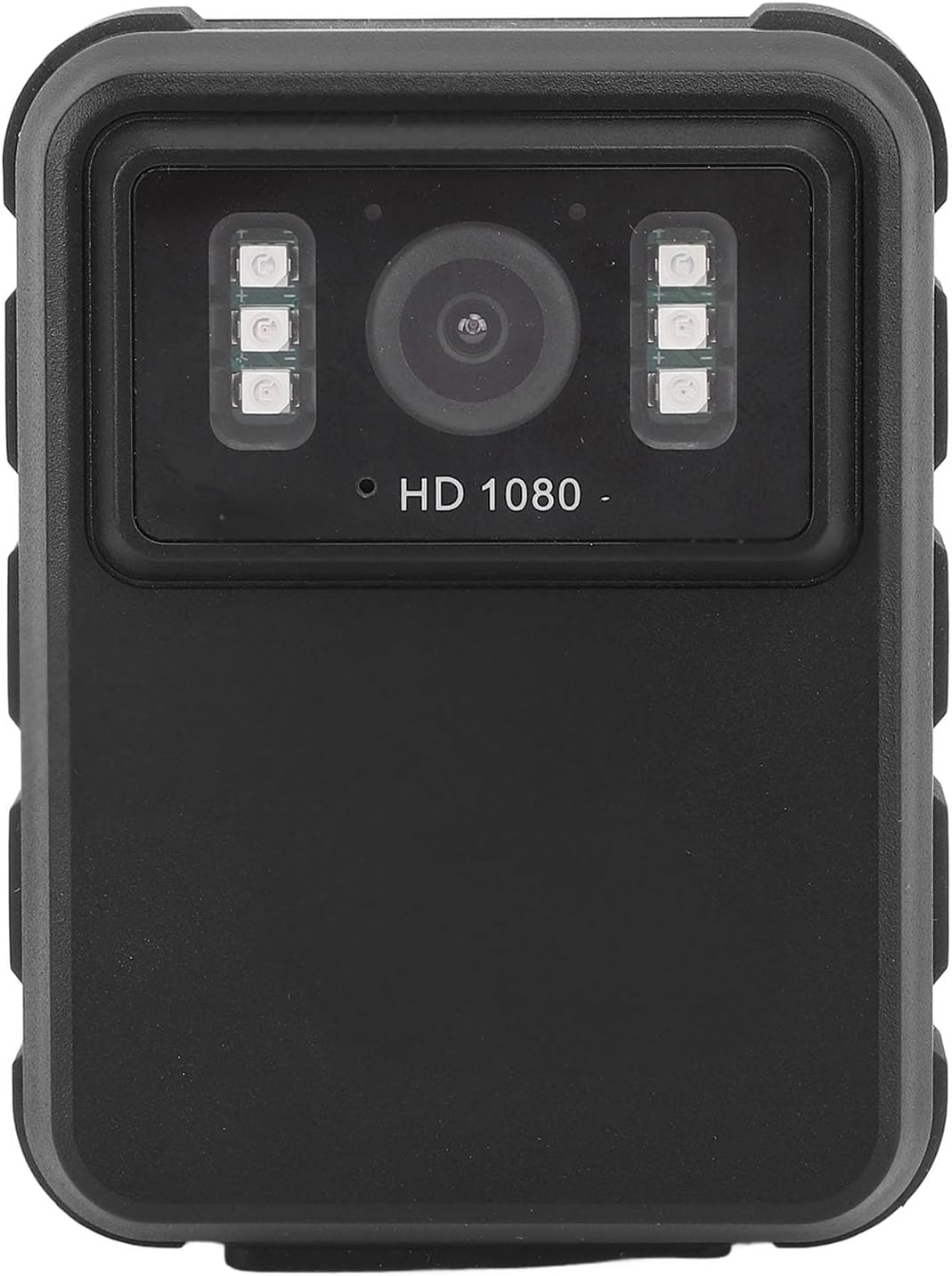
රූපය 1: ඉදිරිපස view of the EBTOOLS Body Camera, showing the lens and infrared LEDs.
2. නිෂ්පාදන අවසන්view
2.1 ප්රධාන ලක්ෂණ
- 1080P HD Video Recording: Captures high-definition video for clear footage.
- රාත්රී දර්ශනය: Equipped with 6 infrared LEDs for clear recording up to 33 feet in low-light or dark conditions, with manual and automatic activation modes.
- 130° පුළුල් කෝණ කාච: Provides a broader field of view to capture more of the surroundings.
- ලූප් පටිගත කිරීම: පැරණිතම foo ස්වයංක්රීයව උඩින් ලියයි.tage when storage is full, ensuring continuous recording.
- අඟල් 2.0 IPS සංදර්ශකය: Allows for immediate video playback and photo viewing directly on the device.
- බහුකාර්ය සවි කිරීමේ විකල්ප: Can be clipped to clothing, mounted on a motorcycle, or used as a dash cam.
- දිගු බැටරි ආයු කාලය: Built-in 1800mAh lithium battery supports approximately 8 hours of continuous recording.

රූපය 2: Illustration of the 130° wide-angle lens and the 2.0-inch IPS display for clear viewing.

රූපය 3: The camera's built-in infrared lights for night vision and its robust design suitable for various conditions.
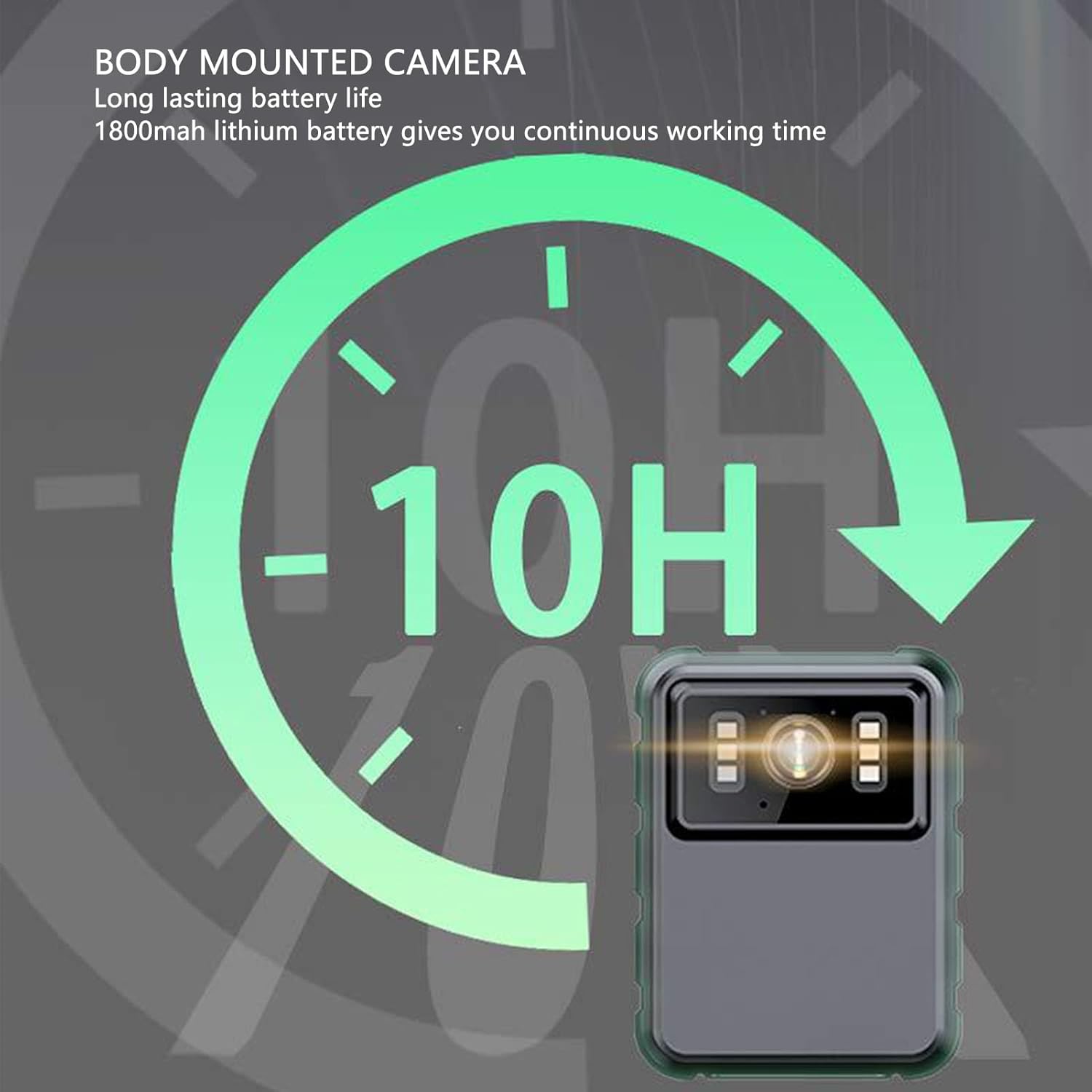
රූපය 4: The camera features a long-lasting 1800mAh lithium battery, providing extended operational time.
2.2 පැකේජයේ අන්තර්ගතය
සියලුම අයිතම පැකේජයේ ඇති බව තහවුරු කරගන්න:
- 1 x EBTOOLS Body Camera
- 2 x සවි කිරීමේ වරහන්
- 1 x ඇඩැප්ටරය
- 1 x ආරෝපණ කේබලය (USB)
- 1 x පරිශීලක අත්පොත (මෙම ලේඛනය)
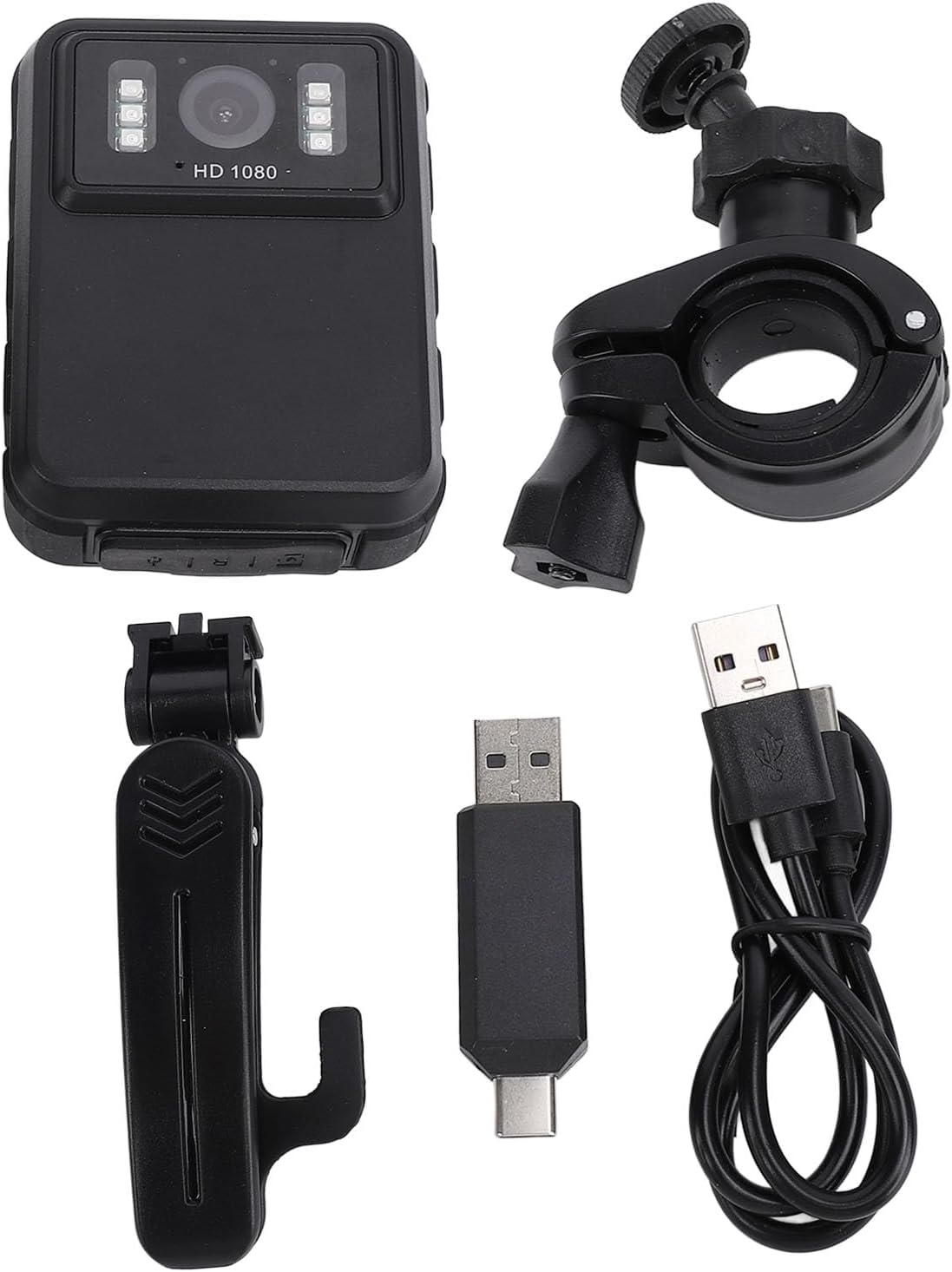
රූපය 5: All components included in the EBTOOLS Body Camera package.
3. පිහිටුවීම
3.1 මූලික ආරෝපණය
- Connect the provided charging cable to the camera's USB port.
- Connect the other end of the charging cable to the adapter, then plug the adapter into a standard power outlet.
- Allow the camera to charge fully before first use. The charging indicator light will typically change color or turn off when charging is complete.
3.2 බල ගැන්වීම සක්රිය / අක්රිය කිරීම
- බල ගැන්වීමට: Press and hold the Power button (usually located on the side or top) for a few seconds until the screen illuminates.
- බලය අක්රිය කිරීමට: Press and hold the Power button again until the device shuts down.
3.3 Attaching Brackets
The camera comes with two types of brackets for versatile mounting:
- Clip Bracket: For attaching to clothing, pockets, or straps. Slide the camera onto the clip until it securely locks.
- Universal Mount Bracket: For motorcycle handlebars, dashboards, or other surfaces. Attach the camera to the bracket's screw mount, then secure the bracket to the desired location.

රූපය 6: Detail of the camera's universal mounting screw thread.
4. මෙහෙයුම් උපදෙස්
4.1 වීඩියෝ පටිගත කිරීම
- කැමරාව බලගන්වා ඇති බව සහතික කර ගන්න.
- Press the dedicated Record button (often marked with a red dot or camera icon) to start video recording. A recording indicator (e.g., a flashing red light or icon on the screen) will appear.
- පටිගත කිරීම නැවැත්වීමට නැවත පටිගත කිරීමේ බොත්තම ඔබන්න. වීඩියෝව file ස්වයංක්රීයව සුරැකෙනු ඇත.
- The camera supports 1080P and 2K resolution. Refer to the on-screen menu for resolution selection.

රූපය 7: The camera supports both 2K and 1080P video recording resolutions.
4.2 ඡායාරූප ගැනීම
- With the camera powered on, switch to photo mode (if applicable, via a mode button or menu).
- Press the Shutter button (often the same as the Record button, or a separate button) to capture a still image.
4.3 රාත්රී දැක්ම සක්රිය කිරීම
The camera features both automatic and manual night vision modes:
- ස්වයංක්රීය ප්රකාරය: The camera will detect low light conditions and automatically activate the infrared LEDs.
- අත්පොත මාදිලිය: Access the camera's menu settings to manually turn night vision on or off.
4.4 ලූප් පටිගත කිරීම
When the storage capacity is full, the camera will automatically overwrite the oldest video files to continue recording. This feature ensures continuous operation without manual intervention to clear space.
4.5 නැවත ධාවනය සහ File කළමනාකරණය
- උපාංගයේ නැවත ධාවනය: Use the 2.0-inch IPS display and navigation buttons to browse and play recorded videos or view photos directly on the camera.
- පරිගණක සම්බන්ධතාවය: Connect the camera to a computer using the USB cable to transfer files for backup or viewing on a larger screen. The camera will appear as a removable disk drive.

රූපය 8: The camera's display and control buttons for navigation and playback.

රූපය 9: Examples of the camera's versatile applications, such as for delivery personnel or motorcycle riders.
5. නඩත්තු කිරීම
- පිරිසිදු කිරීම: Use a soft, dry cloth to clean the camera body. For the lens, use a specialized lens cleaning cloth and solution to avoid scratches. Do not use harsh chemicals.
- ගබඩා: කැමරාව සෘජු හිරු එළියෙන් සහ අධික උෂ්ණත්වයන්ගෙන් ඈත්ව සිසිල් වියළි ස්ථානයක ගබඩා කරන්න.
- බැටරි සත්කාර: To prolong battery life, avoid fully discharging the battery frequently. Charge the camera regularly, even if not in use, to maintain battery health.
- ස්ථිරාංග යාවත්කාලීන කිරීම්: නිෂ්පාදකයා පරීක්ෂා කරන්න webප්රශස්ත කාර්ය සාධනය සහ නව විශේෂාංග සහතික කිරීම සඳහා පවතින ඕනෑම ස්ථිරාංග යාවත්කාලීන කිරීම් සඳහා වරින් වර වෙබ් අඩවියට පිවිසෙන්න.
6. දෝශ නිරාකරණය
6.1 කැමරාව ක්රියාත්මක නොවේ
- Ensure the battery is sufficiently charged. Connect the camera to a power source and allow it to charge for at least 30 minutes before attempting to power on again.
- Verify that the power button is being pressed and held for the required duration (typically 3-5 seconds).
6.2 Recording Issues (e.g., not saving, corrupted files)
- Check available storage space. If the storage is full and loop recording is not enabled or functioning correctly, new recordings may not save.
- Ensure the camera's internal storage is not corrupted. If issues persist, consider formatting the storage via the camera's settings menu (this will erase all data).
6.3 Night Vision Not Activating
- Verify that night vision is enabled in the camera's settings, either in automatic or manual mode.
- Ensure there are no obstructions blocking the infrared LEDs on the front of the camera.
6.4 Computer Not Recognizing Camera
- ඔබේ පරිගණකයේ වෙනත් USB පෝට් එකක් උත්සාහ කරන්න.
- USB කේබලය කැමරාවට සහ පරිගණකයට ආරක්ෂිතව සම්බන්ධ කර ඇති බවට වග බලා ගන්න.
- Restart both the camera and the computer.
7. පිරිවිතර
| විශේෂාංගය | විස්තර |
|---|---|
| වෙළඳ නාමය | EBTOOLS |
| මාදිලියේ නම | EBTOOLSs1gq2a4o5t-12 |
| සංදර්ශක තිරය | 2.0 inch IPS Screen (Resolution: 320x240) |
| කාච Viewing කෝණය | 100° (Wide Angle) |
| කැමරා විභේදනය | 3840x2160p (2K), 2560x1440p, 1920x1080p (1080P) |
| ශ්රව්ය බිට්රේට් | WAV (512KBPS) |
| අධෝරක්ත රාත්රී දර්ශනය | Support, Built-in 6 Enhanced Energy Saving Infrared Lights |
| Infrared Switching Mode | Off, Auto, Manual Adjustment |
| මයික්රෆෝනය | Omnidirectional Built-in Capacitor MIC |
| බිල්ට් බැටරිය | ලිතියම් බැටරි 1800mAh |
| වැඩ කරන කාලය පටිගත කිරීම | ආසන්න වශයෙන් පැය 8 කි |
| අඛණ්ඩ පටිගත කිරීමේ කාලය | ආසන්න වශයෙන් පැය 8 කි |
| Longest Photo Time | Approximately 10 hours (1080p 30fps High Grade Video) |
| සම්බන්ධතා තාක්ෂණය | USB |
| අයිතමයේ බර | අවුන්ස 10.9 කි |
| පැකේජ මානයන් | අඟල් 5.91 x 5.12 x 2.36 |
8. වගකීම් සහ සහාය
For warranty information, technical support, or service inquiries, please refer to the official EBTOOLS webවෙබ් අඩවියට හෝ ඔවුන්ගේ පාරිභෝගික සේවා දෙපාර්තමේන්තුවට සම්බන්ධ වන්න. වගකීම් හිමිකම් සඳහා මිලදී ගැනීමේ සාක්ෂියක් ලෙස ඔබේ මිලදී ගැනීමේ රිසිට්පත තබා ගන්න.
ඔබට සාමාන්යයෙන් නිෂ්පාදකයාගේ සහාය සම්බන්ධතා තොරතුරු සොයාගත හැකිය webස්ථානය හෝ භාණ්ඩය මිලදී ගත් සිල්ලර වෙළෙන්දා හරහා.


