1. හැඳින්වීම
Thank you for choosing the THINKYA Portable CD Player Y19. This multi-functional device combines classic CD playback with modern connectivity options, including Bluetooth, USB, AUX, and Optical modes. Featuring built-in HiFi stereo speakers and a convenient remote control, it offers a versatile audio experience for your home or on the go. Please read this manual thoroughly before use to ensure proper operation and longevity of your device.
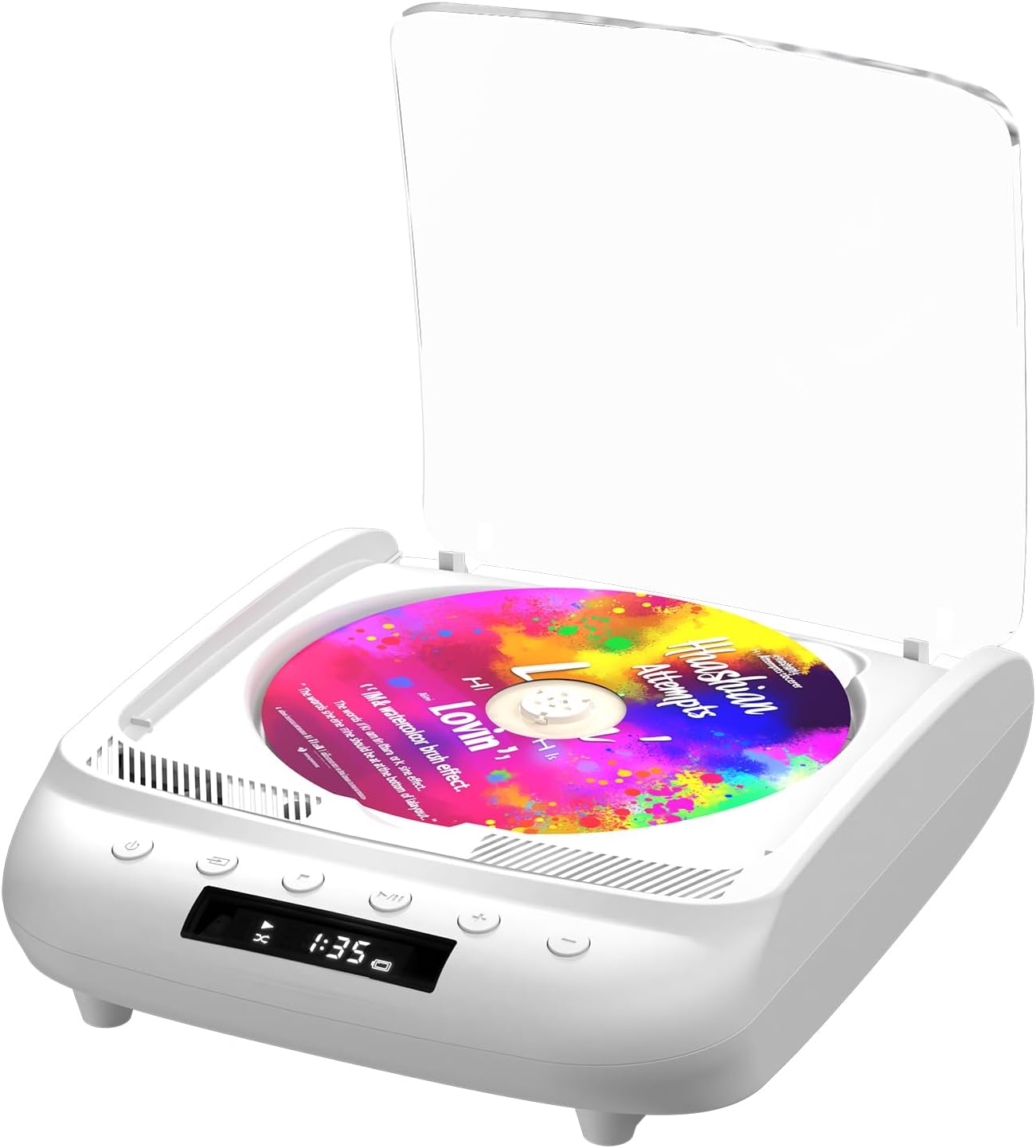
Figure 1.1: THINKYA Portable CD Player Y19
2. පැකේජ අන්තර්ගතය
පෙට්ටියෙන් ඉවත් කිරීමේදී සියලුම අයිතම හොඳ තත්ත්වයේ පවතින බවට වග බලා ගන්න:
- Portable CD Player x 1
- දුරස්ථ පාලනය x 1
- USB-C කේබල් x 1
- 3.5mm AUX කේබල් x 1
- පරිශීලක අත්පොත x 1
රූපය 2.1: පැකේජයට ඇතුළත් කර ඇති සියලුම අයිතම.
3. නිෂ්පාදන අවසන්view සහ පාලන
Familiarize yourself with the player's layout and functions:

Figure 3.1: Front panel controls and rear ports. (1) Optical, (2) Headphone, (3) AUX, (4) USB, (5) DCIN 5V, (6) On/Off switch.
ඉදිරිපස පැනල් බොත්තම්:
- බල බොත්තම: උපාංගය සක්රිය / අක්රිය කරයි.
- මාදිලි බොත්තම: Cycles through playback modes (CD, USB, Bluetooth, AUX, Optical).
- බොත්තම නවත්වන්න: නැවත ධාවනය නතර කරයි.
- වාදනය/විරාම බොත්තම: නැවත ධාවනය ආරම්භ කිරීම හෝ විරාමය ලබා දීම.
- Volume - / Previous Track: Decreases volume or skips to the previous track.
- වෙළුම + / ඊළඟ ඛණ්ඩය: ශබ්දය වැඩි කරයි හෝ ඊළඟ ධාවන පථයට යයි.
පසුපස පැනල් තොටුපළ:
- SPDIF (ප්රකාශ) ප්රතිදානය: For connecting to external audio systems via optical cable.
- හෙඩ්ෆෝන් ජැක් (මි.මී. 3.5): හෙඩ්ෆෝන් සමඟ පුද්ගලික සවන්දීම සඳහා.
- AUX ආදානය (3.5mm): For connecting external audio devices via AUX cable.
- USB Port: ශ්රව්ය වාදනය සඳහා fileUSB ධාවකයකින් s.
- DCIN 5V (USB-C): ආරෝපණය කිරීම සහ අඛණ්ඩ ක්රියාකාරිත්වය සඳහා බල ආදානය.
- සක්රිය / අක්රිය ස්විචය: උපාංගය සඳහා ප්රධාන බල ස්විචය.

රූපය 3.2: සවිස්තරාත්මක view of 3.5mm Earphone Jack and USB Playback port.

Figure 3.3: Enjoying purer singing with Optical Mode connection to external speakers.
4. මූලික සැකසුම
4.1 උපාංගය ආරෝපණය කිරීම
The THINKYA CD Player has a built-in 2600mAh rechargeable battery. Before first use, fully charge the device.
- Connect the provided USB-C cable to the DCIN 5V port on the rear of the player.
- Connect the other end of the USB-C cable to a compatible 5V/2A USB power adapter (not included), power bank, or computer USB port.
- The LED screen will indicate charging status. A full charge takes approximately 3 hours and provides 4-8 hours of playback time.

Figure 4.1: Flexible charging options for the built-in rechargeable battery.
4.2 සංයුක්ත තැටියක් ඇතුළු කිරීම
To insert a CD:
- Gently lift the transparent lid of the CD player.
- If present, remove the protective cardboard from the CD compartment.
- Place the CD onto the spindle with the label side facing up. Ensure it clicks securely into place.
- Close the transparent lid.
Figure 4.2: Correct placement of a CD in the player.
5. මෙහෙයුම් උපදෙස්
The THINKYA CD Player supports multiple playback modes. Press the මාදිලි බොත්තම on the front panel or remote control to switch between them.
5.1 CD Playback Mode
After inserting a CD and powering on the device, it will automatically enter CD mode and begin playback. The LED screen will display the track number and playback time.
- වාදනය/විරාමය: Play/Pause බොත්තම ඔබන්න.
- ඊළඟ / පෙර ධාවන පථය: Use the Volume +/- buttons (short press) to skip tracks.
- නවත්වන්න: නැවතුම් බොත්තම ඔබන්න.

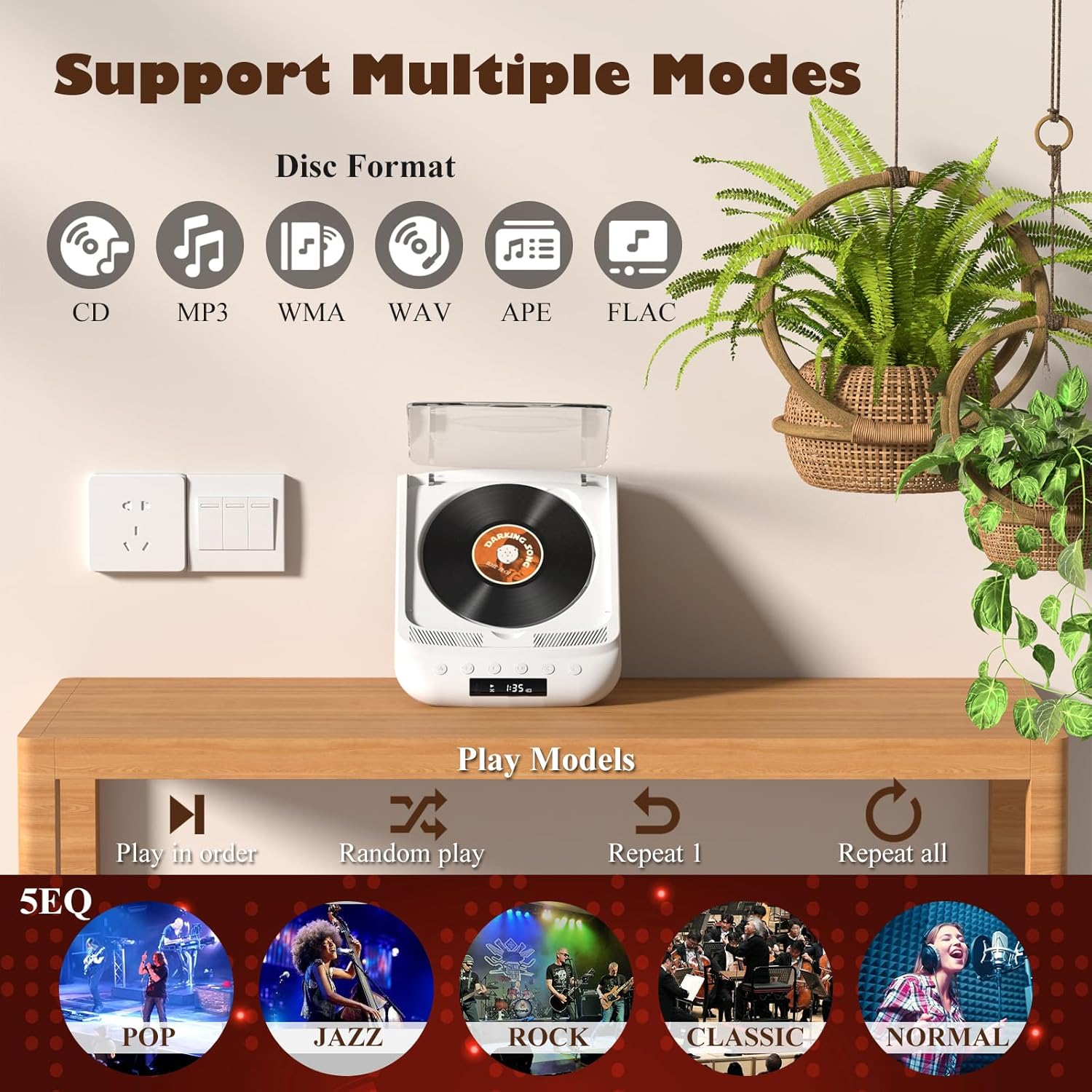
Figure 5.1: Dual HiFi Stereo Speakers and CD playback options (Repeat All, Random, In Order, Repeat 1).
5.2 Bluetooth Mode (Input & Output)
The player can act as both a Bluetooth transmitter and receiver.
Bluetooth Receiver (Connect your phone/tablet to the CD Player):
- Switch the CD player to Bluetooth mode (BT will flash on the LED screen).
- On your mobile device, search for "THINKYA Y19" in the Bluetooth settings.
- Select to pair. Once connected, the BT indicator will stop flashing. You can now play audio from your device through the CD player's speakers.
Bluetooth Transmitter (Connect the CD Player to Bluetooth headphones/speakers):
- Ensure the CD player is in CD, USB, or AUX mode.
- ඔබගේ බ්ලූටූත් හෙඩ්ෆෝන් හෝ ස්පීකර් මත යුගල කිරීමේ මාදිලිය සක්රිය කරන්න.
- The CD player will automatically search for and connect to nearby Bluetooth audio devices. Once connected, audio will be transmitted to your external Bluetooth device.

Figure 5.2: Bluetooth 5.0 connectivity for both transmitting and receiving audio.
Video 5.1: Demonstration of THINKYA Portable CD Player's Bluetooth functionality, including pairing with external speakers.
5.3 USB ප්ලේබැක් මාදිලිය
Insert a USB flash drive into the USB port on the rear panel. The player supports MP3/WMA/WAV/APE/FLAC formats. Switch to USB mode using the Mode button.
5.4 AUX මාදිලිය
Connect an external audio device (e.g., smartphone, MP3 player) to the AUX input port using the provided 3.5mm AUX cable. Switch to AUX mode using the Mode button.
5.5 Optical Mode
Connect the SPDIF (Optical) output port to an external audio system with an optical input. This mode is for digital audio output from the CD player to a compatible receiver or soundbar.
6. දුරස්ථ පාලකය භාවිතා කිරීම
The included remote control allows for convenient operation from a distance (up to 15ft). It requires 2 AAA batteries (not included).
රූපය 6.1: පහසු ක්රියාකාරිත්වය සඳහා දුරස්ථ පාලකය.
දුරස්ථ පාලන කාර්යයන්:
- බලය: සක්රිය/අක්රිය.
- VOL +/-: පරිමාව සකසයි.
- පෙර ඊළඟ: Skips tracks.
- වාදනය/විරාමය: නැවත ධාවනය ආරම්භ කිරීම හෝ විරාමය ලබා දීම.
- නවත්වන්න: නැවත ධාවනය නතර කරයි.
- EQ: Cycles through equalizer presets (POP, JAZZ, ROCK, CLASSIC, NORMAL).
- බීටී: බ්ලූටූත් ප්රකාරයට මාරු වේ.
- වෙනත් බොත්තම්: May include Bass, Treble adjustments depending on the remote version.
7. තාක්ෂණික පිරිවිතර
| විශේෂාංගය | පිරිවිතර |
|---|---|
| ආකෘතිය | Y19 |
| ආදාන වෙළුමtage | 5V-2A |
| බැටරි ධාරිතාව | 2600 mAh ලිතියම් අයන |
| ආරෝපණ කාලය | ආසන්න වශයෙන්. පැය 3 යි |
| පසුධාවන කාලය | ආසන්න වශයෙන්. පැය 4-8 |
| අතේ ගෙන යා හැකි ප්රමාණය | අඟල් 8.27 x 6.69 x 3.03 |
| බර | 2.2 lb (1.72 pounds listed in specs, using A+ content for consistency) |
| කථානායක | 4Ω-2*2W (Independent Sound Cavity) |
| CD Format Support | CD-DA, CD-R, MP3 |
| USB Format Support | MP3 / WMA / WAV / APE / FLAC |
| අතුරු මුහුණත | 3.5mm Audio, USB, Optical, Headphone, USB-C Charge |
| ක්රීඩක මාදිලිය | CD Play, Bluetooth, USB, AUX, Optical |
8 රැකවරණය සහ නඩත්තුව
- පිරිසිදු කිරීම: Use a soft, dry cloth to clean the exterior of the player. For the CD lens, use a specialized CD lens cleaner. Do not use abrasive cleaners or solvents.
- සීඩී හැසිරවීම: Always hold CDs by their edges. Avoid touching the playing surface. Store CDs in their cases to prevent scratches and dust accumulation.
- ගබඩා: දිගු කාලයක් භාවිතයේ නොමැති විට, ක්රීඩකයා සෘජු හිරු එළියෙන් සහ අධික උෂ්ණත්වයන්ගෙන් ඈත්ව සිසිල් වියළි ස්ථානයක ගබඩා කරන්න.
- බැටරි සත්කාර: බැටරි ආයු කාලය දීර්ඝ කිරීම සඳහා, බැටරිය නිතර නිතර සම්පූර්ණයෙන්ම විසර්ජනය කිරීමෙන් වළකින්න. ක්රියාකාරී භාවිතයේ නොමැති වුවද, උපාංගය නිතිපතා ආරෝපණය කරන්න.
9. දෝශ නිරාකරණ මාර්ගෝපදේශය
If you encounter issues with your THINKYA CD Player, refer to the common problems and solutions below:
9.1 බලය නැත / උපාංගය ක්රියාත්මක නොවේ
- Ensure the main On/Off switch on the rear panel is in the 'On' position.
- Check if the device is properly charged. Connect the USB-C cable and verify the charging indicator.
- වෙනස් USB-C කේබලයක් හෝ බල ඇඩැප්ටරයක් උත්සාහ කරන්න.
9.2 CD Not Playing / Disc Error
- Ensure the CD is clean and free of scratches or smudges. Clean with a soft, lint-free cloth from the center outwards.
- Verify the CD is inserted correctly with the label side facing up and securely on the spindle.
- Make sure the player is in CD mode.
- Try a different CD to rule out a faulty disc.
9.3 ශබ්දයක් නැත
- Adjust the volume using the buttons on the player or the remote control.
- If using headphones or external speakers, ensure they are properly connected and functional.
- If in Bluetooth mode, ensure the player is correctly paired with your external device and the volume on both devices is adjusted.
- If in AUX mode, check the AUX cable connection and ensure the external device's volume is up.
- Ensure the correct playback mode is selected (CD, USB, BT, AUX, Optical).
9.4 බ්ලූටූත් සම්බන්ධතා ගැටළු
- Ensure the player is in Bluetooth mode (BT flashing).
- Keep the player and the Bluetooth device within the effective range (typically 10 meters/33 feet).
- Turn off and on the Bluetooth function on both the player and your external device, then try pairing again.
- Clear previous Bluetooth pairings on your external device and try to connect again.
10. වගකීම් සහ පාරිභෝගික සහාය
10.1 වගකීම් තොරතුරු
THINKYA products are manufactured to the highest quality standards. For specific warranty details, please refer to the warranty card included in your product packaging or contact THINKYA customer support. Keep your purchase receipt as proof of purchase.
10.2 පාරිභෝගික සහාය
If you require further assistance or have questions not covered in this manual, please contact our customer support team:
- විද්යුත් තැපෑල: support@thinkya.com
- Webඅඩවිය: www.thinkya.com


