හැඳින්වීම
This manual provides detailed instructions for the safe and efficient operation of your THINKYA Y11 Portable Retro CD Bluetooth Player. This versatile device supports multiple audio playback modes including CD, Bluetooth, USB, AUX, and Optical. It features dual HiFi speakers, a rechargeable battery, and an RGB light show, all controllable via a convenient remote.
පැකේජයේ අන්තර්ගතය
කරුණාකර පහත අයිතම සඳහා කොටුව සලකුණු කරන්න:
- THINKYA Y11 Portable CD Player
- දුරස්ථ පාලකය (බැටරි ඇතුළත් නොවේ)
- USB ආරෝපණ කේබලය
- AUX ඕඩියෝ කේබල්
- පරිශීලක අත්පොත

Image: Contents of the THINKYA Y11 package, showing the player, remote control, USB cable, AUX cable, and user manual.
නිෂ්පාදනය අවසන්view
Familiarize yourself with the various parts and controls of your THINKYA Y11 CD Player.
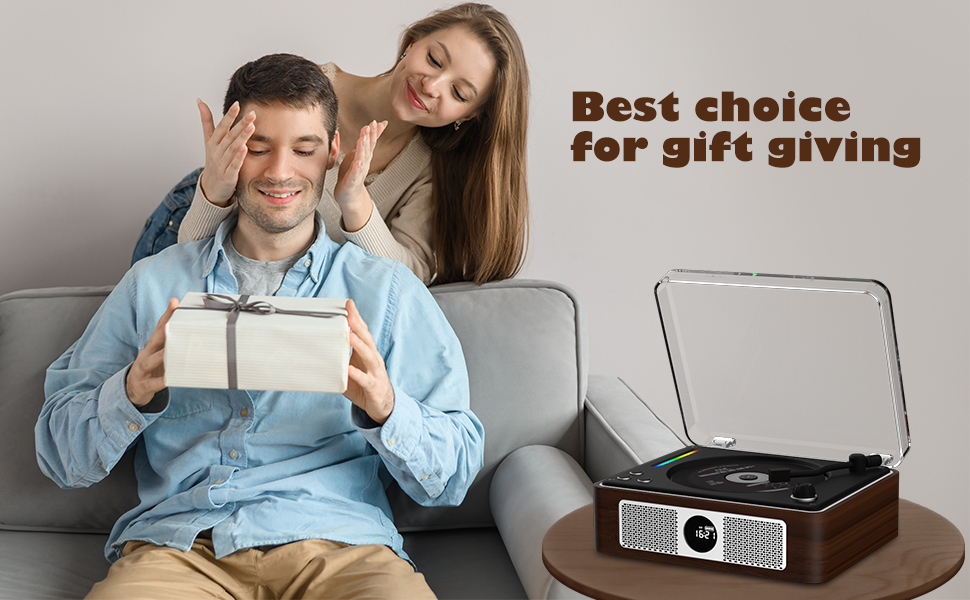
Image: Labeled diagram of the THINKYA Y11 CD Player, indicating the Ambient Light, Previous/Next buttons, Play/Pause, Volume Adjustment, Power Switch, Power Supply Port, USB, Headphone, Audio, and Optical ports.
- සංසරණ ආලෝකය: Multi-color LED indicator.
- Pre/Next Buttons: Navigate tracks or adjust settings.
- වාදනය/විරාම බොත්තම: නැවත ධාවනය පාලනය කරන්න.
- පරිමාව ගැලපුම් බොත්තම: ශ්රව්ය ප්රතිදාන මට්ටම සකසන්න.
- බල සැපයුම් සුවිචය: උපාංගය සක්රිය හෝ අක්රිය කරන්න.
- බල සැපයුම් වරාය: USB-C input for charging and power.
- USB Port: USB ධාවක නැවත ධාවනය සඳහා.
- හෙඩ්ෆෝන් ජැක්: පුද්ගලික සවන්දීම සඳහා 3.5mm ප්රතිදානය.
- AUX වරාය: බාහිර ශ්රව්ය ප්රභවයන් සඳහා 3.5mm ආදානය.
- ඔප්ටිකල් වරාය: ඩිජිටල් ශ්රව්ය ප්රතිදානය.
සැලසුම
- ඇසිරීම: ඇසුරුම්කරණයෙන් සියලුම සංරචක ප්රවේශමෙන් ඉවත් කරන්න. අනාගත ප්රවාහනය හෝ ගබඩා කිරීම සඳහා ඇසුරුම් තබා ගන්න.
- බැටරිය ආරෝපණය කිරීම: Connect the provided USB charging cable to the Power Supply Port on the back of the player and to a USB power adapter (not included). The built-in 2600mAh battery provides 8-10 hours of playback on a full charge. Charging time is approximately 3.5 hours.
- බලය සක්රිය / අක්රිය: Flip the Power Switch on the back of the unit to turn the player on or off.
- දුරස්ථ පාලක සැකසුම: දුරස්ථ පාලකයට AAA බැටරි 2ක් (ඇතුළත් කර නැත) ඇතුළු කරන්න.

Image: Visual representation of the THINKYA Y11's 2600mAh battery, 4-6 hours playback time, and 3.5 hours charging time.
මෙහෙයුම් උපදෙස්
1. CD නැවත ධාවනය
- Open the transparent lid of the CD player.
- Carefully place a CD (CD, CD-R, CD-DA, MP3, WMA, WAV, APE, FLAC compatible) onto the spindle, ensuring it is seated correctly.
- Close the lid. The player will automatically detect the CD and begin playback.
- Use the Play/Pause button, Pre/Next buttons, and Volume Adjustment knob on the unit or remote control to manage playback.
- පුනරාවර්තන මාතයන්: Use the remote control to cycle through 'Repeat All', 'Random', 'In Order', and 'Repeat 1' track playback modes.

Image: The THINKYA Y11 CD Player showcasing its HiFi stereo sound capabilities and various CD playback options.
2. බ්ලූටූත් ප්රකාරය
The Y11 player functions as both a Bluetooth transmitter and receiver.
Bluetooth Transmitter (Connecting to external Bluetooth devices)
- Ensure the player is in Bluetooth transmission mode (refer to the display or manual for mode indication).
- Place your Bluetooth headphones or speaker in pairing mode.
- The player will search for and connect to nearby Bluetooth devices. Once connected, audio from the CD player will stream to your external device.
Bluetooth Receiver (Connecting your phone/tablet to the player)
- Switch the player to Bluetooth receiver mode.
- On your mobile phone, tablet, or computer, enable Bluetooth and search for available devices.
- Select "THINKYA Y11" from the list to pair. Once connected, audio from your device will play through the Y11's speakers.

Image: The THINKYA Y11 CD Player's two-way Bluetooth functionality, enabling it to transmit to Bluetooth headphones/speakers and receive from smartphones/tablets.
3. USB ප්ලේබැක්
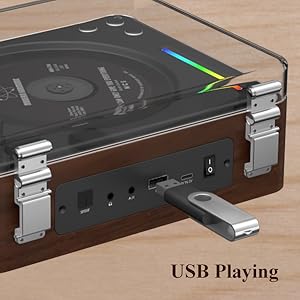
- ශ්රව්ය උපකරණ අඩංගු USB ෆ්ලෑෂ් ධාවකය ඇතුල් කරන්න files (MP3, WMA, WAV, APE, FLAC compatible) into the USB Port on the back of the player.
- The player will automatically switch to USB mode and begin playing audio from the drive.
- Use the Play/Pause and Pre/Next buttons to control playback.
Image: A USB flash drive inserted into the USB port of the THINKYA Y11 CD Player, ready for audio playback.
4. AUX ප්රකාරය
- Connect one end of the 3.5mm AUX audio cable to the AUX Port on the back of the player.
- Connect the other end to the headphone jack or audio output of an external device (e.g., smartphone, MP3 player).
- Switch the player to AUX mode. Audio from the external device will play through the Y11's speakers.
5. ඔප්ටිකල් මාදිලිය
- Connect an optical audio cable (not included) from the Optical Port on the back of the player to an optical audio input on a compatible device (e.g., TV, amplifier, soundbar).
- Switch the player to Optical mode. This allows for high-quality digital audio output to your connected system.
6. දුරස්ථ පාලක භාවිතය
The included remote control allows convenient operation from a distance of up to 15 feet (10 meters).
- බල බොත්තම: ඒකකය සක්රිය / අක්රිය කරන්න.
- වෙළුම +/-: ශබ්ද මට්ටම සකසන්න.
- වාදනය/විරාමය: නැවත ධාවනය ආරම්භ කරන්න හෝ විරාම කරන්න.
- පෙර ඊළඟ: Skip tracks or navigate menus.
- මාදිලි බොත්තම: Cycle through CD, Bluetooth, USB, AUX, and Optical modes.
- EQ/Bass/Treble: Adjust sound equalization (if available).
- ආලෝක බොත්තම: Control the RGB night light modes.
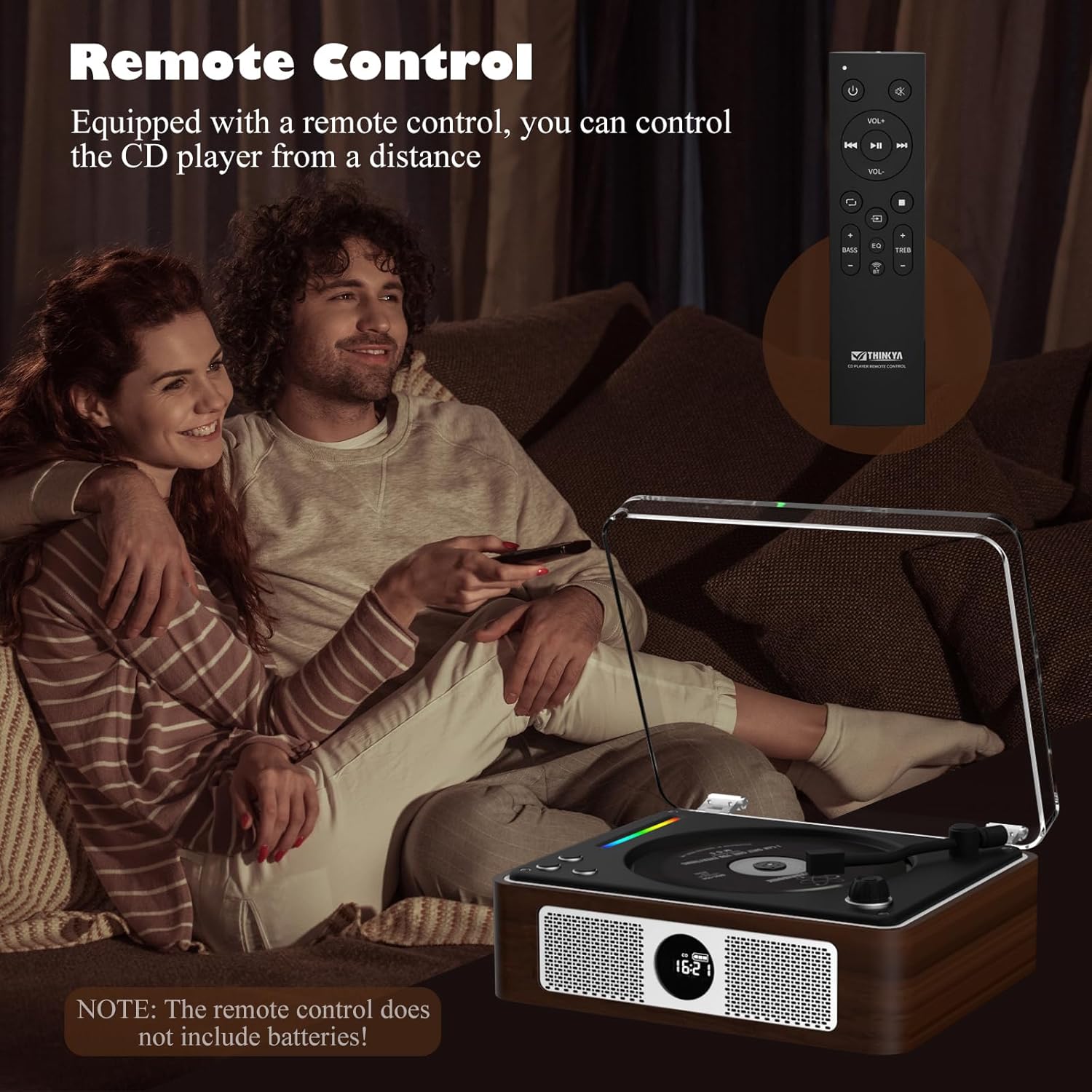
Image: A person using the remote control to operate the THINKYA Y11 CD Player while relaxing on a sofa.
7. RGB Colorful Light Show
The player features an RGB light bar that offers 10 different color-changing themes. Use the 'Light' button on the remote control to cycle through these modes, including colorful lights, automatic change, white light, blue light, and yellow light.
රූපය: සමීප ඡායාරූපයක් view of the vibrant RGB light bar integrated into the THINKYA Y11 CD Player.
නඩත්තු කිරීම
- පිරිසිදු කිරීම: Use a soft, dry cloth to clean the exterior of the player. For the CD lens, use a specialized CD lens cleaner. Do not use abrasive cleaners or solvents.
- බැටරි සත්කාර: To prolong battery life, avoid fully discharging the battery frequently. Charge the player regularly, even if not in use for extended periods.
- ගබඩා: සෘජු හිරු එළියෙන් සහ අධික උෂ්ණත්වයන්ගෙන් ඈත්ව සිසිල් වියළි ස්ථානයක ක්රීඩකයා ගබඩා කරන්න.
- කම්පන ආරක්ෂිත නිර්මාණය: The player features a 3-point silicone shockproof design to reduce vibrations and prevent skipping. However, avoid harsh impacts.

Image: Diagram illustrating the 3-point silicone shockproof design of the THINKYA Y11 CD Player, which helps maintain stability and prevent disc skipping.
දෝෂගවේෂණය
| ගැටලුව | විය හැකි හේතුව | විසඳුම |
|---|---|---|
| වාදකය ක්රියාත්මක නොවේ. | බැටරිය අවසන් වී හෝ විදුලි රැහැන සම්බන්ධ වී නොමැත. | Charge the battery using the USB-C cable. Ensure the power switch is in the 'ON' position. |
| CD is not playing or skipping. | CD is dirty, scratched, or incorrectly placed. Player is unstable. | Clean the CD with a soft cloth. Ensure the CD is placed correctly on the spindle. Place the player on a stable, flat surface. |
| බ්ලූටූත් උපාංගයට සම්බන්ධ විය නොහැක. | Player is not in correct Bluetooth mode or device is out of range. | Ensure the player is in the correct Bluetooth mode (transmitter or receiver). Place devices within 10 meters. Restart both devices. |
| ශබ්ද ප්රතිදානයක් නැත. | Volume is too low, incorrect mode selected, or cables are loose. | Increase volume. Verify the correct playback mode (CD, Bluetooth, USB, AUX, Optical) is selected. Check all cable connections. |
| දුරස්ථ පාලකය ක්රියා නොකරයි. | බැටරි ක්රියා විරහිතයි හෝ දුරස්ථ පාලකය පරාසයෙන් බැහැරයි. | Replace remote control batteries (2x AAA). Ensure you are within 15 feet (10 meters) of the player and pointing the remote towards it. |
පිරිවිතර
- ආදර්ශ අංකය: Y11
- වෙළඳ නාමය: සිතන්න
- සම්බන්ධතා තාක්ෂණය: Auxiliary, USB, Bluetooth, Optical
- ස්පීකර් වර්ගය: ස්ටීරියෝ
- බලශක්ති ප්රභවය: බැටරි බලයෙන් ක්රියාත්මක (2600mAh නැවත ආරෝපණය කළ හැකි)
- බැටරි ආයු කාලය: 8-10 hours playback
- ආරෝපණ කාලය: ආසන්න වශයෙන් පැය 3.5 කි
- සහාය දක්වන තැටි ආකෘති: CD, CD-R, CD-DA
- සහාය දක්වන ශ්රව්ය ආකෘති: MP3, WMA, WAV, APE, FLAC
- අයිතමයේ බර: රාත්තල් 2.88 කි
- පැකේජ මානයන්: අඟල් 14.17 x 10.87 x 5.28
- වර්ණය: දුඹුරු

Image: The THINKYA Y11 Portable CD Player with its dimensions clearly marked, highlighting its compact and portable size.
වගකීම් සහ සහාය
THINKYA products are designed for reliability and performance. This product comes with a standard manufacturer's warranty against defects in materials and workmanship. For specific warranty terms, please refer to the warranty card included in your package or contact THINKYA customer support.
For technical assistance, troubleshooting, or service inquiries, please contact THINKYA customer support through the contact information provided in your product documentation or on the official THINKYA webඅඩවිය.


