හැඳින්වීම
Thank you for choosing the Amazon Basics Pro Series 4-in-1 USB-C Hub. This compact and versatile hub is designed to expand the connectivity of your PC, MacBook, laptops, phones, monitors, and projectors, offering high-speed data transfer and seamless peripheral integration. This manual provides essential information for proper setup, operation, and maintenance of your device.
නිෂ්පාදනය අවසන්view
The Amazon Basics Pro Series 4-in-1 USB-C Hub features a durable aluminum alloy and ABS housing, ensuring both portability and resilience. It includes a built-in 150mm USB-C cable for convenient connection to your host device.

රූපය: අවසන්view of the 4-in-1 versatile hub, highlighting its port configuration.
ප්රධාන ලක්ෂණ:
- USB-C සත්කාරක සම්බන්ධතාවය: Provides a versatile bridge between your laptop and peripherals.
- USB-C port දෙකක්: Both support USB 3.2 Gen 2 standard for data transfer speeds up to 10 Gbps.
- Two USB-A Ports: සම්මත USB උපාංග සම්බන්ධ කිරීම සඳහා.
- අධිවේගී දත්ත හුවමාරුව: Enables rapid transfer of large files.
- ප්ලග්-ඇන්ඩ්-ප්ලේ: No drivers required for installation.
- කල් පවතින ඉදිකිරීම්: Aluminum alloy and ABS housing with a flexible TPE cable.
සැලසුම
The Amazon Basics Pro Series 4-in-1 USB-C Hub is designed for immediate use with its plug-and-play functionality. No software drivers are required for installation.
- කේන්ද්රය සම්බන්ධ කරන්න: Insert the built-in USB-C cable of the hub into an available USB-C port on your host device (PC, MacBook, laptop, phone, etc.).
- උපාංග හඳුනාගැනීම: Your operating system will automatically detect and configure the hub. This process usually takes a few seconds.
- පර්යන්ත සම්බන්ධ කරන්න: Once the hub is recognized, you can connect your USB-C and USB-A peripherals (e.g., external drives, keyboards, mice) to the corresponding ports on the hub.

Image: The USB-C hub connected to a laptop, demonstrating peripheral connections.
මෙහෙයුම් උපදෙස්
The hub facilitates high-speed data transfer and expands connectivity for various devices.
දත්ත හුවමාරුව:
- Connect USB 3.2 Gen 2 compatible devices to the USB-C ports for data transfer speeds up to 10 Gbps.
- Connect USB-A devices to the USB-A ports for standard data transfer.
- Ensure your host device's USB-C port supports the required data transfer speeds to achieve optimal performance.

Image: The hub emphasizing its ultra-fast 10Gbps data transfer capability.
විශ්ව අනුකූලතාව:
The hub is compatible with a wide range of devices, including:
- PC
- මැක්බුක්
- ලැප්ටොප්
- දුරකථන
- නිරීක්ෂකයින්
- ප්රොජෙක්ටර්
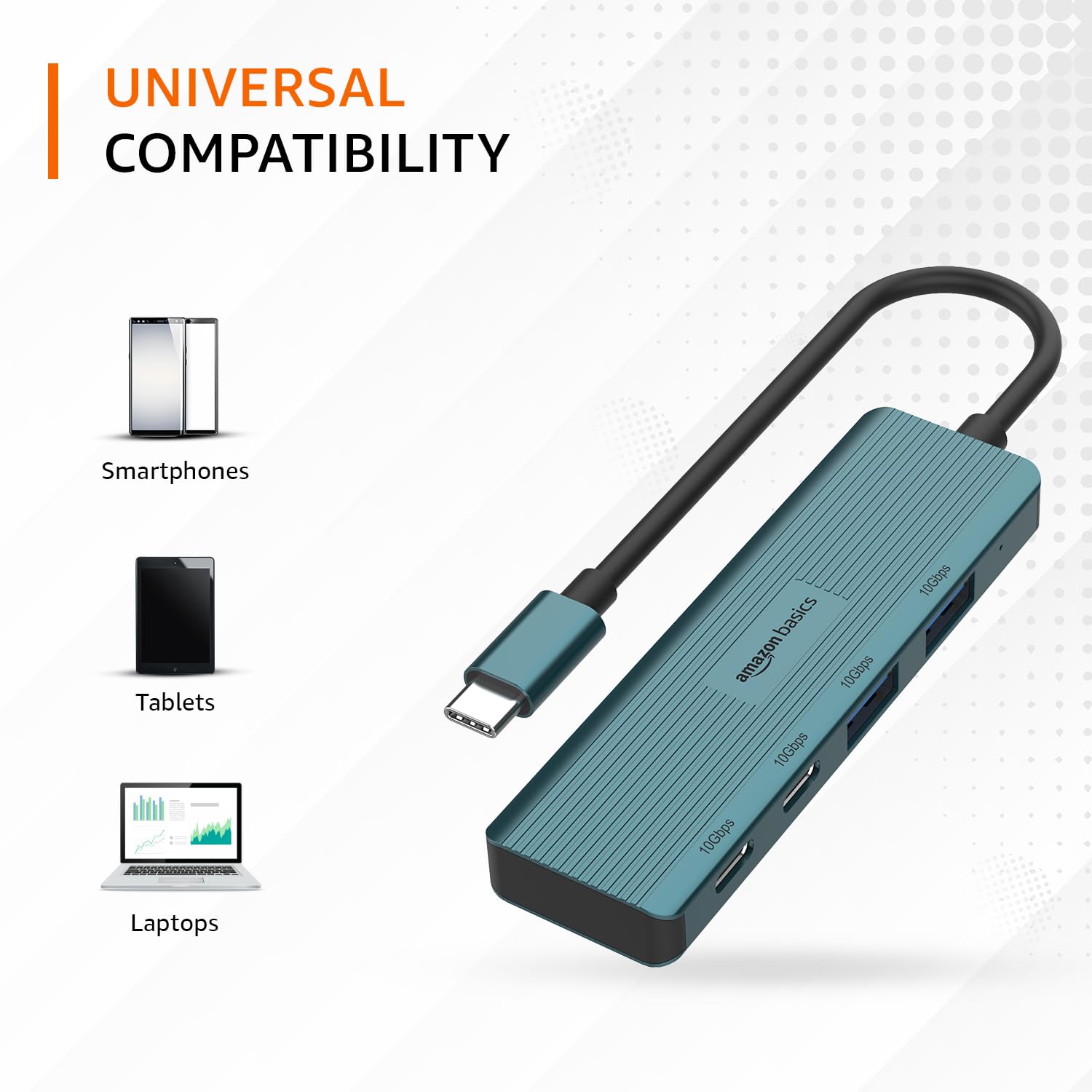
Image: The hub illustrating its compatibility with various devices like smartphones, tablets, and laptops.
නඩත්තු කිරීම
To ensure the longevity and optimal performance of your USB-C hub, follow these maintenance guidelines:
- පිරිසිදු කිරීම: Use a soft, dry cloth to clean the exterior of the hub. Avoid using liquid cleaners or solvents, as they may damage the finish or internal components.
- ගබඩා: භාවිතයේ නොමැති විට, සෘජු හිරු එළියෙන් සහ අධික උෂ්ණත්වයන්ගෙන් ඈත්ව සිසිල් වියළි ස්ථානයක හබ් එක ගබඩා කරන්න.
- හැසිරවීම: Avoid dropping the hub or subjecting it to strong impacts. Do not bend the integrated cable excessively.
- වාතාශ්රය: Ensure the hub has adequate ventilation during operation to prevent overheating, especially during prolonged high-speed data transfers.
දෝෂගවේෂණය
If you encounter issues with your Amazon Basics Pro Series 4-in-1 USB-C Hub, refer to the following common troubleshooting steps:
- උපාංගය හඳුනාගෙන නොමැත:
- Ensure the hub's USB-C cable is fully inserted into your host device's USB-C port.
- ඔබගේ සත්කාරක උපාංගයේ වෙනත් USB-C තොටකට හබ් එක සම්බන්ධ කිරීමට උත්සාහ කරන්න.
- Restart your host device (computer, laptop, phone).
- Verify that the connected peripheral devices are functioning correctly when connected directly to your host device (if applicable).
- මන්දගාමී දත්ත හුවමාරු වේගය:
- Confirm that both your host device's USB-C port and the connected peripheral support USB 3.2 Gen 2 (10 Gbps) for optimal speeds.
- කාර්ය සාධන පිරිහීම අත්විඳින්නේ නම්, බහු ඉහළ කලාප පළල උපාංග එකවර සම්බන්ධ කිරීමෙන් වළකින්න.
- Ensure the cables used for connecting peripherals are of high quality and support the desired data transfer speeds.
- අතරමැදි සම්බන්ධතාවය:
- Check for loose connections at both the hub and the host device.
- Ensure the hub is not being subjected to physical stress or excessive cable bending.
- If using with a power-intensive device, ensure your host device can supply sufficient power, as this hub is not externally powered.
පිරිවිතර
| වෙළඳ නාමය | amazon මූලික කරුණු |
| ආකෘතිය | 4-in-1 USB-C හබ් |
| ධාරක අතුරුමුහුණත | USB-C |
| ප්රතිදාන වරායන් | 2 x USB-C (USB 3.2 Gen 2), 2 x USB-A (USB 3.2 Gen 2) |
| දත්ත හුවමාරු වේගය | 10 Gbps දක්වා (USB 3.2 Gen 2) |
| කේබල් දිග | 150mm (built-in) |
| ද්රව්ය | Aluminum Alloy, ABS Housing, TPE Cable |
| වර්ණය | ටර්කියුයිස් |
| අයිතමයේ බර | 20 ග්රෑම් |
| ගැළපෙන උපාංග | PC, MacBook, Laptops, Phones, Monitors, Projectors |
| මෙහෙයුම් පද්ධතිය | MAC OS (and generally compatible with Windows, Linux, Android) |

Image: Physical dimensions of the USB-C hub.
වගකීම් සහ සහාය
For warranty information and customer support regarding your Amazon Basics Pro Series 4-in-1 USB-C Hub, please refer to the Amazon Basics official webවෙබ් අඩවියට පිවිසෙන්න හෝ ඇමසන් පාරිභෝගික සේවය කෙලින්ම අමතන්න. වගකීම් හිමිකම් සඳහා ඔබේ මිලදී ගැනීමේ රිසිට්පත තබා ගන්න.


