1. හැඳින්වීම
Thank you for choosing the CNBRO Smart Ring with Display. This device is designed to help you monitor your health and fitness activities with convenience and precision. This manual provides essential information on how to set up, operate, and maintain your smart ring to ensure optimal performance.
2. නිෂ්පාදන අවසන්view
The CNBRO Smart Ring is a compact and versatile wearable device featuring an integrated display for real-time data viewing. Key functionalities include:
- ස්පර්ශ තිර සංදර්ශකය: View time, steps, heart rate, sleep duration, and battery level directly on the ring.
- හෘද ස්පන්දන වේගය නිරීක්ෂණය: Continuous 24-hour heart rate tracking.
- Sleep Tracker: Automatic monitoring of sleep duration and quality (deep sleep, light sleep, wake-up time).
- යෝග්යතා ලුහුබැඳීම: Records steps, calories burned, and distance. Includes various sport modes.
- අභින පාලනය: Remotely control phone camera, switch videos, and manage music playback.
- ජල ආරක්ෂිත නිර්මාණය: IP68 rating for protection against water exposure during daily activities.
- අතේ ගෙන යා හැකි ආරෝපණ නඩුව: Convenient magnetic charging without the need for cables.
3. පැකේජ අන්තර්ගතය
Upon opening your CNBRO Smart Ring package, you should find the following items:
- 1 x CNBRO Smart Ring
- 1 x ආරෝපණ නඩුව
- නඩුව සඳහා 1 x ආරෝපණ කේබලය
- 1 x පරිශීලක අත්පොත (මෙම ලේඛනය)
4. සැකසුම් මාර්ගෝපදේශය
4.1 මූලික ආරෝපණය
Before first use, fully charge your smart ring. Place the ring into the charging case. Connect the charging cable to the case and a USB power source. The indicator light on the case will show charging status. A full charge typically takes approximately 1-2 hours.

Image: The smart ring placed inside its transparent charging case, showing a green charging indicator light.
4.2 යෙදුම් ස්ථාපනය
නිල බාගත කරන්න Jring application from your smartphone's app store. The app is compatible with iOS 10.0 or above and Android 9.0 or above. There are no subscription fees for using the app.
4.3 උපාංග යුගලනය
- Ensure your smart ring is charged and powered on.
- ඔබගේ ස්මාර්ට් ජංගම දුරකතනයේ බ්ලූටූත් සක්රිය කරන්න.
- Open the Jring app and follow the on-screen instructions to search for and connect to your smart ring.
- Confirm the pairing request on both your phone and, if prompted, on the ring's display.
5. මෙහෙයුම් උපදෙස්
5.1 Display Interaction
The smart ring features a touch-sensitive display. Interact with the ring by touching its surface to cycle through various data displays:
- තනි ස්පර්ශය: වත්මන් කාලය පෙන්වයි.
- ද්විත්ව ස්පර්ශය: Shows your step count.
- තුන් වරක් ස්පර්ශ කරන්න: Displays your heart rate.
- Touch Four Times: Displays blood oxygen level.
- Touch Five Times: Shows sleep mode data.
- Touch Six Times: වත්මන් බැටරි මට්ටම පෙන්වයි.

Image: A close-up of the smart ring's display showing various data points like time, steps, heart rate, blood oxygen, sleep, and battery level, with corresponding touch instructions.
5.2 හෘද ස්පන්දන වේගය නිරීක්ෂණය කිරීම
The smart ring continuously monitors your heart rate throughout the day. This data is accessible on the ring's display (three touches) and in more detail within the Jring app. The app provides historical data and insights into your heart rate trends during daily activities and exercise.

Image: Visual representation of the smart ring's heart rate and blood oxygen monitoring capabilities, showing sensor lights and data on the display.
5.3 නින්ද ලුහුබැඳීම
Wear the smart ring while sleeping for automatic sleep monitoring. The device tracks your sleep duration and analyzes sleep quality, differentiating between deep sleep, light sleep, and wake-up times. Detailed sleep reports are available in the Jring app.

Image: A person sleeping with the smart ring on, illustrating its sleep tracking function and showing sleep data breakdown (deep, light, awake) on the display.
5.4 Fitness Tracking and Sport Modes
The smart ring functions as a pedometer, automatically tracking your steps, calories consumed, and distance traveled. For more specific exercise data, activate sport modes within the Jring app. In sport modes, the ring will additionally track your activity time, heart rate, and, if connected to your smartphone's GPS, your sport route.
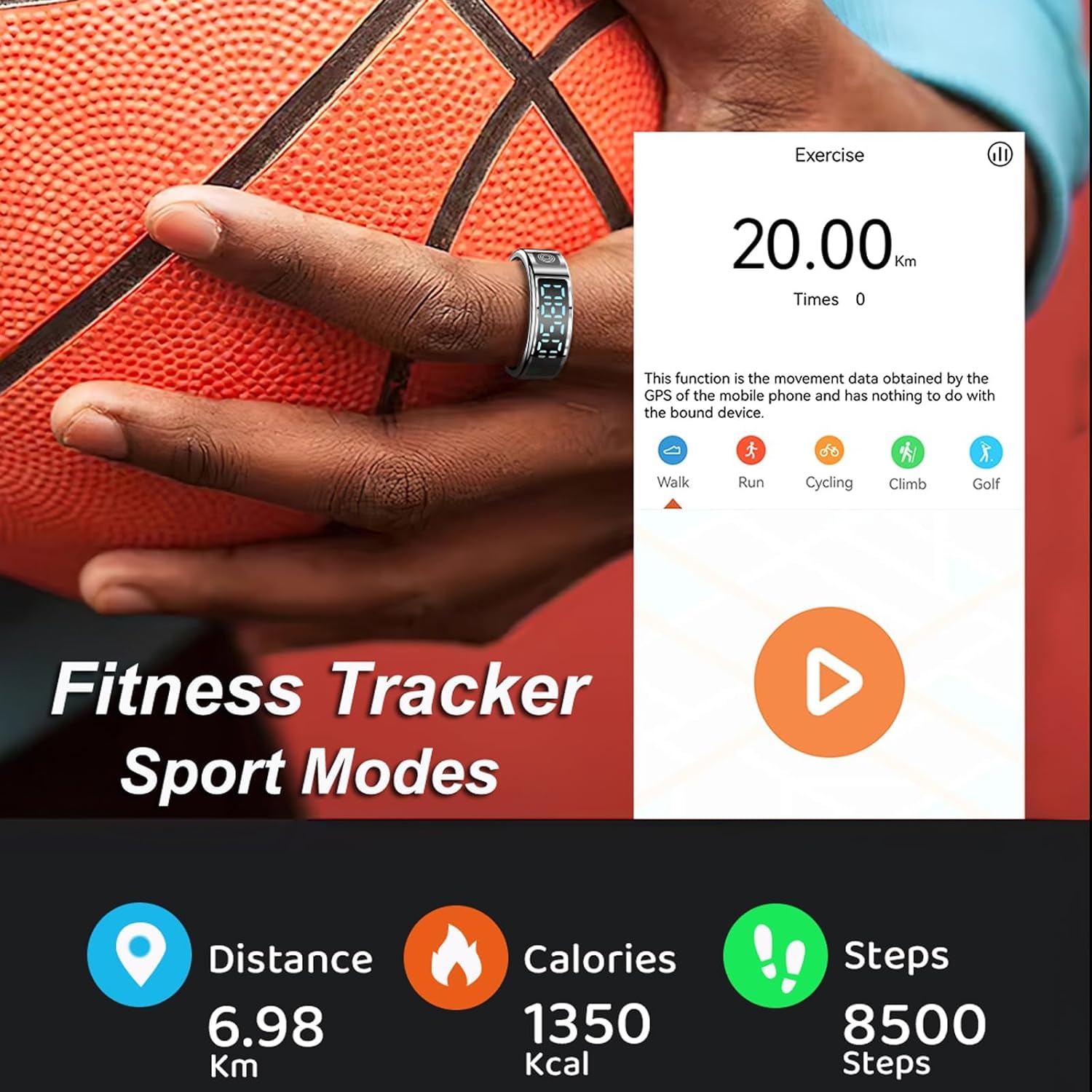
Image: A person wearing the smart ring during a basketball activity, with a smartphone screen displaying exercise data like distance, calories, and steps, and icons for various sport modes.
5.5 අභින පාලනය
The smart ring supports gesture interaction for convenient control of your smartphone. With a quick double-click gesture, you can:
- දුරස්ථව ඡායාරූප ගන්න.
- Switch short videos (e.g., on social media platforms).
- Pause or play music.
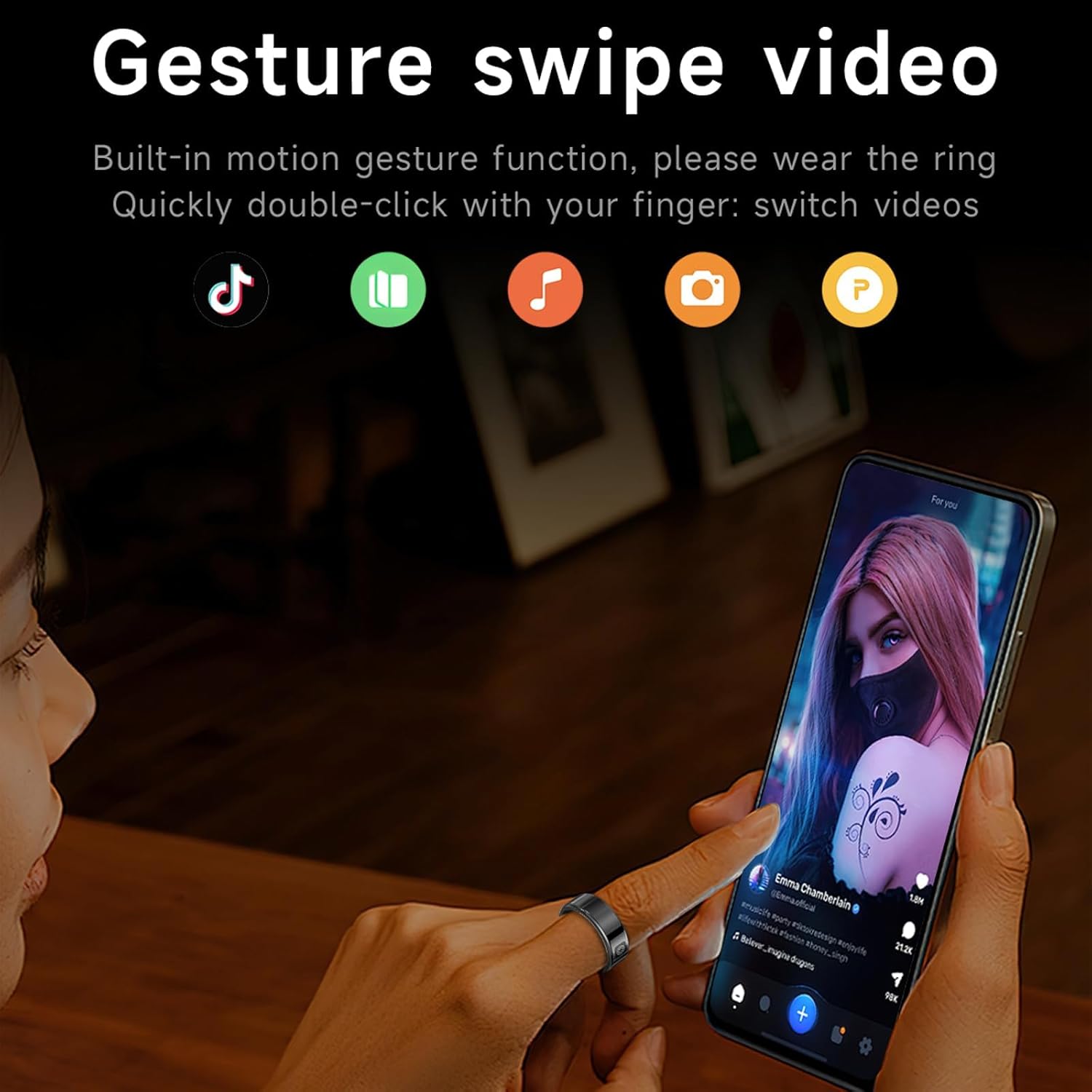
Image: A person using the smart ring to control a smartphone, demonstrating the gesture swipe video function with icons for various apps.
6. ජල ආරක්ෂිත තොරතුරු
The CNBRO Smart Ring features IP68 waterproof technology. This means it is resistant to dust and can withstand immersion in water up to 1.5 meters for up to 30 minutes. It is suitable for activities such as cold showering, washing hands, and use in rain.
වැදගත් සටහන: The smart ring is නැත suitable for hot water, saunas, or steam rooms, as high temperatures can compromise the waterproof seals and damage the device.

Image: Two smart rings submerged in water, illustrating the IP68 waterproof technology.
7. ප්රමාණ මාර්ගෝපදේශය
To ensure accurate data collection and comfortable wear, it is important to select the correct ring size. We recommend wearing the ring on your index finger to avoid accidental touches.
7.1 Measure Finger Method
- පියවර 1: When measuring, choose a thin, non-stretchy wire or string. Wrap it around your finger and mark the point where it overlaps with a pen or other tool. Ensure the wire is tightened appropriately, but not too loose.
- පියවර 2: Straighten the marked wire and measure its length with a ruler. Compare this measurement to the 'Perimeter' column in the size chart below to find your corresponding ring size.

Image: A diagram showing how to measure finger size using a string and ruler, along with a table listing ring sizes (No. 8 to No. 12) with corresponding inner diameters and perimeters.
7.2 Size Chart
| ප්රමාණය | අභ්යන්තර විෂ්කම්භය | පරිමිතිය |
|---|---|---|
| අංක 8 | 18.2 මි.මී | 57.1 මි.මී |
| අංක 9 | 19 මි.මී | 59.6 මි.මී |
| අංක 10 | 19.9 මි.මී | 62.4 මි.මී |
| අංක 11 | 20.7 මි.මී | 64.9 මි.මී |
| අංක 12 | 21.5 මි.මී | 67.5 මි.මී |
8. නඩත්තු කිරීම
- පිරිසිදු කිරීම: Wipe the ring and charging case with a soft, dry cloth. Avoid using abrasive cleaners or solvents.
- ගබඩා: උපාංගය සෘජු හිරු එළියෙන් සහ අධික උෂ්ණත්වයන්ගෙන් ඈත්ව සිසිල් වියළි ස්ථානයක ගබඩා කරන්න.
- බැටරි සත්කාර: To prolong battery life, avoid fully discharging the ring frequently. Charge it regularly, even if not in constant use.
9. දෝශ නිරාකරණය
If you encounter issues with your CNBRO Smart Ring, please refer to the following common solutions:
- Ring Not Turning On: Ensure the ring is fully charged. Place it in the charging case and verify the charging indicator.
- Charging Case Not Working: Check the charging cable and power source. If the case itself is not charging the ring, ensure the ring is correctly seated. If issues persist, the charging case may require replacement.
- Cannot Connect to Phone/App:
- ඔබගේ දුරකථනයේ බ්ලූටූත් සබල කර ඇති බව සහතික කර ගන්න.
- Make sure the Jring app is updated to the latest version.
- Restart both your phone and the smart ring (by placing it in the charging case and taking it out).
- Try unpairing and re-pairing the device through the app's settings.
- Inaccurate Data Readings: Ensure the ring is worn correctly and snugly on your finger. Clean the sensors on the inside of the ring.
- ප්රතිචාර නොදක්වන සංදර්ශකය: Ensure the ring is charged. Try a soft reset by placing it in the charging case for a few seconds.
වැඩිදුර සහාය සඳහා, කරුණාකර පාරිභෝගික සහාය අමතන්න.
10. පිරිවිතර
| විශේෂාංගය | විස්තර |
|---|---|
| ආදර්ශ අංකය | 365f5bca-21e2-44ae-a8d7-67b247d64977 |
| සම්බන්ධතාවය | බ්ලූටූත් 5.1 |
| Battery Capacity (Ring) | 16mAh ලිතියම් පොලිමර් |
| ආරෝපණ වර්ගය | Magnetic Charging (via case) |
| මෙහෙයුම් පද්ධති අනුකූලතාව | Android 9.0+, iOS 10.0+ |
| ජල ආරක්ෂිත ශ්රේණිගත කිරීම | IP68 |
| අයිතමයේ බර | ග්රෑම් 100 (ආසන්න වශයෙන් අවුන්ස 3.53) |
| විශේෂ ලක්ෂණ | Activity Tracker, Gesture Control, Lightweight, Time Display, Touchscreen |
11. නිල නිෂ්පාදන වීඩියෝව
Video: An official product video demonstrating the features of the CNBRO Smart Ring, including its display functions, health monitoring (heart rate, blood oxygen), exercise tracking, sleep monitoring, IP68 waterproofing, magnetic charging, and gesture controls for smartphone interaction.
12. වගකීම් සහ සහාය
For any questions, concerns, or technical support regarding your CNBRO Smart Ring, please contact our customer service team. While specific warranty details are not provided in this manual, we are committed to offering the best possible solution for any issues you may encounter.
කරුණාකර ඔබේ මිලදී ගැනීමේ ලියකියවිලි හෝ සිල්ලර වෙළෙන්දාගේ website for information on return policies and warranty coverage.

