1. හැඳින්වීම
This manual provides detailed instructions for the installation, operation, and maintenance of your Irfora Cordless Expandable Phone System D1015TAM-D. Please read this manual thoroughly before using the phone system to ensure proper functionality and to prevent damage.
2 ආරක්ෂිත තොරතුරු
- සපයන ලද බල ඇඩැප්ටර සහ බැටරි පමණක් භාවිතා කරන්න.
- Do not expose the phone system to water or excessive moisture.
- Avoid placing the base unit or handsets near heat sources or direct sunlight.
- Keep the phone system away from strong electromagnetic fields.
- The distance between the main unit and the handset should not exceed 80 meters for optimal performance.
3. පැකේජ අන්තර්ගතය
සියලුම අයිතම පැකේජයේ ඇති බව තහවුරු කරගන්න:
- 2 x හෑන්ඩ්සෙට්
- 2 x Charging Cradles
- 1 x Phone Line Cord
- 4 x 1.2V 400MAh Ni-MH AAA Batteries
- 2 x බල ඇඩැප්ටර
4. නිෂ්පාදන අවසන්view
The Irfora Cordless Expandable Phone System features large buttons and a clear display for ease of use. It includes an integrated answering machine and supports multiple handsets.

රූපය 4.1: Handset with large buttons and a 1.8-inch LCD screen, designed for clear visibility and ease of use.

රූපය 4.2: Handset keypad layout, showing M1, M2, M3 for speed dialing and the standard numeric keys.

රූපය 4.3: The phone system features an integrated telephone answering machine for message recording.

රූපය 4.4: ඉවරයිview of phone and answering machine features, including LCD display, handset registration, call memories, and recording capabilities.

රූපය 4.5: The base unit and handset feature an incoming call indicator.
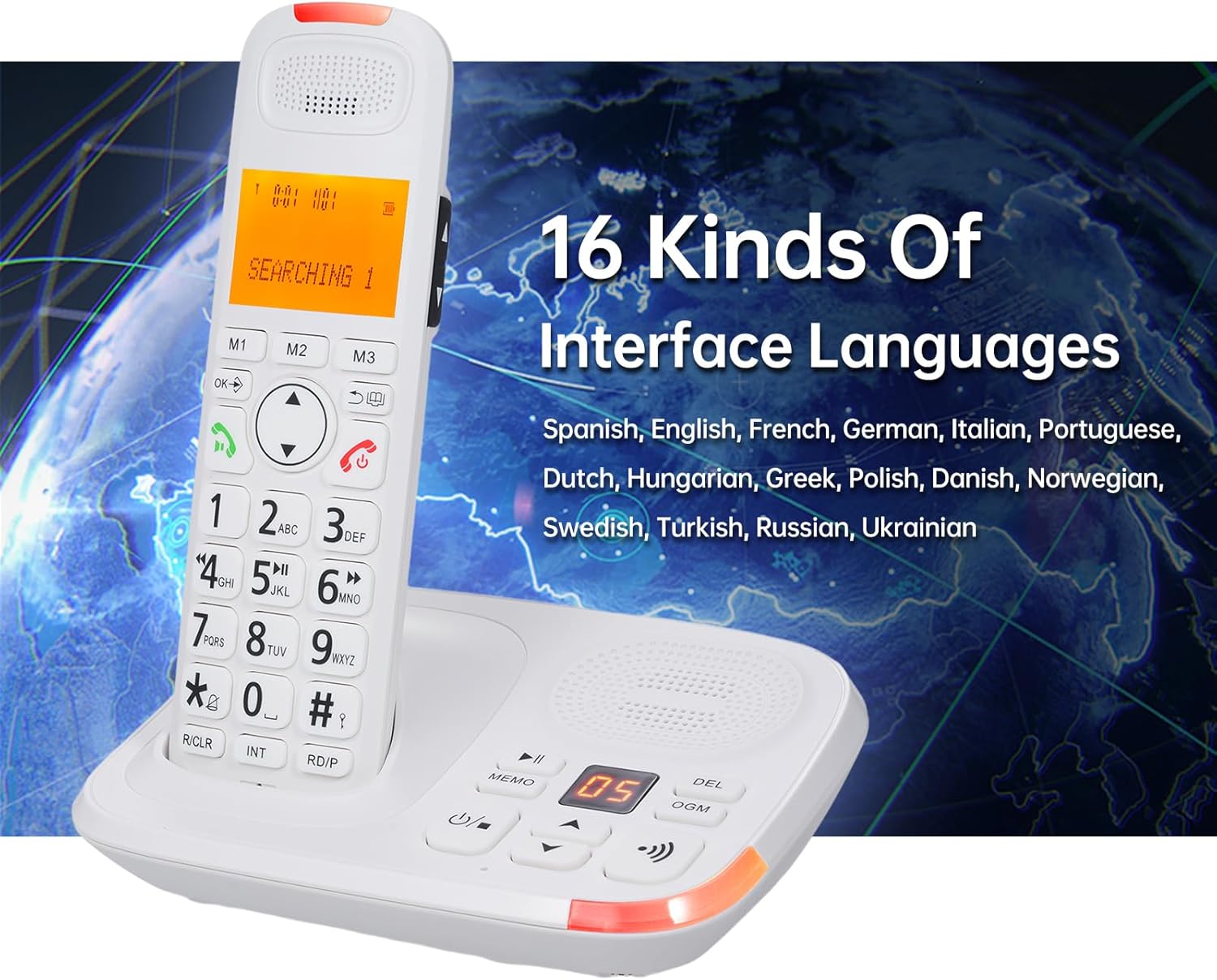
රූපය 4.6: The phone system supports 16 interface languages, including Spanish, English, French, German, Italian, Portuguese, Dutch, Hungarian, Greek, Polish, Danish, Norwegian, Swedish, Turkish, Russian, and Ukrainian.
5. පිහිටුවීම
5.1 බැටරි ස්ථාපනය
- එක් එක් ජංගම දුරකථනයේ පිටුපස බැටරි මැදිරි කවරය විවෘත කරන්න.
- Insert the two 1.2V 400MAh Ni-MH AAA batteries, ensuring correct polarity.
- බැටරි මැදිරි කවරය වසා දමන්න.
- Place the handset in its charging cradle to charge for at least 12 hours before first use.
5.2 මූලික ඒකකය සම්බන්ධ කිරීම
- Connect one end of the phone line cord to the LINE jack on the base unit.
- Connect the other end of the phone line cord to your telephone wall jack.
- Plug the power adapter into the DC IN jack on the base unit.
- බල ඇඩැප්ටරය සම්මත විදුලි අලෙවිසැලකට සම්බන්ධ කරන්න.
- For the second charging cradle, plug its power adapter into a standard electrical outlet.
5.3 හෑන්ඩ්සෙට් ලියාපදිංචිය
The system supports a maximum of 5 handsets registered to the same base unit. Refer to the on-screen menu for specific registration steps if additional handsets need to be registered or re-registered.
6. මෙහෙයුම් උපදෙස්
6.1 මූලික ඇමතුම් කාර්යයන්
- ඇමතුමක් ගැනීම: Enter the phone number and press the අමතන්න බොත්තම.
- ඇමතුමකට පිළිතුරු දීම: දුරකථනය නාද වන විට, ඔබන්න අමතන්න button. The system supports auto/manual answering.
- ඇමතුමක් අවසන් කිරීම: ඔබන්න ඇමතුම අවසන් කරන්න බොත්තම ඔබන්න හෝ ජංගම දුරකථනය නැවත තොටිල්ලේ තබන්න.
- නැවත අමතන්න: ඔබන්න නැවත සකසන්න අවසන් වරට ඇමතූ අංකයට ඇමතුමක් ලබා ගැනීමට බොත්තම.
- විරාමය: Use the pause function during dialing as needed.
- නිශ්ශබ්ද කරන්න: ඔබන්න නිහඬ කරන්න button during a call to temporarily disable your microphone.
- ශ්රව්ය බූස්ට්: Use the dedicated key for audio boost during a call to increase volume.
6.2 Answering Machine (TAM)
- The digital answering machine can record up to 60 minutes of messages.
- The base unit has a 2-digit LCD display to indicate messages.
- Memo Recording: Record memos up to 2 minutes in length.
- Outgoing Message (OGM): Two groups of OGM can be recorded by the user.
- Voice prompts are available in English, Spanish, French, and German.
6.3 Phone Book and Call Memories
- දුරකථන නාමාවලිය: Store up to 50 entries with a maximum of 12 characters and 20 digits.
- Incoming Call Memories: Stores up to 30 incoming numbers.
- Outgoing Call Memories: Stores up to 10 outgoing numbers.
- ස්පීඩ් ඩයල්: Utilize M1, M2, M3 buttons for quick access to frequently called numbers.
6.4 ඉන්ටර්කොම් සහ සම්මන්ත්රණ ඇමතුම්
- ඉන්ටර්කොම්: Initiate calls between two registered handsets.
- ඇමතුම් මාරු කිරීම: Transfer an external call to another handset.
- සම්මන්ත්රණ ඇමතුම: Conduct a three-way conference call involving an external call and two handsets.
6.5 Settings and Features
- Interface Languages: Select from 16 languages including Spanish, English, French, German, Italian, Portuguese, Dutch, Hungarian, Greek, Polish, Danish, Norwegian, Swedish, Turkish, Russian, and Ukrainian.
- Flash Time: Adjustable settings for 100/300/600/1000ms.
- Ringing Tones: 10 selectable ringing tones. Adjustable ringing tone, earpiece, and hands-free volume. Different melodies can be set for different calls.
- යතුරු පෑඩ් අගුල: Function to lock the keypad to prevent accidental dialing.
- Dialing Barring: Function to restrict certain outgoing calls.
- LCD පසුබිම් ආලෝකය: The LCD screen features a backlight function.
- අනතුරු ඇඟවීමේ ඔරලෝසුව: An alarm clock function is available.
7. නඩත්තු කිරීම
- Clean the phone system with a soft, damp රෙදි. උල්ෙල්ඛ පිරිසිදු කරන්නන් හෝ ද්රාවණ භාවිතා නොකරන්න.
- Ensure the charging contacts on the handset and cradle are clean for proper charging.
- බැටරි ඵලදායී ලෙස ආරෝපණය රඳවා නොගන්නා විට ඒවා ප්රතිස්ථාපනය කරන්න.
8. දෝශ නිරාකරණය
- ඩයල් ටෝන් නැත:
- Check if the phone line cord is securely connected to both the base unit and the wall jack.
- Ensure the power adapter is properly connected and plugged into a working outlet.
- ජංගම දුරකථනය ආරෝපණය නොවේ:
- ජංගම දුරකථනය ආරෝපණ තොටිල්ලේ නිවැරදිව තබා ඇති බව තහවුරු කරන්න.
- Clean the charging contacts on both the handset and cradle.
- Check if the charging cradle's power adapter is connected.
- Poor Call Quality or Range Issues:
- Ensure the handset is within 80 meters of the base unit.
- Relocate the base unit away from other electronic devices that may cause interference.
- Base Unit and Handset Ring Simultaneously, Cannot Answer Both:
- This is normal operation. When a call comes in, both the main unit and handset will ring. You can only choose one of them to answer the call, not both simultaneously.
9. පිරිවිතර
| ආකෘතිය | D1015TAM-D |
| Handset Dimensions | 19 x 5.7 x 2.7 cm (7.48 x 2.24 x 1.06 අඟල්) |
| Cradle Dimensions | 16.8 x 12.5 x 6 cm (6.61 x 4.92 x 2.36 inches) and 10 x 11.2 x 7 cm (3.94 x 4.41 x 2.76 inches) |
| බැටරි | 4 x 1.2V 400MAh Ni-MH AAA batteries |
| LCD තිරය | 1.8 inches, 3 lines display, backlight function |
| පුළුල් කිරීමේ හැකියාව | Max. 5 handsets per base unit, Max. 4 bases per handset |
| Phone Book Memory | 50 entries (12 characters & 20 digits max) |
| Call Memories | 30 incoming, 10 outgoing |
| පිළිතුරු යන්ත්ර පටිගත කිරීමේ කාලය | උපරිම විනාඩි 60 යි |
| Memo Recording Time | උපරිම. තත්පර 120 යි |
| Flash Time Settings | 100/300/600/1000ms |
| Interface Languages | 16 options (Spanish, English, French, German, Italian, Portuguese, Dutch, Hungarian, Greek, Polish, Danish, Norwegian, Swedish, Turkish, Russian, Ukrainian) |
| නිෂ්පාදකයා | ඉර්ෆෝරා |
| ASIN | B0DRG4WSDY |