හැඳින්වීම
The Newmowa 5-inch Phone Vlog Selfie Monitor Screen is designed to enhance your mobile content creation by providing a real-time view of your phone's rear camera. This allows for high-quality video recording and photography, ideal for vlogging, live streaming, and selfies. It features both wired and wireless connectivity options, screen rotation, and a magnetic attachment system for ease of use.
පැකේජයේ අන්තර්ගතය
- 1 x Selfie Monitor Screen
- 1 x Magnetic Phone Holder
- 1 x බ්ලූටූත් දුරස්ථ පාලකය
- 1 x Dual USB-C Cable
- 1 x Type-C Charging Cable
- 1 x Soft Velvet Bag
- 1 x උපදෙස් අත්පොත
සැලසුම
1. Attaching the Monitor to Your Phone
The Newmowa monitor features a unique magnetic attachment system. Securely attach the magnetic phone holder to the back of your iPhone. The monitor then magnetically connects to this holder, ensuring a stable setup for recording.

Image: Newmowa 5-inch Phone Vlog Selfie Monitor Screen with magnetic phone holder attached to an iPhone.
2. මූලික අයකිරීම
Before first use, fully charge the monitor screen using the provided Type-C charging cable. Connect the cable to the Type-C charging port on the monitor and a 5V/1A charger, power bank, laptop, or car charger. The red light indicates charging, and the green light indicates a full charge.

Image: Newmowa 5-inch Phone Vlog Selfie Monitor Screen being charged via a Type-C cable.
මෙහෙයුම් උපදෙස්
1. Wired Recording (4K 30fps)
- For iPhone 15/16/17 series: Use the included Dual USB-C cable for direct plug-and-play 4K 30fps recording.
- For iPhone 11-14 series: Use your original Lightning to USB-C cable (not included) to achieve 4K 30fps recording.
- සටහන: Wired connection supports iPhone audio output during screen sharing.

Image: Newmowa 5-inch Phone Vlog Selfie Monitor Screen connected via wired USB-C to an iPhone for 4K 30fps recording.
2. Wireless Recording (1080P)
- The monitor supports 1080P wireless recording. Ensure your iPhone (iOS 9 or above) is connected to the monitor's Wi-Fi.
- සටහන: Wireless connection does not support 4K recording, and phone audio will not be output during wireless screen sharing.

Image: Newmowa 5-inch Phone Vlog Selfie Monitor Screen showing wireless recording with a Bluetooth remote control.
3. තිර භ්රමණය
Press the dedicated Screen Rotation Button on the monitor to effortlessly reverse the image 180°. This feature is useful for optimizing your view without needing to physically adjust the phone or monitor.
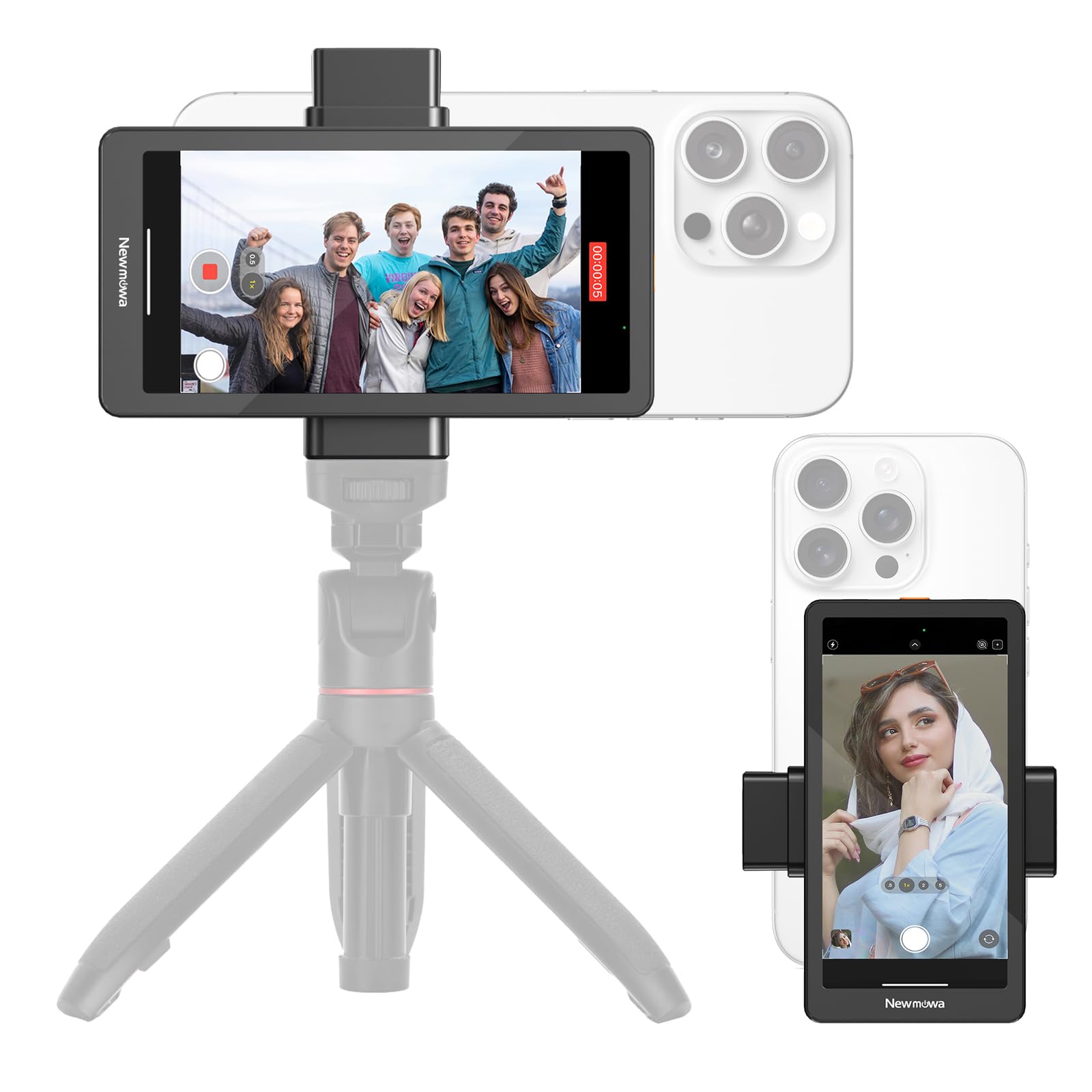
Image: Newmowa 5-inch Phone Vlog Selfie Monitor Screen demonstrating screen rotation with a dedicated button.
4. බ්ලූටූත් දුරස්ථ පාලකය
The included Bluetooth remote control allows you to remotely trigger photo and video capture, providing convenience for solo shooting or group photos.
5. Using the Rear Camera for Selfies and Vlogs
The primary benefit of this monitor is to utilize your iPhone's superior rear camera for selfies, vlogs, and live streams, ensuring higher quality content compared to the front camera.

Image: Newmowa 5-inch Phone Vlog Selfie Monitor Screen attached to an iPhone, showing a user taking a selfie with the rear camera.
නඩත්තු කිරීම
- පිරිසිදු කිරීම: Use a soft, dry cloth to clean the screen and body. Avoid abrasive cleaners or solvents.
- ගබඩා: When not in use, store the monitor in the provided soft velvet bag to protect it from scratches and dust. Keep it in a cool, dry place away from direct sunlight.
- බැටරි සත්කාර: බැටරි ආයු කාලය දීර්ඝ කිරීම සඳහා, බැටරිය නිතර නිතර සම්පූර්ණයෙන්ම විසර්ජනය කිරීමෙන් වළකින්න. නිරන්තරයෙන් භාවිතයේ නොමැති වුවද, එය නිතිපතා ආරෝපණය කරන්න.
දෝෂගවේෂණය
1. Screen Not Turning On
- උපාංගය සම්පූර්ණයෙන්ම ආරෝපණය කර ඇති බවට සහතික වන්න.
- Press and hold the power button for a few seconds to turn it on.
2. රැහැන් රහිත සම්බන්ධතා ගැටළු
- Verify that your iPhone's Wi-Fi is connected to the monitor's network.
- Restart both the monitor and your iPhone.
- Ensure you are within the effective range for wireless connectivity.
3. No Audio During Wireless Screen Share
- This is expected behavior for wireless recording. Audio output is only supported with a wired connection.
4. Lag in Wireless Display
- Wireless connections may experience slight latency. For critical applications requiring minimal lag, use the wired connection.
පිරිවිතර
| තිර ප්රමාණය | අඟල් 5 |
| පටිගත කිරීමේ රූපාකාරයන් | 4K 30fps (Wired), 1080P (Wireless) |
| ගැළපුම | iOS 9 and above (iPhone 11/12/13/14/15/16/17, etc.) |
| ආරෝපණ වරාය | Type-C (5V/1A) |
| බැටරි | 1 Lithium Ion බැටරි (ඇතුළත්) |
| අයිතමයේ බර | අවුන්ස 10.5 (කිලෝ 0.3) |
| පැකේජ මානයන් | අඟල් 7.32 x 3.86 x 1.34 |
නිල නිෂ්පාදන වීඩියෝව
Video: Newmowa 5-inch Phone Vlog Selfie Monitor Screen - An official overview of the product's features and usage.
වගකීම් සහ සහාය
Newmowa products are backed by a manufacturer's warranty. For detailed warranty information, product support, or technical assistance, please refer to the contact information provided in the original product packaging or visit the official Newmowa webඅඩවිය. වගකීම් හිමිකම් සඳහා ඔබේ මිලදී ගැනීමේ රිසිට්පත තබා ගන්න.
මාර්ගගත සහාය: Visit the Newmowa Store on Amazon


