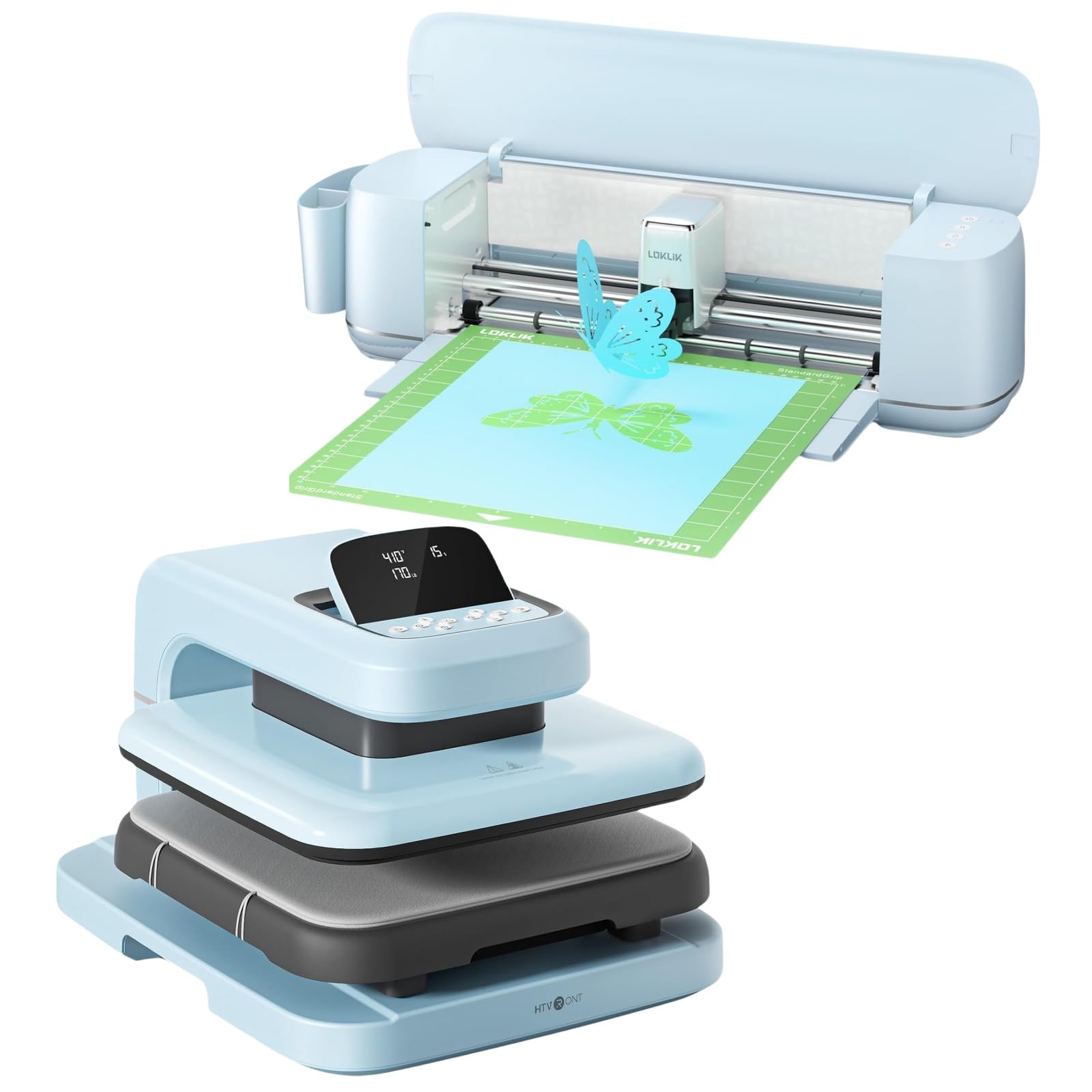
LOKLiK Cutting Machine & Auto Heat Press 2 15x15

LOKLiK Cutting Machine & Auto Heat Press 2 15x15 User Manual

Model: Cutting Machine & Auto Heat Press 2 15x15

හැඳින්වීම

This manual provides detailed instructions for the safe and efficient operation, setup, and maintenance of your LOKLiK Cutting Machine and Auto Heat Press 2 15x15. Please read this manual thoroughly before using the product to ensure optimal performance and safety.

වැදගත් ආරක්ෂක තොරතුරු

WARNING: To reduce the risk of injury, electric shock, fire, or damage to the product, always follow these basic safety precautions.

පැකේජයේ අන්තර්ගතය

සියලුම අයිතම පැකේජයේ ඇති බව තහවුරු කරගන්න:

නිෂ්පාදනය අවසන්view

The LOKLiK Cutting Machine and Auto Heat Press 2 15x15 combine precision cutting with automated heat transfer capabilities, designed for various crafting and small business applications.

LOKLiK Cutting Machine Features:

LOKLiK Auto Heat Press 2 15x15 Features:

සැකසුම් මාර්ගෝපදේශය

1. ඇසුරුම් ඉවත් කිරීම සහ ස්ථානගත කිරීම

2. බල සම්බන්ධතාවය

3. Cutting Machine Software Installation

LOKLiK IdeaStudio software interface on a laptop, showing a vast image library and design options.
Figure 1: LOKLiK IdeaStudio software interface, demonstrating its vast image library and design capabilities. The software is zero-cost and supports Bluetooth/USB connection.

මෙහෙයුම් උපදෙස්

A. LOKLiK Cutting Machine Operation

1. Preparing Your Design

Various craft projects made with the LOKLiK cutting machine, including paper flowers, cards, keychains, and decorated bottles, showcasing its versatility with over 100 materials.
රූපය 2: උදාamples of diverse projects created using the LOKLiK cutting machine, demonstrating its ability to work with over 100 different materials from 0.1mm to 2mm.

2. Loading Material

A LOKLiK cutting machine performing a matless full-length cut of a 'sunflower' design on a wall, with a person feeding the material.
Figure 3: The LOKLiK cutting machine demonstrating its matless full-length cutting capability, supporting smart materials up to 21 feet long.

3. Performing a Cut

Close-up of the LOKLiK cutting machine's blade precisely cutting an intricate 'Good Vibes' design on a material.
රූපය 4: සවිස්තරාත්මක view of the LOKLiK cutting machine's precise cutting action, capable of intricate designs with ultra-precision.

B. LOKLiK Auto Heat Press 2 15x15 Operation

1. Power On and Pre-heating

Three panels showing the LOKLiK Auto Heat Press 2 features: Auto Pressing & Auto Releasing, Fast & Even Heat with dual-zone heating, and Auto Shut-off after 15 minutes.
Figure 5: Key operational features of the LOKLiK Auto Heat Press 2, including automatic pressing and releasing, fast and even dual-zone heating, and a 15-minute auto shut-off for safety and convenience.

2. Preparing Your Item for Pressing

Diagram illustrating the 1.77-inch increased heating height of the LOKLiK Auto Heat Press 2, showing how it accommodates both t-shirts and thicker hoodies.
Figure 6: The increased 1.77-inch heating height of the heat press allows for wider substrate application and greater material compatibility, suitable for items like t-shirts and hoodies.

3. පීඩනය සකස් කිරීම

Image showing the LOKLiK Auto Heat Press 2 with an adjustable pressure range up to 170 LB, and a bar chart indicating pressure levels for different materials like HTV, DTF, Sublimation Paper, and Heat Transfer Paper.
Figure 7: The heat press offers adjustable pressure up to 170 LB, allowing customization for various materials and professional results. Consult the user manual for specific material parameter recommendations.
Comparison image showing two pressed garments, one with 'HTVRONT Auto 2' (Maximum 170 LB Pressure) and another with 'OTHERS' (Maximum 110 LB Pressure), highlighting improved transferred adherence, higher transfer rate, and stronger washable ability with higher pressure.
Figure 8: Demonstrates the benefits of higher pressure (up to 170 LB) for heat transfers, resulting in improved adherence, higher transfer rates, and enhanced washability compared to lower pressure presses.

4. Initiating the Press Cycle

නඩත්තු කිරීම

1. Cleaning the Cutting Machine

2. Cleaning the Heat Press

දෝෂගවේෂණය

ගැටලුවවිය හැකි හේතුවවිසඳුම
Cutting Machine not powering on.විදුලි රැහැන ආරක්ෂිතව සම්බන්ධ වී නැත; විදුලි පිටවීමේ ගැටලුවක්.බල සම්බන්ධතා පරීක්ෂා කරන්න. වෙනත් අලෙවිසැලක් උත්සාහ කරන්න.
Cutting is inaccurate or incomplete.Dull blade; incorrect cut settings; material not loaded correctly.Replace blade. Adjust cut settings in IdeaStudio. Ensure material is flat and aligned.
Heat Press not heating up.Power cord not connected; power switch off; internal fault.Verify power connections and switch. If problem persists, contact support.
Transfer material not adhering properly.Incorrect temperature, time, or pressure settings; material incompatibility.Adjust settings according to material manufacturer's recommendations. Ensure even pressure.
Heat Press auto-shuts off unexpectedly.15-minute standby auto shut-off activated.This is a safety feature. Simply power on again to resume operation.

පිරිවිතර

විශේෂාංගයවිස්තර
වෙළඳ නාමයLOKLiK
ආකෘතියCutting Machine & Auto Heat Press 2 15x15
Cutting Machine Material Compatibility0.1mm to 2mm thick, over 100 materials
Cutting Machine Max Cut Width13 inches (matless)
Cutting Machine Max Cut Length21 feet (matless)
Cutting Machine Accuracy0.5 mm (print-then-cut)
Heat Press Plate Sizeඅඟල් 15x15
Heat Press Max Pressure170 LB
Heat Press Max Temperature410°F (210°C)
Heat Press Heating TimeReaches 410°F in 5 min 30 sec
Heat Press Adjustable Time Rangeතත්පර 1-999
Heat Press Heating Heightඅඟල් 1.77 (සෙ.මී. 4.5)
Heat Press Auto Shut-off15 minutes standby
මෙහෙයුම් ආකාරයස්වයංක්රීය
වර්ණයටර්කියුයිස්
ද්‍රව්‍ය (ඉදිකිරීම්)ප්ලාස්ටික් (ප්‍රධාන ශරීරය)

වගකීම් සහ සහාය

For warranty information, technical support, or service inquiries, please refer to the official LOKLiK webවෙබ් අඩවියට පිවිසෙන්න හෝ ඔවුන්ගේ පාරිභෝගික සේවය කෙලින්ම අමතන්න. මිලදී ගැනීමේ සාක්ෂියක් ලෙස ඔබේ මිලදී ගැනීමේ රිසිට්පත තබා ගන්න.

LOKLiK Official Webඅඩවිය: Visit the LOKLiK Store on Amazon

අදාළ ලියකියවිලි - Cutting Machine & Auto Heat Press 2 15x15

පෙරview LOKLİK ImPress Mini 3 Heat Press for DIY Crafts
Discover the LOKLİK ImPress Mini 3, a compact and versatile heat press designed for DIY craft enthusiasts. Featuring dual heat plates (curved/flat), precision tip, and flexible temperature settings (100-200°C), it's ideal for heat transfer and sublimation on various objects like mugs, shoes, hats, and stuffed animals. Includes quick start guide and safety features.
පෙරview LOKLIK පහසු තාප මුද්‍රණ යන්ත්‍ර පරිශීලක අත්පොත සහ පිරිවිතර
LOKLIK Easy Heat Press යන්ත්‍රය ක්‍රියාත්මක කිරීම සහ නඩත්තු කිරීම සඳහා සවිස්තරාත්මක උපදෙස්, ද්‍රව්‍ය සැකසුම්, ආරක්ෂක පූර්වාරක්ෂාවන් සහ වගකීම් තොරතුරු ඇතුළුව පුළුල් මාර්ගෝපදේශයකි.
පෙරview LOKLIK ImPress Mini 3 User Manual: Heat Press & Sublimation Guide
Comprehensive user manual for the LOKLIK ImPress Mini 3 heat press. Learn how to use, set up, and troubleshoot your device for heat transfer vinyl, sublimation, and more. Includes specifications, FAQs, and safety precautions.
පෙරview LOKLIK iEngrave LEF02 Laser Engraver User Manual and Safety Guide
This LOKLIK iEngrave LEF02 user manual provides comprehensive safety precautions, product specifications, installation instructions for LightBurn and LaserGRBL software, and frequently asked questions for the LOKLIK iEngrave laser engraver.
පෙරview LOKLIK iEngrave™ ආවරණ පරිශීලක අත්පොත
LOKLIK iEngrave™ Cover ලේසර් කැටයම්කරු (ආකෘතිය LEF02/LEF01) සඳහා සවිස්තරාත්මක පරිශීලක අත්පොත. ආරක්ෂිත පූර්වාරක්ෂාවන්, නිෂ්පාදන පිරිවිතර, සවිස්තරාත්මක ස්ථාපන මාර්ගෝපදේශ, LightBurn සහ Laser GRBL සඳහා මෘදුකාංග සැකසුම, නිතර අසනු ලබන ප්‍රශ්න, නඩත්තුව, වගකීම් සහ FCC අනුකූලතාව ආවරණය කරයි.
පෙරview VEVOR බහුකාර්ය ඩිජිටල් තාප මුද්‍රණ යන්ත්‍ර පරිශීලක මාර්ගෝපදේශය
VEVOR බහුකාර්ය ඩිජිටල් තාප මුද්‍රණ යන්ත්‍රය සඳහා සවිස්තරාත්මක පරිශීලක මාර්ගෝපදේශය, සබ්ලිමේෂන් සහ තාප හුවමාරු යෙදුම් සඳහා සැකසුම, ක්‍රියාකාරිත්වය, උෂ්ණත්ව පාලනය, මුද්‍රණ ශිල්පීය ක්‍රම සහ දෝශ නිරාකරණය ආවරණය කරයි.