1. හැඳින්වීම
The DigiLand R10 PRO is a 10.1-inch Android 14 tablet designed for versatile use, from entertainment to productivity. It features an MTK Helio G80 Octa-Core processor, 12GB RAM, and 128GB internal storage, expandable via TF card. This manual provides essential information to help you get started and make the most of your tablet.
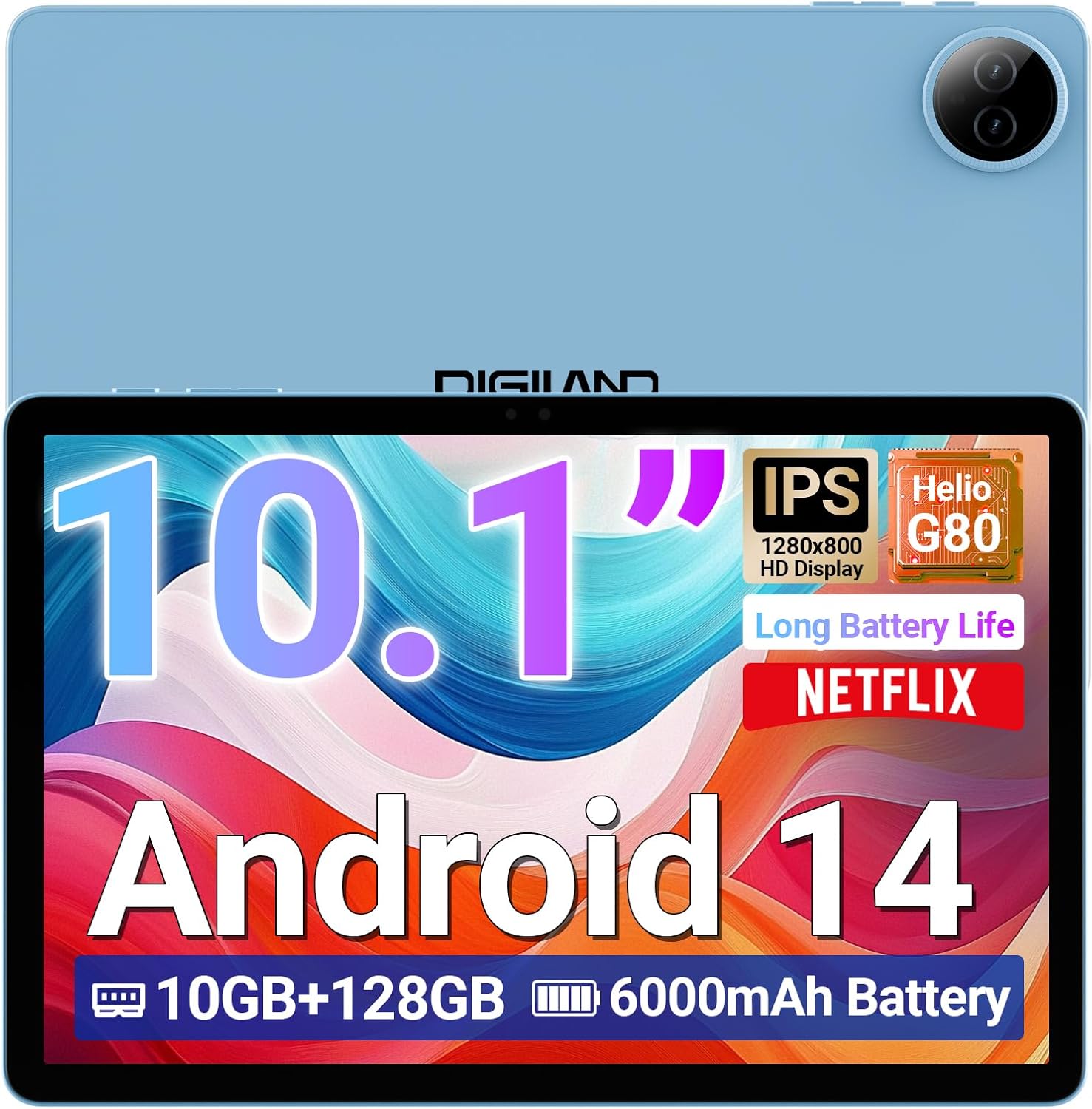
Image 1.1: DigiLand R10 PRO Tablet. This image displays the tablet's front screen, highlighting its 10.1-inch display, Android 14 operating system, 10GB RAM, 128GB ROM, and 6000mAh battery capacity.
2. පෙට්ටියේ ඇති දේ
Upon unpacking your DigiLand R10 PRO tablet, please verify that all the following items are included:
- R10 PRO Tablet
- R10 PRO Stand Case
- චාජර්
- ආරෝපණ කේබලය (USB Type-C)
- පරිශීලක අත්පොත (මෙම ලේඛනය)

Image 2.1: Box Contents. This image illustrates the tablet, charger, charging cable, stand case, and user manual included in the product packaging.
3. නිෂ්පාදන අවසන්view
Familiarize yourself with the physical components of your DigiLand R10 PRO tablet.
3.1 ඉදිරිපස View
- 10.1-inch HD IPS Touchscreen: අන්තර්ක්රියා සඳහා ප්රධාන සංදර්ශකය.
- ඉදිරිපස කැමරාව (8MP): Located above the screen, used for video calls and selfies.
3.2 පසුපස View
- පසුපස කැමරාව (13MP): පිටුපස පිහිටා ඇති අතර, ඡායාරූප සහ වීඩියෝ ග්රහණය කර ගැනීමට භාවිතා කරයි.
3.3 පැත්ත Views (General Layout)
- බල බොත්තම: ටැබ්ලටය සක්රිය/අක්රිය කිරීමට හෝ එය නිදා ගැනීමට/අවදි කිරීමට භාවිතා කරයි.
- වෙළුම් බොත්තම්: ශ්රව්ය පරිමාව සකසන්න.
- USB Type-C Port: අයකිරීම් සහ දත්ත හුවමාරුව සඳහා.
- ස්පීකර් ග්රිල්ස්: ශ්රව්ය ප්රතිදානය සඳහා.
- MicroSD කාඩ් පත: For expanding storage (supports up to 256GB).

Image 3.1: Tablet Features Overview. This infographic highlights key specifications including screen size, resolution, RAM, ROM, processor, battery, and camera details.
4. පිහිටුවීම
4.1 මූලික ආරෝපණය
Before first use, fully charge your tablet. Connect the provided USB Type-C cable to the tablet's charging port and the other end to the power adapter. Plug the adapter into a wall outlet. The charging indicator will show the charging status.
4.2 බලය සක්රිය / අක්රිය
- බල ගැන්වීමට: Press and hold the Power button until the DigiLand logo appears on the screen.
- බලය අක්රිය කිරීමට: Press and hold the Power button until a power menu appears. Select "Power off" and confirm.
- නිදා ගැනීමට/අවදි කිරීමට: කෙටියෙන් බල බොත්තම ඔබන්න.
4.3 ආරම්භක සැකසුම් විශාරදයා
The first time you power on the tablet, you will be guided through an initial setup process. Follow the on-screen prompts to:
- ඔබේ භාෂාව තෝරන්න.
- Wi-Fi ජාලයකට සම්බන්ධ කරන්න.
- Set up your Google account (optional, but recommended for app downloads and services).
- තිර අගුල සකසන්න (PIN, රටාව හෝ මුරපදය).
- Review සහ නියමයන් සහ කොන්දේසි පිළිගන්න.
4.4 Wi-Fi සම්බන්ධතාවය
Wi-Fi ජාලයකට සම්බන්ධ වීමට:
- වෙත යන්න සැකසීම් > ජාලය සහ අන්තර්ජාලය > අන්තර්ජාලය.
- Wi-Fi ටොගල් කරන්න On.
- ලැයිස්තුවෙන් ඔබට අවශ්ය ජාලය තෝරන්න.
- විමසන්නේ නම් මුරපදය ඇතුළත් කර තට්ටු කරන්න සම්බන්ධ කරන්න.
5. ටැබ්ලටය ක්රියාත්මක කිරීම
5.1 මූලික සංචාලනය
- තට්ටු කරන්න: අයිතමයක් තෝරන්න හෝ යෙදුමක් විවෘත කරන්න.
- ස්පර්ශ කර අල්ලාගෙන සිටින්න: සන්දර්භීය මෙනු වෙත ප්රවේශ වන්න හෝ අයිතම ගෙන යන්න.
- ස්වයිප්: තිර හෝ ලැයිස්තු හරහා අනුචලනය කරන්න.
- පින්ච්: රූප විශාලනය කරන්න හෝ අඩු කරන්න සහ web පිටු.
5.2 මුල් තිරය
The home screen provides quick access to your favorite apps, widgets, and notifications. You can customize it by adding or removing app icons and widgets.
5.3 දැනුම්දීම් සහ ඉක්මන් සැකසුම්
Swipe down from the top of the screen to access notifications and quick settings toggles (Wi-Fi, Bluetooth, brightness, etc.).
5.4 කැමරා භාවිතය
The tablet features an 8MP front camera and a 13MP rear camera. To use the camera:
- විවෘත කරන්න කැමරාව යෙදුම.
- ඡායාරූපයක් ගැනීමට ෂටර් බොත්තම තට්ටු කරන්න.
- කැමරා ටොගල් නිරූපකය භාවිතයෙන් ඉදිරිපස සහ පසුපස කැමරා අතර මාරු වන්න.
- වීඩියෝ පටිගත කිරීමට වීඩියෝ මාදිලිය තෝරන්න.

Image 5.1: Camera Functionality. This image highlights the 8MP front and 13MP rear cameras, showing exampටැබ්ලටයෙන් ගත් ඡායාරූප ගොඩක්.
5.5 ගබඩා කළමනාකරණය
Your tablet comes with 128GB of internal storage. You can expand this by inserting a MicroSD card (up to 256GB) into the dedicated slot. To manage storage, go to සැකසීම් > ගබඩා කිරීම.

Image 5.2: Memory and Storage. This image details the 12GB RAM, 128GB ROM, and the option for 256GB expansion via MicroSD card.
5.6 බ්ලූටූත් සම්බන්ධතාවය
බ්ලූටූත් උපාංග සම්බන්ධ කිරීමට:
- වෙත යන්න සැකසීම් > සම්බන්ධිත උපාංග > සම්බන්ධතා මනාප > බ්ලූටූත්.
- බ්ලූටූත් ටොගල් කරන්න On.
- තෝරන්න නව උපකරණය යුගල කරන්න and choose your device from the list.
- Follow any on-screen pairing instructions.
6. නඩත්තු කිරීම
6.1 බැටරි සත්කාර
- බැටරි ආයු කාලය පිරිහීමට ලක් කළ හැකි අධික උෂ්ණත්වයන්ගෙන් වළකින්න.
- දිගු වේලාවක් ටැබ්ලටය සම්පූර්ණයෙන්ම විසර්ජනය කර තබන්න එපා.
- ප්රශස්ත ආරෝපණය සඳහා සපයා ඇති චාජරය සහ කේබලය භාවිතා කරන්න.

Image 6.1: Battery Performance. This image illustrates the 6000mAh battery's estimated usage times for video playback, e-books, music, and gaming.
6.2 පිරිසිදු කිරීම
ටැබ්ලටයේ තිරය සහ බඳ පිරිසිදු කිරීම සඳහා මෘදු, ලින්ට් රහිත රෙද්දක් භාවිතා කරන්න. උල්ෙල්ඛ ද්රව්ය හෝ රළු රසායනික ද්රව්යවලින් වළකින්න.
6.3 මෘදුකාංග යාවත්කාලීන
Regularly check for and install software updates to ensure your tablet has the latest features and security patches. Go to සැකසීම් > පද්ධතිය > පද්ධති යාවත්කාලීන කිරීම.
6.4 දත්ත උපස්ථය
Periodically back up important data to a cloud service or external storage device to prevent data loss.
7. දෝශ නිරාකරණය
7.1 ටැබ්ලටය ක්රියාත්මක නොවේ
- බැටරිය ආරෝපණය කර ඇති බවට වග බලා ගන්න. චාජරය සම්බන්ධ කර බලය ක්රියාත්මක කිරීමට උත්සාහ කිරීමට පෙර මිනිත්තු කිහිපයක් රැඳී සිටින්න.
- බලහත්කාරයෙන් නැවත ආරම්භ කිරීම සිදු කිරීම සඳහා බල බොත්තම තත්පර 10-15ක් ඔබාගෙන සිටින්න.
7.2 Wi-Fi සම්බන්ධතා ගැටළු
- ඔබගේ Wi-Fi රවුටරය සහ ටැබ්ලටය නැවත ආරම්භ කරන්න.
- ඔබ Wi-Fi සංඥා පරාසය තුළ සිටින බව සහතික කර ගන්න.
- Wi-Fi මුරපදය නිවැරදි බව තහවුරු කරන්න.
- Wi-Fi සැකසුම් තුළ ජාලය අමතක කර නැවත සම්බන්ධ කරන්න.
7.3 මන්දගාමී කාර්ය සාධනය
- පසුබිමේ ධාවනය වන භාවිතයට නොගත් යෙදුම් වසා දමන්න.
- යෙදුම් සඳහා හැඹිලි දත්ත හිස් කරන්න.
- ප්රමාණවත් ගබඩා ඉඩක් ඇති බවට වග බලා ගන්න.
- ටැබ්ලටය නැවත ආරම්භ කරන්න.
7.4 කර්මාන්තශාලා යළි පිහිටුවීම
අඛණ්ඩ ගැටළු ඇති වුවහොත්, කර්මාන්තශාලා යළි පිහිටුවීමක් මඟින් ඒවා විසඳා ගත හැකිය. අවවාදයයි: මෙය ඔබගේ ටැබ්ලටයේ ඇති සියලු දත්ත මකා දමනු ඇත. ඉදිරියට යාමට පෙර වැදගත් දත්ත උපස්ථ කරන්න.
- වෙත යන්න සැකසීම් > පද්ධතිය > විකල්ප යළි පිහිටුවන්න.
- තෝරන්න සියලු දත්ත මකන්න (කර්මාන්තශාලා යළි පිහිටුවීම).
- ඔබගේ තීරණය තහවුරු කර විමසන්නේ නම් ඔබගේ PIN අංකය/රටාව/මුරපදය ඇතුළත් කරන්න.
8. පිරිවිතර
Detailed technical specifications for the DigiLand R10 PRO Tablet:
| විශේෂාංගය | පිරිවිතර |
|---|---|
| ආදර්ශ අංකය | R10 PRO |
| මෙහෙයුම් පද්ධතිය | Android 14 |
| ප්රොසෙසරය | MediaTek Helio G80 Octa-Core (2.0GHz A75 + 1.8GHz A55) |
| RAM | 12 GB |
| අභ්යන්තර ගබඩාව | 128 GB |
| පුළුල් කළ හැකි ගබඩාව | Up to 256GB via MicroSD card |
| තිර ප්රමාණය | අඟල් 10.1 |
| තිර විභේදනය | 1280x800 HD IPS |
| පසුපස කැමරාව | 13 MP |
| ඉදිරිපස කැමරාව | 8 MP |
| බැටරි ධාරිතාව | 6000mAh (Average 12 hours usage) |
| රැහැන් රහිත සම්බන්ධතාව | Wi-Fi 5 (802.11a/b/g/n/ac), බ්ලූටූත් 5.0 |
| වරායන් | USB Type-C |
| මානයන් (LxWxH) | අඟල් 9.54 x 6.35 x 0.31 |
| අයිතමයේ බර | රාත්තල් 1.07 කි |

Image 8.1: Detailed Specifications. This image provides a visual summary of the tablet's core features, including Android 14, RAM, ROM, screen size, resolution, cameras, processor, and battery.
9. වගකීම් සහ සහාය
DigiLand is committed to providing quality products and customer satisfaction. For any issues or inquiries regarding your R10 PRO tablet, please contact DigiLand customer support.
9.1 පාරිභෝගික සහාය
If you encounter any problems or have questions not covered in this manual, please reach out to our support team. Contact information can typically be found on the DigiLand official webඅඩවිය හෝ ඔබේ මිලදී ගැනීමේ වේදිකාව හරහා.

Image 9.1: After-Sales Support. This image represents DigiLand's commitment to customer service and support.


