හැඳින්වීම
This manual provides essential information for the safe and efficient use of your Qubo X-10BL mobile phone. Designed with ease of use in mind, this phone is particularly suitable for elderly users, featuring a clear 2.4-inch screen, a robust design, and essential communication functions. Please read this manual thoroughly before operating your device.
ප්රධාන ලක්ෂණ:
- ආකෘතිය: X-10BL
- තිරය: 2.4-inch display (6.1 cm diagonal)
- RAM: 32 MB
- බැටරි: 900 mAh ධාරිතාව
- සම්බන්ධතාවය: බ්ලූටූත්
- වරාය: 3.5mm Jack, Micro USB
- නිර්මාණය: Includes a protective cover
- වර්ණය: නිල්
නිෂ්පාදනය අවසන්view
The Qubo X-10BL is a compact and user-friendly mobile phone. Below is an image illustrating the device's general appearance.
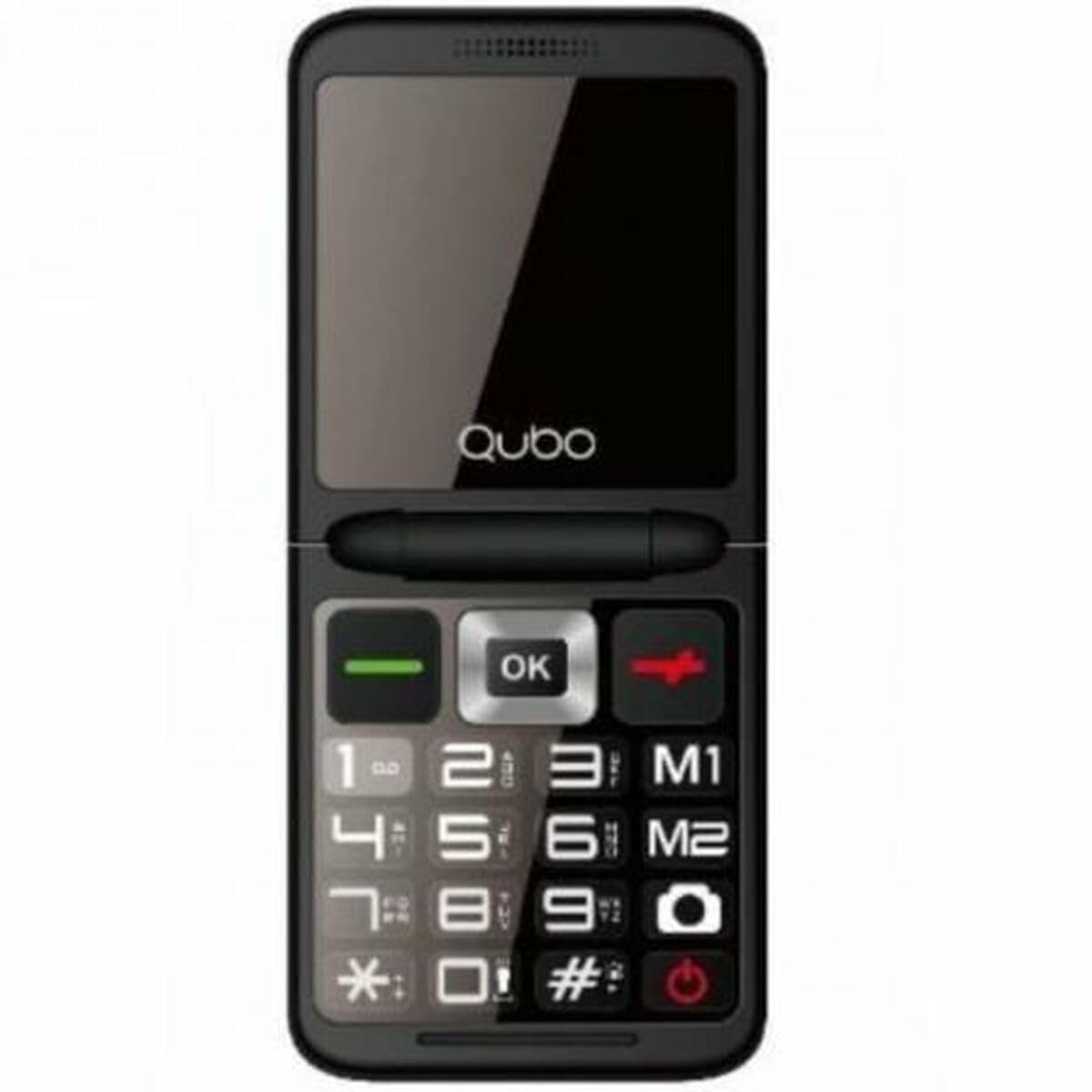
රූපය 1: ඉදිරිපස view of the Qubo X-10BL mobile phone. The image displays the phone in blue, featuring a clear screen, a numerical keypad, and navigation buttons. The phone is designed for straightforward operation.
Familiarize yourself with the phone's buttons and ports before proceeding with setup. Typically, these include a power button, call/end call buttons, navigation keys, a numerical keypad, and charging/headphone ports.
සැලසුම
1. Install SIM Card and Battery
- දුරකථනයේ පිටුපස කවරය ප්රවේශමෙන් ඉවත් කරන්න.
- ඔබගේ SIM කාඩ්පත නම් කරන ලද තව් එකට ඇතුළු කරන්න. තව්ව අසල රූප සටහනෙහි දක්වා ඇති පරිදි එය නිවැරදිව දිශානත කර ඇති බවට වග බලා ගන්න.
- බැටරිය එහි මැදිරියට ඇතුළු කර, සම්බන්ධතා පෙළගස්වන්න.
- ආරක්ෂිතව ස්ථානයට ක්ලික් වන තුරු පිටුපස කවරය ප්රතිස්ථාපනය කරන්න.
2. උපාංගය ආරෝපණය කරන්න
- Connect the Micro USB cable to the charging port on your phone.
- Plug the other end of the cable into the provided European plug adapter, then into a wall outlet.
- Allow the phone to charge fully before first use. The charging indicator on the screen will show the battery status.
3. බලය සක්රිය / අක්රිය කරන්න
- බල ගැන්වීමට: තිරය දැල්වෙන තුරු Power/End Call බොත්තම ඔබාගෙන සිටින්න.
- බලය අක්රිය කිරීමට: Press and hold the Power/End Call button until the power-off options appear, then select 'Power Off' or continue holding until the device shuts down.
මෙහෙයුම් උපදෙස්
ඇමතුම් ලබා ගැනීම සහ ලබා ගැනීම
- ඇමතුමක් ගැනීමට: Enter the phone number using the keypad and press the Call button (usually a green phone icon).
- ඇමතුමකට පිළිතුරු දීමට: When the phone rings, press the Call button.
- ඇමතුමක් අවසන් කිරීමට: Press the End Call button (usually a red phone icon).
SMS පණිවිඩ යැවීම සහ ලැබීම
- 'පණිවිඩ' මෙනුව වෙත සංචාලනය කරන්න.
- 'නව පණිවිඩය' හෝ 'පණිවිඩය ලියන්න' තෝරන්න.
- ලබන්නාගේ අංකය ඇතුළත් කරන්න හෝ සම්බන්ධතා වලින් තෝරන්න.
- යතුරුපුවරුව භාවිතයෙන් ඔබේ පණිවිඩය ටයිප් කරන්න.
- 'යවන්න' ඔබන්න.
බ්ලූටූත් සම්බන්ධතාව
The Qubo X-10BL supports Bluetooth for connecting to compatible devices such as headsets or other phones.
- Go to 'Settings' and then 'Bluetooth'.
- බ්ලූටූත් 'සක්රිය' කරන්න.
- 'තෝරන්න'ඒ සඳහා සොයන්න devices' or 'Pair new device'.
- Choose the desired device from the list and follow the on-screen prompts to pair.
Using the Phone Cover
The phone comes with a protective cover. Ensure the phone is securely placed within the cover to protect it from minor impacts and scratches. The cover may also feature cutouts for easy access to buttons and ports.
නඩත්තු කිරීම
පිරිසිදු කිරීම
- දුරකථනයේ තිරය සහ ශරීරය පිරිසිදු කිරීමට මෘදු, වියළි රෙද්දක් භාවිතා කරන්න.
- දියර පිරිසිදු කරන්නන්, එයරොසෝල් හෝ සැර රසායනික ද්රව්ය භාවිතා කිරීමෙන් වළකින්න, මන්ද මේවා උපාංගයට හානි කළ හැකිය.
බැටරි සත්කාර
- බැටරි ආයු කාලය දීර්ඝ කිරීම සඳහා, දුරකථනය අධික උෂ්ණත්වයකට නිරාවරණය වීමෙන් වළකින්න.
- සම්පූර්ණයෙන්ම ආරෝපණය වූ පසු දුරකථනය අධික ලෙස දිගු වේලාවක් ආරෝපණය කර තබන්න එපා.
- දුරකථනය දිගු කාලයක් භාවිතා නොකරන්නේ නම්, ගබඩා කිරීමට පෙර එය 50% ක් පමණ ආරෝපණය කරන්න.
ගබඩා කිරීම
Store the phone in a cool, dry place away from direct sunlight and moisture when not in use.
දෝෂගවේෂණය
If you encounter issues with your Qubo X-10BL, refer to the table below for common problems and solutions.
| ගැටලුව | විය හැකි හේතුව | විසඳුම |
|---|---|---|
| දුරකථනය ක්රියාත්මක නොවේ | බැටරිය අඩුයි; බැටරිය නිවැරදිව ස්ථාපනය කර නැත. | Charge the battery; Reinstall the battery |
| ජාල සංඥා නැත | SIM card issue; Out of network coverage | Check SIM card installation; Move to an area with better coverage |
| ඇමතුම් ලබා ගැනීමට/ලැබීමට නොහැකිය | No network; Incorrect number dialed; Call barring activated | Check network signal; Verify number; Check call settings |
| බැටරිය ආරෝපණය නොවේ | Charger faulty; Charging port damaged | Try a different charger; Contact support if port is damaged |
පිරිවිතර
Detailed technical specifications for the Qubo X-10BL mobile phone.
| විශේෂාංගය | විස්තර |
|---|---|
| වෙළඳ නාමය | කියුබෝ |
| මාදිලියේ නම | X-10BL |
| අයිතම ආදර්ශ අංකය | S9914467 |
| නිෂ්පාදන වර්ගය | තීරු දුරකථන |
| ආකෘති සාධකය | බාර් |
| තිර ප්රමාණය | සෙන්ටිමීටර 6.1 (අඟල් 2.4) |
| ස්ථාපිත RAM ප්රමාණය | 32 MB |
| රැහැන් රහිත ජාල තාක්ෂණය | බ්ලූටූත් |
| නිෂ්පාදකයා | කියුබෝ |
| මුල් රට | ස්පාඤ්ඤය |
| පළමු දිනය Amazon.com.be හි ලබා ගත හැකිය. | 11 ජනවාරි 2025 |
| අමතර කොටස් ලබා ගැනීමේ හැකියාව | තොරතුරු නොමැත |
| මෘදුකාංග යාවත්කාලීන කිරීම් සහතික කෙරේ | තොරතුරු නොමැත |
වගකීම් සහ සහාය
වගකීම් තොරතුරු සහ පාරිභෝගික සහාය සඳහා, කරුණාකර ඔබේ මිලදී ගැනීම සමඟ සපයා ඇති ලියකියවිලි බලන්න හෝ සිල්ලර වෙළෙන්දා අමතන්න. ඕනෑම වගකීම් හිමිකම් පෑමක් සඳහා ඔබේ මිලදී ගැනීම පිළිබඳ සාක්ෂි තබා ගන්න.