1. හැඳින්වීම
Thank you for choosing the Angrox Universal Remote Control. This manual provides essential information for setting up, operating, and maintaining your new remote control. Please read it carefully to ensure optimal performance and longevity of your device.
This remote control is designed specifically for Roku Built-in TVs from brands such as TCL, ONN, Hisense, Sharp, Element, Westinghouse, and Philips. It is an infrared remote control and does නැත work with external Roku streaming players (e.g., Roku Box, Roku Stick, Roku Express, Roku Player) or Roku audio devices.
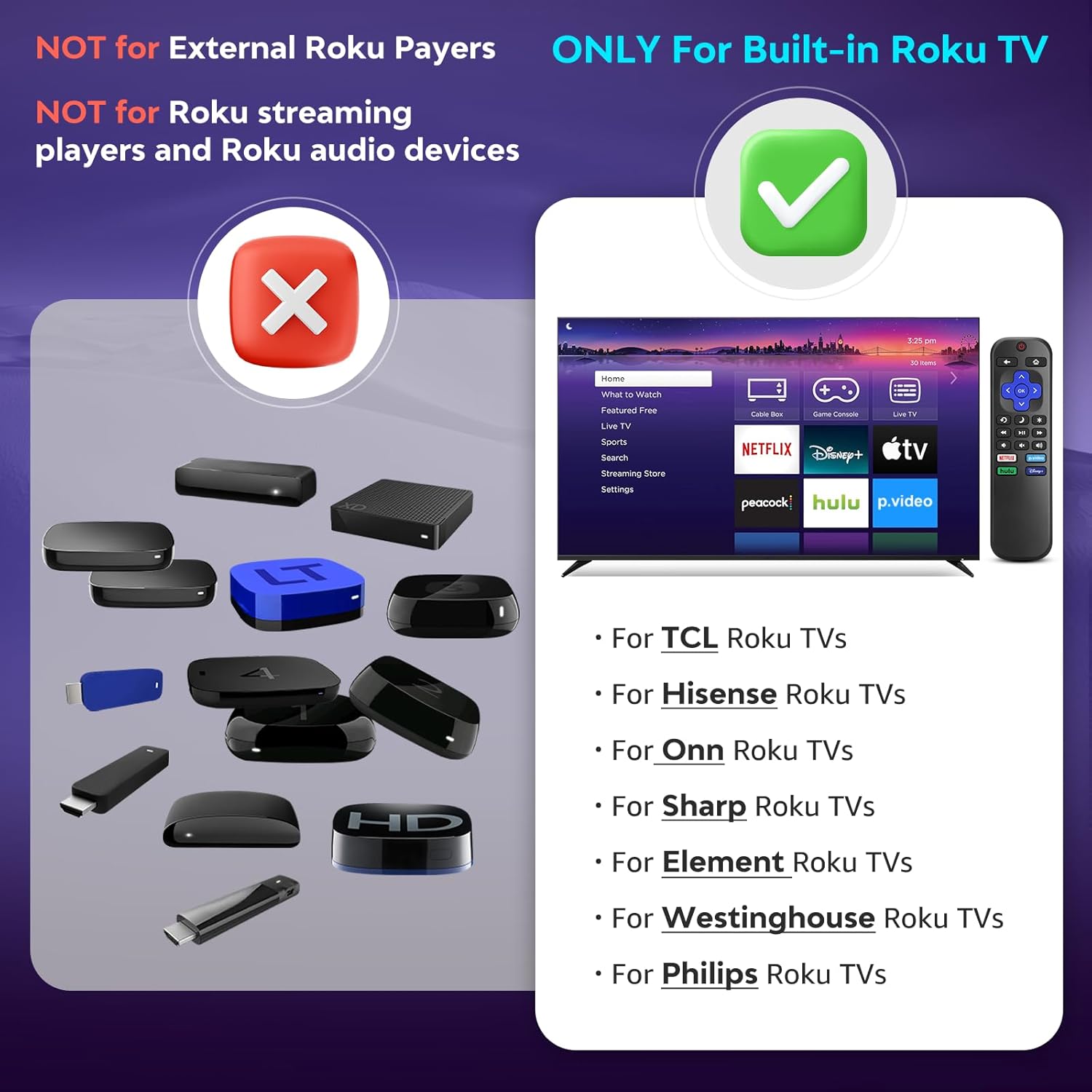
රූපය 1.1: අනුකූලතාව අවසන්view. The remote is compatible with TVs that have Roku built-in, but not with standalone Roku streaming devices.
2. පිහිටුවීම
2.1 බැටරි ස්ථාපනය
- දුරස්ථ පාලකයේ පිටුපස බැටරි මැදිරිය සොයා ගන්න.
- එය විවෘත කිරීමට බැටරි කවරය පහළට තල්ලු කරන්න.
- ධනාත්මක (+) සහ සෘණ (-) පර්යන්ත මැදිරිය තුළ ඇති රූප සටහන් වලට ගැලපෙන බව සහතික කරමින්, AAA ක්ෂාරීය බැටරි දෙකක් (2) ඇතුළු කරන්න.
- එය ආරක්ෂිතව ක්ලික් කරන තෙක් බැටරි කවරය නැවත එම ස්ථානයට තල්ලු කරන්න.
සටහන: දුරස්ථ පාලකය සමඟ බැටරි ඇතුළත් නොවේ.
2.2 මූලික භාවිතය
This Angrox Universal Remote Control requires no programming or pairing. Once batteries are correctly installed, it is ready for immediate use with your compatible Roku Built-in TV.

Image 2.1: Battery installation guide. The remote requires two AAA batteries and no setup.
3. මෙහෙයුම් උපදෙස්
The remote control features a standard layout for intuitive navigation and control of your Roku Built-in TV.
3.1 බොත්තම් ක්රියා අවසන්view

Image 3.1: Detailed button layout and functions of the Angrox Universal Remote Control.
- TV Power (Red Button): රූපවාහිනිය ක්රියාත්මක හෝ අක්රිය කරයි.
- ආපසු: පෙර තිරයට හෝ මෙනුවට නැවත පැමිණේ.
- මුල් පිටුව: Navigates to the Roku home screen.
- Directional Pad (Up, Down, Left, Right) & OK: මෙනු සංචාලනය සහ තේරීම සඳහා භාවිතා වේ.
- නින්ද ප්රකාරය: රූපවාහිනියේ නින්ද ටයිමර් ක්රියාකාරිත්වය සක්රිය කරයි.
- ක්ෂණික නැවත ධාවනය: වීඩියෝ නැවත ධාවනයේදී තත්පර කිහිපයක් පසුපසට යයි.
- විකල්ප: Accesses context-sensitive options or settings.
- Rewind Scan (RWD Scan): Rewinds video playback.
- වාදනය/විරාමය: Plays or pauses video content.
- Fast Forward Scan (FWD Scan): Fast forwards video playback.
- ශබ්ද පාලනය (+/-): රූපවාහිනියේ ශබ්දය සීරුමාරු කරයි.
- නිශ්ශබ්ද කරන්න: රූපවාහිනී ශ්රව්ය නිශ්ශබ්ද කිරීම හෝ නිශ්ශබ්ද කිරීම.
3.2 කෙටිමං බොත්තම්
The remote includes four dedicated shortcut buttons for quick access to popular streaming services:
- NETFLIX
- p.video (Prime Video)
- hulu
- ඩිස්නි +
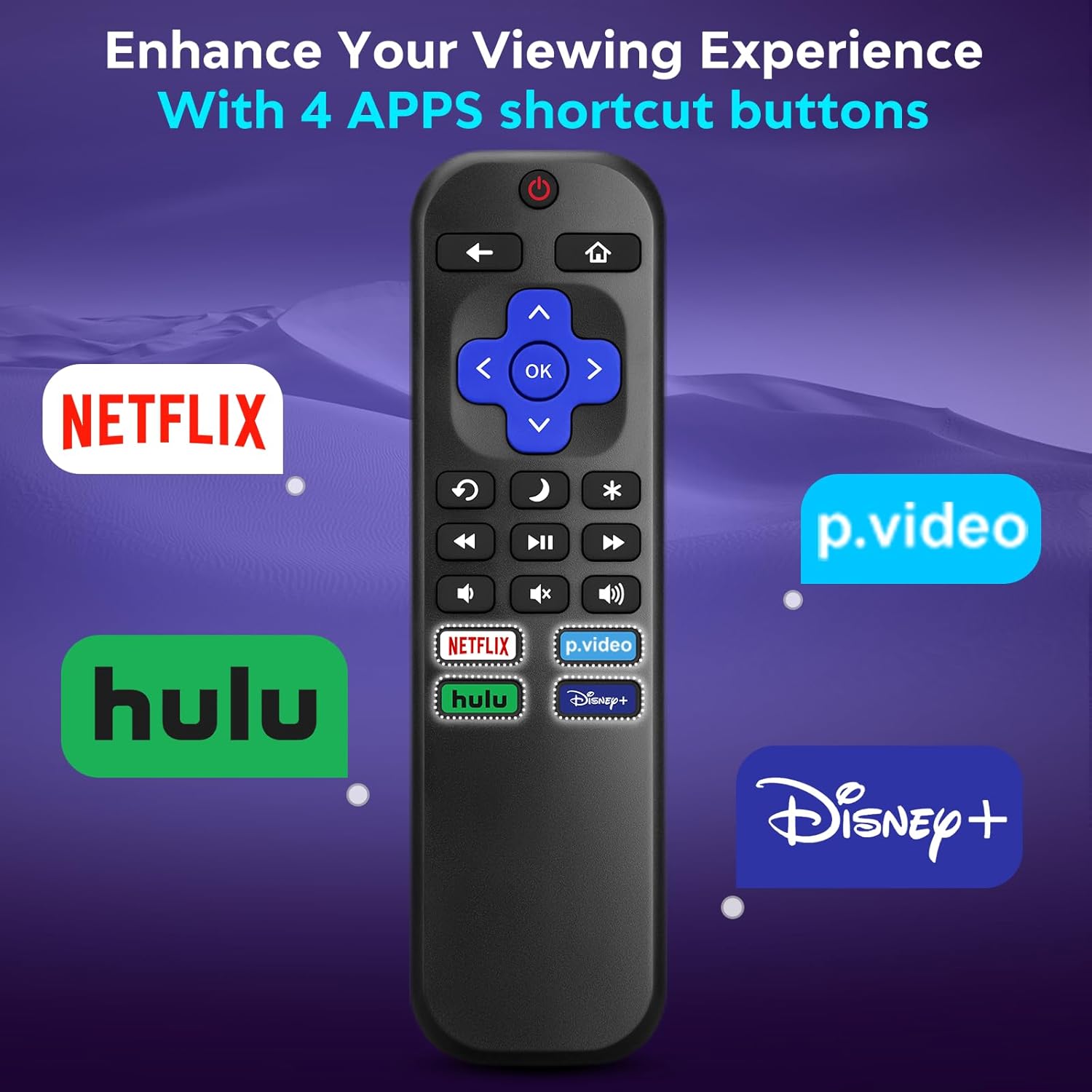
Image 3.2: The remote features dedicated shortcut buttons for popular streaming services.
3.3 කාර්ය සාධනය
The remote operates using infrared technology, providing a sensitive response and precise control. It has an effective transmission distance of up to 10 meters (32 feet).

Image 3.3: The remote offers fast response and a wide transmission range.
4. නඩත්තු කිරීම
4.1 පිරිසිදු කිරීම
ඔබේ දුරස්ථ පාලකය පිරිසිදු කිරීම සඳහා, මෘදු වියළි රෙද්දකින් එය මෘදු ලෙස පිස දමන්න. මුරණ්ඩු අපිරිසිදුකම සඳහා, තරමක් dampen the cloth with water. Avoid using harsh chemicals, abrasive cleaners, or solvents, as these can damage the remote's surface or internal components.
4.2 බැටරි ප්රතිස්ථාපනය
Replace batteries when the remote's response becomes sluggish or it stops functioning. Always replace both AAA batteries at the same time with new ones. Do not mix old and new batteries, or different types of batteries.
4.3 ගබඩා කිරීම
When not in use for extended periods, it is recommended to remove the batteries to prevent leakage, which could damage the remote. Store the remote in a cool, dry place away from direct sunlight and extreme temperatures.
The remote is constructed from high-quality ABS plastic and silicone for durability.
5. දෝශ නිරාකරණය
- දුරස්ථ පාලකය ප්රතිචාර නොදක්වයි:
- නිවැරදි ධ්රැවීයතාවයෙන් බැටරි නිවැරදිව ඇතුළු කර ඇති බවට සහතික වන්න.
- පැරණි බැටරි නව AAA ක්ෂාරීය බැටරි සමඟ ප්රතිස්ථාපනය කරන්න.
- Check for any obstructions between the remote and the TV's infrared sensor. Ensure a clear line of sight.
- දුරස්ථ පාලකය කෙලින්ම රූපවාහිනිය දෙසට යොමු කර ඇති බව තහවුරු කර ගන්න.
- Remote only controls some functions:
- This remote is designed for Roku Built-in TVs. Ensure your TV has Roku integrated and is not an external Roku player connected to a standard TV.
- Some advanced TV functions not directly related to Roku may not be supported by this universal remote.
- TV does not turn on/off:
- Confirm the TV is plugged into a power source and is not in a deep sleep mode that requires a manual power button press on the TV itself.
6. පිරිවිතර
| විශේෂාංගය | විස්තර |
|---|---|
| වෙළඳ නාමය | ඇන්ග්රොක්ස් |
| ආකෘතිය | B0DW7SW5C4 |
| විශේෂ ලක්ෂණ | කාර්යක්ෂම, ක්රමලේඛනය අවශ්ය නොවේ, විශ්වීය |
| වර්ණය | කළු |
| උපරිම සහාය දක්වන උපාංග ගණන | 1 (Roku Built-in TV) |
| ගැළපෙන උපාංග | Television (Roku Built-in TVs: TCL, ONN, Hisense, Sharp, Element, Westinghouse, Philips, etc.) |
| බලශක්ති ප්රභවය | 2 x AAA බැටරි (ඇතුළත් කර නැත) |
| තාක්ෂණය | අධෝරක්ත කිරණ (IR) |
| මෙහෙයුම් දුර | මීටර් 10 (අඩි 32) දක්වා |
| ද්රව්ය | High-quality ABS plastic and silicone |
7. වගකීම් සහ සහාය
For warranty information, please refer to the documentation provided with your purchase or contact your retailer. Angrox is committed to providing quality products and customer satisfaction.
For further assistance or inquiries, please visit the official Angrox store on Amazon: Angrox Store.
