හැඳින්වීම
This manual provides essential information for the safe and efficient use of your INSIGNIA 85" Class F50 Series LED 4K UHD Smart Fire TV. Please read all instructions carefully before operating your television and retain this manual for future reference.
The INSIGNIA F50 Series Fire TV offers a 4K Ultra HD viewing experience with integrated Fire TV features, including access to streaming services and Alexa voice control.
සැලසුම
1. පෙට්ටි ඉවත් කිරීම සහ මූලික ස්ථානගත කිරීම
Carefully remove the television from its packaging. It is recommended to have at least two people for safe handling due to the size and weight of the 85-inch model. Ensure the screen is protected during this process. Place the TV on a stable, flat surface or prepare for wall mounting.

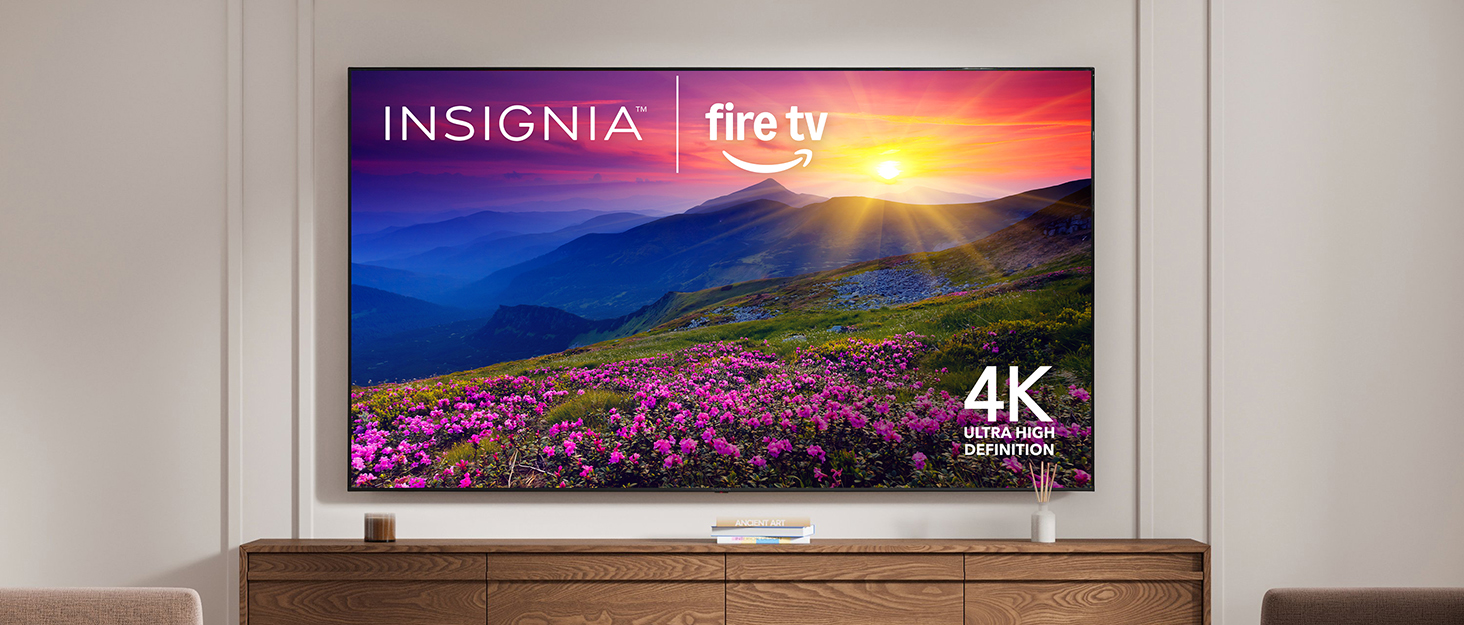
ඉදිරිපස view of the INSIGNIA 85-inch Fire TV with its stand.
2. ස්ටෑන්ඩ් ස්ථාපනය (විකල්ප)
If not wall-mounting, attach the included stand legs to the bottom of the television using the provided screws. Refer to the quick setup guide included in the box for specific instructions on leg orientation and screw placement.
3. බිත්ති සවි කිරීම (විකල්ප)
For wall mounting, use a VESA-compatible wall mount (sold separately) that supports the weight and size of your 85-inch television. Follow the instructions provided with your wall mount. Ensure the wall can support the TV's weight (approximately 97 pounds) and that mounting is done securely.
4. පර්යන්ත සම්බන්ධ කිරීම
ඔබේ රූපවාහිනියේ බාහිර උපාංග සම්බන්ධ කිරීම සඳහා බහුවිධ වරායන් ඇත:
- HDMI වරාය: Three HDMI ports are available, including HDMI ARC/eARC for enhanced audio return. Connect your Blu-ray player, game console, or other HDMI devices.
- USB Ports: USB ගබඩා උපාංග සම්බන්ධ කිරීම සඳහා.
- ඩිජිටල් දෘශ්ය ප්රතිදානය: For connecting to a soundbar or AV receiver.
- 3.5 mm ජැක්: හෙඩ්ෆෝන් හෝ බාහිර කථිකයන් සඳහා.
- සංයුක්ත (AV) ජැක්: RCA කේබල් භාවිතා කරන පැරණි උපාංග සඳහා.
- කොක්සියල් ජැක්: For cable/antenna connection.
- ඊතර්නෙට් වරාය: රැහැන්ගත අන්තර්ජාල සම්බන්ධතාවයක් සඳහා.

පසුපස view වරාය ස්ථාන සහිත රූපවාහිනියේ.

Side-facing connectivity options.

Bottom-facing connectivity options.
5. බල සම්බන්ධතාවය
Connect the power cable to the TV's power input and then to a wall outlet. The power input is typically located on the back of the TV, often recessed or on the side.
6. Initial Setup and Wi-Fi
Upon first power-on, the TV will guide you through the initial setup process. This includes connecting to your Wi-Fi network, pairing the Alexa Voice Remote, and logging into your Amazon account to activate Fire TV features. Follow the on-screen prompts.
This video demonstrates the unboxing and initial physical setup of an Insignia F50 Series TV, including connecting the power and reviewing the back panel.
ඔබේ රූපවාහිනිය ක්රියාත්මක කිරීම
1. Fire TV Interface and Streaming
The integrated Fire TV provides a unified interface for accessing various streaming services such as Prime Video, Netflix, Disney+, Hulu, and HBO Max. You can also stream free content from apps like Fire TV Channels, Tubi, and Pluto TV. Navigate using the Alexa Voice Remote.

The Fire TV home screen with streaming service access.
2. ඇලෙක්සා හඬ දුරස්ථ පාලකය
Use the Alexa Voice Remote to control your TV with voice commands. Press the microphone button and speak your command to search for content, launch apps, control playback, and manage smart home devices.
The Alexa Voice Remote for easy control.
3. පින්තූර සහ ශබ්ද ගුණාත්මකභාවය
- 4K අල්ට්රා HD (2160p): Experience content in stunning 4K resolution, four times that of Full HD. The TV also upscales lower-resolution content to near-4K quality.
- ඉහළ ගතික පරාසය (HDR10): Enjoy a wider range of colors and sharper contrast, from bright whites to deep blacks, for a more lifelike picture.
- DTS ස්ටුඩියෝ ශබ්දය: This audio enhancement suite provides immersive and realistic sound with expanded spatial awareness, even with two-speaker playback.

Visual representation of DTS Virtual X sound technology.
4. ස්මාර්ට් නිවාස ඒකාබද්ධ කිරීම
ඔබගේ Fire TV එක අනුකූල ස්මාර්ට් නිවාස උපාංග සමඟ යුගල කරන්න view live camera feeds, control lighting, adjust thermostats, and more, all through your TV or Alexa Voice Remote.
5 මාපිය පාලන
Manage your children’s viewing by blocking content based on program ratings or entire channels. Access these settings through the TV's menu and secure them with a PIN.
මෙම වීඩියෝව සාමාන්ය විස්තරයක් සපයයිview of the Insignia Smart TV's features, including its smart capabilities and remote control.
නඩත්තු කිරීම
1. තිරය පිරිසිදු කිරීම
To clean the screen, first unplug the TV. Gently wipe the screen with a soft, dry, lint-free cloth. For stubborn marks, lightly dampen the cloth with water or a screen-specific cleaning solution (avoid harsh chemicals or abrasive materials).
2. Cleaning the TV Body and Remote
Wipe the TV's frame and the remote control with a soft, dry cloth. Do not use liquid cleaners directly on these surfaces.
3. මෘදුකාංග යාවත්කාලීන
Your Fire TV automatically receives software updates over the internet. Ensure your TV is connected to Wi-Fi for these updates to download and install, which helps maintain optimal performance and security.
දෝෂගවේෂණය
ඔබේ රූපවාහිනිය සමඟ ගැටලු ඇති වුවහොත්, පහත මූලික දෝශ නිරාකරණ පියවර උත්සාහ කරන්න:
- බලය නැත: විදුලි රැහැන රූපවාහිනියට සහ බිත්ති අලෙවිසැලට ආරක්ෂිතව සම්බන්ධ කර ඇත්දැයි පරීක්ෂා කරන්න. වෙනත් අලෙවිසැලක් උත්සාහ කරන්න.
- පින්තූරයක්/ශබ්දයක් නැත: Verify that the correct input source is selected. Check all cable connections (HDMI, audio) for looseness.
- දුරස්ථ පාලකය ප්රතිචාර නොදක්වයි: Replace the AAA batteries in the Alexa Voice Remote. Ensure there are no obstructions between the remote and the TV. Re-pair the remote if necessary (refer to the TV's on-screen help).
- Wi-Fi සම්බන්ධතා ගැටළු: Restart your Wi-Fi router and modem. Go to the TV's network settings to reconnect to your Wi-Fi network. Ensure the Wi-Fi password is correct.
- App Lagging/Freezing: Close and restart the problematic application. If the issue persists, try restarting the TV by unplugging it from the power outlet for a few minutes and then plugging it back in.
For more detailed troubleshooting or persistent issues, refer to the online support resources available through your Fire TV or the INSIGNIA customer support webඅඩවිය.
පිරිවිතර
| විශේෂාංගය | පිරිවිතර |
|---|---|
| වෙළඳ නාමය | ඉංජිනියාව |
| ආදර්ශ අංකය | NS-85F501NA26 |
| තිර ප්රමාණය | අඟල් 85 |
| සංදර්ශක තාක්ෂණය | LED |
| විභේදනය | 4K Ultra HD (2160p) |
| Refresh Rate | 60 Hz |
| විශේෂ ලක්ෂණ | Apple AirPlay, Alexa Voice Remote, Fire TV Built-in |
| සම්බන්ධතා තාක්ෂණය | Wifi |
| HDMI වරායන් | 3 (including ARC/eARC support) |
| USB Ports | 1 |
| ශ්රව්ය ප්රතිදානය | Digital Optical, 3.5mm Headphone Jack |
| වෙනත් වරායන් | Composite (AV) jacks, Coaxial jack, Ethernet port |
| අයිතමයේ බර | රාත්තල් 97 කි |
| නිෂ්පාදන මානයන් (D x W x H) | 14.7" x 74.41" x 42.61" |
| ඇතුළත් සංරචක | Power Cable, Alexa Voice Remote (2 AAA batteries required) |
වගකීම් සහ සහාය
For detailed warranty information, product registration, and customer support, please visit the official INSIGNIA website or refer to the documentation included with your television. Online resources often include FAQs, troubleshooting guides, and contact information for technical assistance.