හැඳින්වීම
Thank you for choosing the Okin Small Electric Standing Desk. This 36" x 24" height-adjustable desk is designed to enhance your workspace with ergonomic flexibility, allowing you to seamlessly switch between sitting and standing positions. Featuring a robust motor, a one-piece desktop, and optional casters for mobility, this desk is ideal for home offices and compact spaces. Please read this manual thoroughly before assembly and operation to ensure safe and efficient use.

Figure 1: Okin Small Electric Standing Desk (Oak+casters 36 Inch)
ආරක්ෂිත තොරතුරු
- භාවිතයට පෙර සියලුම සංරචක ආරක්ෂිතව සවි කර ඇති බවට වග බලා ගන්න.
- Do not exceed the maximum weight capacity of 154 lbs (70 kg). While tested to 176 lbs, adhering to the stated capacity ensures optimal performance and longevity.
- Keep children and pets away from the desk during height adjustment.
- පාලක පැනලය හෝ මෝටර් සංරචක මත කෙලින්ම දියර තැබීමෙන් වළකින්න.
- පිරිසිදු කිරීමට හෝ නඩත්තු කිරීමට පෙර විදුලිය විසන්ධි කරන්න.
- සපයා ඇති බල ඇඩැප්ටරය සහ සංරචක පමණක් භාවිතා කරන්න.
පැකේජයේ අන්තර්ගතය
එකලස් කිරීම ආරම්භ කිරීමට පෙර සියලුම කොටස් තිබේදැයි තහවුරු කර ගන්න. කිසියම් කොටසක් අස්ථානගත වී හෝ හානි වී ඇත්නම්, කරුණාකර පාරිභෝගික සහාය අමතන්න.
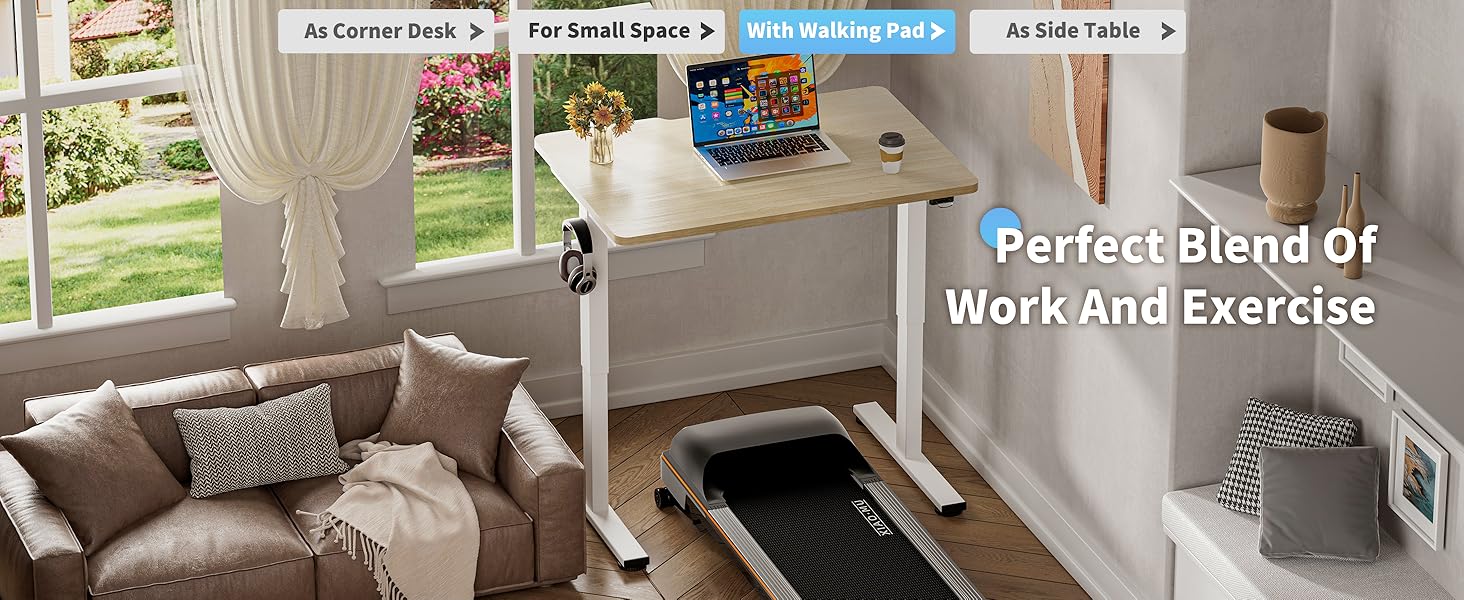
Figure 2: Included Components for Assembly
- Desktop (36" x 24" one-piece, Oak finish)
- මේස කකුල් (2)
- හරස් තීරුව/රාමු සංරචක
- Electric Motor and Control Box
- පාලන පුවරුව
- බල ඇඩැප්ටරය සහ කේබල්
- සකස් කළ හැකි පාද පෑඩ් (4)
- Lockable Casters (4)
- හෙඩ්ෆෝන් කොක්ක
- එකලස් කිරීමේ දෘඩාංග (ඉස්කුරුප්පු, බෝල්ට්, ඇලන් යතුර)
- උපදෙස් අත්පොත
එකලස් කිරීමේ උපදෙස්
Assembly is straightforward with pre-drilled holes and included accessories. It is recommended to have two people for easier assembly due to the weight of some components.
- සංරචක ඉවත් කරන්න: Carefully remove all parts from the packaging and lay them out on a clean, soft surface to prevent scratches. Refer to Figure 2 for a visual guide of all components.
- Attach Desk Legs to Crossbar: Secure the desk legs to the central crossbar using the provided screws and tools. Ensure all connections are firm.
- Install Motor and Control Box: Mount the electric motor and control box to the designated areas on the frame, following the pre-drilled holes. Connect the motor cable to the control box.
- ඩෙස්ක්ටොප් එක අමුණන්න: Carefully place the desktop upside down on a soft surface. Align the assembled frame with the pre-drilled holes on the underside of the desktop. Secure the desktop to the frame using the appropriate screws.
- පාලක පැනලය ස්ථාපනය කරන්න: Attach the control panel to the underside of the desktop in a convenient location. Connect its cable to the control box.
- මූලික විකල්පය තෝරන්න:
- සකස් කළ හැකි පාද පෑඩ්: Screw the adjustable foot pads into the bottom of the desk legs for stationary use and leveling.

Figure 3: Adjustable Foot Pads
- Lockable Casters: Alternatively, screw the lockable casters into the bottom of the desk legs for mobility. Ensure the casters are locked when the desk is in use to maintain stability.

Figure 4: Lockable Casters
- සකස් කළ හැකි පාද පෑඩ්: Screw the adjustable foot pads into the bottom of the desk legs for stationary use and leveling.
- හෙඩ්ෆෝන් කොක්ක ස්ථාපනය කරන්න: Attach the headphone hook to the side of the desktop as desired.
- කේබල් කළමනාකරණය: Utilize the specially designed grooves at the back of the tabletop for easy cable arrangement, keeping your workspace tidy.

Figure 5: Cable Management Features
- සම්බන්ධක බලය: Plug the power adapter into the control box and then into a wall outlet.
මෙහෙයුම් උපදෙස්
උස ගැලපීම
The Okin Electric Standing Desk allows for smooth height adjustment with a single button press. The desk adjusts from 27.56" to 45.28" (or 29.53" to 47.25" with casters) with low noise operation (below 50 dB).
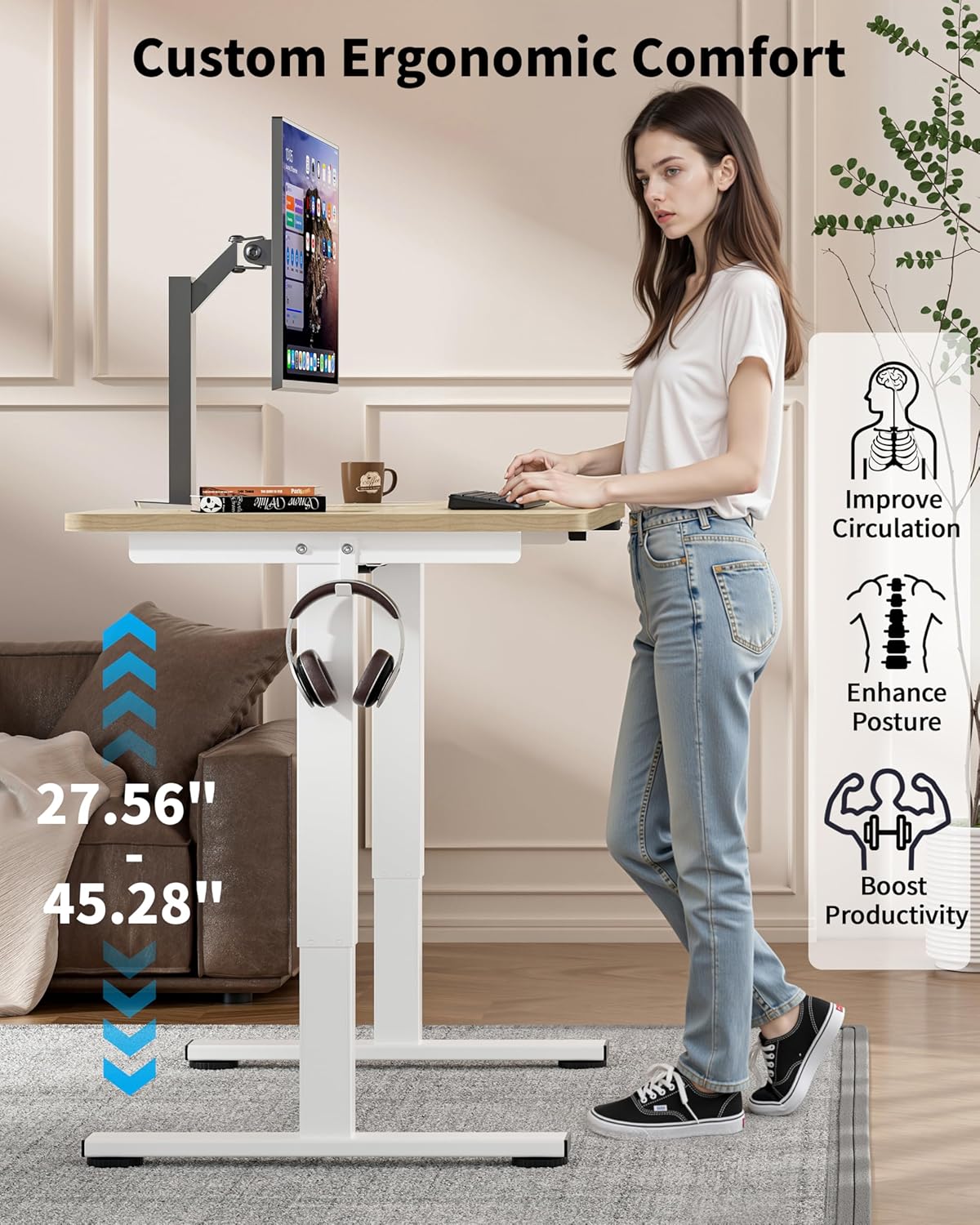
Figure 6: Ergonomic Height Adjustment in Use
- මේසය ඔසවා තැබීම: Press and hold the "Up" button on the control panel until the desired height is reached.
- පහළ මේසය: Press and hold the "Down" button on the control panel until the desired height is reached.
- Memory Presets (if available): Some models may feature memory buttons (e.g., M1, M2) to save preferred sitting and standing heights. Consult your control panel for specific instructions on setting and recalling these presets.
කැස්ටර් භාවිතා කිරීම
If you have installed the lockable casters, you can easily move the desk. Unlock the casters to roll the desk to a new location. Always lock the casters once the desk is in its desired position to ensure stability during use.

Figure 7: Desk with Casters for Mobility
නඩත්තු කිරීම
- පිරිසිදු කිරීම: Wipe the desktop and frame with a dry or slightly damp රෙදි. නිමාවට හානි කළ හැකි උල්ෙල්ඛ පිරිසිදු කරන්නන් හෝ රළු රසායනික ද්රව්ය වලින් වළකින්න.
- කේබල් කළමනාකරණය: Periodically check cables to ensure they are neatly arranged and not pinched or tangled, which could affect desk operation or pose a safety hazard.
- ගාංචු: ඉඳහිට සියලුම ඉස්කුරුප්පු සහ බෝල්ට් තදින් පවතින බව සහතික කර ගැනීමට පරීක්ෂා කරන්න. අවශ්ය නම් නැවත තද කරන්න.
දෝෂගවේෂණය
If you encounter issues with your Okin Electric Standing Desk, refer to the following common problems and solutions:
| ගැටලුව | විය හැකි හේතුව | විසඳුම |
|---|---|---|
| මේසය චලනය නොවේ. | Power cable disconnected, power outage, motor issue. | Check if the power cable is securely plugged into the desk and the wall outlet. Verify the wall outlet has power. If the issue persists, contact customer support. |
| මේසය අසමාන ලෙස චලනය වේ හෝ අසාමාන්ය ශබ්ද නිකුත් කරයි. | ලිහිල් ගාංචු, අවහිරතා, අසමාන බර ව්යාප්තිය. | Check and tighten all assembly screws. Ensure there are no obstructions under or around the desk. Distribute weight evenly on the desktop. |
| Error Code E-3 displayed on control panel. | Motor overload or sensor issue. | Unplug the desk from the power outlet for 10-15 minutes, then plug it back in. Reduce the load on the desk. If the error persists, contact customer support. |
| Desk reaches maximum/minimum height but doesn't respond. | ක්රමාංකනය අවශ්යයි. | Refer to your control panel's specific instructions for recalibration. Typically, this involves holding the "Down" button until the desk reaches its lowest point and then holding it again for a few seconds until a reset is indicated. |
පිරිවිතර

Figure 8: Desk Dimensions
| විශේෂාංගය | විස්තර |
|---|---|
| ආදර්ශ අංකය | OKSM6545W3624OO-CA |
| ඩෙස්ක්ටොප් මානයන් | 36" (Width) x 24" (Depth) |
| Height Adjustment Range (without casters) | 27.56" සිට 45.28" දක්වා |
| Height Adjustment Range (with casters) | 29.53" to 47.25" (approximate, based on 1.97" wheel diameter) |
| උපරිම බර ධාරිතාව | රාත්තල් 154 (කිලෝග්රෑම් 70) |
| මෝටර් ශබ්ද මට්ටම | < 50 dB |
| ඩෙස්ක්ටොප් ද්රව්ය | Wood (Oak finish) |
| මූලික ද්රව්ය | ඇලෝයි වානේ |
| විශේෂ ලක්ෂණ | Adjustable Height, Electric, Ergonomic, Wheels (optional), Headphone Hook, Cable Management Grooves |
| බල ආදානය | 100V-240V |

Figure 9: Powerful and Quiet Motor
වගකීම් සහ සහාය
The Okin Small Electric Standing Desk comes with a Limited Warranty. For specific warranty terms and conditions, please refer to the warranty card included in your package or visit the official Okin webඅඩවිය.
For technical support, troubleshooting assistance, or to inquire about replacement parts, please contact Okin customer service:
- Webඅඩවිය: Okin Official Store on Amazon
- විද්යුත් තැපෑල: support@okin.com (උදාampඑසේ නම්, සත්ය විද්යුත් තැපෑල සපයා නැත)
- දුරකථනය: 1-800-XXX-XXXX (උදාample, actual phone not provided)
Please have your model number (OKSM6545W3624OO-CA) and purchase date ready when contacting support.