1. නිෂ්පාදන අවසන්view
The Plaud NotePin Wristband is an accessory designed to securely hold your Plaud NotePin AI voice recorder. It features a breathable nylon band with a hook-and-loop closure, offering an adjustable and comfortable fit for various wrist sizes.

Image 1.1: The Plaud NotePin Wristband, showcasing its design and materials.
2. පිහිටුවීම සහ ස්ථාපනය
2.1 Attaching the NotePin to the Wristband
Follow these steps to correctly insert your Plaud NotePin AI voice recorder into the wristband holder:
- Orient the NotePin and the wristband holder. Ensure the NotePin's indicator light aligns with the corresponding opening on the holder.
- Gently press the NotePin into the protective base of the wristband until it clicks securely into place. The fit should be snug to prevent accidental dislodgement.
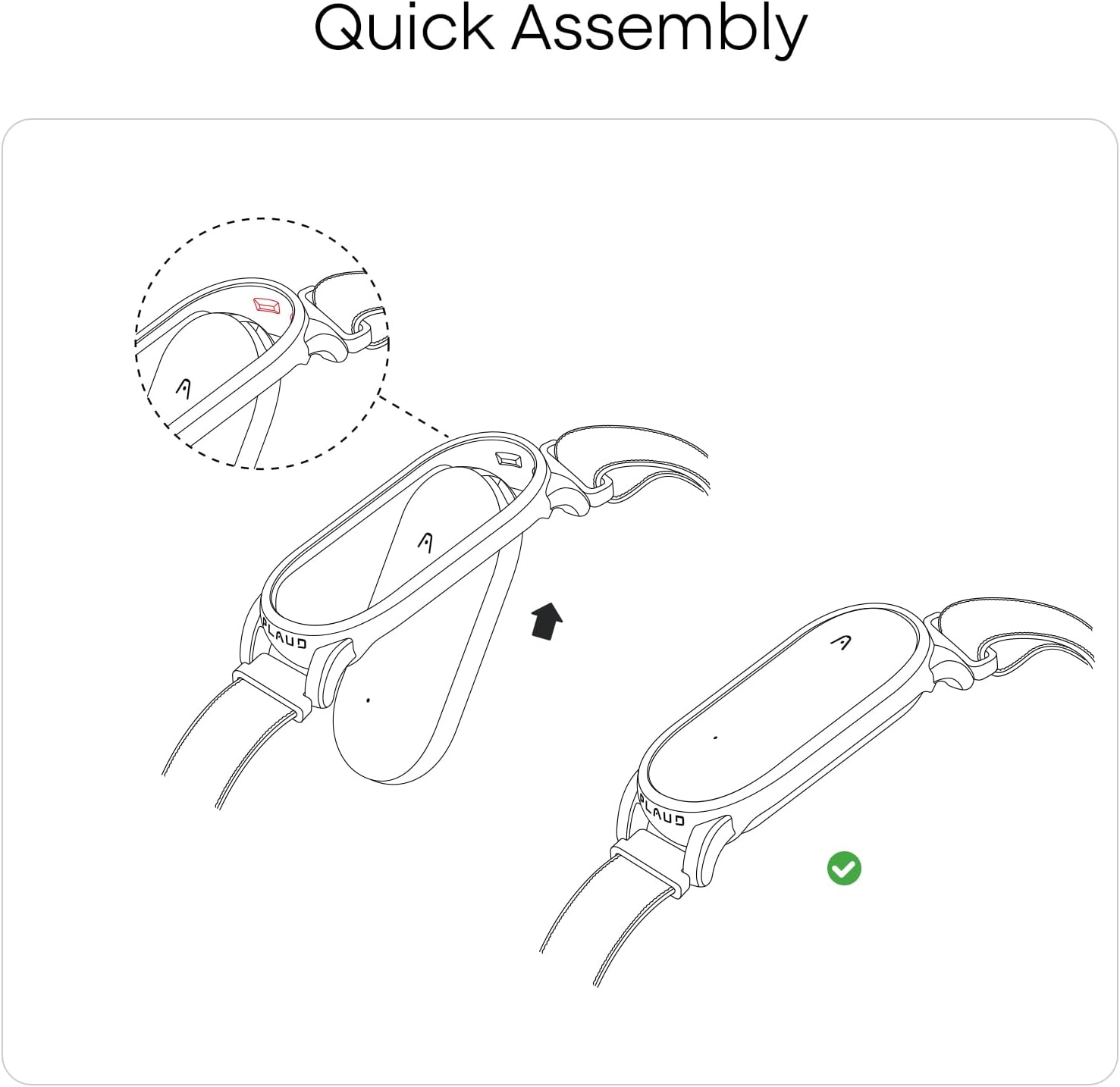
Image 2.1: Visual guide for inserting the Plaud NotePin into the wristband holder.
2.2 Adjusting the Wristband for Fit
The wristband is designed for adjustable comfort. It accommodates wrist circumferences from 7.28 to 9.25 inches (18.5 to 23.5 cm).
- Wrap the wristband around your wrist.
- Secure the hook-and-loop closure to achieve a comfortable yet secure fit. The band should not be too tight to restrict circulation, nor too loose to slide freely.

Image 2.2: Diagram illustrating the adjustable range and dimensions of the wristband.
3. මෙහෙයුම් උපදෙස්
Once the Plaud NotePin is securely attached to the wristband and adjusted to your comfort, it is ready for use. The wristband provides a convenient and hands-free method to carry your AI voice recorder.
- පැළඳීම: Position the wristband on your preferred wrist. Ensure the NotePin is facing outwards or in a position that allows for optimal audio capture, depending on your recording needs.
- ප්රවේශ්යතාව: The wristband keeps your NotePin readily accessible for quick activation and recording during meetings, lectures, or other activities.
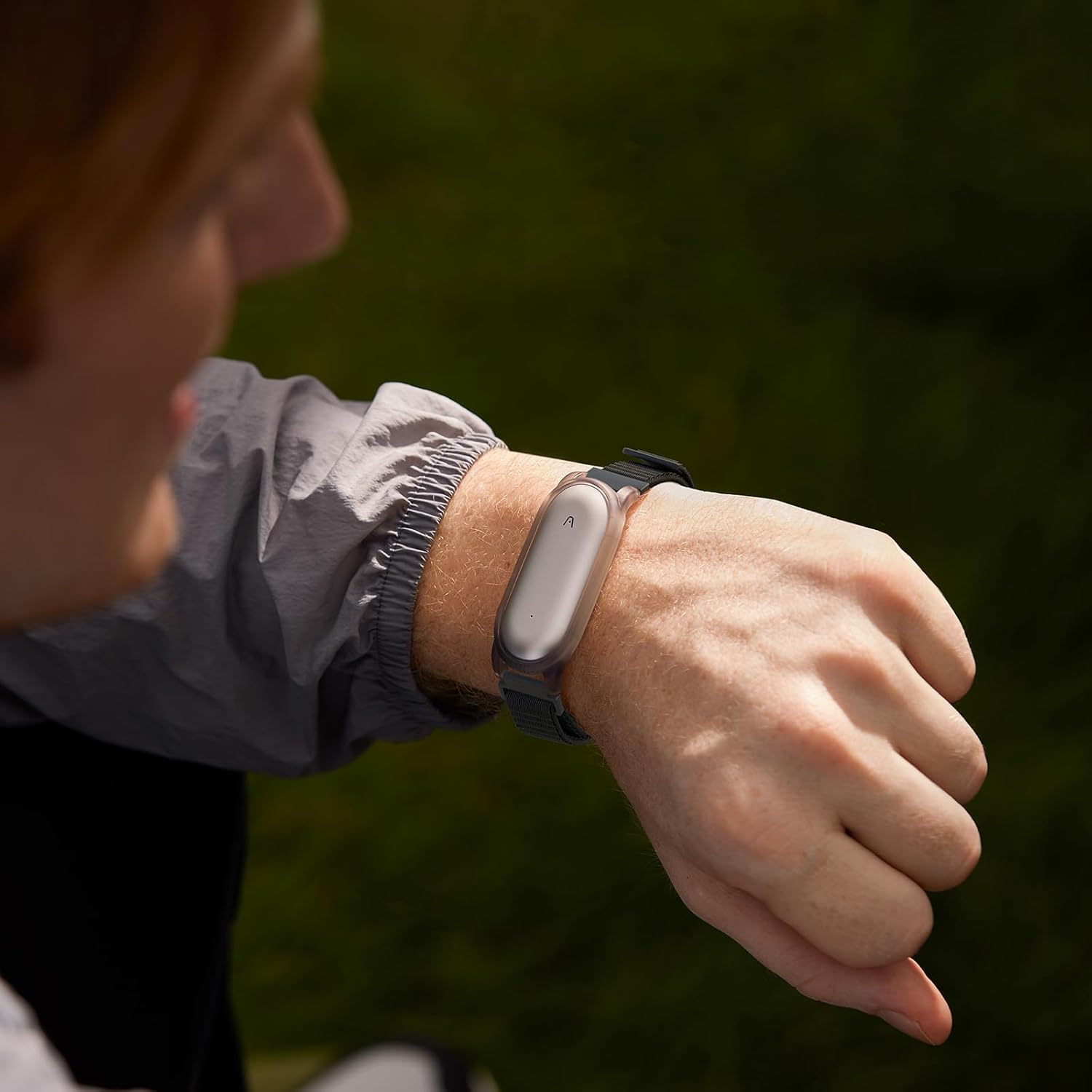
Image 3.1: A user wearing the Plaud NotePin Wristband, demonstrating its practical application.
4. නඩත්තු කිරීම
Proper maintenance ensures the longevity and hygiene of your Plaud NotePin Wristband.
- Cleaning the Nylon Band: Hand wash the nylon band with mild soap and cool water. Rinse thoroughly and allow it to air dry completely before reattaching your NotePin. Avoid harsh chemicals or abrasive cleaners.
- Cleaning the Protective Base: Wipe the plastic protective base with a soft, damp cloth. For stubborn dirt, a small amount of mild soap can be used. Ensure the base is dry before inserting the NotePin.
- ගබඩා: Store the wristband in a clean, dry place away from direct sunlight and extreme temperatures when not in use.
5. දෝශ නිරාකරණය
If you encounter issues with your Plaud NotePin Wristband, consider the following:
- NotePin Not Secure: Ensure the NotePin is fully pressed into the protective base until it clicks. Verify that no debris is obstructing the fit.
- Wristband Feels Too Loose or Too Tight: Adjust the hook-and-loop closure. The band should be snug enough to prevent movement but not cause discomfort or restrict blood flow. Refer to Section 2.2 for adjustment guidelines.
- සමේ කෝපයක්: If skin irritation occurs, ensure the wristband is clean and dry. If irritation persists, discontinue use and consult a healthcare professional.
6. පිරිවිතර
| විශේෂාංගය | විස්තර |
|---|---|
| ආදර්ශ අංකය | NB-100 |
| නිෂ්පාදන මානයන් | අඟල් 7.3 x 3 x 0.08 |
| අයිතමයේ බර | අවුන්ස 0.48 කි |
| Wrist Circumference Fit | අඟල් 7.28 - 9.25 (සෙ.මී. 18.5 - 23.5) |
| ද්රව්ය | High-Density Woven Nylon, Strong Adhesive Hook-and-Loop, Sturdy Protective Base |

Image 6.1: Components and materials used in the Plaud NotePin Wristband construction.
7. වගකීම් සහ සහාය
Information regarding product warranty and customer support is typically provided with your purchase documentation or available on the official Plaud website. Please refer to those resources for detailed warranty terms and contact information for support inquiries.


