1. හැඳින්වීම
Thank you for choosing the Hama Ultimate Pro Portable Bluetooth Speaker. This manual provides essential information for the safe and efficient use of your device. Please read it carefully before use and keep it for future reference.
පැකේජයේ අන්තර්ගතය:
- 1x Hama Ultimate Pro Portable Bluetooth Speaker
- 1x USB-C ආරෝපණ කේබලය
- 1x Carrying Strap
- 1x පරිශීලක අත්පොත
2. ආරක්ෂිත උපදෙස්
- Do not open the device. Incorrect assembly can lead to electric shock, fire, or damage.
- Keep the device away from extreme temperatures, direct sunlight, and humidity.
- This speaker is rated IPX6, meaning it is protected against strong continuous rain and splashing water. Do not submerge the speaker in water.
- ආරෝපණය කිරීම සඳහා සපයා ඇති USB-C කේබලය පමණක් භාවිතා කරන්න.
- උපාංගය දෘශ්යමාන ලෙස හානි වී ඇත්නම් එය භාවිතා නොකරන්න.
- Protect the battery from overheating.
3. නිෂ්පාදන අවසන්view
Familiarize yourself with the speaker's features and connections.

The Hama Ultimate Pro speaker highlights its key features: 24-hour battery life, IPX6 waterproof rating, Bluetooth connectivity, and 120W sound output.
පාලන පුවරුව:

සවිස්තරාත්මක view of the speaker's top control panel, showing buttons for power, volume adjustment, play/pause, mode selection, and equalizer settings.
- බල බොත්තම: Press and hold to turn on/off. Short press to check battery status.
- ශබ්දය අඩු කිරීම (-): පරිමාව අඩු කරන්න.
- වාදනය/විරාම බොත්තම: ශ්රව්ය වාදනය කරන්න හෝ විරාම කරන්න.
- පරිමාව වැඩි කරන්න (+): පරිමාව වැඩි කරන්න.
- මාදිලි බොත්තම (M): Switch between input modes (Bluetooth, AUX, USB).
- Equalizer Button (EQ): Cycle through equalizer presets (Bass Sound, Power Sound, Balanced Sound).
වරාය සහ සම්බන්ධතා:

The speaker's rear port panel includes a USB-C charging port, a USB-A port for external devices, a reset button, and a 6.3mm jack input.
- USB-C වරාය: For charging the speaker and for Power Bank output.
- USB-A වරාය: For playing music from USB storage devices or for Power Bank output.
- AUX Input (3.5mm Jack): 3.5mm ශ්රව්ය කේබලයක් හරහා බාහිර ශ්රව්ය උපාංග සම්බන්ධ කිරීම සඳහා.
- Microphone/Guitar Input (6.3mm Jack): මයික්රෆෝනයක් හෝ ගිටාරයක් සම්බන්ධ කිරීම සඳහා.
- යළි පිහිටුවීමේ බොත්තම: Use a thin object to press and reset the speaker if needed.
4. පිහිටුවීම
4.1 කථිකයා ආරෝපණය කිරීම
- Connect the supplied USB-C charging cable to the USB-C port on the speaker.
- Connect the other end of the USB-C cable to a suitable USB power adapter (not included). A 30W charger is recommended for fast charging.
- The charging indicator will show the charging status. The speaker is fully charged in approximately 2.5 hours.
4.2 බල ගැන්වීම සක්රිය / අක්රිය කිරීම
- To turn on: Press and hold the Power button for a few seconds until you hear an audible prompt.
- To turn off: Press and hold the Power button for a few seconds until you hear an audible prompt.
4.3 බ්ලූටූත් යුගල කිරීම
- Ensure the speaker is powered on and in Bluetooth mode (indicated by a flashing blue LED). If not, press the Mode button (M) to switch to Bluetooth mode.
- ඔබගේ උපාංගයේ (ස්මාර්ට්ෆෝන්, ටැබ්ලටය, ලැප්ටොප්), බ්ලූටූත් සක්රීය කර පවතින උපාංග සොයන්න.
- Select "Hama Ultimate Pro" from the list of devices.
- යුගලනය වූ පසු, LED දර්ශකය තද නිල් පැහැයට හැරෙනු ඇති අතර, ඔබට තහවුරු කිරීමේ ශබ්දයක් ඇසෙනු ඇත.
4.4 AUX ආදානය හරහා සම්බන්ධ කිරීම
- 3.5mm ශ්රව්ය කේබලයක එක් කෙළවරක් (ඇතුළත් කර නැත) ස්පීකරයේ AUX ආදාන තොටට සම්බන්ධ කරන්න.
- අනෙක් කෙළවර ඔබගේ බාහිර උපාංගයේ ශ්රව්ය ප්රතිදානයට සම්බන්ධ කරන්න.
- Press the Mode button (M) on the speaker to switch to AUX mode.
4.5 Connecting USB Storage
- ශ්රව්ය උපකරණ අඩංගු USB ෆ්ලෑෂ් ධාවකය ඇතුල් කරන්න files into the USB-A port on the speaker.
- Press the Mode button (M) to switch to USB mode. The speaker will automatically begin playing audio from the USB drive.
4.6 Connecting Microphone or Guitar
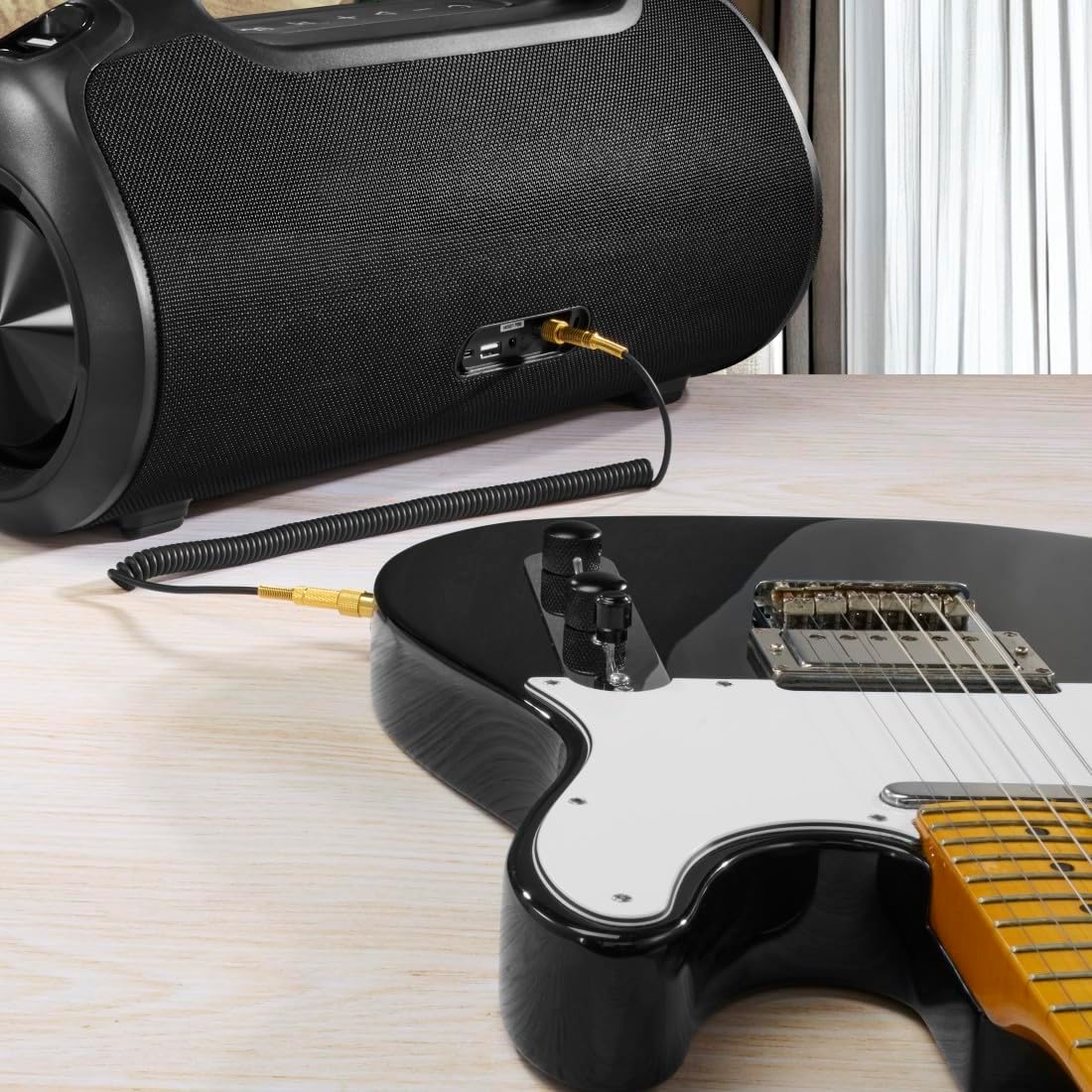
The speaker can be used as an amplifier by connecting an electric guitar via its 6.3mm jack input.
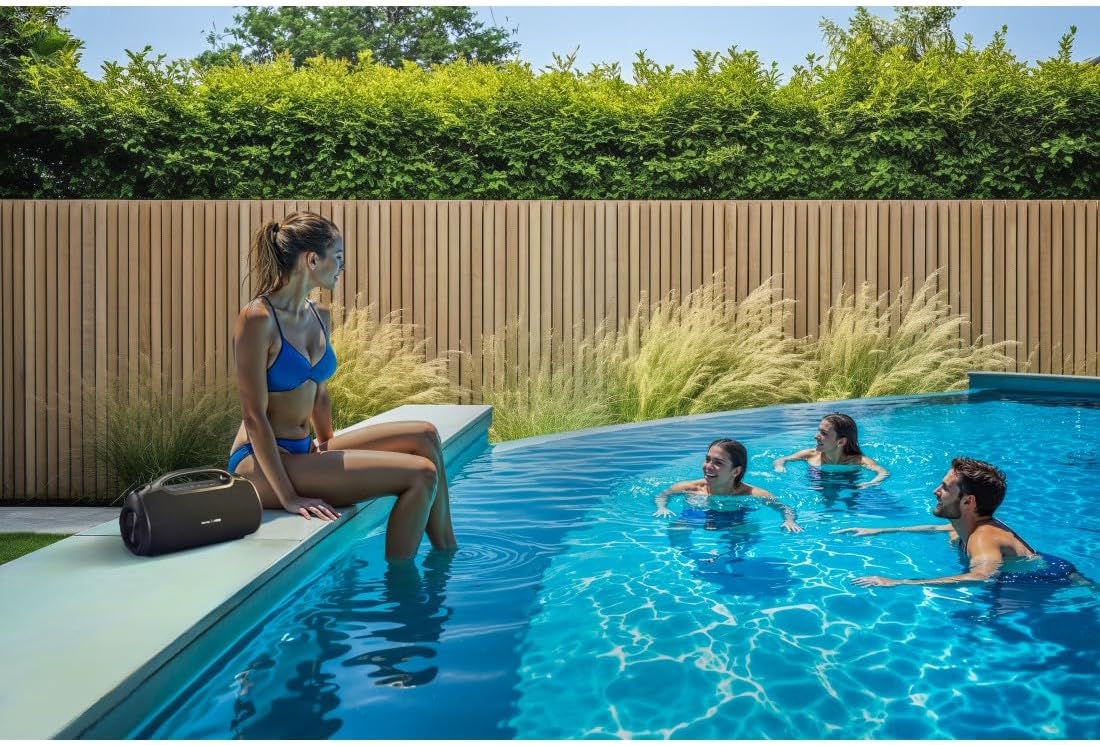
A microphone can be connected to the speaker's 6.3mm jack input for karaoke or public speaking.
- Connect your microphone or guitar to the 6.3mm jack input on the speaker.
- Adjust the volume on your connected device and the speaker as needed.
4.7 සත්ය රැහැන් රහිත ස්ටීරියෝ (TWS) යුගලනය
The Hama Ultimate Pro supports TWS for connecting two speakers for a stereo sound experience. Refer to the specific TWS pairing instructions in the full manual if available, as this feature typically involves pressing a dedicated TWS button on both speakers simultaneously.
5. කථිකයා ක්රියාත්මක කිරීම
5.1 මූලික පසුධාවන පාලන
- වාදනය/විරාමය: Play/Pause බොත්තම කෙටි ඔබන්න.
- පරිමාව: Volume Up (+) බොත්තම කෙටියෙන් ඔබන්න.
- ශබ්දය පහළට: ශබ්දය අඩු කිරීමේ (-) බොත්තම කෙටියෙන් ඔබන්න.
- ඊළඟ ධාවන පථය: ශබ්දය වැඩි කිරීමේ (+) බොත්තම දිගු වේලාවක් ඔබන්න.
- පෙර ධාවන පථය: ශබ්දය අඩු කිරීමේ (-) බොත්තම දිගු වේලාවක් ඔබන්න.
5.2 Equalizer Modes
The speaker offers three distinct equalizer modes to optimize your listening experience:
- බාස් ශබ්දය: Enhances low frequencies for a deeper bass response.
- Power Sound: Provides a balanced, powerful sound profile.
- සමබර ශබ්දය: Offers a neutral and clear audio output.
To switch between modes, short press the EQ button on the control panel.
5.3 Hama Smart Home App Control

The Hama Smart Home app allows for convenient control and customization of the speaker, including battery status and sound settings.
Download the "Hama Smart Home" app from your device's app store to access additional features:
- Custom equalizer settings.
- Change the speaker's name.
- View precise battery status in percentage.
- Remote control of playback and settings.
5.4 බලශක්ති බැංකු ක්රියාකාරිත්වය

The speaker's integrated power bank allows you to charge external devices like smartphones via its USB-C or USB-A ports.
The Hama Ultimate Pro speaker features an integrated power bank function, allowing you to charge other devices:
- Connect your smartphone, tablet, or other USB-powered device to the USB-C or USB-A port on the speaker using a compatible charging cable.
- The speaker's internal battery will begin charging your connected device.
6. නඩත්තු කිරීම
6.1 පිරිසිදු කිරීම
The speaker has a resistant and washable surface. To clean:
- Ensure the speaker is turned off and all cables are disconnected.
- මෘදු, ඩී භාවිතා කරන්නamp cloth to wipe the surface. Do not use harsh cleaning agents or solvents.
- මුරණ්ඩු අපිරිසිදුකම සඳහා, මෘදු සබන් ද්රාවණයක් භාවිතා කළ හැකි අතර, පසුව පිරිසිදු, damp රෙදි.
- Allow the speaker to dry completely before use.
6.2 ගබඩා කිරීම
- සෘජු හිරු එළියෙන් සහ අධික උෂ්ණත්වයන්ගෙන් ඈත්ව සිසිල් වියළි ස්ථානයක ස්පීකරය ගබඩා කරන්න.
- දිගු කාලයක් ගබඩා කරන්නේ නම්, බැටරි සෞඛ්යය පවත්වා ගැනීම සඳහා සෑම මාස කිහිපයකට වරක් බැටරිය ආසන්න වශයෙන් 50% දක්වා ආරෝපණය කරන්න.
6.3 බැටරි සත්කාර
- බැටරිය නිතර නිතර සම්පූර්ණයෙන්ම විසර්ජනය කිරීමෙන් වළකින්න.
- Do not expose the battery to heat sources or direct flame.
- දේශීය රෙගුලාසිවලට අනුව බැටරි බැහැර කරන්න.
7. දෝශ නිරාකරණය
ඔබේ ස්පීකරය සමඟ ගැටළු ඇති වුවහොත්, පහත පොදු විසඳුම් වෙත යොමු වන්න:
- බලය නැත: ස්පීකරය ආරෝපණය කර ඇති බවට වග බලා ගන්න. USB-C කේබලය භාවිතයෙන් එය බල ප්රභවයකට සම්බන්ධ කරන්න.
- බ්ලූටූත් හරහා යුගල කළ නොහැක:
- ස්පීකරය බ්ලූටූත් යුගල කිරීමේ මාදිලියේ (දැල්වෙන නිල් LED) ඇති බව සහතික කර ගන්න.
- ඔබගේ උපාංගයේ බ්ලූටූත් සක්රීය කර ඇති බවත් එය ස්පීකරයේ සිට මීටර් 10ක් ඇතුළත ඇති බවත් සහතික කර ගන්න.
- ඔබගේ උපාංගයේ බ්ලූටූත් ලැයිස්තුවෙන් ස්පීකරය අමතක කර නැවත යුගල කිරීමට උත්සාහ කරන්න.
- ස්පීකරය සහ ඔබගේ උපාංගය යන දෙකම නැවත ආරම්භ කරන්න.
- ශබ්දයක් නැත:
- ස්පීකරයේ සහ ඔබේ සම්බන්ධිත උපාංගයේ ශබ්ද මට්ටම් පරීක්ෂා කරන්න.
- Ensure the correct input mode (Bluetooth, AUX, USB) is selected on the speaker.
- AUX භාවිතා කරන්නේ නම්, කේබලය සම්පූර්ණයෙන්ම ඇතුළු කර ක්රියාකාරී බව සහතික කර ගන්න.
- අයකිරීමේ ගැටළු:
- Verify the USB-C cable is not damaged and is properly connected.
- Try a different USB power adapter.
- කථිකයා ප්රතිචාර නොදක්වයි: If the speaker becomes unresponsive, use a thin object (like a paperclip) to press the Reset button located on the port panel.
8. පිරිවිතර

Physical dimensions of the Hama Ultimate Pro speaker for reference.
| ආදර්ශ අංකය | 00188232 |
| වෙළඳ නාමය | හමා |
| වර්ණය | කළු |
| සම්බන්ධතා තාක්ෂණය | බ්ලූටූත් 5.3 |
| උපරිම පරාසය | මීටර් 10 කි |
| ශ්රව්ය පද්ධතිය | ස්ටීරියෝ |
| මැක්ස් සංගීත බලය | 120 ඩබ්ලිව් |
| බැටරි වර්ගය | ඒකාබද්ධ ලිතියම්-අයන |
| බැටරි ධාරිතාව | 4500 mAh |
| බැටරි වෙළුමtage | 11.4 වී |
| බැටරි බලය | 51.3 Wh |
| උපරිම බැටරි ආයු කාලය | පැය 24 යි |
| ආරෝපණ කාලය | ආසන්න වශයෙන්. පැය 2.5 යි |
| USB පීඩී සහාය | ඔව් |
| IP ශ්රේණිගත කිරීම | IPX6 (Protection against strong continuous rain) |
| මානයන් (L x W x H) | 46.5 x 19.2 x 25.4 සෙ.මී |
| බර | ග්රෑම් 5200 (කිලෝග්රෑම් 5.2) |
| ගැළපෙන උපාංග | MP3 Player, Personal Computer, Smartphone, Tablet, Television |
9 වගකීම් සහතිකය
Hama GmbH & Co KG provides a warranty for this product. Please refer to the warranty card included in your package or visit the official Hama webඔබේ කලාපයට විශේෂිත වූ සවිස්තරාත්මක වගකීම් නියමයන් සහ කොන්දේසි සඳහා අඩවිය.
10. සහාය
For technical support, troubleshooting assistance, or further inquiries, please contact Hama customer service. Contact details can typically be found on the official Hama webඅඩවිය හෝ නිෂ්පාදන ඇසුරුම්කරණය මත.
You can also visit the Hama website for FAQs and additional product information: www.hama.com


