හැඳින්වීම
The MAONO DM40 Wireless Microphone is designed for high-quality audio capture across various platforms, including PC, PS4, PS5, and Laptops. It features AI noise reduction, AI voice changing capabilities, and RGB lighting, making it suitable for gaming, streaming, podcasting, and online communication. This manual provides essential information for setting up, operating, and maintaining your DM40 microphone.

Image: The MAONO DM40 Wireless Microphone mounted on its boom arm, positioned in front of a computer monitor, illustrating a typical setup for gaming or streaming.
පෙට්ටියේ ඇති දේ
සියලුම අයිතම පවතින බව සහතික කර ගැනීමට කරුණාකර පැකේජයේ අන්තර්ගතය පරීක්ෂා කරන්න:
- MAONO DM40 Wireless Microphone
- රැහැන් රහිත USB ඩොන්ගල්
- රැහැන් රහිත USB-C ඩොන්ගල්
- Microphone Boom Arm BA20
- USB ආරෝපණ කේබලය
- පරිශීලක අත්පොත
සැලසුම
1. Assembling the Boom Arm
Attach the Microphone Boom Arm BA20 to your desk using the included clamp. cl සහතික කරන්නamp is securely fastened to a stable surface. Mount the DM40 microphone onto the boom arm. The boom arm offers 360-degree rotation, 270-degree and 180-degree articulation points for flexible positioning.

Image: A visual representation of the MAONO DM40 boom arm, highlighting its 360°, 270°, and 180° adjustment capabilities for optimal microphone placement.

Image: This image shows the correct method for attaching the boom arm clamp to a desk, emphasizing stability and a maximum desk thickness of 2.2 inches (5.5 cm).
2. මයික්රෆෝනය සම්බන්ධ කිරීම
The DM40 microphone offers wireless connectivity via USB and USB-C dongles. Choose the appropriate dongle for your device.
- For USB-A Ports: Insert the Wireless USB dongle into an available USB-A port on your PC, PS4, PS5, or Laptop.
- For USB-C Ports: Insert the Wireless USB-C dongle into an available USB-C port on your PC, Laptop, or compatible device.
The microphone is plug-and-play, requiring no additional drivers for basic functionality. For advanced features, install the Maono Link software.

Image: The MAONO DM40 microphone demonstrating its wireless connectivity options, showing both Wireless Type-C and Wireless USB dongles in use with a laptop and a desktop computer.

Image: A close-up of the black MAONO DM40 microphone, showcasing the included wireless USB and USB-C dongles for versatile connectivity.
3. බලගැන්වීම
Once connected, the microphone should power on automatically. The RGB lighting will illuminate, indicating it is active. Ensure the microphone is charged for optimal performance. The microphone can be used while charging.
මෙහෙයුම් උපදෙස්
1. Microphone Controls and Ports
The DM40 features intuitive controls for easy operation:
- වෙළුම් බොත්තම: Rotate to adjust microphone gain (Mic Gain +) and headphone volume (Headphone Gain +).
- Short Press (Volume Knob): Toggles between Mic Gain and Headphone Gain adjustment modes.
- One-tap Mute Button: Located on top of the microphone. Press to instantly mute/unmute the microphone. The RGB light will change to red when muted.
- RGB Control / Mic Power Button: Controls RGB lighting effects and powers the microphone on/off.
- 3.5mm හෙඩ්ෆෝන් ජැක්: For zero-latency monitoring of your audio.
- මොනිටර ස්විචය: Toggles zero-latency monitoring on/off.
- ආරෝපණ වරාය (USB-C): USB ආරෝපණ කේබලය මෙතැනට සම්බන්ධ කරන්න.
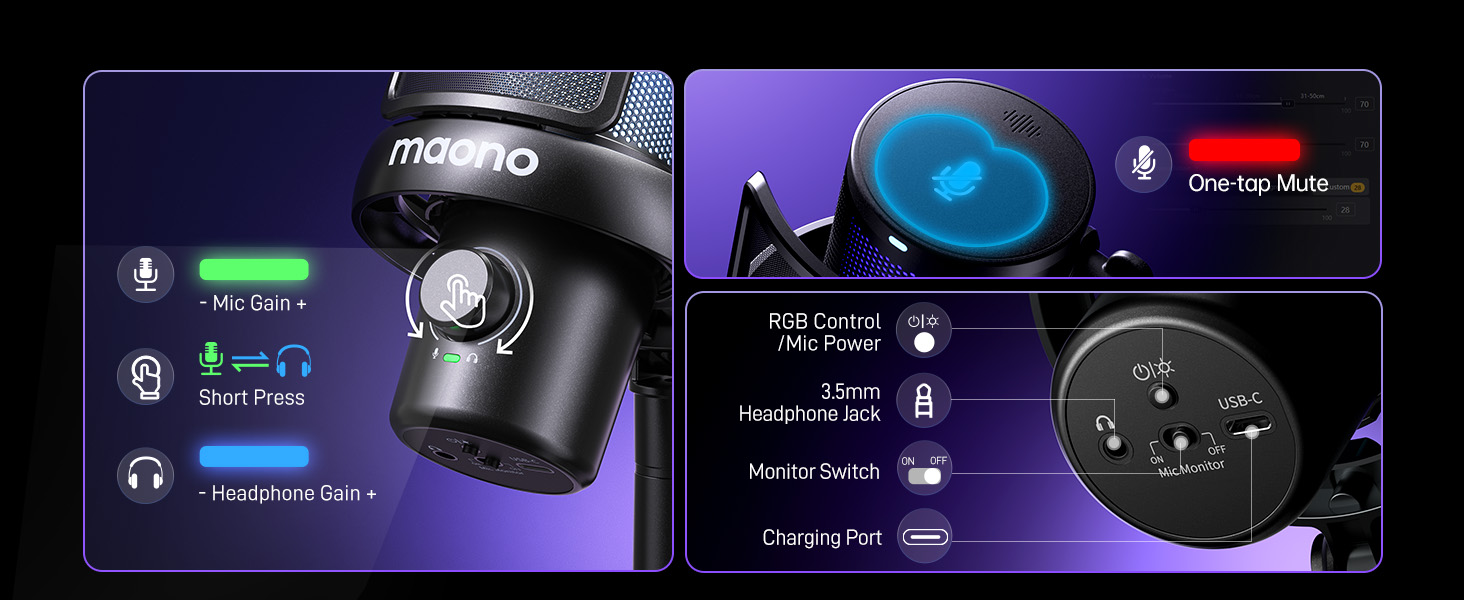
Image: An annotated diagram illustrating the various controls and ports on the MAONO DM40 microphone, including the volume knob, mute button, headphone jack, and charging port.
2. ශබ්දය අවලංගු කිරීම
The DM40 features one-tap noise cancellation with four preset levels: Low, Medium, High, and a customizable noise level. This can be adjusted directly on the microphone or through the Maono Link software to ensure clear audio by minimizing background noise.

Image: A visual demonstration of the DM40's noise cancellation effectiveness, showing significant reduction in common environmental sounds like fans, air conditioners, and mouse clicks.

Image: A screenshot of the Maono Link application interface, displaying the noise cancellation settings with options for 'Slight', 'Moderate', and 'Aggressive' levels, alongside a custom slider.
3. AI Voice Changer
Transform your voice with 6 exciting AI voice-changing modes. These modes can be accessed and managed via the Maono Link software, adding creativity to your streams, games, or chats.

Image: A promotional graphic highlighting the DM40's AI voice changer feature, showcasing six distinct voice options such as Paimon, Sukuna, Tifa, Deadpool, and Mr. Sponge.

Image: A screenshot of the Maono Link software interface, showing the AI Voice section where users can select from various voice transformation presets.
4. Maono Link App
The Maono Link app provides comprehensive control over your DM40 microphone. It allows you to adjust scene presets, EQ settings, AI voice changers, noise cancellation, volume, gain, mute, zero-latency monitoring, and RGB lighting. Download the software from the official MAONO webඅඩවිය.

Image: A screenshot of the Maono Link application, illustrating the 'Scene' and 'EQ' adjustment panels for fine-tuning audio profiles.

Image: A screenshot of the Maono Link application's mixer interface, displaying individual volume faders for different audio sources and sound effects.
5. RGB ආලෝකකරණය
The DM40 features customizable RGB lighting. Adjust lighting effects and colors via the Maono Link software to match your setup or mood.
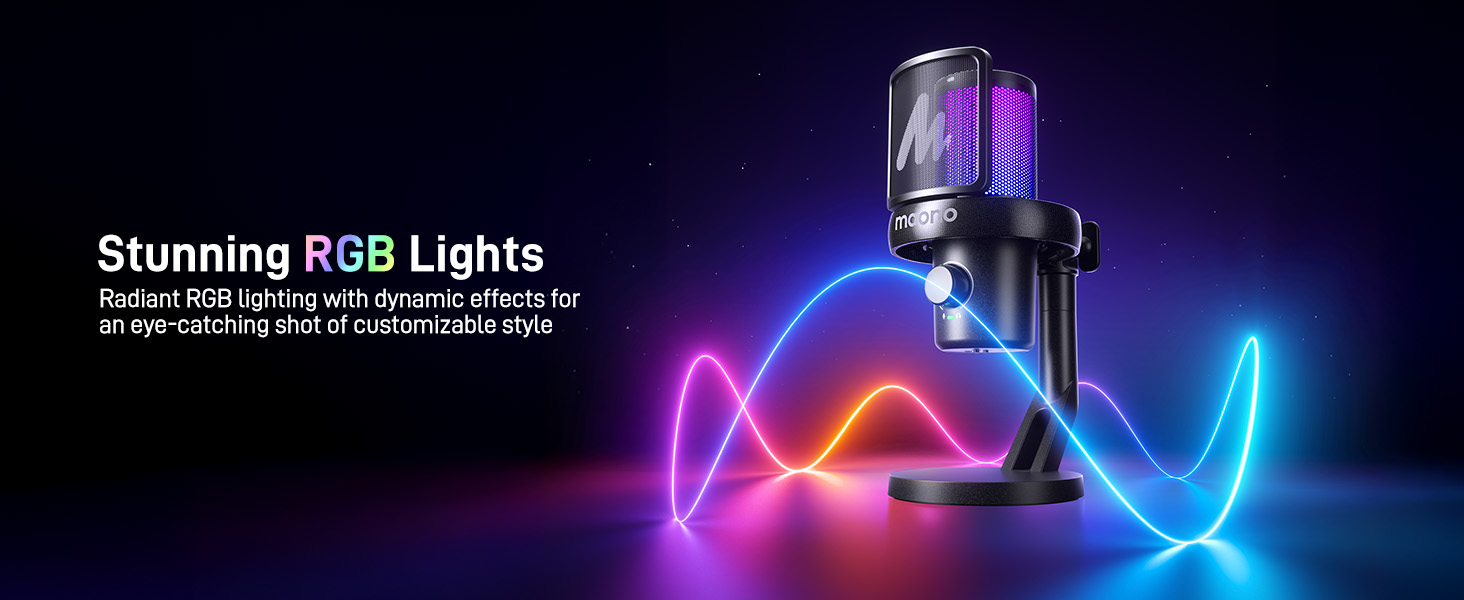
Image: The MAONO DM40 microphone illuminated with dynamic RGB lighting, showcasing එහි සෞන්දර්යාත්මක ආකර්ෂණය.
විශේෂාංග අවසන්view
- Instant Wireless Connection: Offers freedom of movement with wireless USB and USB-C dongles.
- දිගු බැටරි ආයු කාලය: Up to 75 hours of battery life (40 hours without RGB, 22 hours with RGB) for long, uninterrupted sessions.
- One-tap Noise Cancellation: Four preset levels (Low, Medium, High) and customizable options for crystal-clear audio.
- AI Voice Change: 6 distinct voice-changing modes for creative audio effects.
- Easy Control & Monitoring: Full control via the Maono Link app for EQ, gain, volume, and more. Zero-latency monitoring via 3.5mm jack.
- Plug and Play & Wide Compatibility: Seamless compatibility with PC, PS4, PS5, Laptops, and Macs via USB and USB-C.
- Low Latency Transmission: Real-time audio with a delay of less than 0.02 seconds.
- 5-Layer Noise Protection: Multi-layer physical shockproof design to minimize unwanted noise.
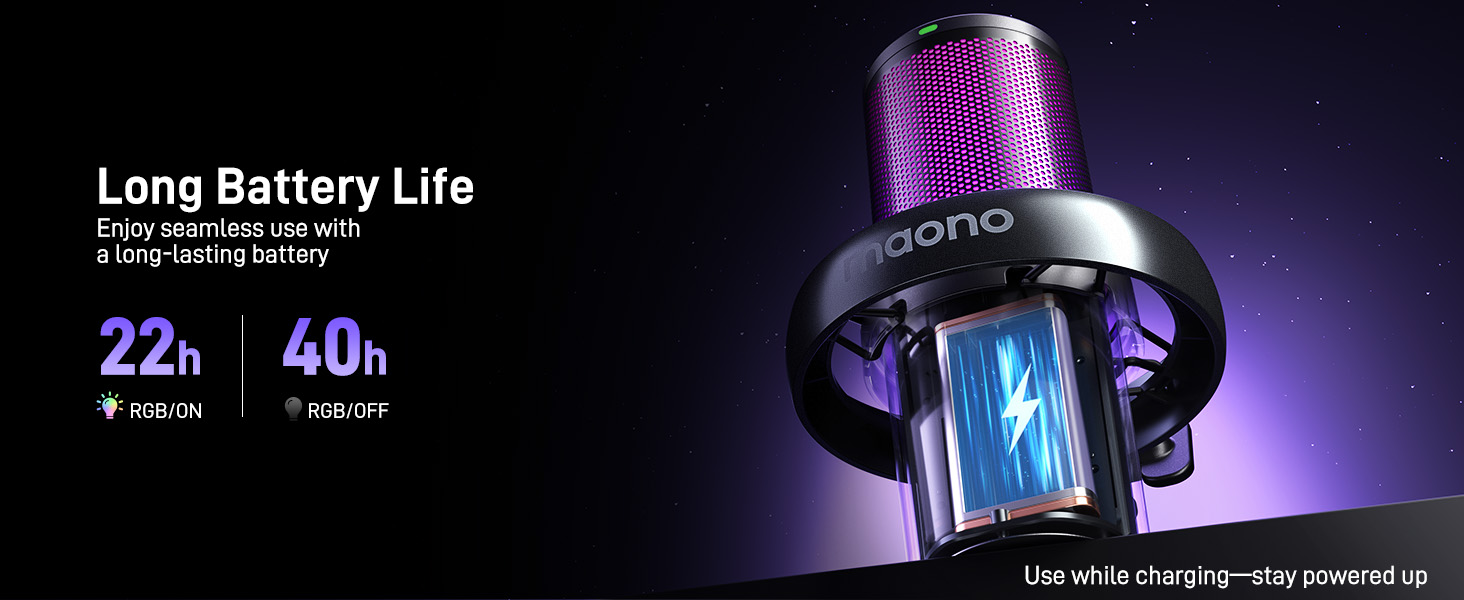
Image: A graphic illustrating the MAONO DM40's battery performance, showing 22 hours of use with RGB lighting on and 40 hours with RGB off.
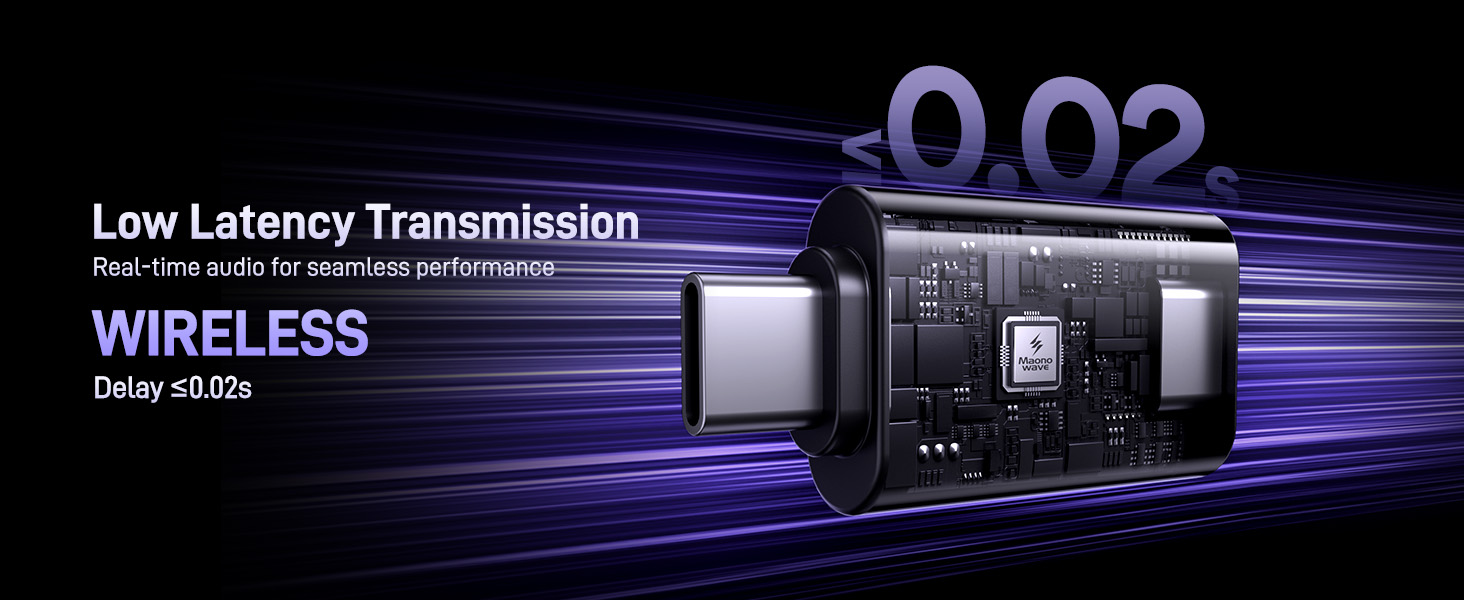
Image: A visual representation emphasizing the MAONO DM40's low latency wireless transmission, indicating a delay of less than 0.02 seconds.

රූපය: පුපුරා ගිය එකක් view diagram of the MAONO DM40 microphone, detailing its 5-layer noise protection system including the pop filter, mic capsule, sponge, shock mount, and stand.
නඩත්තු කිරීම
To ensure the longevity and optimal performance of your MAONO DM40 Wireless Microphone, follow these maintenance guidelines:
- පිරිසිදු කිරීම: Use a soft, dry cloth to wipe the microphone body and boom arm. Avoid using liquid cleaners or abrasive materials, as they may damage the finish or internal components.
- ගබඩා: භාවිතයේ නොමැති විට, මයික්රෆෝනය අධික උෂ්ණත්වයෙන් හා ආර්ද්රතාවයෙන් ඈත්ව පිරිසිදු වියළි ස්ථානයක ගබඩා කරන්න.
- බැටරි සත්කාර: For long-term storage, ensure the microphone is partially charged (around 50%) to preserve battery health. Avoid fully discharging the battery for extended periods.
- කේබල් කළමනාකරණය: Keep charging cables and dongles organized and free from kinks or sharp bends to prevent damage.
දෝෂගවේෂණය
If you encounter issues with your MAONO DM40 Wireless Microphone, refer to the following common troubleshooting steps:
- ශබ්ද ප්රතිදානය නැත:
- Ensure the microphone is powered on and the RGB lights are active.
- Verify the wireless dongle is securely plugged into your device's USB/USB-C port.
- Check your device's sound settings to ensure the MAONO DM40 is selected as the input device.
- Confirm the microphone is not muted (red RGB light indicates mute).
- Adjust the microphone gain using the volume knob or Maono Link software.
- Poor Audio Quality / Background Noise:
- Activate or adjust the noise cancellation feature via the microphone button or Maono Link software.
- Ensure the microphone is positioned correctly, ideally 6-12 inches from your mouth.
- Check for environmental interference. Try moving closer to the dongle or away from other wireless devices.
- Update the Maono Link software to the latest version.
- මයික්රෆෝනය හඳුනාගෙන නොමැත:
- Try plugging the wireless dongle into a different USB/USB-C port.
- ඔබේ පරිගණකය හෝ සූදු කොන්සෝලය නැවත ආරම්භ කරන්න.
- Ensure the microphone is sufficiently charged.
- බැටරිය ආරෝපණය නොවේ:
- Ensure the USB charging cable is securely connected to both the microphone and a power source.
- වෙනස් USB ආරෝපණ කේබලයක් හෝ බල ඇඩැප්ටරයක් උත්සාහ කරන්න.
- Verify the charging port on the microphone is clean and free of debris.
පිරිවිතර
| වෙළඳ නාමය | මාඕනෝ |
| ආකෘතිය | DM40 |
| සම්බන්ධතා තාක්ෂණය | USB, USB-C (Wireless) |
| සම්බන්ධක වර්ගය | USB Type-C, USB Type-A |
| ගැළපෙන උපාංග | Laptop, Personal Computer, Gaming Console (PS4, PS5), Mac |
| ඇතුළත් සංරචක | Microphone Boom Arm BA20 |
| මයික්රෆෝන ආකෘති සාධකය | Gooseneck (with boom arm) |
| බලශක්ති ප්රභවය | බැටරි බලයෙන් |
| නාලිකා ගණන | 1 |
| බැටරි ආයු කාලය | Up to 75 hours (40h RGB off, 22h RGB on) |
| ප්රමාදය | තත්පර 0.02 ට අඩු |
වගකීම් සහ සහාය
MAONO products typically come with a limited warranty. For specific warranty details, including coverage period and terms, please refer to the warranty card included with your product or visit the official MAONO website. For technical support, troubleshooting assistance, or service inquiries, please contact MAONO customer support through their official webවෙබ් අඩවිය හෝ ඔබේ නිෂ්පාදන ඇසුරුම්වල සපයා ඇති සම්බන්ධතා තොරතුරු.
Official MAONO Webඅඩවිය: www.maono.com