1. හැඳින්වීම
Thank you for choosing the ACwO Dwots 333 True Wireless Earbuds. This manual provides essential information for setting up, operating, and maintaining your earbuds to ensure optimal performance and longevity. The Dwots 333 earbuds are designed for an immersive audio experience, featuring Hybrid Active Noise Cancellation (ANC), Hexa Microphones with AI-Enhanced Noise Cancellation (AI-ENC), and seamless Dual Device Connectivity.
2. පැකේජ අන්තර්ගතය
කරුණාකර ඔබගේ පැකේජයේ සියලුම අයිතම ඇති බව තහවුරු කරගන්න:
- ACwO Dwots 333 True Wireless Earbuds (Left and Right)
- අයකිරීමේ නඩුව
- USB ආරෝපණ කේබලය
- බහු ප්රමාණයේ කන් ඉඟි
- පරිශීලක අත්පොත (මෙම ලේඛනය)
- වගකීම් කාඩ්පත
3. නිෂ්පාදන අවසන්view
The ACwO Dwots 333 earbuds consist of two individual earbuds and a portable charging case. Familiarize yourself with the components for proper use.

රූපය 3.1: ACwO Dwots 333 Earbuds and Charging Case. This image displays the two earbuds resting in their open charging case, highlighting their design and the compact nature of the product.
රූපය 3.2: ඉදිරිපස view of ACwO Dwots 333 Earbuds. This image shows the front perspective of the earbuds, emphasizing their ergonomic shape and the ACwO branding.
4. පිහිටුවීම
4.1 ඉයර්බඩ් සහ කේස් ආරෝපණය කිරීම
Before first use, fully charge the earbuds and charging case. The case provides extended battery life for your earbuds.
- නඩුව අයකිරීම: Connect the provided USB charging cable to the charging port on the case and a power source. The LED indicator on the case will show charging status. A full charge takes approximately 2.5 hours.
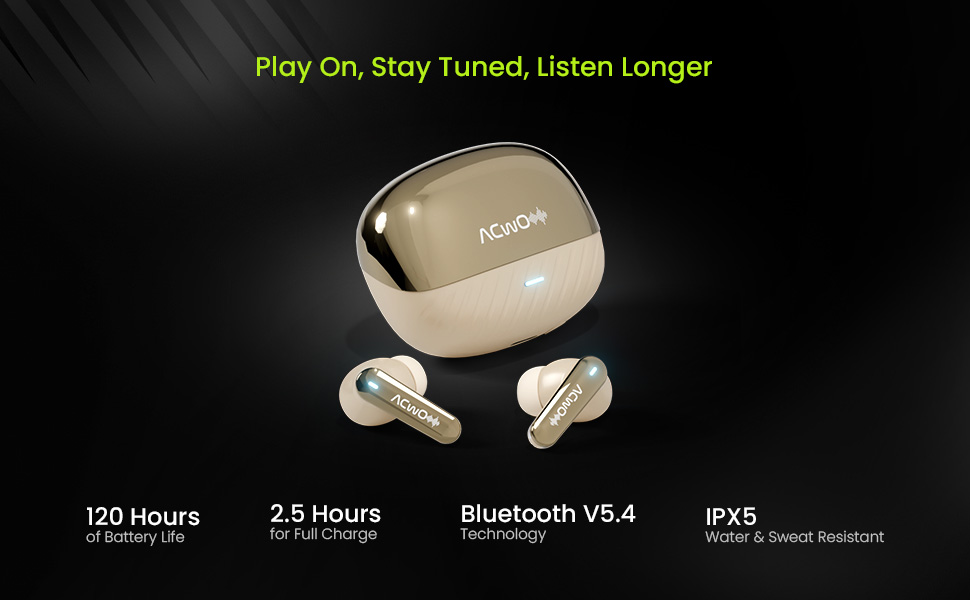
- ඉයර්බඩ් ආරෝපණය කිරීම: Place the earbuds into the charging case. Ensure they are correctly seated. The earbuds will automatically begin charging. The case can provide multiple charges, extending total playtime up to 120 hours.
රූපය 4.1: ACwO Dwots 333 Battery Life and Features. This image highlights the 120-hour battery life, Bluetooth V5.4 technology, 2.5-hour full charge time, and IPX5 water and sweat resistance, illustrating key aspects of the earbuds' performance and durability.
4.2 මූලික යුගලනය
Follow these steps to pair your earbuds with a new device:
- ආරෝපණ පෙට්ටිය විවෘත කරන්න. ඉයර්බඩ් ස්වයංක්රීයව යුගල කිරීමේ ප්රකාරයට ඇතුළු වනු ඇත, එය ඉයර්බඩ් මත දැල්වෙන LED එකක් මඟින් දැක්වේ.
- ඔබගේ උපාංගයේ (ස්මාර්ට්ෆෝන්, ටැබ්ලටය, ලැප්ටොප්) බ්ලූටූත් සක්රීය කරන්න.
- ඒ සඳහා සොයන්න available Bluetooth devices and select "ACwO Dwots 333" from the list.
- Once connected, the LED indicator on the earbuds will stop flashing.
4.3 Dual Device Connectivity
The Dwots 333 supports connecting to two devices simultaneously, allowing for seamless switching between them.
- Pair the earbuds with your first device (e.g., smartphone) as described in Section 4.2.
- Disconnect the earbuds from the first device's Bluetooth settings. The earbuds will re-enter pairing mode.
- Pair the earbuds with your second device (e.g., laptop).
- Reconnect the earbuds to the first device from its Bluetooth settings. The earbuds should now be connected to both devices.
- To switch between devices, simply pause audio on one device and play audio on the other. The earbuds will automatically switch the connection.
5. මෙහෙයුම් උපදෙස්
5.1 ඉයර්බඩ් පැළඳීම
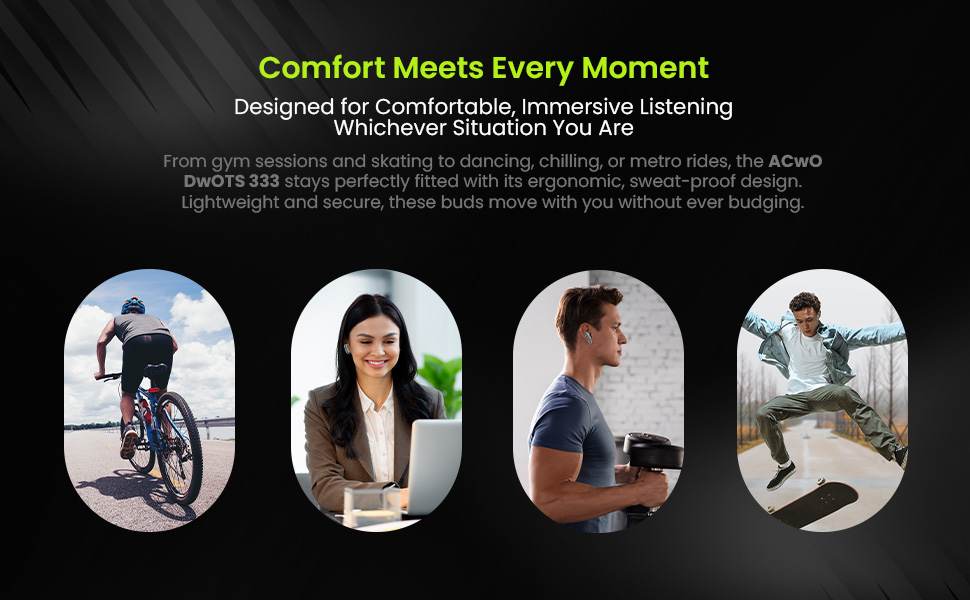
For optimal sound quality and comfort, choose the correct eartip size and wear the earbuds properly.
- Select eartips that provide a snug fit in your ear canal.
- ආරක්ෂිත සහ සුවපහසු බවක් දැනෙන තුරු මඳක් කරකවමින්, සෑම ඉයර්බඩයක්ම ඔබේ කනට මෘදු ලෙස ඇතුළු කරන්න.
- Ensure the microphone stems are pointing towards your mouth for clear call quality.
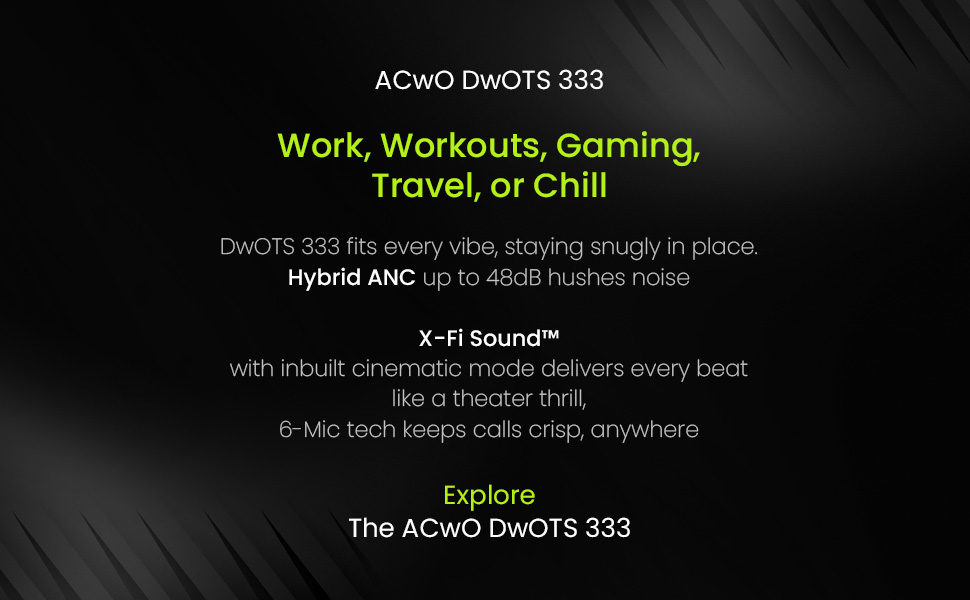
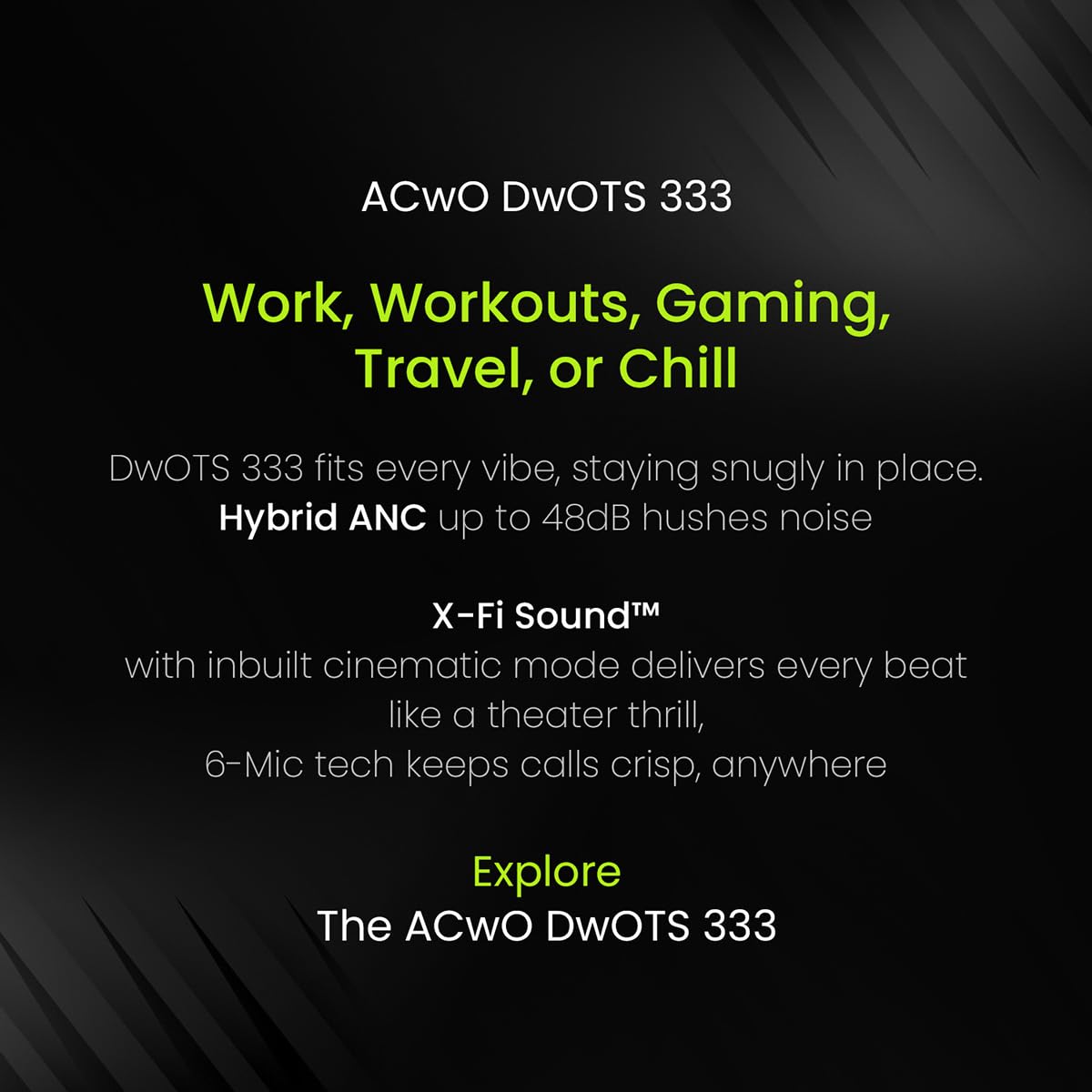
රූපය 5.1: ACwO Dwots 333 for various activities. This image illustrates the versatility of the Dwots 333 earbuds, showing them being used during work, workouts, gaming, and travel, emphasizing their comfortable and secure fit for different lifestyles.
5.2 ස්පර්ශ පාලන
The ACwO Dwots 333 earbuds feature intuitive touch controls on each earbud. Specific functions may vary slightly based on the connected device.
| ක්රියාව | වම් ඉයර්බඩ් | දකුණු අර්බඩ් |
|---|---|---|
| සංගීතය වාදනය/විරාම කරන්න | තනි තට්ටු කිරීම | තනි තට්ටු කිරීම |
| ඊළඟ ධාවන පථය | දෙවරක් තට්ටු කරන්න | දෙවරක් තට්ටු කරන්න |
| පෙර ධාවන පථය | ත්රිත්ව තට්ටු කරන්න | ත්රිත්ව තට්ටු කරන්න |
| ඇමතුමට පිළිතුරු දෙන්න/අවසන් කරන්න | තනි තට්ටු කිරීම | තනි තට්ටු කිරීම |
| ඇමතුම ප්රතික්ෂේප කරන්න | දිගු ඔබන්න (තත්පර 2) | දිගු ඔබන්න (තත්පර 2) |
| හඬ සහායක සක්රිය කරන්න | දිගු ඔබන්න (තත්පර 2) | දිගු ඔබන්න (තත්පර 2) |
| ANC/විනිවිදභාවය ප්රකාරය ටොගල් කරන්න | දිගු ඔබන්න (තත්පර 3) | දිගු ඔබන්න (තත්පර 3) |
5.3 සක්රීය ශබ්ද අවලංගු කිරීම (ANC)
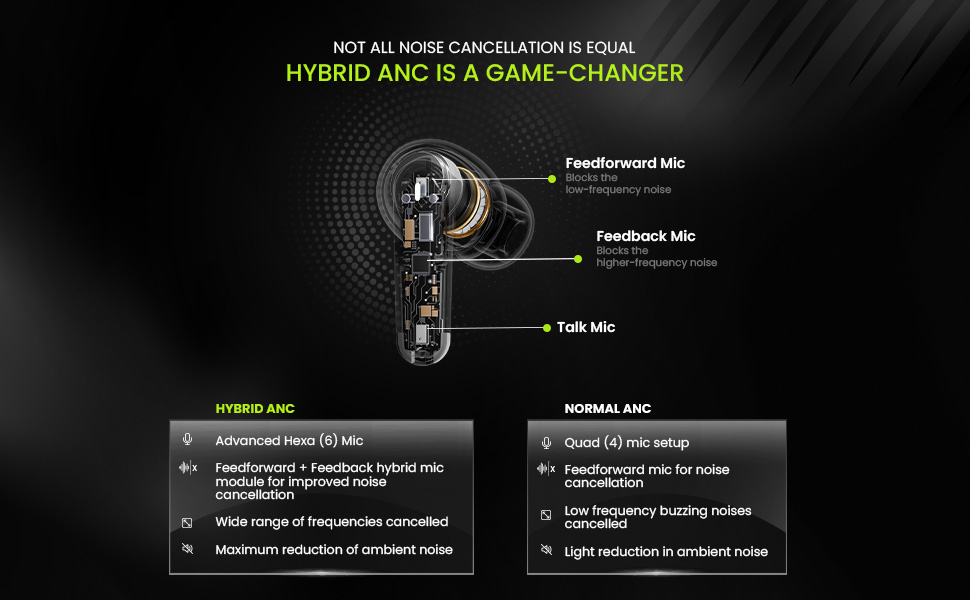
The Dwots 333 features 48dB Hybrid ANC to reduce ambient noise, allowing for a more focused listening experience. It also includes a Transparency Mode to stay aware of your surroundings.
- Activating/Deactivating ANC: Long press the touch area on either earbud for approximately 3 seconds to cycle through ANC On, Transparency Mode, and ANC Off.
- දෙමුහුන් ANC: Utilizes both feedforward and feedback microphones to block a wide range of frequencies, effectively reducing low-frequency hums and higher-frequency sounds.
රූපය 5.2: Hybrid ANC vs Normal ANC Explanation. This diagram illustrates the internal microphone setup for Hybrid ANC (Feedforward, Feedback, and Talk Mics) and compares its advanced noise cancellation capabilities, including wider frequency reduction and maximum ambient noise reduction, against standard ANC systems.
5.4 Call Quality with Hexa Mics and AI-ENC
The earbuds are equipped with a Hexa Mic setup (six microphones) and AI-Enhanced Noise Cancellation (AI-ENC) for clear voice pickup during calls, even in noisy environments.
රූපය 5.3: Hexa Mic Setup for Clearer Calls. This image visually explains the placement of the six dedicated microphones on the earbuds, detailing how they work with noise-reducing algorithms to isolate the user's voice and provide up to 2x clearer calls in crowded environments.
5.5 අඩු ප්රමාද මාදිලිය
For an optimized gaming or video watching experience, the earbuds feature a low latency mode to minimize audio delay. Refer to your device's settings or the earbuds' touch controls for activation, if available.
6. නඩත්තු කිරීම
6.1 පිරිසිදු කිරීම
නිතිපතා පිරිසිදු කිරීම ශබ්දයේ ගුණාත්මකභාවය සහ සනීපාරක්ෂාව පවත්වා ගැනීමට උපකාරී වේ.
- ඉයර්බඩ් සහ ආරෝපණ පෙට්ටිය පිස දැමීමට මෘදු, වියලි, ලින්ට් රහිත රෙද්දක් භාවිතා කරන්න.
- For eartips, remove them from the earbuds and clean with a mild soap solution, then rinse thoroughly and dry completely before reattaching.
- උල්ෙල්ඛ ද්රව්ය, මධ්යසාර හෝ රසායනික පිරිසිදු කරන්නන් භාවිතා නොකරන්න.
6.2 ගබඩා කිරීම
භාවිතයේ නොමැති විට, ඉයර්බඩ් ආරක්ෂා කර ගැනීමට සහ ආරෝපණය කර තබා ගැනීමට ඒවායේ ආරෝපණ පෙට්ටියේ ගබඩා කරන්න.
6.3 ජල ප්රතිරෝධය (IPX5)
The ACwO Dwots 333 earbuds are rated IPX5 water and sweat resistant. This means they can withstand splashes of water and sweat, making them suitable for workouts and light rain. They are not designed for submersion in water or exposure to pressurized water jets.
7. දෝශ නිරාකරණය
If you encounter issues with your ACwO Dwots 333 earbuds, refer to the following common solutions:
| ගැටලුව | හැකි විසඳුම |
|---|---|
| ඉයර්බඩ් යුගල නොවේ | Ensure earbuds are charged. Place them back in the case, close, then reopen to re-enter pairing mode. Forget the device in your phone's Bluetooth settings and try pairing again. |
| එක් ඉයර්බඩ් එකකින් ශබ්දයක් නැත | Check battery level of both earbuds. Try placing both earbuds back in the case and taking them out again. Re-pair with your device. |
| දුර්වල ඇමතුම් ගුණාත්මකභාවය | Ensure microphones are not obstructed. Move to a quieter environment. Check network signal strength on your phone. |
| ආරෝපණ නඩුව ආරෝපණය නොවේ | Verify the charging cable and power adapter are working correctly. Ensure the cable is securely connected to the case and power source. |
| ස්පර්ශ පාලන ප්රතිචාර නොදක්වයි | ඔබේ ඇඟිලි පිරිසිදුව හා වියලිව ඇති බවට වග බලා ගන්න. ඉයර්බඩ් කේස් එකට දමා පිටතට ගැනීමෙන් ඒවා නැවත ආරම්භ කිරීමට උත්සාහ කරන්න. |
8. පිරිවිතර
Detailed technical specifications for the ACwO Dwots 333 Earbuds:
| විශේෂාංගය | විස්තර |
|---|---|
| මාදිලියේ නම | DwOTS 333 |
| සම්බන්ධතා තාක්ෂණය | රැහැන් රහිත (බ්ලූටූත් V5.4) |
| බ්ලූටූත් පරාසය | මීටර් 10 |
| ශබ්ද පාලනය | Hybrid Active Noise Cancellation (48dB) |
| මයික්රොෆෝන සැකසුම | Hexa Mics with AI-ENC |
| ශ්රව්ය ධාවක වර්ගය | ගතික ධාවකය (මි.මී. 10) |
| සම්බාධනය | 32 ඕම් |
| පාලන ක්රමය | ස්පර්ශ කරන්න |
| බැටරි ආයු කාලය (මුළු) | පැය 120ක් දක්වා (ආරෝපණ නඩුවක් සමඟ) |
| ආරෝපණ කාලය (නඩුව) | ආසන්න වශයෙන්. පැය 2.5 යි |
| ජල ප්රතිරෝධක මට්ටම | IPX5 (ජලය සහ දහඩිය ප්රතිරෝධී) |
| අයිතමයේ බර | ග්රෑම් 38 යි |
| නිෂ්පාදන මානයන් (නඩුව) | 4.2 x 6.2 x 2.7 සෙ.මී |
| ද්රව්ය | ප්ලාස්ටික් |
| ගැළපෙන උපාංග | ජංගම දුරකථන, ලැප්ටොප්, ටැබ්ලට් |
| ඇතුළත් සංරචක | Cable, Eartip, Warranty card |
9. වගකීම් සහ සහාය
Your ACwO Dwots 333 Earbuds come with a warranty. Please refer to the included Warranty Card for detailed terms and conditions, including the warranty period and coverage.
For technical support, product inquiries, or warranty claims, please contact ACwO customer service through the contact information provided on your warranty card or the official ACwO webඅඩවිය.