1. හැඳින්වීම
This manual provides detailed instructions for the setup, operation, maintenance, and troubleshooting of your ZORNHER ZH870 Wireless Mechanical Gaming Keyboard. Please read this manual thoroughly before using the product to ensure optimal performance and longevity.

Figure 1: ZORNHER ZH870 Wireless Mechanical Gaming Keyboard (White Spider Web variant).
2. පැකේජ අන්තර්ගතය
සියලුම අයිතම පැකේජයේ ඇති බව තහවුරු කරගන්න:
- 1 x සම්පූර්ණයෙන්ම එකලස් කරන ලද යතුරු පුවරුව
- 1 x Type-C Cable (1.8m nylon)
- 1 x 2.4GHz ග්රාහකය
- 1 x Keycap Puller
- 3 x ස්විච ප්රතිස්ථාපනය කරන්න
- 1 x දූවිලි ආවරණය
- 1 x උපදෙස් අත්පොත (මෙම ලේඛනය)
3. සැකසුම සහ සම්බන්ධතාවය
The ZORNHER ZH870 keyboard offers three connection modes: 2.4GHz wireless, Bluetooth 5.0, and USB-C wired. It supports connection to up to 5 devices and is compatible with Windows and macOS operating systems.
3.1 යතුරු පුවරුව ආරෝපණය කිරීම
The keyboard is powered by a built-in 4000mAh battery. To charge, connect the supplied USB-C cable to the keyboard's USB-C port and the other end to a powered USB port on your computer or a wall adapter. The keyboard can be used while charging.
3.2 සම්බන්ධතා මාතයන්
Switch between modes using the toggle switch located on the top edge of the keyboard (refer to Figure 2 for location).

Figure 2: The ZORNHER ZH870 keyboard demonstrating its triple connection capabilities (2.4GHz wireless, Bluetooth 5.0, and USB-C wired) and compatibility with various devices.
3.2.1 2.4GHz රැහැන් රහිත මාදිලිය
- Locate the 2.4GHz USB receiver in the package.
- ඔබේ පරිගණකයේ තිබෙන USB පෝට් එකකට ග්රාහකය සම්බන්ධ කරන්න.
- Toggle the switch on the keyboard to the 2.4GHz wireless mode. The keyboard should automatically connect.
3.2.2 බ්ලූටූත් 5.0 මාදිලිය
- Toggle the switch on the keyboard to the Bluetooth mode.
- On your device (PC, laptop, smartphone, tablet), enable Bluetooth and search for new devices.
- Select "ZORNHER ZH870" from the list of available devices to pair.
- The keyboard can store up to 3 Bluetooth connections. Refer to the quick start guide for specific key combinations to switch between paired Bluetooth devices.
3.2.3 USB-C රැහැන්ගත මාදිලිය
- Connect the supplied USB-C cable to the keyboard's USB-C port.
- USB-C කේබලයේ අනෙක් කෙළවර ඔබේ පරිගණකයේ ඇති USB පෝට් එකකට සම්බන්ධ කරන්න.
- යතුරු පුවරුව ස්වයංක්රීයව රැහැන්ගත ප්රකාරයට මාරු වී ආරෝපණය වීමට පටන් ගනී.
4. යතුරු පුවරුව ක්රියාත්මක කිරීම
4.1 ප්රධාන ලක්ෂණ
- 80% පිරිසැලසුම: Compact design retaining essential F-row, arrow, and navigation keys.
- IMD PC Keycaps: High-purity PC keycaps with spider web pattern and shine-through legends, resistant to wear and fading.
- Creamy Linear Switches: Factory-lubed switches providing soft keystrokes with crisp feedback.
- උණුසුම් හුවමාරු කළ හැකි: Compatible with 3-pin and 5-pin mechanical switches, allowing for easy switch replacement without soldering.
- ගෑස්කට් සවිකිරීම: ටයිප් කිරීමේ හැඟීම සහ ශබ්දය වැඩි දියුණු කරයි.

රූපය 3: සවිස්තරාත්මක view of the IMD PC keycap technology, illustrating the transparent hard shell, pattern film, and base layer for durable shine-through legends.

Figure 4: The Sakura Linear switch, highlighting its quick actuation (1.2mm), total travel (3.8mm), and 5-pin hot-swappable design for a smooth and responsive typing experience.

Figure 5: Illustration of the hot-swappable feature, showing a switch being removed from the ZORNHER ZH870 keyboard, compatible with both 3-pin and 5-pin switches.
4.2 RGB පසුබිම් ආලෝකය
The ZH870 features 22 preset RGB lighting effects, including side-glow and south-facing LEDs. These can be customized directly on the keyboard or through dedicated driver software.

Figure 6: The ZORNHER ZH870 keyboard showcasing its multi-color RGB lighting capabilities, with various color schemes illuminating the keycaps.
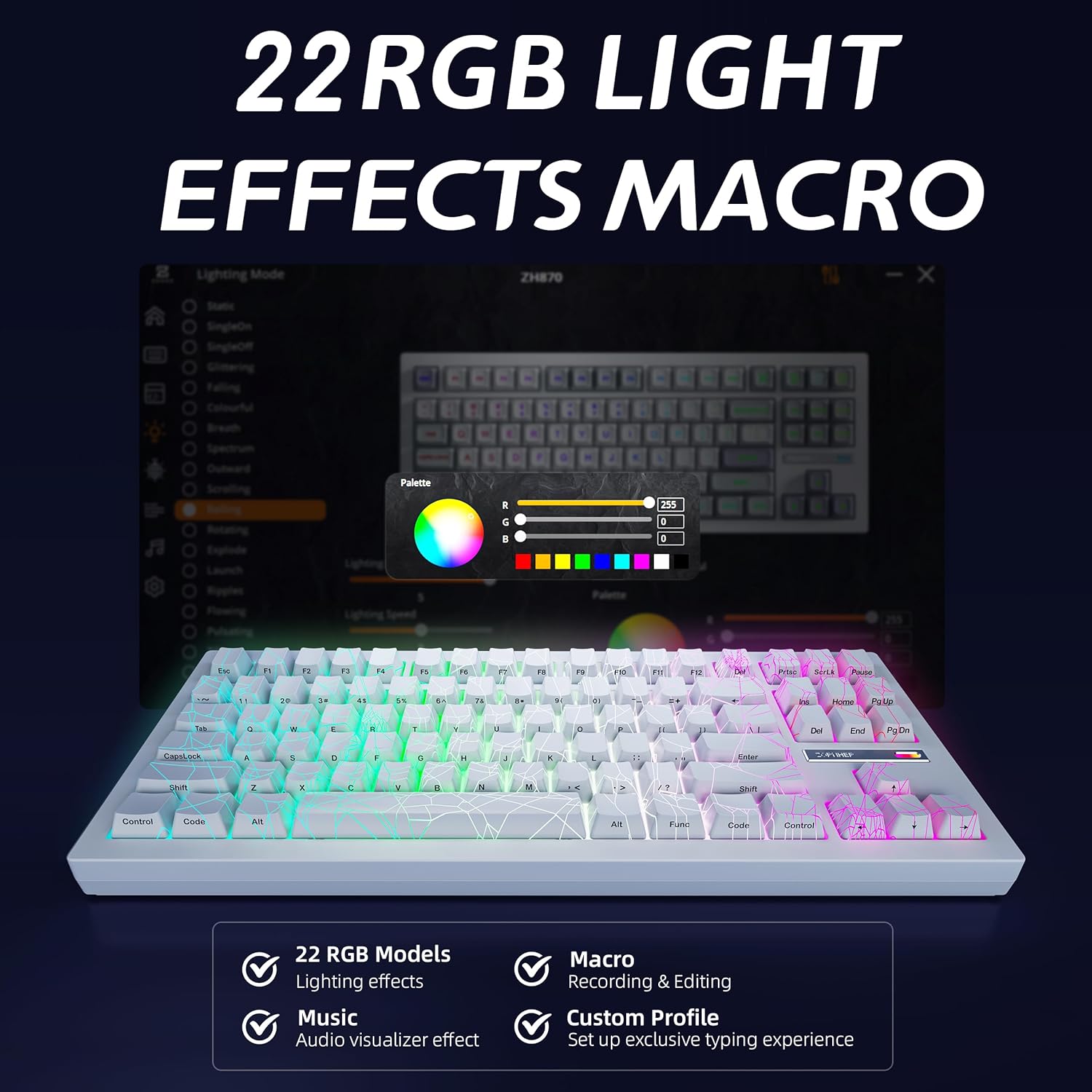
Figure 7: The ZORNHER ZH870 keyboard's RGB lighting effects, demonstrating the 22 available modes and the potential for macro recording and custom profile setup via software.
For advanced customization, including key remapping, macros, and personalized lighting modes, driver software is available. Please refer to the official ZORNHER webමෘදුකාංග බාගැනීම් සහ උපදෙස් සඳහා අඩවිය.
4.3 Ergonomics and Stability
The keyboard features OEM-profile keycaps and stable large-key tuning for lasting comfort. Its weight of approximately 3.67 pounds (1.66 kg) ensures stability during use.
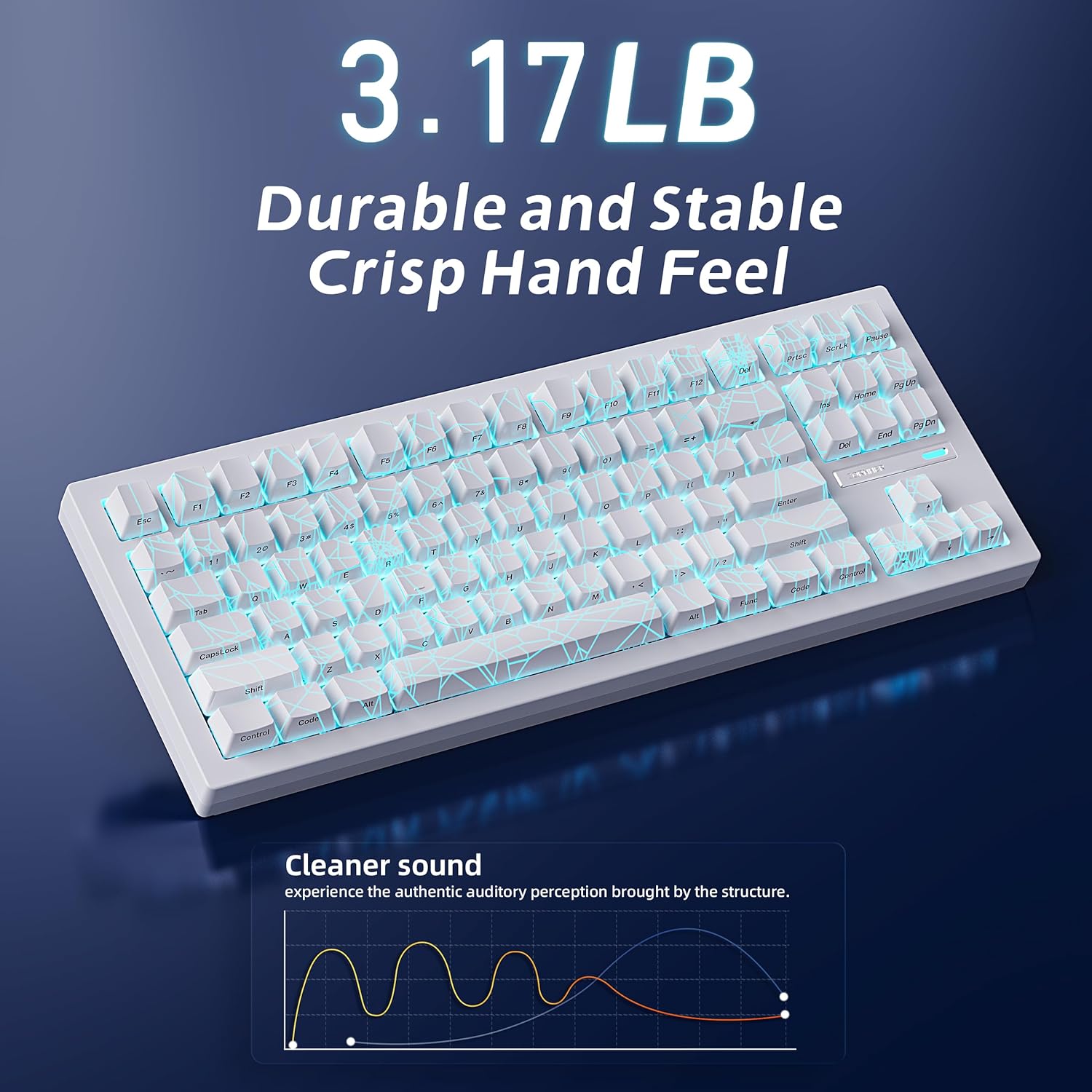
Figure 8: The ZORNHER ZH870 keyboard, emphasizing its durable and stable build with a weight of 3.67 pounds, contributing to a crisp hand feel and reduced movement during typing.
5. නඩත්තු කිරීම
Proper maintenance ensures the longevity and performance of your ZORNHER ZH870 keyboard.
5.1 පිරිසිදු කිරීම
- යතුරු පුවරුව භාවිතයේ නොමැති විට දූවිලි එකතු වීම වැළැක්වීම සඳහා සපයා ඇති දූවිලි ආවරණය භාවිතා කරන්න.
- For general cleaning, use a soft, dry cloth.
- To clean between keycaps, use compressed air or a small brush.
5.2 යතුරු කැප් සහ ස්විච ප්රතිස්ථාපනය
The keyboard comes with a keycap puller and spare switches for easy replacement.
- යතුරු කැප් ඉවත් කිරීම: Gently use the keycap puller to grip the keycap and pull upwards.
- ස්විච ඉවත් කිරීම: After removing the keycap, use a switch puller (often integrated with the keycap puller or a separate tool) to carefully unclip the switch from the PCB.
- ස්විච ස්ථාපනය කිරීම: Align the pins of the new switch with the holes on the PCB and press down firmly until it clicks into place. Ensure pins are straight to avoid bending.
- යතුරු කැප් ස්ථාපනය කිරීම: Align the keycap over the switch stem and press down gently until it is secure.
6. දෝශ නිරාකරණය
If you encounter issues with your ZORNHER ZH870 keyboard, refer to the following common solutions:
6.1 සම්බන්ධතා ගැටළු
- යතුරුපුවරුව ප්රතිචාර නොදක්වයි: Ensure the keyboard is charged. Try connecting via USB-C cable to rule out wireless issues.
- 2.4GHz connection unstable: Ensure the USB receiver is plugged directly into a USB port on your computer, not a hub. Move the keyboard closer to the receiver.
- බ්ලූටූත් යුගල කිරීමේ අසාර්ථකත්වය: Ensure Bluetooth is enabled on your device and the keyboard is in Bluetooth pairing mode. Remove previous pairings from your device's Bluetooth settings and try again.
6.2 ආලෝකකරණ ගැටළු
- RGB ලයිට් ක්රියා නොකරයි: Check if the keyboard is sufficiently charged. Ensure lighting effects are enabled via keyboard shortcuts or software.
- අසමාන ආලෝකකරණය: This may be due to specific lighting modes. Try cycling through different preset modes.
6.3 Key Functionality Issues
- Key not registering: The hot-swappable nature allows for easy replacement. Try replacing the switch under the non-functioning key with one of the spare switches provided.
- Keycap legends difficult to read: While the IMD PC keycaps offer unique aesthetics, some users may find certain legends less visible under specific lighting conditions. Adjusting RGB brightness or color may help.
6.4 Software and Driver Issues
- Driver not found: Visit the official ZORNHER website to download the latest driver software for your ZH870 model.
- Customization not applying: Ensure the software is running and the keyboard is connected in a mode that supports software control (usually wired or 2.4GHz wireless).
7. පිරිවිතර
| විශේෂාංගය | විස්තර |
|---|---|
| ආදර්ශ අංකය | ZORNHER ZH870 |
| නිෂ්පාදන මානයන් | අඟල් 16.65 x 7.99 x 2.75 |
| අයිතමයේ බර | රාත්තල් 3.67 කි |
| සම්බන්ධතා තාක්ෂණය | බ්ලූටූත් 5.0, 2.4GHz රැහැන් රහිත, USB-C රැහැන් සහිත |
| ගැළපෙන උපාංග | ලැප්ටොප්, පරිගණකය, ස්මාර්ට්ෆෝන්, ටැබ්ලටය |
| යතුරුපුවරු විස්තරය | යාන්ත්රික |
| යතුරු ගණන | 88 |
| යතුරුපුවරු පසුතල ආලෝකය | RGB (මාතයන් 22) |
| විශේෂ ලක්ෂණ | Ergonomic, Hot-Swappable, Rechargeable |
| බැටරි | 1 Lithium Ion battery (4000mAh, included) |
| නිෂ්පාදකයා | ZORNHER |
| පළමු දිනය තිබේ | අප්රේල් 12, 2025 |
8. නිල නිෂ්පාදන වීඩියෝව
Watch the official ZORNHER Mechanical Keyboard video for a visual overview එහි විශේෂාංග සහ ක්රියාකාරිත්වය.
Video 1: ZORNHER Mechanical Keyboard overview. This video demonstrates the keyboard's design, RGB lighting effects, and the sound profile of its switches. It also shows the physical switch for changing connectivity modes.
9. වගකීම් සහ සහාය
The ZORNHER ZH870 Wireless Mechanical Gaming Keyboard is backed by a වසර 2ක වගකීමක් from the date of purchase. This warranty covers manufacturing defects and ensures worry-free ownership.
For technical support, warranty claims, or further inquiries, please visit the official ZORNHER website or contact their customer service through the details provided on their webඅඩවිය හෝ නිෂ්පාදන ඇසුරුම්කරණය.
ඔබට ද නැරඹිය හැකිය ZORNHER Store on Amazon තවත් නිෂ්පාදන තොරතුරු සහ සහාය සම්පත් සඳහා.


