1 ආරක්ෂිත තොරතුරු
Please read all instructions carefully before using the printer. Keep this manual for future reference.
- Do not expose the printer to water or moisture.
- මුද්රණ යන්ත්රය සෘජු හිරු එළියේ හෝ තාප ප්රභවයන් අසල තැබීමෙන් වළකින්න.
- සපයන ලද බල ඇඩැප්ටරය පමණක් භාවිතා කරන්න.
- Do not attempt to disassemble or repair the printer yourself. Contact customer support if service is required.
- ක්රියාත්මක වන අතරතුර මුද්රණ යන්ත්රය වටා නිසි වාතාශ්රය සහතික කරන්න.
2. නිෂ්පාදන අවසන්view
The Bewinner Portable 58mm Thermal Receipt Printer is designed for efficient and reliable receipt printing in various environments such as restaurants, takeaways, supermarkets, and convenience stores. It features dual USB and Bluetooth connectivity and operates inklessly.
2.1 පැකේජයේ අන්තර්ගතය
සියලුම අයිතම පැකේජයේ ඇති බව තහවුරු කරගන්න:
- 1 x Receipt Printer
- 1 x Power Supply Cord (US Plug)
- 1 x Printing Paper Roll
- 1 x USB කේබලය
- 1 x පරිශීලක අත්පොත

රූපය 2.1: පැකේජයේ අන්තර්ගතය
2.2 මුද්රණ යන්ත්ර සංරචක
Familiarize yourself with the main parts of the printer:
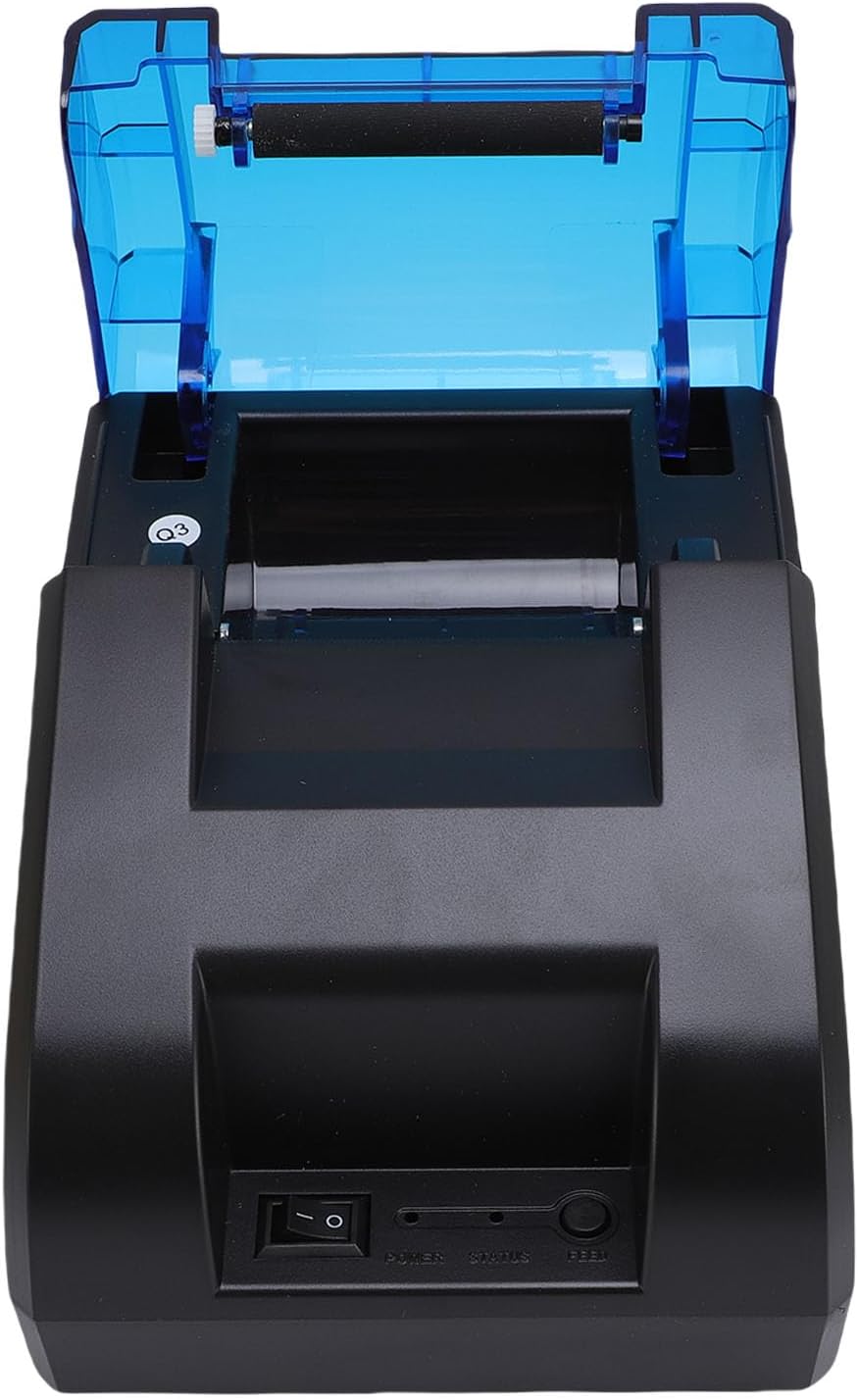
රූපය 2.2: ඉහළ View (Power Switch, Status Indicator, Feed Button)
රූපය 2.3: පසුපස View (USB Port, Power Port)
3. පිහිටුවීම
3.1 කඩදාසි රෝල් ස්ථාපනය
- Open the top cover of the printer by pressing the release button or lifting the cover firmly.
- Insert the thermal paper roll into the compartment, ensuring the paper feeds from the bottom and the leading edge is straight.
- කැපුම් දාරය හරහා කඩදාසි කුඩා ප්රමාණයක් ඇද දමන්න.
- ඉහළ කවරය නිසි තැනට වැටෙන තුරු තදින් වසා දමන්න.

Figure 3.1: Paper Roll Compartment
3.2 බල සම්බන්ධතාවය
- Connect the power supply cord to the power port on the rear of the printer.
- Plug the other end of the power supply cord into a standard electrical outlet.
- Flip the power switch (located on the front of the printer) to the 'ON' position. The power indicator light should illuminate.
4. සම්බන්ධතාවය
The printer supports both USB and Bluetooth connections for versatile use with various devices.
4.1 USB සම්බන්ධතාවය
- මුද්රණ යන්ත්රය ක්රියාත්මක කර ඇති බව සහතික කර ගන්න.
- Connect one end of the provided USB cable to the USB port on the rear of the printer.
- USB කේබලයේ අනෙක් කෙළවර ඔබේ පරිගණකයේ හෝ POS පද්ධතියේ ඇති USB පෝට් එකකට සම්බන්ධ කරන්න.
- Install the necessary printer drivers on your computer. Refer to the driver installation guide (if provided separately) or the manufacturer's webනිශ්චිත උපදෙස් සඳහා අඩවිය.
4.2 බ්ලූටූත් සම්බන්ධතාවය
The printer can connect to up to 7 Android phones simultaneously and one additional phone for maximum convenience.
- මුද්රණ යන්ත්රය ක්රියාත්මක කර ඇති බවත් ඔබගේ උපාංගයේ පරාසය තුළ ඇති බවත් සහතික කර ගන්න.
- On your mobile device or computer, enable Bluetooth.
- ඒ සඳහා සොයන්න available Bluetooth devices. The printer will typically appear as a device named 'POS Printer' or similar.
- Select the printer from the list to pair. If prompted for a PIN, enter '0000' or '1234'.
- Once paired, you can select the printer within your application for printing.

රූපය 4.1: බ්ලූටූත් සම්බන්ධතාව උදා.ample
5. මෙහෙයුම
5.1 මූලික මුද්රණය
After connecting the printer via USB or Bluetooth and installing any necessary drivers or applications, you can initiate printing from your software. The printer supports ESC/POS commands for various printing functions.
- පෝෂක බොත්තම: Press the 'FEED' button on the front of the printer to advance the paper manually.
- තත්ව දර්ශකය: The status light indicates the printer's current state (e.g., solid blue for ready, flashing for error).

Figure 5.1: High-Performance Print Head and Inkless Operation
5.2 Supported Receipt Types
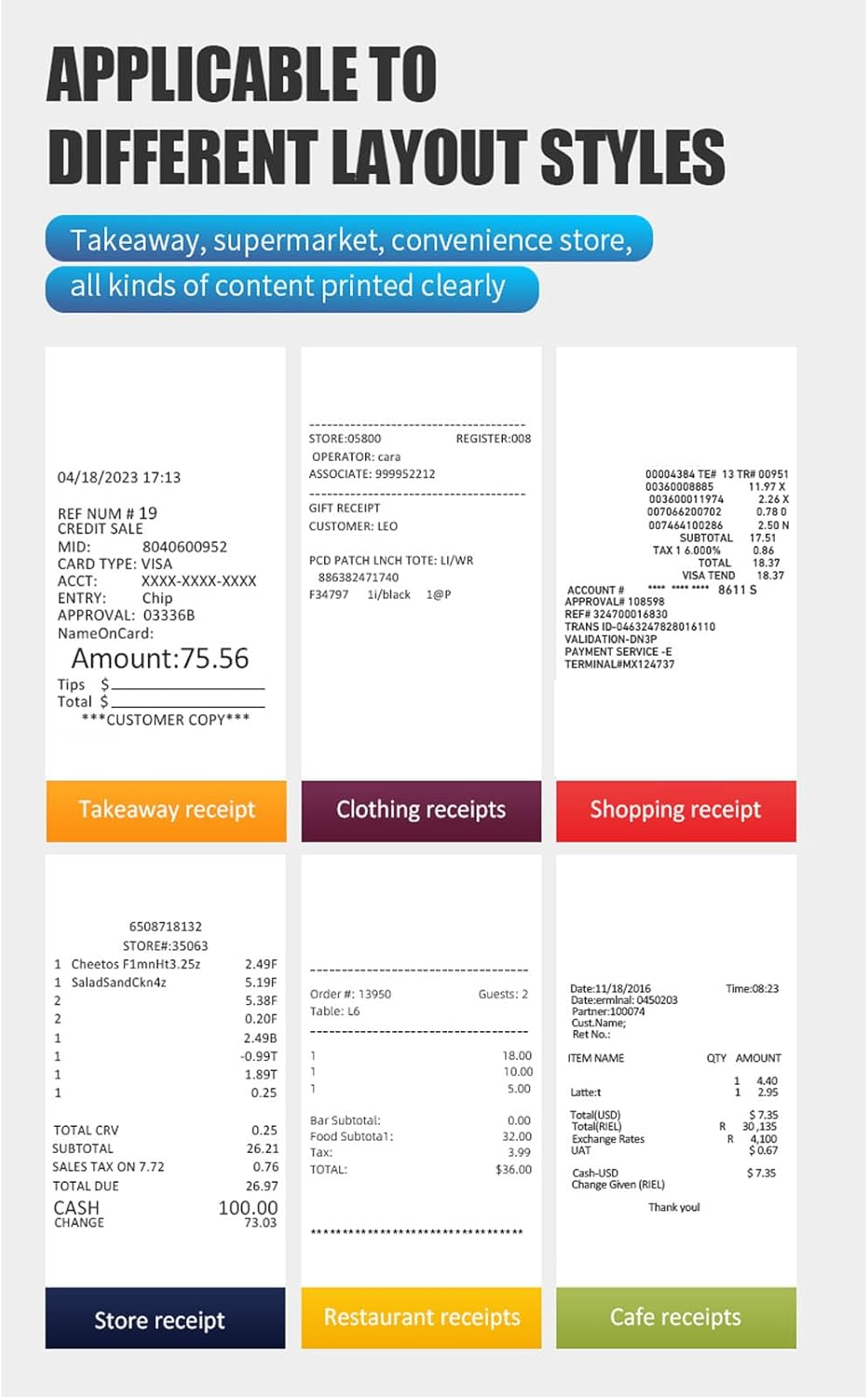
The printer is capable of printing various receipt layouts clearly, making it suitable for diverse business needs.

රූපය 5.2: උදාample of a Printed Receipt
6. නඩත්තු කිරීම
6.1 මුද්රණ යන්ත්රය පිරිසිදු කිරීම
නිතිපතා පිරිසිදු කිරීම මුද්රණ ගුණාත්මකභාවය පවත්වා ගැනීමට සහ මුද්රණ යන්ත්රයේ ආයු කාලය දීර්ඝ කිරීමට උපකාරී වේ.
- පිරිසිදු කිරීමට පෙර මුද්රණ යන්ත්රය ක්රියා විරහිත කර විදුලි රැහැන විසන්ධි කරන්න.
- මෘදු, ලින්ට් රහිත රෙද්දක් සැහැල්ලුවෙන් භාවිතා කරන්නampමුද්රණ යන්ත්රයේ බාහිර කොටස පිරිසිදු කිරීම සඳහා ජලය හෝ අයිසොප්රොපයිල් මධ්යසාරයෙන් පුරවා ඇත.
- Gently wipe the print head with a cotton swab dampඅයිසොප්රොපයිල් මධ්යසාරයෙන් පුරවා ඇත. භාවිතයට පෙර සම්පූර්ණයෙන්ම වියළීමට ඉඩ දෙන්න.
- Remove any paper dust or debris from the paper compartment.
6.2 කඩදාසි රෝල ප්රතිස්ථාපනය කිරීම
Follow the steps outlined in Section 3.1 for paper roll installation when the current roll runs out.
7. දෝශ නිරාකරණය
If you encounter issues with your printer, refer to the following common problems and solutions:
| ගැටලුව | විය හැකි හේතුව | විසඳුම |
|---|---|---|
| මුද්රණ යන්ත්රය ක්රියාත්මක නොවේ | Power cord not connected, power outlet faulty, power switch off | Check power connections, try a different outlet, ensure power switch is ON. |
| මුද්රණ යන්ත්රය බ්ලූටූත් හරහා සම්බන්ධ නොවේ | Bluetooth off on device, printer not in pairing mode, incorrect PIN | Ensure Bluetooth is enabled, restart printer, re-attempt pairing with correct PIN. |
| No printing or blank pages | Paper installed incorrectly, paper roll empty, print head dirty, driver issue | Reinstall paper correctly, replace paper roll, clean print head, reinstall drivers. |
| දුර්වල මුද්රණ ගුණාත්මකභාවය | Low quality paper, dirty print head, print density settings | Use recommended thermal paper, clean print head, adjust print density in software. |
| කඩදාසි තදබදය | Incorrect paper loading, foreign object | Turn off printer, open cover, carefully remove jammed paper, ensure no obstructions. |
If the problem persists after trying these solutions, please contact Bewinner customer support.
8. පිරිවිතර
Detailed technical specifications for the Bewinner Portable 58mm Thermal Receipt Printer:
- අයිතම ආදර්ශ අංකය: Bewinnerm4f6ydgk7q-12
- නිෂ්පාදන මානයන්: අඟල් 6.69 x 5.12 x 4.72
- අයිතමයේ බර: රාත්තල් 1.19 කි
- අතුරු මුහුණත: USB, BT
- මුද්රණ විධානය: ESC, POS command
- මුද්රණ වේගය: 70mm/s
- විභේදනය: 203DPI (8 points/mm)
- TPH Reliability: 50km
- ලාංඡන සහාය: Download and print logo
- මුද්රණ ens නත්වය: තිත් 384 ක්
- අක්ෂර ප්රමාණය: ANK, font A: 1.5x3.0mm (12x24 dots); font B: 1.1x2.1mm (9x17 dots) Chinese; Traditional Chinese: 3.0x3.0mm (24x24 dots)
- 1D තීරුකේත: UPC A / UPC E / JAN13 (EAN13) / JAN8 (EAN8) / CODE39 / ITF / CODABAR / CODE93 / CODE128
- 2D තීරුකේත: QR Code, PDF417
- මෙහෙයුම් පද්ධති සහාය: For Windows, for Linux, for OS X, for OPOS, for Android
- මුද්රණ පළල: ආසන්න වශයෙන්. 48mm/1.89in
- කඩදාසි රෝල් විෂ්කම්භය: ≤50මි.මී
- කඩදාසි පළල: ≤58මි.මී
- බල ආදානය: DC 5V/2A
9. වගකීම් සහ සහාය
For warranty information, technical support, or service inquiries, please refer to the documentation included with your purchase or contact Bewinner customer support directly. Keep your purchase receipt as proof of purchase.


