1. හැඳින්වීම
This manual provides essential information for the safe and efficient operation of your new TCL 55P89K 55-inch QLED 4K Google TV. Please read this manual thoroughly before using the television and retain it for future reference. Your TCL 55P89K television features a 55-inch QLED display with 4K Ultra HD resolution, Google TV operating system, HDR, Dolby Vision, Wi-Fi, and Bluetooth connectivity.
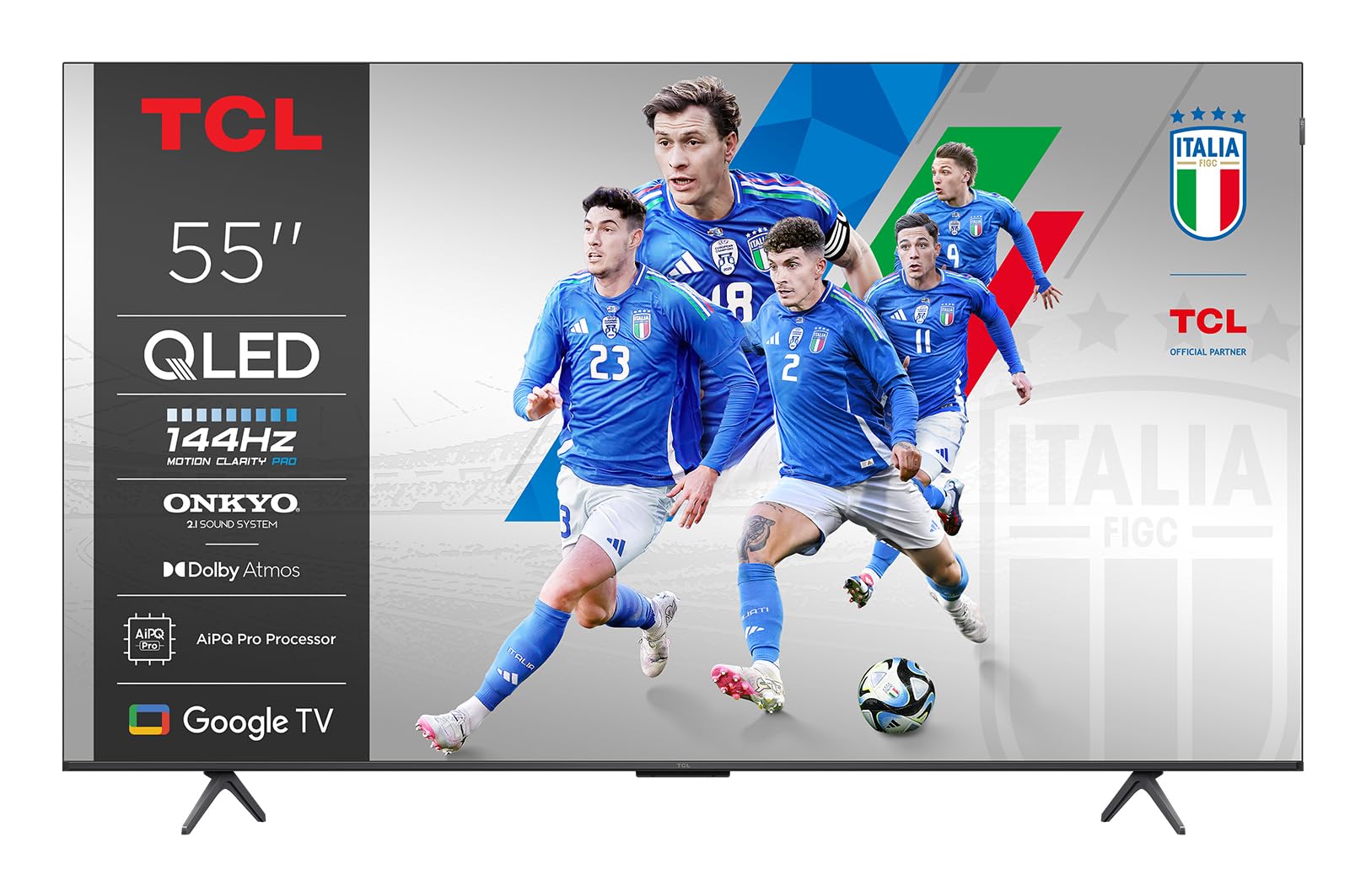
රූපය 1.1: ඉදිරිපස view of the TCL 55P89K 55-inch QLED 4K Google TV. This image displays the television's slim bezel design and central stand, highlighting its modern aesthetic.
2 ආරක්ෂිත තොරතුරු
ගින්න, විදුලි කම්පනය හෝ තුවාල වළක්වා ගැනීම සඳහා පහත සඳහන් ආරක්ෂක පියවරයන් සැමවිටම නිරීක්ෂණය කරන්න.
- බලශක්ති ප්රභවය: නිශ්චිත වෝල්ටීයතාවයේ AC බල අලෙවිසැලකට පමණක් රූපවාහිනිය සම්බන්ධ කරන්න.tage. විදුලි රැහැනට හානි සිදුවී නොමැති බව හෝ ඇණ ගසා නොමැති බව සහතික කර ගන්න.
- වාතාශ්රය: වාතාශ්රය විවරයන් අවහිර නොකරන්න. නිසි වායු ප්රවාහය සඳහා රූපවාහිනිය වටා ප්රමාණවත් ඉඩක් ලබා දෙන්න.
- ජලය සහ තෙතමනය: රූපවාහිනිය වැස්සට හෝ තෙතමනයට නිරාවරණය නොකරන්න. බඳුන් වැනි ද්රව වලින් පිරුණු වස්තූන් රූපවාහිනිය මත තබන්න එපා.
- තාපය: රේඩියේටර්, තාප රෙජිස්ටර්, උදුන් හෝ වෙනත් උපකරණ (ඇතුළුව) වැනි තාප ප්රභවයන්ගෙන් රූපවාහිනිය ඈත් කර තබන්න. ampලිෆයර්) තාපය නිපදවන.
- පිරිසිදු කිරීම: පිරිසිදු කිරීමට පෙර බිත්ති අලෙවිසැලෙන් රූපවාහිනිය විසන්ධි කරන්න. මෘදු, වියළි රෙද්දක් භාවිතා කරන්න. දියර පිරිසිදු කරන්නන් හෝ එයරොසෝල් පිරිසිදු කරන්නන් භාවිතා නොකරන්න.
- සවි කිරීම: When mounting the TV on a wall, ensure the wall mount is compatible with the TV's weight and VESA standards. Follow the wall mount manufacturer's instructions carefully.
- දරුවන්: Do not allow children to climb on the TV or stand. Ensure the TV is securely installed to prevent tipping.
3. පැකේජ අන්තර්ගතය
Before setting up your new television, please check the box for the following items:
- TCL 55P89K 55-inch QLED 4K Google TV
- දුරස්ථ පාලකය
- විදුලි රැහැන්
- රූපවාහිනී නැවතුම්පොළ (කෑලි 2)
- රූපවාහිනී නැවතුම්පළ සඳහා ඉස්කුරුප්පු
- ඉක්මන් ආරම්භක මාර්ගෝපදේශය
- වගකීම් කාඩ්පත
Note: The actual contents may vary slightly depending on the region. Please refer to the packaging for exact details.
රූපය 3.1: Illustration of typical package contents for the TCL 55P89K TV. This image would typically show the TV, remote control, power cord, and stand components laid out.
4. පිහිටුවීම
4.1 රූපවාහිනී නැවතුම සවි කිරීම
- Place the TV face-down on a soft, flat surface (e.g., a blanket or foam) to prevent screen damage.
- රූපවාහිනියේ පතුලේ ඇති අනුරූප තව් සමඟ එක් එක් ස්ටෑන්ඩ් කැබැල්ල පෙළගස්වන්න.
- සපයා ඇති ඉස්කුරුප්පු වලින් සෑම ස්ථාවර කැබැල්ලක්ම සුරක්ෂිත කරන්න. ඒවා තදින් තද කර ඇති බවට සහතික වන්න.
රූපය 4.1: Diagram illustrating the process of attaching the stand to the TCL 55P89K television. This image would show the stand pieces being screwed into the TV's base.
4.2 බිත්ති සවි කිරීම (විකල්ප)
The TCL 55P89K is compatible with VESA wall mounts. Refer to your wall mount's instructions for installation. Ensure the wall mount can support the TV's weight of approximately 14.8 kg (32.6 lbs).
- Remove the TV stand if already attached.
- Attach the wall mount bracket to the TV's VESA mounting holes on the back.
- Mount the TV to the wall according to the wall mount manufacturer's instructions.
4.3 සම්බන්ධක පර්යන්ත
සුදුසු තොටවල් භාවිතයෙන් ඔබේ බාහිර උපාංග රූපවාහිනියට සම්බන්ධ කරන්න.
- HDMI: Blu-ray වාදකයන්, ක්රීඩා කොන්සෝල, කේබල්/චන්ද්රිකා පෙට්ටි සඳහා.
- USB: For USB drives to play media or connect accessories.
- බලය: විදුලි රැහැන රූපවාහිනියේ බල ආදානයට සම්බන්ධ කර පසුව බිත්ති අලෙවිසැලකට සම්බන්ධ කරන්න.
රූපය 4.2: සමීප රූපය view of the rear connection ports on the TCL 55P89K TV, showing HDMI, USB, and power input locations.
4.4 මූලික බල සක්රිය කිරීම සහ පළමු වරට සැකසීම
- රූපවාහිනිය විදුලිබල පද්ධතියකට සම්බන්ධ කරන්න.
- දුරස්ථ පාලකයේ හෝ රූපවාහිනියේ බල බොත්තම ඔබන්න.
- භාෂා තේරීම, ජාල සම්බන්ධතාවය (Wi-Fi) සහ Google ගිණුම් පුරනය ඇතුළුව මූලික සැකසුම සම්පූර්ණ කිරීමට තිරයේ ඇති උපදෙස් අනුගමනය කරන්න.
5. ක්රියාත්මක වීම
5.1 දුරස්ථ පාලකය අවසන්view
දුරස්ථ පාලකය ඔබට රූපවාහිනියේ විශේෂාංග සැරිසැරීමට ඉඩ සලසයි. බොත්තම් සමඟ ඔබව හුරු කරවන්න:
- බලය: රූපවාහිනිය ක්රියාත්මක හෝ අක්රිය කරයි.
- Google සහායක: හඬ විධාන සක්රිය කරයි.
- සංචාලන පෑඩ් (ඉහළ/පහළ/වම/දකුණ/හරි): මෙනු සංචාලනය කර අයිතම තෝරා ගනී.
- ආපසු: පෙර තිරය වෙත නැවත පැමිණේ.
- මුල් පිටුව: Google TV මුල් තිරයට ප්රවේශ වේ.
- වෙළුම +/-: පරිමාව සකස් කරයි.
- නාලිකාව +/-: රූපවාහිනී නාලිකා වෙනස් කරනවා.
- ආදානය: ආදාන මූලාශ්ර තෝරයි (HDMI 1, HDMI 2, ආදිය).
- යෙදුම් බොත්තම්: ජනප්රිය ප්රවාහ සේවා වෙත සෘජු ප්රවේශය (උදා: Netflix, YouTube).
රූපය 5.1: Layout of the TCL 55P89K remote control, indicating key buttons and their functions.
5.2 ගූගල් ටීවී අතුරුමුහුණත් සංචාලනය
The Google TV interface organizes your content from various apps and subscriptions. Use the navigation pad and OK button on your remote to browse:
- මුල් තිරය: Displays personalized recommendations, recently watched content, and installed apps.
- යෙදුම්: Access the Google Play Store to download and manage applications like Netflix, YouTube, and Google Play Movies & TV.
- පුස්තකාලය: ඔබ මිලදී ගත් චිත්රපට සහ සංදර්ශන සොයා ගන්න.
- සොයන්න: Use the search function or Google Assistant for voice search to find content across all your services.
5.3 සම්බන්ධතා විශේෂාංග
- Wifi: Connect to your home wireless network for internet access and streaming. Navigate to සැකසීම් > ජාලය සහ අන්තර්ජාලය වින්යාස කිරීමට.
- බ්ලූටූත්: Pair Bluetooth devices such as headphones, soundbars, or game controllers. Go to Settings > Remotes & Accessories බ්ලූටූත් සම්බන්ධතා කළමනාකරණය කිරීමට.
- Chromecast බිල්ට්: Cast content from your compatible mobile devices or computer directly to the TV.
6. නඩත්තු කිරීම
6.1 රූපවාහිනිය පිරිසිදු කිරීම
- පිරිසිදු කිරීමට පෙර සෑම විටම රූපවාහිනිය විසන්ධි කරන්න.
- තිරය සහ කැබිනට්ටුව පිස දැමීමට මෘදු, වියලි, ලින්ට් රහිත රෙද්දක් භාවිතා කරන්න.
- තිරය මත ඇති මුරණ්ඩු සලකුණු සඳහා, සැහැල්ලුවෙන් dampen the cloth with water or a specialized screen cleaner (ensure it's safe for QLED displays) and wipe gently. Do not spray liquid directly onto the screen.
- උල්ෙල්ඛ පිරිසිදු කරන්නන්, ඉටි හෝ ද්රාවක භාවිතා කිරීමෙන් වළකින්න.
6.2 මෘදුකාංග යාවත්කාලීන
Your TCL Google TV may receive software updates to improve performance and add new features. Ensure your TV is connected to the internet. Updates are typically downloaded and installed automatically. You can manually check for updates by going to සැකසීම් > පද්ධතිය > ගැන > පද්ධති යාවත්කාලීන කිරීම.
7. දෝශ නිරාකරණය
ඔබේ රූපවාහිනිය සමඟ ගැටළු ඇති වුවහොත්, පහත පොදු ගැටළු සහ විසඳුම් වෙත යොමු වන්න:
| ගැටලුව | හැකි විසඳුම |
|---|---|
| බලය නැත | Ensure the power cord is securely plugged into both the TV and a working wall outlet. Try a different outlet. Check if the power indicator light is on. |
| පින්තූරයක් නැත, නමුත් ශබ්දය පවතී | ආදාන මූලාශ්රය පරීක්ෂා කරන්න. ආදානය මූලාශ්ර හරහා චක්රීය කිරීමට දුරස්ථ පාලකයේ බොත්තම ඔබන්න. බාහිර උපාංග බලගන්වා නිවැරදිව සම්බන්ධ කර ඇති බවට වග බලා ගන්න. |
| ශබ්දයක් නැත, නමුත් පින්තූරය තිබේ | Check the volume level. Ensure the TV is not muted. Check audio cables for external sound systems. If using an external sound system, ensure the TV's audio output is correctly configured in settings. |
| දුරස්ථ පාලකය ක්රියා නොකරයි | Replace the batteries. Ensure there are no obstructions between the remote and the TV's IR sensor. Re-pair the Bluetooth remote if applicable (refer to the remote's specific instructions). |
| Wi-Fi වෙත සම්බන්ධ විය නොහැක | Ensure your router is on and working. Check the Wi-Fi password. Try restarting your router and the TV. Go to සැකසීම් > ජාලය සහ අන්තර්ජාලය to re-scan for networks. |
| පින්තූරය විකෘති වී හෝ නොපැහැදිලි වී ඇත. | Check the resolution settings of the input source. Ensure the cables are securely connected. Try adjusting picture settings in the TV menu. |
For more detailed troubleshooting, please refer to the full user manual available on the TCL support webඅඩවිය.
8. පිරිවිතර
| විශේෂාංගය | පිරිවිතර |
|---|---|
| මාදිලියේ නම | 55P89K |
| තිර ප්රමාණය | අඟල් 55 |
| සංදර්ශක තාක්ෂණය | QLED |
| විභේදනය | 4K Ultra HD (3840 x 2160) |
| Refresh Rate | 120 Hz |
| මෙහෙයුම් පද්ධතිය | Google TV |
| HDR සහාය | HDR, Dolby Vision |
| සම්බන්ධතාවය | Wi-Fi, Bluetooth, HDMI, USB |
| ශ්රව්ය ප්රතිදානය | 5.1 or 7.1 Surround Sound Channel Configuration (via external system) |
| බර (නිෂ්පාදන) | 14.8 kg (දළ වශයෙන් රාත්තල් 32.6) |
| සවිකිරීමේ අනුකූලතාව | බිත්ති සවිකිරීම (VESA අනුකූල) |
| සහාය දක්වන අන්තර්ජාල සේවා | Netflix, YouTube, Google Play Movies & TV |
9. වගකීම් සහ සහාය
වගකීම් තොරතුරු: Your TCL 55P89K television comes with a limited manufacturer's warranty. Please refer to the warranty card included in your package for specific terms, conditions, and duration applicable to your region. Keep your proof of purchase for warranty claims.
පාරිභෝගික සහාය: For technical assistance, troubleshooting beyond this manual, or warranty service, please contact TCL Customer Support. You can find contact information (phone numbers, email, or live chat) on the official TCL webඔබේ රට හෝ කලාපය සඳහා වෙබ් අඩවිය.
සබැඳි සම්පත්: Visit the official TCL support website for updated manuals, FAQs, software downloads, and additional support resources. www.tcl.com/global/en/support