1. හැඳින්වීම
Thank you for choosing the Baseus Qi2 Certified 15W Wireless Magnetic Power Bank. This device is designed to provide convenient and efficient charging for your compatible mobile devices, featuring both wireless and wired charging capabilities. Please read this manual thoroughly before use to ensure proper operation and to maximize the product's lifespan.

Image 1.1: The Baseus Qi2 Certified 15W Wireless Magnetic Power Bank.
2. නිෂ්පාදන අවසන්view
2.1 පැකේජයේ අන්තර්ගතය
- Baseus Qi2 Certified 15W Wireless Magnetic Power Bank (10000mAh)
- USB-C සිට USB-C ආරෝපණ කේබලය
- පරිශීලක අත්පොත
2.2 ප්රධාන ලක්ෂණ
- Qi2 Certified Wireless Charging: Provides up to 15W wireless charging for compatible devices.
- High-Speed Wired Charging: Features a USB-C port with up to 22.5W Power Delivery (PD) output.
- චුම්බක ඇමුණුම: Strong magnetic connection compatible with MagSafe-enabled devices (iPhone 12-17 series).
- 10000mAh ධාරිතාව: Offers substantial power for multiple charges.
- උසස් ආරක්ෂණ විශේෂාංග: Equipped with AI temperature monitoring and graphene for enhanced heat dissipation, preventing overheating.
- සංයුක්ත සහ අතේ ගෙන යා හැකි නිර්මාණය: සිහින් ගැතිfile පහසු රැගෙන යාම සඳහා.
- ආරෝපණය කිරීම: Allows simultaneous charging of the power bank and a connected device.
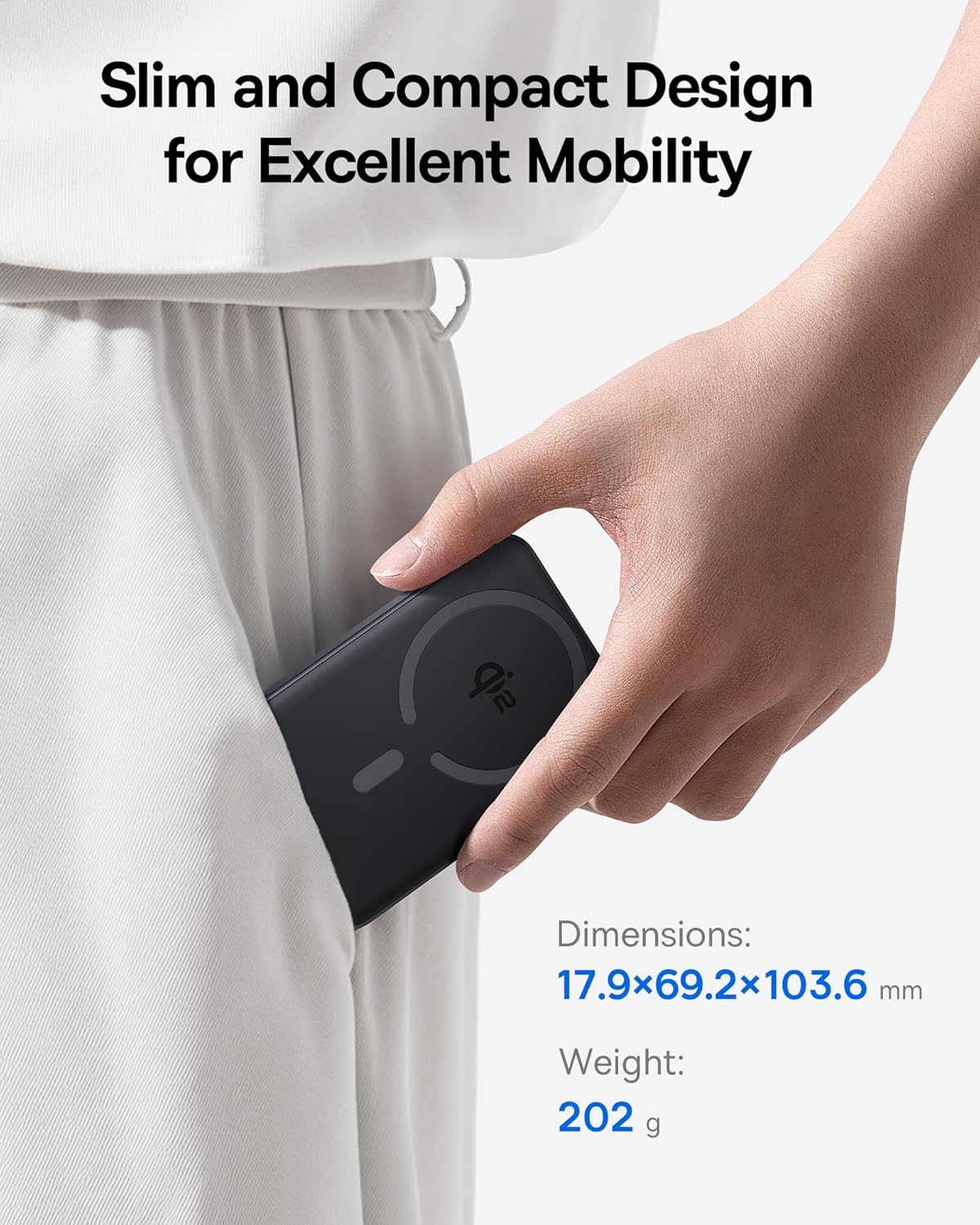
Image 2.1: The power bank's compact design allows for easy portability.
3. පිහිටුවීම
3.1 මූලික ගාස්තුව
- පළමු භාවිතයට පෙර, බලශක්ති බැංකුව සම්පූර්ණයෙන්ම ආරෝපණය කරන්න.
- සපයා ඇති USB-C කේබලය බලශක්ති බැංකුවේ USB-C තොටට සම්බන්ධ කරන්න.
- USB-C කේබලයේ අනෙක් කෙළවර අනුකූල USB බල ඇඩැප්ටරයකට සම්බන්ධ කරන්න (ඇතුළත් කර නැත).
- The LED indicators on the power bank will illuminate to show the charging status. All LEDs will be solid when fully charged.
4. මෙහෙයුම් උපදෙස්
4.1 බලශක්ති බැංකුව ආරෝපණය කිරීම
To recharge the power bank, use the included USB-C cable and connect it to a power source. The power bank supports fast input charging.
4.2 ඔබගේ උපාංගය රැහැන් රහිතව ආරෝපණය කිරීම
- Ensure your device is compatible with MagSafe or Qi2 wireless charging (e.g., iPhone 12-17 series).
- Align the back of your compatible device with the magnetic charging area of the power bank. The magnets will snap into place, securing the connection.
- Wireless charging will begin automatically. The power bank does not require a power button for wireless charging.

Image 4.1: Wireless charging in progress, demonstrating the magnetic connection.

Image 4.2: Magnetic attachment for effortless charging.
4.3 Wired Charging Your Device
- USB-C කේබලයේ එක් කෙළවරක් විදුලිබල බැංකුවේ USB-C තොටට සම්බන්ධ කරන්න.
- USB-C කේබලයේ අනෙක් කෙළවර ඔබගේ උපාංගයේ ආරෝපණ තොටට සම්බන්ධ කරන්න.
- බලශක්ති බැංකුව සම්බන්ධිත උපාංගය ස්වයංක්රීයව හඳුනාගෙන ආරෝපණය කිරීම ආරම්භ කරයි.
4.4 පාස්-ත්රූ ආරෝපණය
The power bank supports pass-through charging, allowing you to charge both the power bank and a connected device simultaneously. Connect the power bank to a wall adapter, and then connect your device to the power bank via either wireless or wired connection.

Image 4.3: The power bank supports both wired and wireless charging simultaneously.
4.5 විශ්වීය අනුකූලතාව

රූපය 4.4: අනුකූලතාව අවසන්view for wireless and wired charging.
5 ආරක්ෂිත තොරතුරු
ආරක්ෂිත ක්රියාකාරිත්වය සහතික කිරීමට සහ උපාංගයට හානි වීම හෝ තුවාල වීම වැළැක්වීමට, කරුණාකර පහත ආරක්ෂක මාර්ගෝපදේශ නිරීක්ෂණය කරන්න:
- බලශක්ති බැංකුව අධික උෂ්ණත්වයන්ට, සෘජු හිරු එළියට හෝ ගින්නට නිරාවරණය නොකරන්න.
- උපාංගය විසුරුවා හැරීම, වෙනස් කිරීම හෝ අලුත්වැඩියා නොකරන්න.
- බලශක්ති බැංකුව ජලය සහ අනෙකුත් දියර වලින් ඈත් කරන්න.
- උපාංගය ප්රබල බලපෑම්වලට වැටීමෙන් හෝ යටත් කිරීමෙන් වළකින්න.
- සහතික කළ ආරෝපණ කේබල් සහ ඇඩැප්ටර පමණක් භාවිතා කරන්න.
- දරුවන්ට ළඟා විය නොහැකි ලෙස තබා ගන්න.
- The power bank features multiple built-in protections, including over-voltagඊ, වෙළුම යටතේtage, overcharge, over-discharge, over-temperature, over-current, short circuit, recovery, and over-power protection.

Image 5.1: Advanced thermal management for safe charging.

Image 5.2: Comprehensive safety protections integrated into the power bank.
6. නඩත්තු කිරීම
Proper maintenance ensures the longevity and optimal performance of your power bank:
- මෘදු වියළි රෙද්දකින් උපාංගය පිරිසිදු කරන්න. උල්ෙල්ඛ පිරිසිදු කරන්නන් හෝ ද්රාවක භාවිතා නොකරන්න.
- බලශක්ති බැංකුව භාවිතා නොකරන විට සිසිල් වියළි ස්ථානයක ගබඩා කරන්න.
- If storing for extended periods, charge the power bank to approximately 50% every three months to maintain battery health.
7. දෝශ නිරාකරණය
7.1 උපාංගය රැහැන් රහිතව ආරෝපණය නොවේ
- ඔබගේ උපාංගය Qi2 හෝ MagSafe අනුකූල බව සහතික කර ගන්න.
- Check for proper alignment of your device on the power bank's charging surface.
- Remove any thick cases or metallic objects between your device and the power bank.
- Verify the power bank has sufficient charge.
7.2 උපාංගය USB-C හරහා ආරෝපණය නොවේ
- USB-C කේබලය බලශක්ති බැංකුවට සහ ඔබගේ උපාංගයට ආරක්ෂිතව සම්බන්ධ කර ඇති බවට වග බලා ගන්න.
- කේබල් අක්රියතාව බැහැර කිරීමට වෙනත් USB-C කේබලයක් භාවිතා කිරීමට උත්සාහ කරන්න.
- Verify the power bank has sufficient charge.
7.3 බලශක්ති බැංකුව නැවත ආරෝපණය නොකිරීම
- Ensure the USB-C cable is securely connected to the power bank and the wall adapter.
- Try a different wall adapter and/or USB-C cable.
- Ensure the wall adapter provides sufficient power output.
8. පිරිවිතර
| ආදර්ශ අංකය | E00285 |
| බැටරි ධාරිතාව | 10000mAh (3.7V/37Wh) |
| USB-C ආදානය | 5V=3A; 9V=2.22A |
| USB-C ප්රතිදානය | 5V=3A; 9V=2.22A; 12V=1.5A; 10V=2.25A (Max 22.5W) |
| රැහැන් රහිත ප්රතිදානය | 5W/7.5W/15W (Max 15W) |
| සම්පූර්ණ ප්රතිදානය | 5V=3A |
| නිෂ්පාදන මානයන් | 4.6 x 2.7 x 0.7 අඟල් (17.9 x 69.2 x 103.6 මි.මී.) |
| අයිතමයේ බර | අවුන්ස 8.8 (ග්රෑම් 202) |
| වර්ණය | Black (also available in Moon White, Baby Pink) |
9. වගකීම් සහ සහාය
Baseus products are designed and manufactured to the highest quality standards. This product is covered by a limited warranty from the date of purchase. For detailed warranty information, product support, or to register your product, please visit the official Baseus webවෙබ් අඩවිය හෝ ඔවුන්ගේ පාරිභෝගික සේවාව අමතන්න.
වගකීම් හිමිකම් සඳහා කරුණාකර ඔබගේ මිලදී ගැනීමේ සාක්ෂි තබා ගන්න.


