1. හැඳින්වීම
This manual provides essential information for setting up, operating, maintaining, and troubleshooting your Roku Smart TV 2025 – 24-Inch Select Series 720p HD TV. Please read these instructions carefully before using your television.
The Roku Select Series HD TV offers a streamlined entertainment experience. It features bright HD picture quality, auto speech clarity, and a night mode. Access free live television directly from the home screen and utilize the voice remote for content discovery across various applications. This television is suitable for various rooms including bedrooms, living rooms, kitchens, or children's rooms.
2. පෙට්ටියේ ඇති දේ
ඇසුරුම්කරණයේ සියලුම සංරචක ඇති බව තහවුරු කර ගන්න:
- Roku Select Series 24" HD TV
- ස්ටෑන්ඩ් සහ ඉස්කුරුප්පු
- Roku Voice Remote with batteries
- ඉක්මන් ආරම්භක මාර්ගෝපදේශය

Image: The Roku Select Series TV box contents, showing the television, remote, and stand components.
3. පිහිටුවීම
3.1 රූපවාහිනී ස්ටෑන්ඩ් සවි කිරීම
- සීරීම් වළක්වා ගැනීම සඳහා රූපවාහිනී තිරය මෘදු, පිරිසිදු මතුපිටක් මත ප්රවේශමෙන් තබන්න.
- රූපවාහිනියේ පතුලේ ඇති අනුරූප ඉස්කුරුප්පු සිදුරු සමඟ එක් එක් ස්ථාවරය පෙළගස්වන්න.
- සපයා ඇති ඉස්කුරුප්පු භාවිතයෙන් ස්ටෑන්ඩ් සුරක්ෂිත කරන්න. ඒවා තදින් තද කර ඇති බවට සහතික වන්න.
3.2 සම්බන්ධක පර්යන්ත
Your Roku TV includes multiple ports for connecting external devices:
- HDMI වරාය: Connect devices such as cable boxes, gaming consoles, or Blu-ray players. The HDMI 1 (ARC) port supports Audio Return Channel for simplified audio connections.
- USB Port: USB ධාවකයකින් හෝ අනුකූල උපාංග බල ගැන්වීමෙන් මාධ්ය නැවත ධාවනය සඳහා.
- ඇන්ටෙනා/කේබල් ආදානය: ගුවන් විකාශන සඳහා ඇන්ටෙනාවක් හෝ කේබල් රූපවාහිනී සම්බන්ධතාවයක් සම්බන්ධ කරන්න.
- දෘශ්ය ශ්රව්ය ප්රතිදානය: ශබ්ද තීරුවකට හෝ ශ්රව්ය ග්රාහකයකට සම්බන්ධ කිරීම සඳහා.
- AV ආදානය: සංයුක්ත වීඩියෝ සහ ස්ටීරියෝ ශ්රව්ය කේබල් භාවිතයෙන් පැරණි උපාංග සම්බන්ධ කිරීම සඳහා.

Image: Close-up of the back of the Roku TV, highlighting the HDMI, USB, optical, and AV input ports.
3.3 මූලික බල-සක්රියතාවය සහ ජාල සම්බන්ධතාවය
- විදුලි රැහැන රූපවාහිනියට සම්බන්ධ කර පසුව බිත්ති අලෙවිසැලකට සම්බන්ධ කරන්න.
- Insert the included AAA batteries into the voice remote.
- රූපවාහිනිය ක්රියාත්මක කිරීමට දුරස්ථ පාලකයේ බල බොත්තම ඔබන්න.
- Follow the on-screen instructions to select your language, connect to your Wi-Fi network, and activate your Roku account.
4. Operating Your Roku TV
4.1 හඬ දුරස්ථ පාලකය භාවිතා කිරීම
The Roku Voice Remote simplifies navigation and content search. It features dedicated buttons for popular streaming services and voice control capabilities.
- හඬ බොත්තම: Press and hold to speak commands for searching content, launching apps, or controlling playback.
- සංචලන පෑඩ්: Use the directional arrows and OK button to move through menus and select items.
- යෙදුම් කෙටිමං: Dedicated buttons provide quick access to services like Netflix, Disney+, and Prime Video.
- ශබ්ද පාලනය: Adjust TV volume directly from the remote.
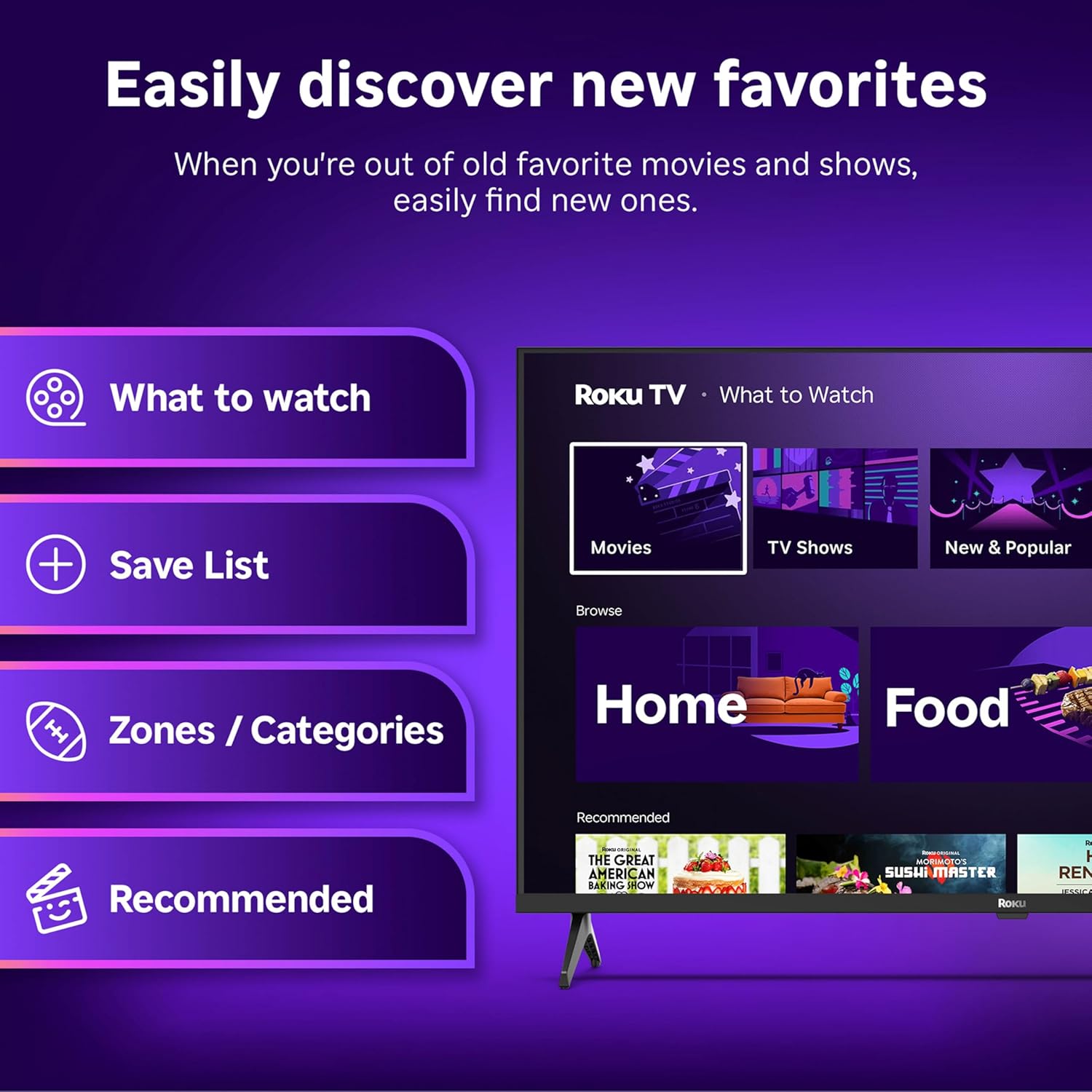
Image: The Roku Voice Remote, showing its layout and key functions.
4.2 Streaming and App Navigation
The Roku TV home screen provides quick access to all your streaming channels and inputs. You can customize the order of your apps for personalized access.
- මුල් තිරය: Displays your installed apps, recommended content, and TV inputs.
- ප්රවාහ වෙළඳසැල: Browse and add new streaming channels.
- සජීවී රූපවාහිනිය: Access free live television channels directly from the home screen.
- සොයන්න: Use the search function or voice remote to find movies, shows, actors, or directors across various services.

Image: The Roku TV user interface, showing the home screen with app tiles and menu options.
4.3 පින්තූර සහ ශබ්ද සැකසුම්
Your Roku TV features Smart Picture technology to optimize viewing and offers enhanced audio features.
- Smart Picture: Automatically adjusts picture settings based on the content being viewed (e.g., movie, sports, vivid, standard).
- Audio Clarity: Designed for clear speech and louder sound.
- බ්ලූටූත් හෙඩ්ෆෝන් මාදිලිය: පුද්ගලික සවන්දීම සඳහා ඔබේ රැහැන් රහිත හෙඩ්ෆෝන් සම්බන්ධ කරන්න.

Image: A vibrant nature scene displayed on the Roku TV, demonstrating the clear picture quality.
4.4 ස්මාර්ට් නිවාස ඒකාබද්ධ කිරීම
The Roku TV integrates with various smart home ecosystems for convenient voice control and content sharing.
- හඬ පාලනය: Compatible with Roku Voice, Siri, Alexa, and Google Assistant for hands-free operation.
- Apple AirPlay: Effortlessly share videos, photos, and music from your Apple devices to your TV.

Image: A Roku TV screen with a smart speaker nearby, illustrating voice control integration with smart home systems.
5. නඩත්තු කිරීම
5.1 ඔබේ රූපවාහිනිය පිරිසිදු කිරීම
- පිරිසිදු කිරීමට පෙර සෑම විටම රූපවාහිනිය විසන්ධි කරන්න.
- තිරය සහ කැබිනට්ටුව මෘදු ලෙස පිස දැමීමට මෘදු, ලින්ට් රහිත රෙද්දක් භාවිතා කරන්න.
- මුරණ්ඩු සලකුණු සඳහා, සැහැල්ලුවෙන් dampරෙදි කැබැල්ල වතුරෙන් හෝ මෘදු, උල්ෙල්ඛ නොවන තිර පිරිසිදු කරන්නෙකුගෙන් ආවරණය කරන්න. කිසි විටෙකත් පිරිසිදුකාරකය කෙලින්ම තිරය මත ඉසින්න එපා.
- සැර රසායනික ද්රව්ය, උල්ෙල්ඛ පෑඩ් හෝ ද්රාවක භාවිතා කිරීමෙන් වළකින්න.
5.2 මෘදුකාංග යාවත්කාලීන
Your Roku TV receives automatic software updates to provide new features and improve performance. Ensure your TV is connected to the internet to receive these updates.
6. දෝශ නිරාකරණය
If you encounter issues with your Roku TV, try the following basic troubleshooting steps:
- බලය නැත: රූපවාහිනියට සහ ක්රියා කරන විදුලි අලෙවිසැලකට බල කේබලය ආරක්ෂිතව සම්බන්ධ කර ඇති බවට වග බලා ගන්න. වෙනත් අලෙවිසැලක් උත්සාහ කරන්න.
- පින්තූරයක්/ශබ්දයක් නැත: නිවැරදි ආදාන මූලාශ්රය තෝරාගෙන ඇති බව තහවුරු කරන්න. සියලුම කේබල් සම්බන්ධතා (HDMI, AV, ආදිය) ආරක්ෂිත දැයි පරීක්ෂා කරන්න.
- දුරස්ථ පාලකය ප්රතිචාර නොදක්වයි: දුරස්ථ පාලකයේ බැටරි මාරු කරන්න. දුරස්ථ පාලකය සහ රූපවාහිනිය අතර කිසිදු බාධාවක් නොමැති බවට වග බලා ගන්න.
- ජාල සම්බන්ධතා ගැටළු: Restart your Wi-Fi router. Go to the TV's network settings to reconnect to your Wi-Fi.
- යෙදුම පූරණය නොවේ: Try restarting the app. If the issue persists, remove the app and reinstall it from the Streaming Store.
- කර්මාන්තශාලා යළි පිහිටුවීම: As a last resort, a factory reset can resolve many software issues. This will erase all personal settings and installed apps. Access this option through the TV's Settings menu.
7. පිරිවිතර
| විශේෂාංගය | පිරිවිතර |
|---|---|
| වෙළඳ නාමය | රොකු |
| ආදර්ශ අංකය | 24R2D5 |
| තිර ප්රමාණය | අඟල් 24 |
| සංදර්ශක තාක්ෂණය | LED |
| විභේදනය | 720p |
| Refresh Rate | 60 Hz |
| දර්ශන අනුපාතය | 16:9 |
| සම්බන්ධතා තාක්ෂණය | බ්ලූටූත්, වයි-ෆයි |
| විශේෂ ලක්ෂණ | Bluetooth Headphone Mode, Dolby Audio, Voice Remote |
| අයිතමයේ බර | පවුම් 5.7ක් |
| නිෂ්පාදන මානයන් | අඟල් 7 x 21.1 x 14.3 |
| අවශ්ය බැටරි | AAA බැටරි 2ක් (දුරස්ථ පාලකය සඳහා) |
8. වගකීම් සහ සහාය
For warranty information and technical support, please refer to the documentation included with your product or visit the official Roku support webඅඩවිය. වගකීම් හිමිකම් සඳහා ඔබේ මිලදී ගැනීමේ රිසිට්පත තබා ගන්න.
Roku offers various support resources, including online FAQs, troubleshooting guides, and customer service contact options.


