හැඳින්වීම
This manual provides detailed instructions for the safe and efficient operation of your CLOKOWE Mini Projector. Please read this manual thoroughly before using the product and retain it for future reference. The CLOKOWE Mini Projector is a portable device designed for versatile projection, featuring built-in streaming apps, Wi-Fi 6, Bluetooth 5.2, 180° rotation, and automatic keystone correction.

Image: The CLOKOWE Mini Projector, a compact white cylindrical device with a lens, shown projecting content onto a curved screen displaying various streaming app logos and a movie scene.
පෙට්ටියේ ඇති දේ
ඇසුරුම් ඉවත් කිරීමේදී සියලුම අයිතම තිබෙන බව තහවුරු කරගන්න:
- CLOKOWE Mini Projector (Model: HY300PRO+)
- විදුලි රැහැන්
- HDMI කේබලය
- දුරස්ථ පාලකය
- පරිශීලක අත්පොත (මෙම ලේඛනය)
නිෂ්පාදන විශේෂාංග
The CLOKOWE Mini Projector offers a range of features for enhanced viewing experiences:
- බිල්ට් ප්රවාහ යෙදුම්: Access platforms like YouTube, Disney+, and more directly via Wi-Fi.
- බහුකාර්ය සම්බන්ධතාවය: Supports wireless mirroring (iPhone, Android, tablet, laptop) and wired connections (HDMI, USB).
- 180° Rotatable Projection: The projector body can rotate 180° for flexible projection angles, including ceiling projection.
- ස්වයංක්රීය යතුරු ගල් නිවැරදි කිරීම: Ensures aligned visuals automatically.
- අතින් අවධානය: Allows for fine-tuning image clarity.
- Wi-Fi 6 සහ බ්ලූටූත් 5.2: Provides fast, stable wireless streaming and audio pairing with external speakers.
- අල්ට්රා අතේ ගෙන යා හැකි නිර්මාණය: Compact size (3.73 × 3.73 × 6.17 inches) and lightweight (0.77 lb).
- High Clarity Display: 8000 Lux brightness, supports 1080P display, with a 0.9:1 short throw ratio.
- Customizable Wallpapers: Upload personal background images via USB.
- ස්වයංක්රීය වසා දැමීමේ ටයිමරය: Set a timer for controlled usage.

Image: A visual representation of the projector's built-in app store, showing various streaming service icons like Netflix, YouTube, Spotify, and Prime Video on a projected screen.

Image: A family watching a movie projected onto the ceiling of a bedroom, demonstrating the 180° rotation feature for ceiling projection.
සැකසුම් මාර්ගෝපදේශය
1. Initial Placement and Power
- ප්රොජෙක්ටරය ස්ථාවර, පැතලි මතුපිටක් මත තබන්න.
- විදුලි රැහැන ප්රොජෙක්ටරයට සම්බන්ධ කර පසුව විදුලිබල අලෙවිසැලකට සම්බන්ධ කරන්න.
- එය ක්රියාත්මක කිරීමට ප්රොජෙක්ටරයේ හෝ දුරස්ථ පාලකයේ බල බොත්තම ඔබන්න.
2. Adjusting Projection Angle (180° Rotation)
The projector features a 180° rotatable body, allowing projection onto walls, screens, or ceilings without needing a tripod.
- Gently rotate the projector body to achieve the desired projection angle.
- Ensure the lens is facing the intended projection surface.
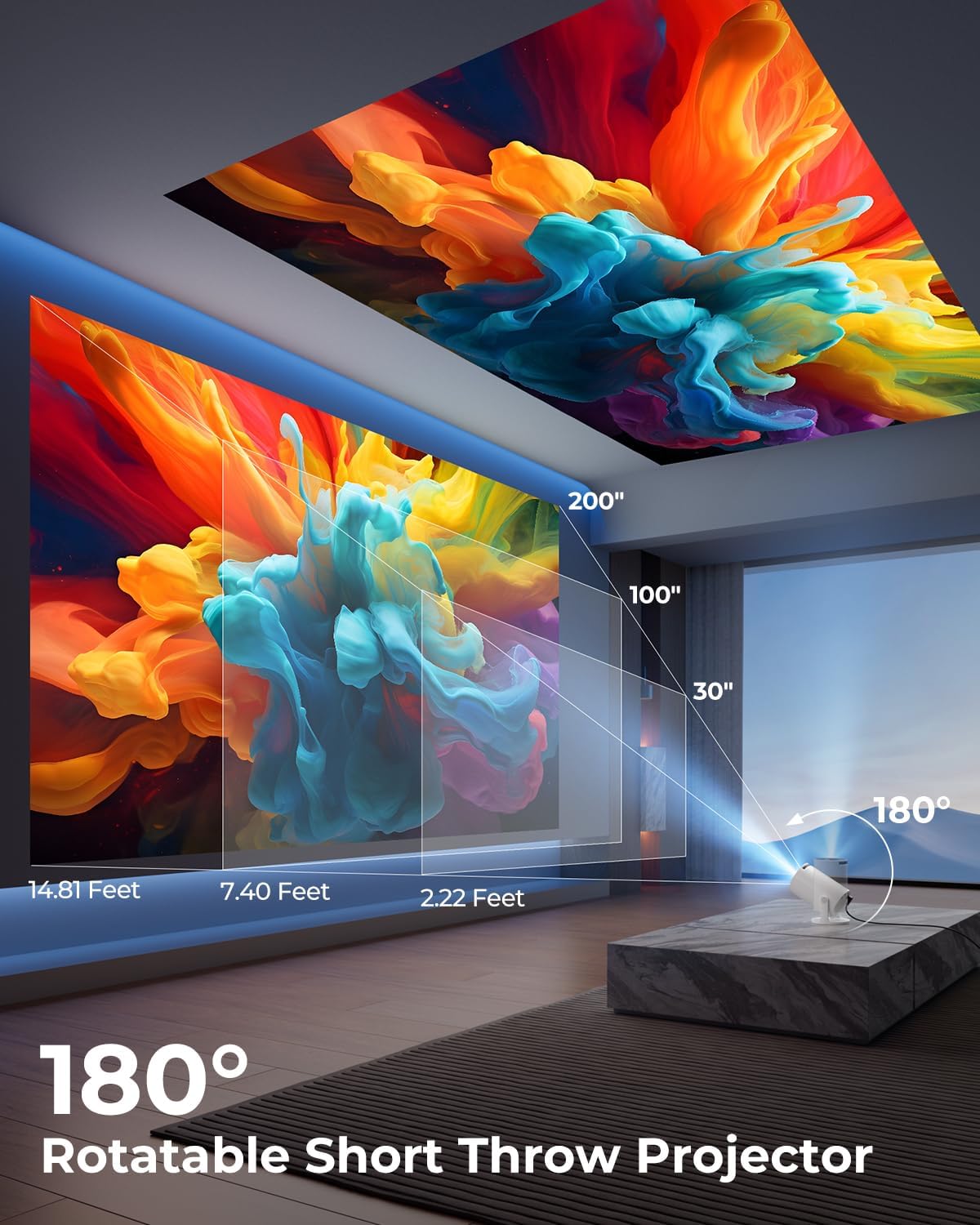
Image: A diagram illustrating the 180° rotation capability of the projector and various projection distances (30", 100", 200") with corresponding throw distances in feet.
3. අවධානය සහ කීස්ටෝන් නිවැරදි කිරීම
- ස්වයංක්රීය යතුරු ගල් නිවැරදි කිරීම: The projector will automatically adjust the image to be rectangular. If further adjustment is needed, navigate to the settings menu.
- අතින් අවධානය: Rotate the focus ring around the lens until the image appears sharp and clear.

Image: A projected image on a wall demonstrating automatic keystone correction and manual focus adjustments, with icons for ±45° Auto Keystone, Manual Focus, and 50%-100% Zoom.
4. ජාල සහ බ්ලූටූත් සම්බන්ධතාවය
- Wi-Fi සම්බන්ධතාවය:
- ප්රොජෙක්ටරයේ "සැකසීම්" මෙනුව වෙත සංචාලනය කරන්න.
- "ජාලය" හෝ "Wi-Fi සැකසුම්" තෝරන්න.
- Choose your Wi-Fi network from the list and enter the password. The projector supports Wi-Fi 6 (2.4G and 5G).
- බ්ලූටූත් සම්බන්ධතාවය:
- Go to "Settings" and select "Bluetooth".
- බ්ලූටූත් සබල කර පවතින උපාංග සොයන්න.
- යුගල කිරීමට ලැයිස්තුවෙන් ඔබේ බ්ලූටූත් ස්පීකරය හෝ හෙඩ්ෆෝන් තෝරන්න.

Image: A projected image showing Wi-Fi 6 and Bluetooth 5.2 connectivity, with a smartphone mirroring content to the projector and a soundbar connected via Bluetooth.
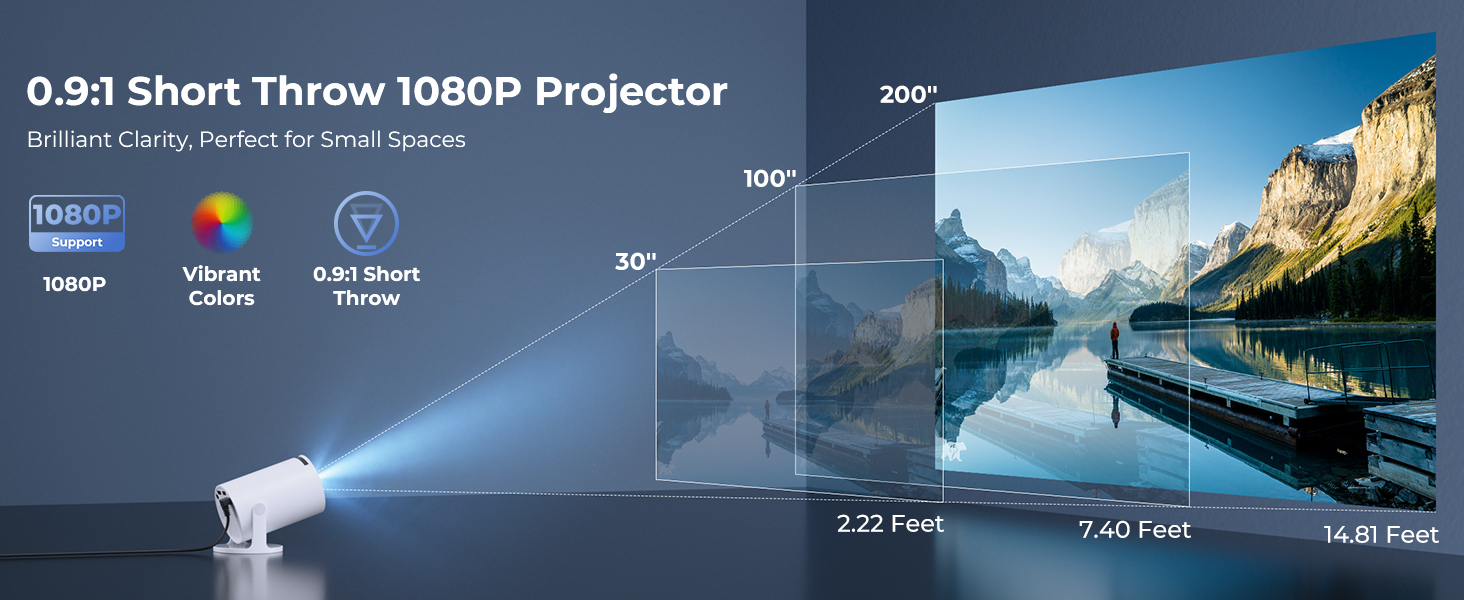
Image: A visual demonstrating Bluetooth 5.2 audio connection, showing the projector wirelessly paired with headphones and a portable speaker.
මෙහෙයුම් උපදෙස්
1. අතුරු මුහුණත සැරිසැරීම
- Use the provided remote control to navigate through menus and select options.
- Basic navigation buttons are also available on the projector unit.
2. Using Built-in Apps
- Once connected to Wi-Fi, access the main interface to find pre-installed streaming applications.
- Select an app (e.g., YouTube, Disney+) and log in with your credentials to start streaming.
3. Screen Mirroring
The projector supports wireless mirroring from compatible smartphones, tablets, and laptops.
- Ensure your device and the projector are connected to the same Wi-Fi network.
- Select the "Screen Mirroring" or "Wireless Display" option on the projector's menu.
- On your mobile device, activate its screen mirroring feature (e.g., AirPlay for iOS, Smart View for Android) and select the projector from the list of available devices.
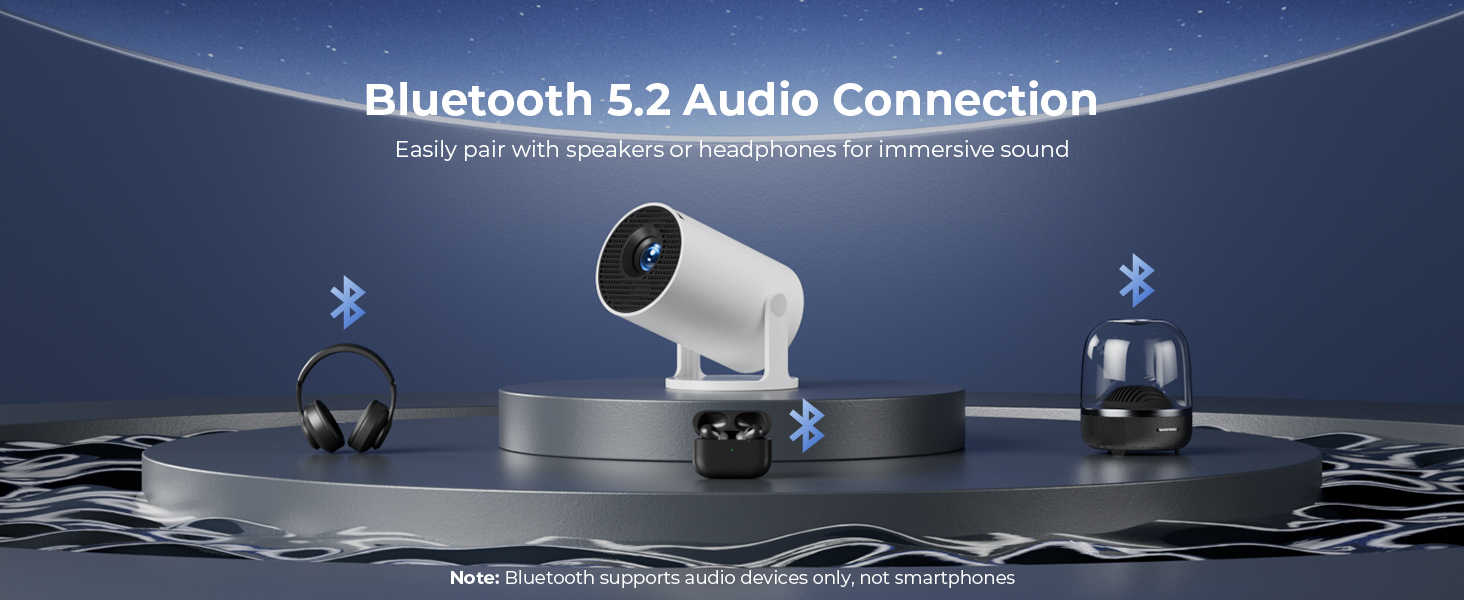
Image: A diagram illustrating Dual-Band Wi-Fi 6 connection for faster, smoother screen mirroring from various devices like smartphones, tablets, and laptops to the projector.
4. Wired Connections (HDMI/USB)
- Connect devices like game consoles, TV sticks, or computers using the HDMI port.
- මාධ්ය වාදනය කිරීමට USB තොට භාවිතා කරන්න files directly from a USB drive or to upload custom wallpapers.
- To select the input source, press the "Source" button on the remote control and choose HDMI or USB.
රූපය: සමීප ඡායාරූපයක් view of the projector's rear panel, highlighting the HDMI, USB, and power ports, along with an ON/OFF switch and manual focus ring.
5. Custom Wallpapers and Timer
- අභිරුචි බිතුපත්: Insert a USB drive containing your desired background images. Navigate to the settings to select and apply them.
- ස්වයංක්රීය වසා දැමීමේ ටයිමරය: Access the system settings to set a timer for the projector to automatically power off after a specified duration.
නඩත්තු කිරීම
- කාච පිරිසිදු කිරීම: දෘශ්ය කාච සඳහා විශේෂයෙන් නිර්මාණය කර ඇති මෘදු, ලින්ට් රහිත රෙද්දක් භාවිතා කරන්න. උල්ෙල්ඛ පිරිසිදු කරන්නන් හෝ ද්රාවක භාවිතා නොකරන්න.
- බාහිර පිරිසිදු කිරීම: Wipe the projector's exterior with a soft, dry cloth. For stubborn marks, lightly dampජලය සමග රෙදි en.
- වාතාශ්රය: අධික උනුසුම් වීම වැළැක්වීම සඳහා ප්රොජෙක්ටරයේ වාතාශ්රය විවරයන් අවහිර නොවන බවට වග බලා ගන්න.
- ගබඩා: දිගු කාලයක් භාවිතයේ නොමැති විට, ප්රොජෙක්ටරය සෘජු හිරු එළියෙන් සහ අධික උෂ්ණත්වයන්ගෙන් ඈත්ව සිසිල්, වියළි ස්ථානයක ගබඩා කරන්න.
දෝෂගවේෂණය
| ගැටලුව | විය හැකි හේතුව | විසඳුම |
|---|---|---|
| රූපයක් නැත හෝ නොපැහැදිලි රූපයක් | Incorrect focus; lens cap on; input source not selected; projector too far/close. | Adjust manual focus; remove lens cap; select correct input source; adjust projection distance. |
| රූපය ත්රපීසොයිඩ් හෝ විකෘති වී ඇත. | ප්රක්ෂේපකය තිරයට ලම්බක නොවේ. | Utilize automatic keystone correction or manually adjust in settings. Ensure projector is on a level surface. |
| ශබ්දය හෝ අඩු පරිමාවක් නොමැත | Volume too low; external audio device not connected/paired; projector's internal speaker off. | Increase volume on projector/source device; ensure Bluetooth speaker is paired; check audio settings. |
| දුරස්ථ පාලකය ප්රතිචාර නොදක්වයි | Batteries low/dead; obstruction between remote and projector; remote sensor blocked. | Replace batteries; ensure clear line of sight to projector's IR sensor. |
| Wi-Fi සම්බන්ධතා ගැටළු | වැරදි මුරපදය; පරාසයෙන් පිටත; ජාල බාධාව. | Re-enter password; move projector closer to router; restart router and projector. |
පිරිවිතර
| විශේෂාංගය | විස්තර |
|---|---|
| ආදර්ශ අංකය | HY300PRO+ |
| වෙළඳ නාමය | ClokoWe |
| නිෂ්පාදන මානයන් | අඟල් 3.73 x 6.17 x 3.73 |
| අයිතමයේ බර | රාත්තල් 1.61 (කිලෝ ග්රෑම් 0.73) |
| සංදර්ශක විභේදනය | 1280 x 720 (Supports 1080P) |
| දීප්තිය | 8000 ලක්ස් |
| සම්බන්ධතා තාක්ෂණය | Bluetooth 5.2, HDMI, USB, Wi-Fi 6 (2.4G & 5G) |
| විශේෂ ලක්ෂණ | Built-in Apps, Digital Keystone Correction, Short Throw (0.9:1), 50%-100% Zoom, 180° Rotatable Projection, Mini Portable Design |
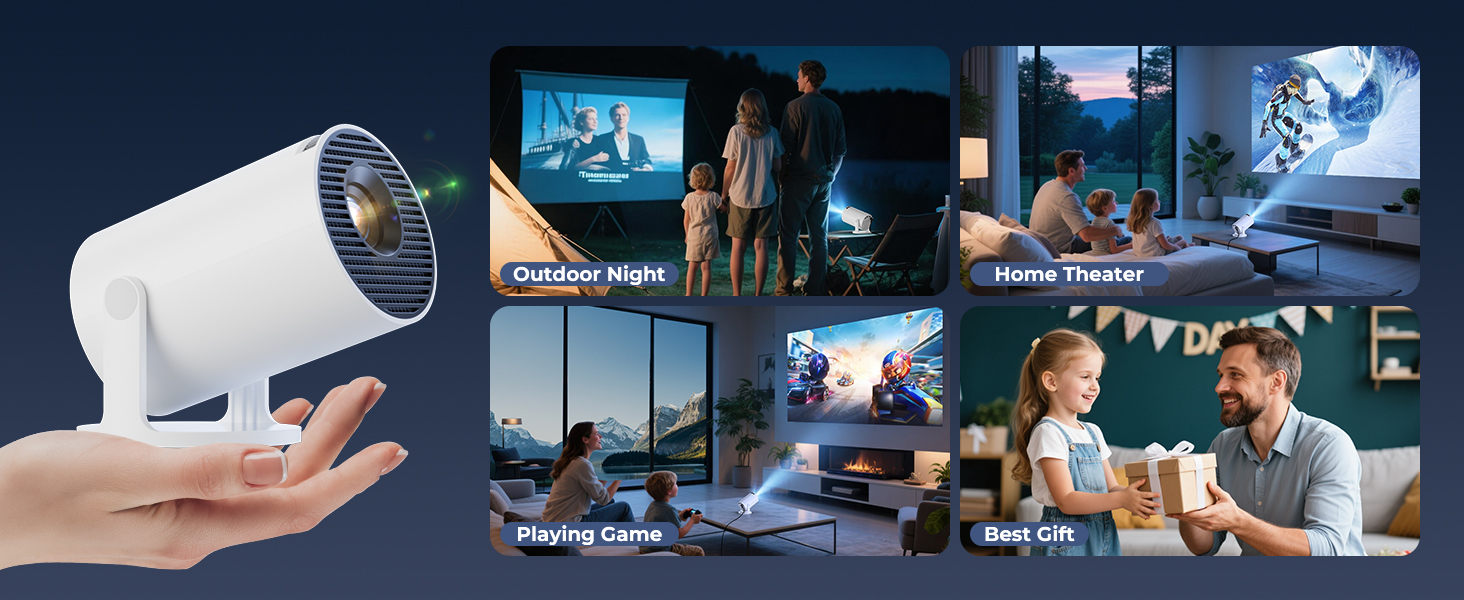
| නිර්දේශිත භාවිතයන් | Home Cinema, Gaming, Business, Education |
වගකීම් සහ සහාය
The CLOKOWE Mini Projector includes 2-years factory support. For technical assistance, troubleshooting, or warranty claims, please contact ClokoWe customer support through the retailer where the product was purchased or visit the official ClokoWe webසම්බන්ධතා තොරතුරු සඳහා අඩවිය.
වගකීම් වලංගු කිරීම සඳහා කරුණාකර ඔබගේ මිලදී ගැනීමේ සාක්ෂි තබා ගන්න.


