1. හැඳින්වීම
Thank you for choosing BUGANI Buds True Wireless Earbuds. This manual provides detailed instructions on how to set up, operate, and maintain your earbuds to ensure optimal performance and longevity. Please read this manual thoroughly before using the product.
2. පැකේජ අන්තර්ගතය
- 1 pair of BUGANI B09 True Wireless Earbuds
- 1 USB-C ආරෝපණ කේබලය
- 3 pairs of Eartips (S, M, L)
- 3 pairs of Silicone Ear Hooks (S, M, L)
- 1 පරිශීලක මාර්ගෝපදේශය
3. නිෂ්පාදන අවසන්view
Familiarize yourself with the components of your BUGANI Buds.
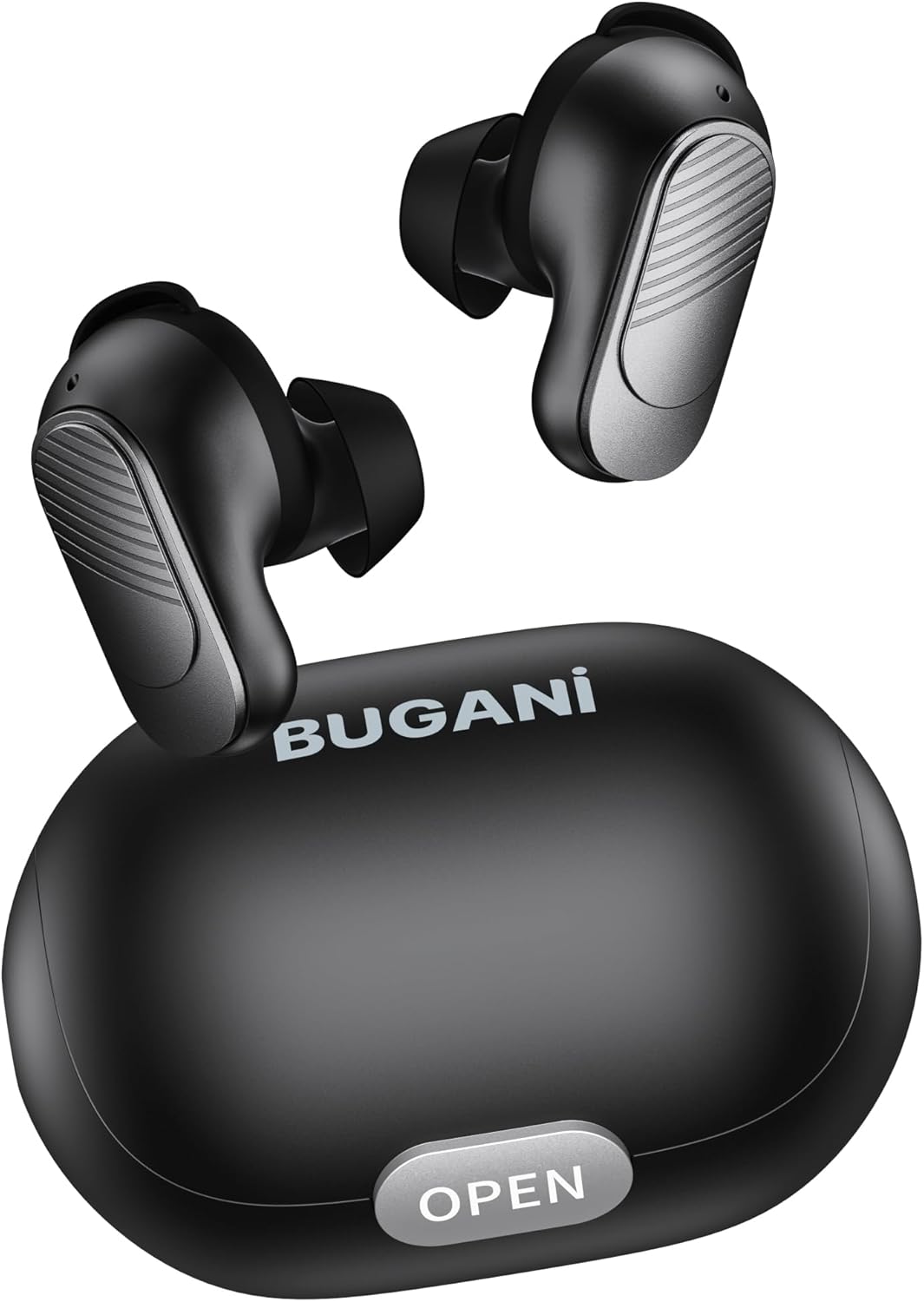
Image: BUGANI Buds True Wireless Earbuds with their charging case. The earbuds are black with silver accents, and the case is a sleek black oval shape with an "OPEN" button.

Image: An exploded diagram showing the internal components of a BUGANI Bud earbud, highlighting the driver and circuit board for enhanced sound quality.

Image: Illustration demonstrating the battery life of BUGANI Buds. It shows 6 hours of playback on a single charge and an additional 24 hours with the charging case, totaling 30 hours.

Image: A woman using BUGANI Buds during a phone call, with an inset showing the earbud and the "MIC" label, indicating the dual microphone for clear calls.

Image: A woman exercising while wearing BUGANI Buds, with an overlay showing the IPX6 water resistance icon, signifying protection against sweat and splashes.

Image: A woman wearing BUGANI Buds, with insets highlighting the lightweight design (3.9g) and the ergonomic fit with proper ear wingtips for comfort.
4. පිහිටුවීම
4.1 මූලික ආරෝපණය
Before first use, fully charge the earbuds and the charging case. Connect the USB-C charging cable to the charging port on the case and a power source. The indicator lights on the case will show charging status.
4.2 නිවැරදි කන් ඉඟි තෝරා ගැනීම
Select the eartips (S, M, L) and silicone ear hooks that provide the most comfortable and secure fit for your ears. A proper seal is crucial for optimal sound quality and noise isolation.
5. මෙහෙයුම් උපදෙස්
5.1 බලය සක්රිය / අක්රිය
- බල ගැන්වීම: ආරෝපණ පෙට්ටිය විවෘත කරන්න, එවිට ඉයර්බඩ් ස්වයංක්රීයව ක්රියාත්මක වේ.
- විදුලිය විසන්ධි කිරීම: ඉයර්බඩ් නැවත ආරෝපණ පෙට්ටියට දමා පියන වසා දමන්න. ඒවා ස්වයංක්රීයව ක්රියා විරහිත වී ආරෝපණය වීමට පටන් ගනී.
5.2 බ්ලූටූත් යුගල කිරීම
- ඉයර්බඩ් ආරෝපණ පෙට්ටියේ ඇති බවත් පියන විවෘතව ඇති බවත් සහතික කර ගන්න.
- ඔබගේ උපාංගයේ (ස්මාර්ට්ෆෝන්, ටැබ්ලටය, ආදිය), බ්ලූටූත් සක්රීය කරන්න.
- ඒ සඳහා සොයන්න "BUGANI Buds" in the list of available Bluetooth devices.
- Select "BUGANI Buds" to connect. Once connected, you will hear a confirmation tone.
- උපාංගයේ බ්ලූටූත් සක්රීය කර ඇත්නම්, ඉයර්බඩ් නඩුවෙන් පිටතට ගත් විට අවසන් වරට යුගල කළ උපාංගයට ස්වයංක්රීයව නැවත සම්බන්ධ වේ.
5.3 ස්පර්ශ පාලන
The BUGANI Buds feature intuitive touch controls on each earbud:
| ක්රියාව | වම් ඉයර්බඩ් | දකුණු අර්බඩ් |
|---|---|---|
| වාදනය / විරාමය | තනි තට්ටු කිරීම | තනි තට්ටු කිරීම |
| ඊළඟ ධාවන පථය | දෙවරක් තට්ටු කරන්න | |
| පෙර ධාවන පථය | දෙවරක් තට්ටු කරන්න | |
| ඇමතුමට පිළිතුරු දෙන්න/අවසන් කරන්න | තනි තට්ටු කිරීම | තනි තට්ටු කිරීම |
| ඇමතුම ප්රතික්ෂේප කරන්න | දිගු ඔබන්න (තත්පර 2) | දිගු ඔබන්න (තත්පර 2) |
| හඬ සහායක සක්රිය කරන්න | ත්රිත්ව තට්ටු කරන්න | ත්රිත්ව තට්ටු කරන්න |
5.4 ඉයර්බඩ් සහ කේස් ආරෝපණය කිරීම
- කරාබු: Place the earbuds into the charging case. They will automatically charge.
- අයකිරීමේ නඩුව: Connect the USB-C cable to the charging port on the case and a USB power adapter (not included). The indicator lights will show the charging status.
6. නඩත්තු කිරීම
- මෘදු වියළි රෙද්දකින් ඉයර්බඩ් සහ ආරෝපණ පෙට්ටිය නිතිපතා පිරිසිදු කරන්න.
- උල්ෙල්ඛ පිරිසිදු කරන්නන් හෝ ද්රාවණ භාවිතා නොකරන්න.
- නිසි ආරෝපණය සහතික කිරීම සඳහා ඉයර්බඩ් සහ කේස් දෙකෙහිම ආරෝපණ සම්බන්ධතා පිරිසිදුව තබා ගන්න.
- ඉයර්බඩ් ආරක්ෂා කිරීමට සහ ඒවා ආරෝපණය කර තබා ගැනීමට භාවිත නොකරන විට ඒවායේ ආරෝපණ පෙට්ටියේ ගබඩා කරන්න.
- ඉයර්බඩ් අධික උෂ්ණත්වයන්ට, ආර්ද්රතාවයට හෝ සෘජු හිරු එළියට නිරාවරණය කිරීමෙන් වළකින්න.
- While IPX6 water-resistant, do not immerse the earbuds in water.
7. දෝශ නිරාකරණය
| ගැටලුව | හැකි විසඳුම |
|---|---|
| ඉයර්බඩ් යුගල නොවේ |
|
| එක් ඉයර්බඩ් එකක් පමණක් ක්රියා කරයි |
|
| දුර්වල ශබ්ද ගුණාත්මකභාවය |
|
| ඉයර්බඩ් ආරෝපණය නොවේ |
|
8. පිරිවිතර
| විශේෂාංගය | විස්තර |
|---|---|
| මාදිලියේ නම | B09 |
| වෙළඳ නාමය | බුගානි |
| සම්බන්ධතා තාක්ෂණය | රැහැන් රහිත (බ්ලූටූත් 5.3) |
| රැහැන් රහිත සන්නිවේදන තාක්ෂණය | බ්ලූටූත් |
| පාලන වර්ගය | ස්පර්ශ පාලනය |
| ජල ප්රතිරෝධක මට්ටම | IPX6 (ජල ආරක්ෂිත) |
| සංඛ්යාත පරාසය | හර්ට්ස් 20 - හර්ට්ස් 20,000 |
| බැටරි සංයුතිය | ලිතියම්-අයන |
| නැවත ආරෝපණය කළ හැකි බැටරි | ඔව් |
| කන් ස්ථානගත කිරීම | In-ear |
| ආකෘති සාධකය | In-ear |
| ද්රව්ය | ප්ලාස්ටික් |
| වර්ණය | කළු |
| ASIN | B0FBRKTKTS |
9. වගකීම් සහ සහාය
For warranty information and technical support, please refer to the official BUGANI webවෙබ් අඩවියට හෝ ඔවුන්ගේ පාරිභෝගික සේවය අමතන්න. වගකීම් හිමිකම් සඳහා ඔබේ මිලදී ගැනීමේ රිසිට්පත තබා ගන්න.
Return Policy: This product typically has a 30-day refund/replacement return policy.
Manufacturer: BUGANI


