1. හැඳින්වීම
This manual provides essential information for the safe and efficient operation of your FASTWD Android 15 Tablet 11-inch. Please read this manual thoroughly before using the device and retain it for future reference. This tablet features an 11-inch 2K display, Android 15 operating system, Octa-Core processor, 36GB RAM, 256GB ROM (expandable up to 1TB), 4G LTE, and 5G WiFi connectivity.
2 ආරක්ෂිත තොරතුරු
- ටැබ්ලටය අධික උෂ්ණත්වයන්ට, සෘජු හිරු එළියට හෝ අධික ආර්ද්රතාවයට නිරාවරණය නොකරන්න.
- ටැබ්ලටය බිම හෙළීමෙන් හෝ දැඩි බලපෑම්වලට ලක් කිරීමෙන් වළකින්න.
- හානි වැළැක්වීමට සහ ආරක්ෂාව සහතික කිරීමට අනුමත චාජර් සහ උපාංග පමණක් භාවිතා කරන්න.
- ටැබ්ලටය ජලයෙන් සහ අනෙකුත් ද්රව වලින් ඈත් කර තබන්න.
- ටැබ්ලටය ඔබම විසුරුවා හැරීමට හෝ අලුත්වැඩියා කිරීමට උත්සාහ නොකරන්න. සහාය සඳහා පාරිභෝගික සහාය අමතන්න.
- දේශීය රෙගුලාසි වලට අනුව බැටරිය සහ උපාංගය බැහැර කරන්න.
3. පැකේජ අන්තර්ගතය
Upon opening your FASTWD Android 15 Tablet package, please verify that all the following items are included:
- FASTWD Tablet
- බ්ලූටූත් යතුරු පුවරුව
- මූසිකය
- ආරක්ෂිත නඩුව
- ස්ටයිලස් පෑන
- Type-C කේබල්
- චාජර්
- පරිශීලක අත්පොත

Image: The FASTWD Android 15 Tablet displayed with its full set of accessories, including the keyboard, mouse, protective case, stylus, and charging components.
4. උපාංගය අවසන්view
The FASTWD Android 15 Tablet features a sleek metal body with an 11-inch 2K INCell display. It is designed for both productivity and entertainment.
4.1 භෞතික ලක්ෂණ
- සංදර්ශකය: 11-inch 2K UHD INCell display with 120Hz refresh rate.
- කැමරා: 8MP front camera, 13MP rear camera with LED flash.
- වරාය: ආරෝපණය කිරීම සහ දත්ත හුවමාරුව සඳහා USB Type-C port එකක්.
- කාඩ්පත් තව්: Dual SIM card slot, also supports MicroSD card expansion up to 1TB.
- කථිකයන්: හතර amplitude speakers for enhanced audio.

Image: A visual representation of the FASTWD tablet's slim design, 11-inch screen, and Type-C charging port.
5. පිහිටුවීම
5.1 ආරම්භක බලය සක්රීය කිරීම
- Press and hold the Power button located on the side of the tablet until the FASTWD logo appears.
- ඔබගේ භාෂාව, කලාපය තෝරා ගැනීමට සහ Wi-Fi ජාලයකට සම්බන්ධ වීමට තිරයේ ඇති විමසීම් අනුගමනය කරන්න.
- Sign in with your Google account or create a new one to access the Google Play Store and other services.
5.2 SIM කාඩ්පත සහ MicroSD කාඩ්පත් ස්ථාපනය
Your tablet supports dual SIM cards for 4G LTE connectivity and a MicroSD card for expanded storage.
- ටැබ්ලටයේ පැත්තේ SIM/MicroSD කාඩ්පත් තැටිය සොයා ගන්න.
- Use the provided SIM ejector tool to gently push into the small hole next to the tray until it pops out.
- Place your Nano-SIM card(s) and/or MicroSD card into the designated slots on the tray. Ensure they are correctly oriented.
- තැටිය නිසි තැනට ක්ලික් වන තුරු ප්රවේශමෙන් ටැබ්ලටයට නැවත ඇතුළු කරන්න.

රූපය: සවිස්තරාත්මක view of the tablet's SIM card tray, showing slots for two SIM cards and one MicroSD card.
6. මෙහෙයුම් උපදෙස්
The FASTWD tablet runs on Android 15, offering an intuitive and customizable user experience.
6.1 මූලික සංචාලනය
- ඉහළට ස්වයිප් කරන්න: යෙදුම් ලාච්චුව වෙත පිවිසෙන්න.
- පහළට ස්වයිප් කරන්න: Open the notification panel and quick settings.
- තට්ටු කරන්න: අයිතම තෝරන්න හෝ යෙදුම් විවෘත කරන්න.
- දිගු මුද්රණ යන්ත්රය: සන්දර්භීය මෙනු වෙත ප්රවේශ වන්න හෝ අයිකන ගෙන යන්න.
- විශාලනය කිරීමට පින්ච් කරන්න: Adjust zoom level in apps like browser or gallery.
6.2 Android 15 විශේෂාංග
Android 15 introduces several enhancements for privacy, security, and user experience:
- Improved Privacy Controls: Granular permissions for apps, allowing you to authorize access more precisely.
- AI ප්රශස්තිකරණය: Intelligent AI features for improved performance and battery life.
- අභින සංචලනය: New touch control gestures for a more fluid interaction.
- Global Dark Mode: System-wide dark theme for reduced eye strain and power consumption.
- Face Recognition Unlock: මුහුණු හඳුනාගැනීම භාවිතයෙන් ඔබගේ ටැබ්ලටය ආරක්ෂිතව අගුළු හරින්න.
- මාපිය පාලන: Manage screen time and app access for children.
- බෙදුම් තිරය: Use two applications simultaneously side-by-side.
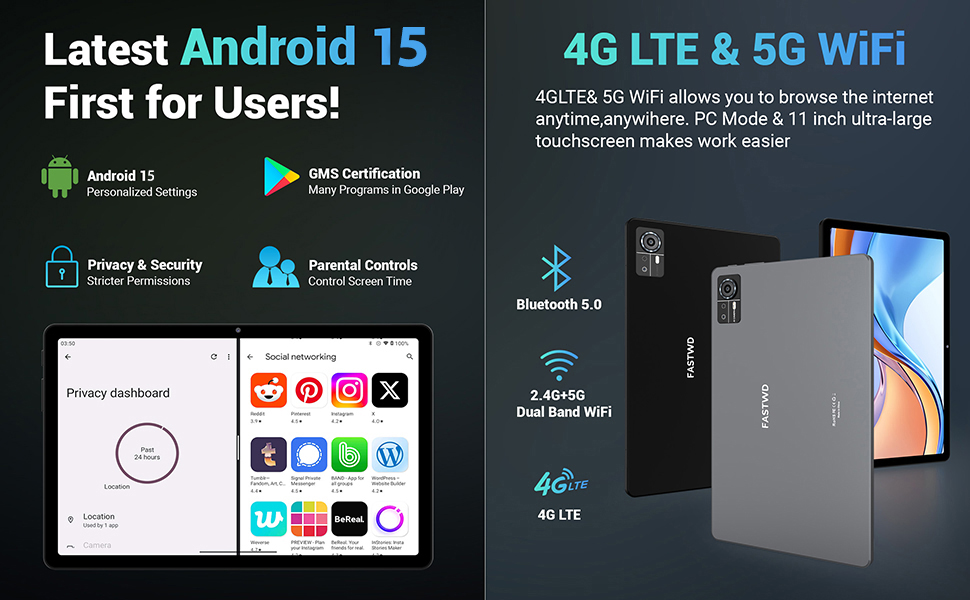
Image: A visual guide to key Android 15 features such as easy app pairing, storage management, quick Bluetooth connection, face recognition unlock, double-tap to wake, and parental control settings.
7. සම්බන්ධතාවය
Your FASTWD tablet offers versatile connectivity options for internet access and peripheral devices.
7.1 Wi-Fi සම්බන්ධතාවය
- වෙත යන්න සැකසීම් > ජාලය සහ අන්තර්ජාලය > Wifi.
- Wi-Fi ටොගල් කරන්න On.
- ලැයිස්තුවෙන් ඔබට අවශ්ය ජාලය තෝරාගෙන විමසන්නේ නම් මුරපදය ඇතුළත් කරන්න.
- The tablet supports dual-band 2.4G/5G Wi-Fi for stable and fast connections.
7.2 4G LTE Mobile Data
With a compatible SIM card installed, you can access 4G LTE mobile data.
- Ensure your SIM card is correctly installed (refer to Section 5.2).
- වෙත යන්න සැකසීම් > ජාලය සහ අන්තර්ජාලය > ජංගම ජාලය.
- සබල කරන්න ජංගම දත්ත and configure APN settings if required by your carrier.
7.3 බ්ලූටූත් යුගල කිරීම
Connect Bluetooth accessories like the included keyboard and mouse.
- වෙත යන්න සැකසීම් > සම්බන්ධිත උපාංග > බ්ලූටූත්.
- බ්ලූටූත් ටොගල් කරන්න On.
- ඔබගේ බ්ලූටූත් උපාංගය යුගල කිරීමේ ප්රකාරයට දමන්න.
- Select the accessory from the list of available devices and follow any on-screen prompts to complete pairing.
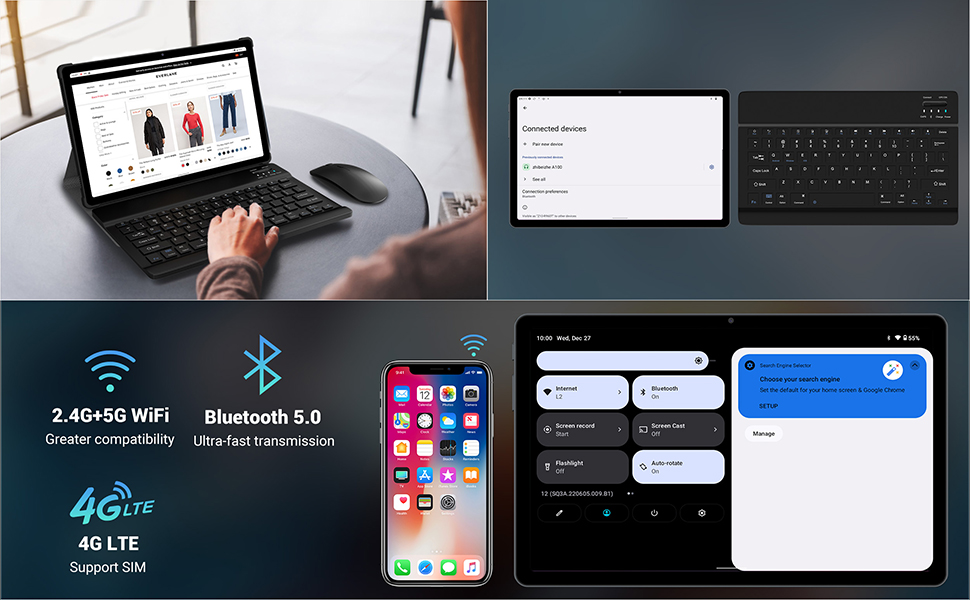
Image: The FASTWD tablet connected to its keyboard and mouse, illustrating its 2.4G+5G WiFi, Bluetooth 5.0, and 4G LTE SIM support for comprehensive connectivity.
8. කැමරාව
The tablet is equipped with an 8MP front camera and a 13MP rear camera for photos and video calls.
- විවෘත කරන්න කැමරාව යෙදුම.
- ඡායාරූපයක් ගැනීමට ෂටර් බොත්තම තට්ටු කරන්න.
- කැමරා ටොගල් නිරූපකය භාවිතයෙන් ඉදිරිපස සහ පසුපස කැමරා අතර මාරු වන්න.
- AI post-processing technology enhances photo quality, making images more realistic.

රූපය: සවිස්තරාත්මක view of the tablet's rear camera, highlighting its 13MP sensor and AI Camera branding.
9. බැටරි කළමනාකරණය
The tablet features a 9580mAh battery for extended usage and supports 12W fast charging.
9.1 ටැබ්ලටය ආරෝපණය කිරීම
- Connect the Type-C cable to the tablet's charging port.
- Plug the other end of the cable into the provided charger, and then into a power outlet.
- තිරයේ ඇති බැටරි නිරූපකය ආරෝපණ තත්ත්වය පෙන්නුම් කරයි.
9.2 බැටරි ප්රශස්තිකරණය
- තිරයේ දීප්තිය සුවපහසු මට්ටමකට සකසන්න.
- පසුබිමේ ධාවනය වන භාවිතයට නොගත් යෙදුම් වසා දමන්න.
- බැටරි සුරැකුම් ප්රකාරය සක්රීය කරන්න සැකසීම් > බැටරි.
- භාවිතයේ නොමැති විට Wi-Fi, බ්ලූටූත් හෝ GPS අක්රිය කරන්න.

Image: The FASTWD tablet connected to a Type-C charger, illustrating its 9580 mAh battery and 12W fast charging capability.
10. ගබඩා කිරීම
The tablet comes with 256GB of internal storage (ROM) and supports expansion up to 1TB via a MicroSD card.
10.1 ගබඩාව කළමනාකරණය කිරීම
- ගබඩා භාවිතය පරීක්ෂා කිරීමට, යන්න සැකසීම් > ගබඩා කිරීම.
- You can free up space by uninstalling unused apps, deleting old files, or moving media to a MicroSD card.
10.2 RAM Management
The tablet features 36GB RAM (12GB LPDDR4 + 24GB expandable virtual memory) for smooth multitasking.
- The system automatically manages RAM for optimal performance.
- You can activate additional virtual RAM in the settings if needed for demanding applications.
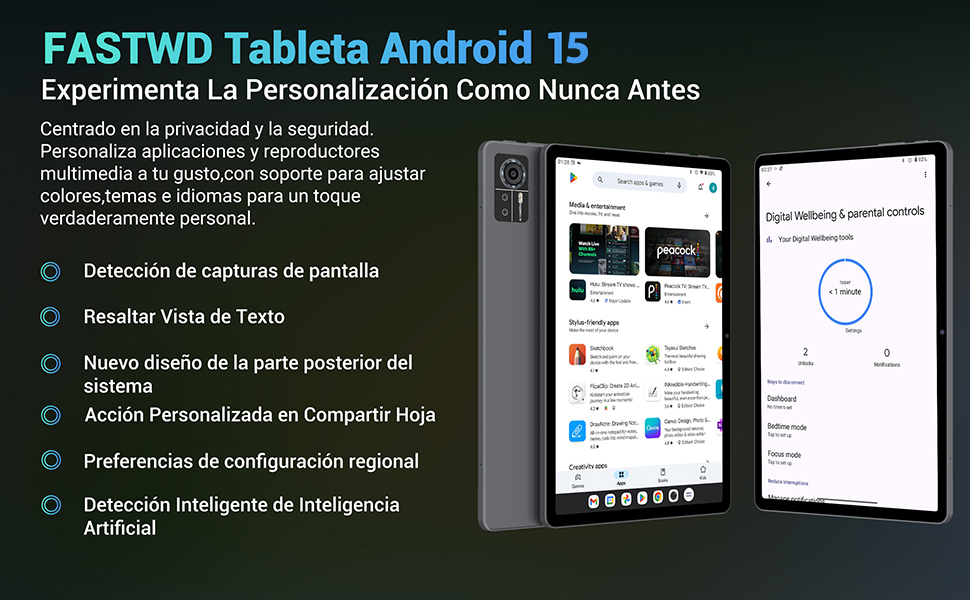
Image: An illustration highlighting the tablet's 36GB RAM (12+24GB), 256GB ROM, and 1TB MicroSD expansion capabilities, alongside its Octa-core processor.
11. නඩත්තු කිරීම
11.1 පිරිසිදු කිරීම
- ටැබ්ලටයේ තිරය සහ ශරීරය පිරිසිදු කිරීමට මෘදු, ලින්ට් රහිත රෙද්දක් භාවිතා කරන්න.
- දරුණු රසායනික ද්රව්ය හෝ උල්ෙල්ඛ ද්රව්ය භාවිතා නොකරන්න.
11.2 මෘදුකාංග යාවත්කාලීන
- පද්ධති යාවත්කාලීන කිරීම් සඳහා නිතිපතා පරීක්ෂා කරන්න සැකසීම් > පද්ධතිය > පද්ධති යාවත්කාලීන කිරීම ප්රශස්ත කාර්ය සාධනය සහ ආරක්ෂාව සහතික කිරීම සඳහා.
12. දෝශ නිරාකරණය
ඔබේ ටැබ්ලටය සමඟ ගැටලු ඇති වුවහොත්, පහත පොදු විසඳුම් වෙත යොමු වන්න:
| ගැටලුව | විසඳුම |
|---|---|
| ටැබ්ලටය ක්රියාත්මක නොවේ | Ensure the battery is charged. Connect the charger and wait a few minutes before attempting to power on again. If unresponsive, perform a forced restart by holding the Power button for 10-15 seconds. |
| Applications crash or freeze | Close background applications. Clear the cache of the problematic app (Settings > Apps > [App Name] > Storage & cache > Clear cache). Restart the tablet. |
| දුර්වල Wi-Fi සම්බන්ධතාවය | Ensure you are within range of the Wi-Fi router. Restart your router and the tablet. Forget the network and reconnect. |
| SIM කාඩ්පත අනාවරණය කර නොමැත | Ensure the SIM card is correctly inserted into the tray. Restart the tablet. Verify the SIM card is active with your mobile carrier. |
| බැටරිය ඉක්මනින් බැස යයි | Reduce screen brightness. Disable unused connectivity features (Wi-Fi, Bluetooth, GPS). Close background apps. Check for apps consuming excessive battery in Settings > Battery. |
13. පිරිවිතර
Detailed technical specifications for the FASTWD Android 15 Tablet 11-inch (Model M986):
| විශේෂාංගය | පිරිවිතර |
|---|---|
| වෙළඳ නාමය | ෆාස්ට්ඩබ්ලිව්ඩී |
| මාදිලියේ නම | FASTWD Android 15 Tablet 11 Pulgadas |
| මෙහෙයුම් පද්ධතිය | Android 15 |
| ප්රොසෙසරයේ වේගය | 2 GHz ඔක්ටා-කෝර් |
| RAM | 36 GB (12GB LPDDR4 + 24GB expandable) |
| අභ්යන්තර ගබඩාව (ROM) | 256 GB |
| පුළුල් කළ හැකි ගබඩාව | MicroSD කාඩ්පත හරහා 1 TB දක්වා |
| තිර ප්රමාණය | 11 Pulgadas (Inches) |
| තිර විභේදනය | 2560 x 1440 pixels (2K UHD INCell) |
| Refresh Rate | 120 Hz |
| පසුපස කැමරාව | 13 MP |
| ඉදිරිපස කැමරාව | 8 MP |
| බැටරි ධාරිතාව | 9580 mAh |
| Battery Life (average) | 8 Hours (video playback) |
| අයකිරීම | 12W Fast Charging, Type-C Interface |
| සම්බන්ධතාවය | 4G LTE (Cellular), 5G Wi-Fi (802.11ac), Bluetooth 5.0 |
| මානයන් | 29.7 x 19.6 x 4 සෙ.මී |
| බර | කිලෝ ග්රෑම් 1.36 කි |
| විශේෂ ලක්ෂණ | Gaming Tablet, Face Recognition, Parental Control, GPS (Beidou, Galileo, Glonass, GPS) |
14. වගකීම් සහ සහාය
FASTWD offers two years of premium after-sales service and long-term technical support for your tablet.
- වගකීම් කාලය: මිලදී ගත් දින සිට වසර 2 ක්.
- තාක්ෂණික සහාය: For any issues or inquiries, please contact the FASTWD after-sales team through your Amazon purchase platform.
- Our support team aims to respond within 24 hours.


