හැඳින්වීම
This manual provides essential information for setting up, operating, maintaining, and troubleshooting your HP 15.6 inch HD Laptop. Please read this guide thoroughly before using your device to ensure optimal performance and longevity.
සැලසුම
Unpacking the Laptop
ඇසුරුම්කරණයෙන් සියලුම සංරචක ප්රවේශමෙන් ඉවත් කරන්න. පහත අයිතම එහි ඇති බවට වග බලා ගන්න:
- HP 15.6 inch HD Laptop
- AC බල ඇඩැප්ටරය සහ විදුලි රැහැන
- ඉක්මන් ආරම්භක මාර්ගෝපදේශය (ඇතුළත් කර ඇත්නම්)
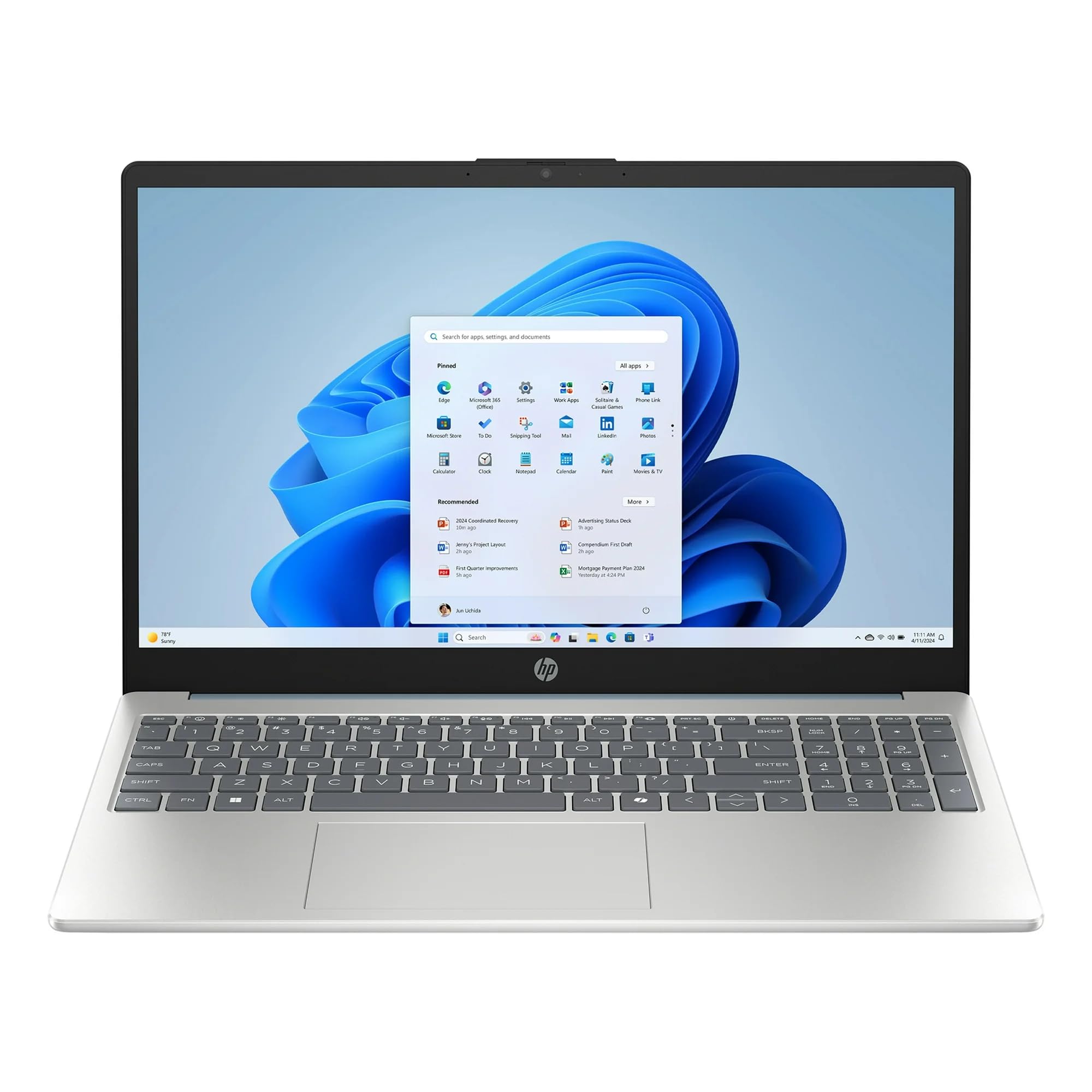
Image: The HP 15.6 inch HD Laptop, showcasing its display and keyboard layout. This is the main unit.
බලය සම්බන්ධ කිරීම
- ලැප්ටොප් පරිගණකයේ පැත්තේ ඇති බල සම්බන්ධකයට AC බල ඇඩැප්ටරය සම්බන්ධ කරන්න.
- විදුලි රැහැන බිත්ති අලෙවිසැලකට සම්බන්ධ කරන්න.
- Allow the battery to charge for at least 30 minutes before initial use, or until the battery indicator shows a full charge.
Initial Boot-up and Windows 11 Setup
ලැප්ටොප් පරිගණකය සක්රිය කිරීමට බල බොත්තම ඔබන්න. Windows 11 Home සැකසුම් ක්රියාවලිය සම්පූර්ණ කිරීමට තිරයේ ඇති උපදෙස් අනුගමනය කරන්න. මෙයට ඔබේ කලාපය, භාෂාව තෝරා ගැනීම, Wi-Fi ජාලයකට සම්බන්ධ වීම සහ පරිශීලක ගිණුමක් නිර්මාණය කිරීම ඇතුළත් වේ.
ලැප්ටොප් පරිගණකය ක්රියාත්මක කිරීම
යතුරු පුවරුව සහ ටච් පෑඩ්
The laptop features a full-size keyboard and a multi-touch touchpad. Refer to the යතුරුපුවරු කෙටිමං section for common key combinations.
පර්යන්ත සම්බන්ධ කිරීම
බාහිර උපාංග සම්බන්ධ කිරීම සඳහා පවතින වරායන් භාවිතා කරන්න:
- USB Ports: For mice, keyboards, external storage, etc.
- HDMI වරාය: For connecting to external monitors or TVs (if available).
- ශ්රව්ය ජැක්: හෙඩ්ෆෝන් හෝ බාහිර කථිකයන් සඳහා.
රැහැන් රහිත සම්බන්ධතාව
The laptop supports 802.11ac Wi-Fi and Bluetooth for wireless connections. Access network settings via the Windows 11 taskbar to connect to Wi-Fi networks or pair Bluetooth devices.
නඩත්තු කිරීම
ලැප්ටොප් එක පිරිසිදු කිරීම
- මෘදු, ලින්ට් රහිත රෙදි තරමක් භාවිතා කරන්න dampසංදර්ශකය පිරිසිදු කිරීම සඳහා ජලය හෝ තිර පිරිසිදු කරන්නෙකු සමඟ පුරවා ඇත.
- යතුරුපුවරුව සහ චැසිය සඳහා මෘදු වියළි රෙද්දක් භාවිතා කරන්න. රළු රසායනික ද්රව්යවලින් වළකින්න.
බැටරි සත්කාර
To prolong battery life, avoid extreme temperatures and allow the battery to discharge partially before recharging. Do not leave the laptop plugged in constantly for extended periods if not in use.
මෘදුකාංග යාවත්කාලීන
පද්ධති ස්ථායිතාව සහ ආරක්ෂාව සහතික කිරීම සඳහා Windows යාවත්කාලීන කිරීම් සහ HP ධාවක යාවත්කාලීන කිරීම් නිතිපතා පරීක්ෂා කර ස්ථාපනය කරන්න. වෙත යන්න සැකසීම් > වින්ඩෝස් යාවත්කාලීන කිරීම යාවත්කාලීන කළමනාකරණය කිරීමට.
දෝෂගවේෂණය
| ගැටලුව | හැකි විසඳුම |
|---|---|
| ලැප්ටොප් පරිගණකය ක්රියාත්මක නොවේ. | AC ඇඩැප්ටරය ආරක්ෂිතව සම්බන්ධ වී ඇති බවත් බල සැපයුම ක්රියාකාරී බවත් සහතික කර ගන්න. වෙනත් වෙළඳසැලක් උත්සාහ කරන්න. |
| Wi-Fi සම්බන්ධතා ගැටළු. | Windows සැකසුම් තුළ Wi-Fi සක්රීය කර ඇත්දැයි පරීක්ෂා කරන්න. ඔබේ රවුටරය සහ ලැප්ටොප් පරිගණකය නැවත ආරම්භ කරන්න. Wi-Fi ධාවක යාවත්කාලීන කරන්න. |
| මන්දගාමී කාර්ය සාධනය. | Close unnecessary applications. Check for background processes. Ensure sufficient free storage space on the 512GB SSD. Run a disk cleanup. |
| බැටරිය ආරෝපණය නොවේ. | Verify the power adapter and cable are not damaged. Ensure the connection port is clean. |
පිරිවිතර
| විශේෂාංගය | විස්තර |
|---|---|
| මාදිලියේ නම | HP |
| තිර ප්රමාණය | 15.6 Inches (HD Display) |
| ප්රොසෙසරය | AMD රයිසන් 5 (3.6 GHz) |
| RAM | 8GB DDR4 SDRAM |
| ගබඩා කිරීම | 512GB SSD (PCIE x 2) |
| ග්රැෆික්ස් | Integrated Intel UHD Graphics |
| මෙහෙයුම් පද්ධතිය | Windows 11 Home |
| රැහැන් රහිත සම්බන්ධතාව | 802.11ac Wi-Fi, බ්ලූටූත් |
| මානයන් (LxWxH) | අඟල් 12.76 x 8.86 x 0.71 |
| බර | රාත්තල් 6 කි |
| වර්ණය | විලෝ කොළ |
සටහන: දැනුම්දීමකින් තොරව පිරිවිතර වෙනස් වේ.
වගකීම් තොරතුරු
This HP laptop typically comes with a standard manufacturer's warranty. Please refer to the warranty card included with your product or visit the official HP support website for detailed terms and conditions, including warranty duration and coverage specifics. Keep your proof of purchase for warranty claims.
සහාය
තාක්ෂණික සහාය, ධාවක බාගැනීම් හෝ වැඩිදුර සහාය සඳහා, කරුණාකර නිල HP සහාය වෙත පිවිසෙන්න. webඅඩවිය:
- HP සහාය Webඅඩවිය: support.hp.com
- මාර්ගගත ලේඛනගත කිරීම: Additional manuals and guides may be available online.
When contacting support, have your laptop's serial number and model number ready. These can usually be found on a sticker on the bottom of the laptop or in the system information within Windows.