1. හැඳින්වීම
This user manual provides comprehensive instructions for the NEC VersaPro VH-1 laptop. It covers setup, operation, maintenance, and troubleshooting to ensure optimal performance and user experience. Please read this manual thoroughly before using your device.
The NEC VersaPro VH-1 is a lightweight and high-performance 12.5-inch Full HD laptop, featuring a 7th Generation Intel Core i5-7Y54 processor. It is designed for efficient web browsing, business applications, and remote work. With pre-installed Windows 11 Pro and MS Office 2019, it is ready for immediate use upon arrival.
2. නිෂ්පාදන අවසන්view
2.1 ප්රධාන ලක්ෂණ
- Lightweight & Thin Design: Weighing approximately 921g, this 12.5-inch FHD laptop is highly portable, fitting easily into a backpack for commuting, business trips, or mobile work.
- 7th Gen Intel Core i5-7Y54 Processor: Equipped with an efficient and power-saving Intel Core i5-7Y54 (up to 3.2GHz) processor, offering sufficient performance for browsing, online meetings, and Office applications. It also features quiet operation and low heat generation.
- High-Speed SSD Storage: Features an SSD for fast boot-up and smooth operation, handling large files and multiple applications without lag.
- Rich Connectivity & Type-C Expansion: A ඇතුළත් වේ Web camera, Wi-Fi, Bluetooth, HDMI, and a Type-C port for versatile connections to peripherals and external monitors. The Type-C port supports future expansion.
- Pre-installed Software: Comes with Windows 11 Pro and MS Office 2019 pre-installed, allowing immediate document creation, report preparation, and web සම්මන්ත්රණ පැවැත්වීම.
2.2 සංරචක හඳුනාගැනීම
Familiarize yourself with the various parts of your NEC VersaPro VH-1 laptop.

රූපය: විවිධ views of the NEC VersaPro VH-1 laptop, showing the front, back, top, and keyboard layout.

රූපය: පැත්ත view of the laptop highlighting available ports including USB 3.0, LAN, Headphone Jack, HDMI, SD Card Slot, and Power Connector.
3. පිහිටුවීම
3.1 මුලික බලය ක්රියාත්මක කිරීම
- සම්බන්ධක බලය: AC ඇඩැප්ටරය ලැප්ටොප් පරිගණකයේ බල සැපයුම් පෝට් එකට සම්බන්ධ කර, පසුව බිත්ති අලෙවිසැලකට සම්බන්ධ කරන්න.
- බල ගැන්වීම: Open the laptop lid and press the power button. The laptop will begin the initial boot process.
- වින්ඩෝස් සැකසුම: භාෂාව, කලාපය, ජාල සම්බන්ධතාවය සහ පරිශීලක ගිණුම් නිර්මාණය ඇතුළුව Windows 11 Pro සැකසුම සම්පූර්ණ කිරීමට තිරයේ ඇති උපදෙස් අනුගමනය කරන්න.
3.2 Software Activation
Your laptop comes with MS Office 2019 pre-installed. Follow the prompts to activate your Office suite using your Microsoft account or product key.

Image: The laptop displaying the Windows 11 interface, with logos indicating Windows 11 Pro and MS Office 2019 are installed and ready for use.
4. මෙහෙයුම් උපදෙස්
4.1 මූලික භාවිතය
- යතුරු පුවරුව: The laptop features a Japanese layout keyboard designed for comfortable and accurate typing.
- Touchpad: Use the integrated touchpad for navigation and gestures.
- Web කැමරාව: ඉදි කර ඇත web camera and dual microphones are ideal for remote work, online meetings, and video calls.

Image: A user engaged in a video conference call on the NEC VersaPro VH-1 laptop, demonstrating its web camera and dual microphone capabilities for remote work and online learning.
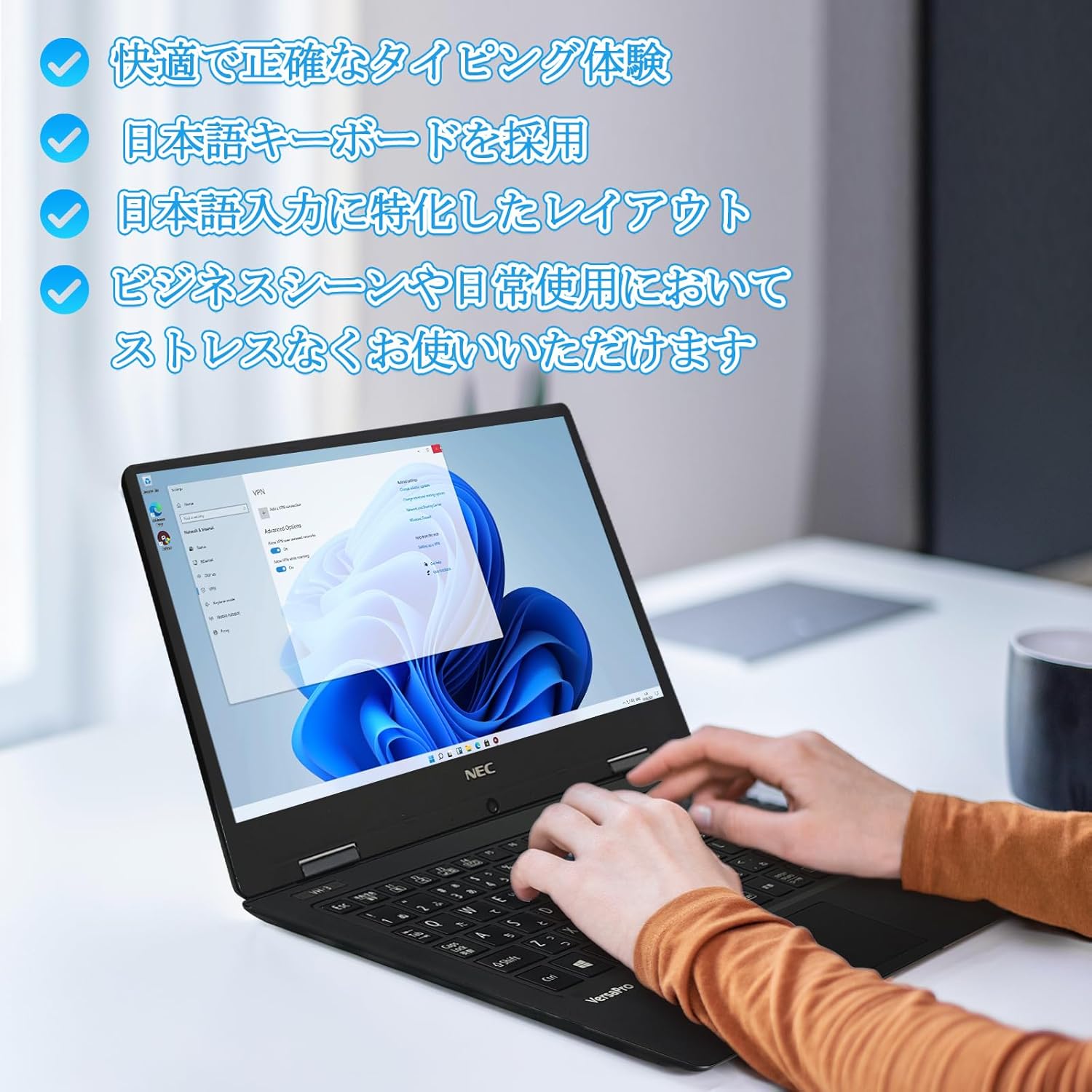
Image: Close-up of hands typing on the laptop's keyboard, illustrating the comfortable and precise typing experience provided by the Japanese layout keyboard.
4.2 සම්බන්ධතාවය
- Wifi: අන්තර්ජාල ප්රවේශය සඳහා රැහැන් රහිත ජාල වෙත සම්බන්ධ වන්න.
- බ්ලූටූත්: හෙඩ්ෆෝන් හෝ මීයන් වැනි බ්ලූටූත් සක්රීය උපාංග සමඟ යුගල කරන්න.
- HDMI: බාහිර සංදර්ශක හෝ ප්රක්ෂේපක වෙත සම්බන්ධ වන්න.
- වර්ගය-සී: Use the Type-C port for data transfer, charging compatible devices, or connecting to a USB-C hub for additional ports.
5. නඩත්තු කිරීම
5.1 පිරිසිදු කිරීම
- තිරය: මෘදු, ලින්ට් රහිත රෙදි තරමක් භාවිතා කරන්න dampජලය හෝ තිර පිරිසිදු කරන්නෙකු සමඟ ආලේප කර ඇත. තිරය මත කෙලින්ම දියර ඉසින්න එපා.
- Keyboard & Chassis: මතුපිට පිස දැමීමට මෘදු රෙද්දක් භාවිතා කරන්න. මුරණ්ඩු අපිරිසිදුකම සඳහා, තරමක් damp රෙදි භාවිතා කළ හැකිය. සැර රසායනික ද්රව්ය වලින් වළකින්න.
5.2 බැටරි සත්කාර
- බැටරි ආයු කාලය දීර්ඝ කිරීම සඳහා, අධික උෂ්ණත්වයන්ගෙන් වළකින්න.
- If storing the laptop for an extended period, ensure the battery is charged to about 50-70%.
6. දෝශ නිරාකරණය
6.1 පොදු ගැටළු සහ විසඳුම්
| කලාපය | හැකි විසඳුම |
|---|---|
| ලැප්ටොප් පරිගණකය ක්රියාත්මක නොවේ. | Ensure the AC adapter is securely connected to both the laptop and a working power outlet. Check if the power button is functioning correctly. |
| Wi-Fi සම්බන්ධතා ගැටළු. | Verify Wi-Fi is enabled in Windows settings. Restart your router and the laptop. Check for updated network drivers. |
| බාහිර සංදර්ශකය අනාවරණය නොවීය. | Ensure the HDMI cable is securely connected. Press Windows key + P to cycle through display modes. Check external display input settings. |
| මන්දගාමී කාර්ය සාධනය. | Close unnecessary applications. Check for background processes consuming resources. Ensure sufficient free space on the SSD. Run a system scan for malware. |
මෙහි ලැයිස්තුගත කර නොමැති ගැටළු වලට මුහුණ දෙන්නේ නම් හෝ වැඩිදුර සහාය අවශ්ය නම්, කරුණාකර සහාය අංශය වෙත යොමු වන්න.
7. පිරිවිතර
| විශේෂාංගය | විස්තර |
|---|---|
| වෙළඳ නාමය | NEC |
| මාදිලියේ නම | VasaPro VH-1 |
| නිෂ්පාදන මාදිලි අංකය | VKT12 |
| තිර ප්රමාණය | අඟල් 12.5 |
| විභේදනය | 1920x1080 පික්සල (FHD) |
| CPU සන්නාමය | ඉන්ටෙල් |
| CPU වර්ගය | Core i5 7Y54 |
| CPU වේගය | 1.2 GHz (Max 3.2 GHz) |
| ප්රොසෙසර ගණන | 2 |
| RAM මතක ප්රමාණය | 4 GB |
| උපරිම මතකය සහය දක්වයි | 8 GB |
| මතක වර්ගය | DDR3 SDRAM |
| දෘඪ තැටි ප්රමාණය | 1 TB |
| දෘඪ තැටි වර්ගය | SSD |
| ග්රැෆික් කොප්රොසෙසරය | Intel HD Graphics 615 |
| ග්රැෆික් කාඩ්පත් විස්තරය | ඒකාබද්ධ |
| මෙහෙයුම් පද්ධතිය | Windows 11 Pro |
| රැහැන් රහිත වර්ගය | Bluetooth, Wi-Fi (802.11n) |
| USB 3.0 Ports | 2 |
| HDMI වරායන් | 1 |
| ඔප්ටිකල් ඩ්රයිව් වර්ගය | කිසිවක් නැත |
| අයිතමයේ බර | 1.5 Kilograms (Shipping Weight) |
| බැටරි | 1 12V battery (included), 24 Watt-hours, 4 Lithium Ion cells |
8. වගකීම් සහ සහාය
For warranty information and technical support, please refer to the documentation provided with your purchase or contact the retailer. Specific warranty terms may vary.


