1. හැඳින්වීම
Thank you for choosing the DigiLand R11 10.1 Inch Android 15 Computer Tablet. This manual provides essential information for setting up, operating, and maintaining your device. Please read it thoroughly to ensure optimal performance and longevity of your tablet.
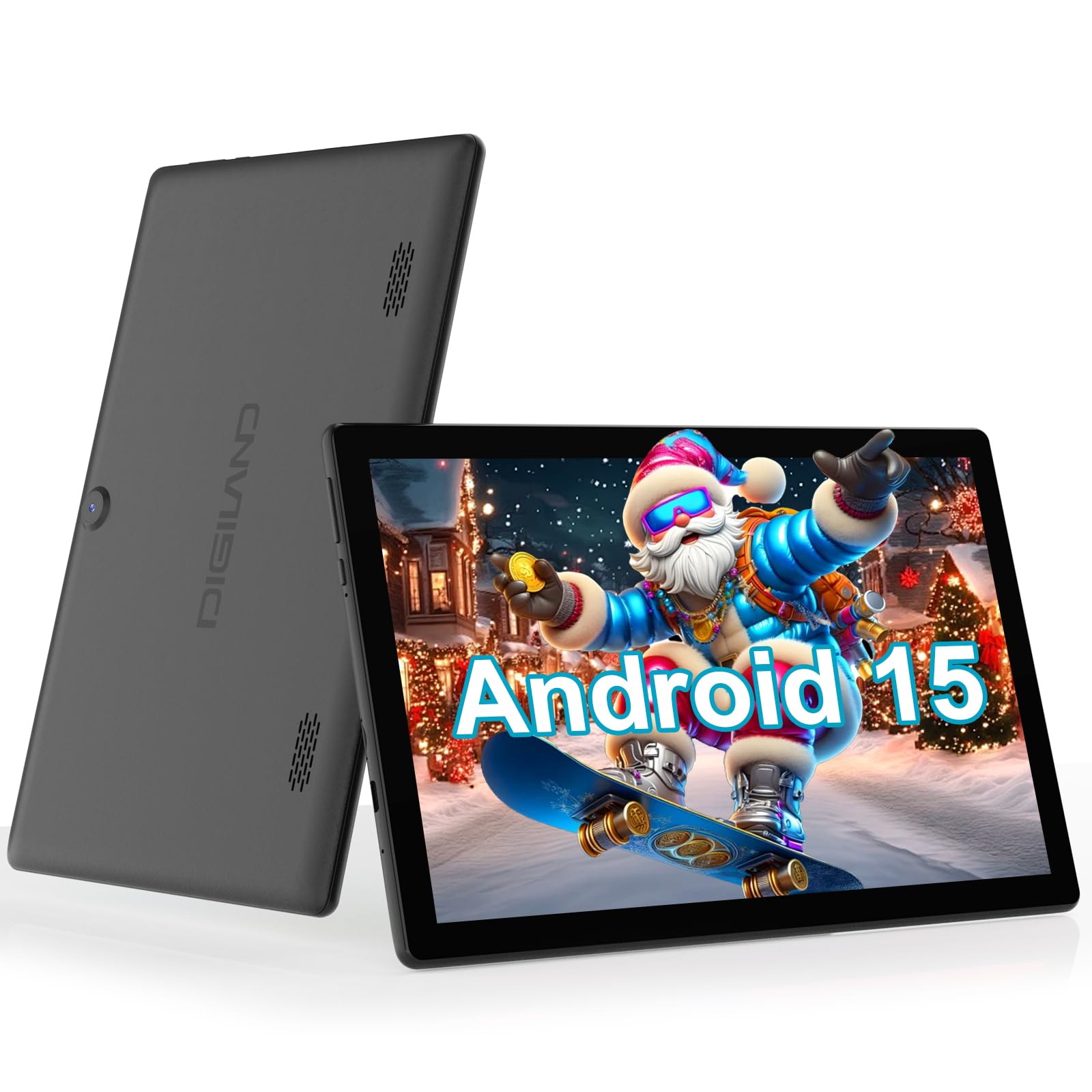
Figure 1: DigiLand R11 10.1 Inch Android 15 Tablet
2. පෙට්ටියේ ඇති දේ
Upon unboxing your DigiLand R11 tablet, please verify that all the following items are included:
- DigiLand R11 10.1 Inch Android 15 Tablet
- 1.18W බල ඇඩැප්ටරය
- USB-C කේබලය
- පරිශීලක අත්පොත (මෙම ලේඛනය)
- After-sales Card

රූපය 2: කොටු අන්තර්ගතය
3. උපාංගය අවසන්view
Familiarize yourself with the physical components and features of your DigiLand R11 tablet.

Figure 3: Tablet Features Overview (Android 15, Bluetooth 5.0, 6000mAh Battery, 2.4/5GHz WiFi, Dual Cameras)
වරාය සහ බොත්තම්
- බල බොත්තම: Located on the side, used to turn the tablet on/off or put it to sleep.
- වෙළුම් බොත්තම්: ශ්රව්ය ප්රතිදාන මට්ටම සකසන්න.
- USB-C වරාය: අයකිරීම් සහ දත්ත හුවමාරුව සඳහා.
- මතක කාඩ්පත් තව්: For expandable storage (supports up to 256GB).
- හෙඩ්සෙට් ජැක්: රැහැන්ගත හෙඩ්ෆෝන් සම්බන්ධ කිරීම සඳහා.
- ඉදිරිපස කැමරාව: වීඩියෝ ඇමතුම් සහ සෙල්ෆි සඳහා.
- පසුපස කැමරාව: ඡායාරූප සහ වීඩියෝ ගැනීම සඳහා.
- ද්විත්ව කථිකයින්: ශ්රව්ය ප්රතිදානය සඳහා.
4. පිහිටුවීම
4.1 මූලික ගාස්තුව
Before first use, fully charge your tablet using the provided USB-C cable and power adapter. The battery indicator on the screen will show charging status.

රූපය 4: ටැබ්ලටය ආරෝපණය කිරීම
4.2 බලය සක්රිය / අක්රිය
- බල ගැන්වීමට: තිරය දැල්වෙන තුරු බල බොත්තම ඔබාගෙන සිටින්න.
- බලය අක්රිය කිරීමට: බල බොත්තම ඔබා අල්ලාගෙන සිටින්න, ඉන්පසු තිරයේ ඇති විකල්ප වලින් 'පවර් ඕෆ්' තෝරන්න.
- නිදා ගැනීමට/අවදි කිරීමට: කෙටියෙන් බල බොත්තම ඔබන්න.
4.3 ආරම්භක සැකසුම් විශාරදයා
මූලික සැකසුම සම්පූර්ණ කිරීම සඳහා තිරයේ ඇති උපදෙස් අනුගමනය කරන්න, ඒවාට ඇතුළත් වන්නේ:
- ඔබේ භාෂාව තෝරා ගැනීම.
- Wi-Fi ජාලයකට සම්බන්ධ වෙමින්.
- Signing in with your Google account (or creating a new one).
- තිර අගුල සහ අනෙකුත් ආරක්ෂක විශේෂාංග සැකසීම.
5. මෙහෙයුම් උපදෙස්
5.1 Android 15 අතුරුමුහුණත සැරිසැරීම
Your tablet runs on Android 15 GO, offering an intuitive user experience. Key navigation elements include:
- මුල් තිරය: ඔබගේ යෙදුම් සහ විජට් සඳහා මධ්යම මධ්යස්ථානය.
- යෙදුම් ලාච්චුව: ස්ථාපනය කර ඇති සියලුම යෙදුම් වෙත ප්රවේශ වීමට මුල් තිරයේ සිට ඉහළට ස්වයිප් කරන්න.
- දැනුම්දීම් පැනලය: තිරයේ ඉහළ සිට පහළට ස්වයිප් කරන්න view දැනුම්දීම් සහ ඉක්මන් සැකසුම්.
- සංචාලන තීරුව: Located at the bottom of the screen, typically includes Back, Home, and Recent Apps buttons.
5.2 Wi-Fi වෙත සම්බන්ධ කිරීම
- වෙත යන්න සැකසීම්.
- තට්ටු කරන්න ජාලය සහ අන්තර්ජාලය.
- ක්රියාත්මක කරන්න Wifi.
- ඔබට අවශ්ය ජාලය තෝරාගෙන විමසන්නේ නම් මුරපදය ඇතුළත් කරන්න.
5.3 Using Bluetooth 5.0
- වෙත යන්න සැකසීම්.
- තට්ටු කරන්න සම්බන්ධිත උපාංග.
- ක්රියාත්මක කරන්න බ්ලූටූත්.
- තෝරන්න නව උපකරණය යුගල කරන්න and choose your device from the list.
5.4 කැමරා ක්රියාකාරිත්වය
To open the camera app, tap the Camera icon on your home screen or app drawer. You can switch between front and rear cameras, take photos, and record videos.

Figure 5: Tablet Usage Scenarios
6. පිරිවිතර
| විශේෂාංගය | පිරිවිතර |
|---|---|
| මෙහෙයුම් පද්ධතිය | ඇන්ඩ්රොයිඩ් 15 GO |
| ප්රදර්ශනය කරන්න | 10.1" IPS, 800 x 1280 pixels |
| ප්රොසෙසරය | Single-core ARM Cortex-A73 and quad-core ARM Cortex-A53, up to 1.75 GHz |
| RAM | 6GB |
| අභ්යන්තර ගබඩාව | 32GB (microSD හරහා 256GB දක්වා පුළුල් කළ හැක) |
| බැටරි ධාරිතාව | 6000mAh (up to 6.5 hours usage) |
| සම්බන්ධතාවය | Wi-Fi (2.4GHz & 5GHz), Bluetooth 5.0, USB OTG |
| කැමරා | Dual cameras (front and rear) |
| කථිකයන් | ද්විත්ව කථිකයන් |
| බර | 481.5g (රාත්තල් 1.32) |
| මානයන් | අඟල් 10.17 x 6.41 x 0.31 |

Figure 6: Vivid Display
7. නඩත්තු කිරීම
To keep your tablet in optimal condition, follow these maintenance guidelines:
- පිරිසිදු කිරීම: තිරය සහ ශරීරය පිරිසිදු කිරීම සඳහා මෘදු, ලින්ට් රහිත රෙද්දක් භාවිතා කරන්න. උල්ෙල්ඛ පිරිසිදු කරන්නන් හෝ ද්රාවක භාවිතා කිරීමෙන් වළකින්න.
- මෘදුකාංග යාවත්කාලීන: Regularly check for and install system updates to ensure security and performance improvements. Go to සැකසීම් > පද්ධතිය > පද්ධති යාවත්කාලීන කිරීම.
- බැටරි සත්කාර: Avoid extreme temperatures. Do not let the battery fully drain frequently. Use only the provided charger.
- ගබඩා කළමනාකරණය: වරින් වර අනවශ්ය දේ ඉවත් කරන්න fileගබඩා ඉඩ නිදහස් කර කාර්ය සාධනය පවත්වා ගැනීමට.
8. දෝශ නිරාකරණය
If you encounter issues with your tablet, refer to the following common troubleshooting steps:
- ටැබ්ලටය ක්රියාත්මක නොවේ: බැටරිය ආරෝපණය කර ඇති බවට වග බලා ගන්න. නැවත බලය ක්රියාත්මක කිරීමට උත්සාහ කිරීමට පෙර චාජරය සම්බන්ධ කර මිනිත්තු කිහිපයක් රැඳී සිටින්න.
- තිරය ප්රතිචාර නොදක්වයි: Restart the tablet by holding the Power button for about 10-15 seconds until it reboots.
- Wi-Fi සම්බන්ධතා ගැටළු: Try restarting your Wi-Fi router. On the tablet, forget the network and reconnect.
- යෙදුම් බිඳ වැටීම: Clear the cache for the problematic app (Settings > Apps > [App Name] > Storage > Clear cache). If the issue persists, uninstall and reinstall the app.
- මන්දගාමී කාර්ය සාධනය: Close unused apps, clear cache, and ensure sufficient free storage space. Consider a factory reset as a last resort (backup your data first).
9. වගකීම් සහ සහාය
Your DigiLand R11 tablet comes with a අවුරුදු 1ක වගකීම් ප්රතිපත්තිය. For any questions regarding product usage, technical support, or warranty claims, please contact our customer service team.
9.1 පාරිභෝගික සහාය
Our dedicated customer service team is available 24/7 to assist you. Please refer to the contact information provided on your After-sales Card or visit the official DigiLand webසහාය විස්තර සඳහා අඩවිය.
වීඩියෝ 1: අවසන්view of the DigiLand 10.1 inch tablet, demonstrating its features and functionality.


