1. හැඳින්වීම
This manual provides detailed instructions for the Tenveo 4K NDI PTZ Camera, Model TEVO-VHD20H4KN. This camera is designed for professional video conferencing and live streaming applications, offering advanced features such as 4K resolution, 20X optical zoom, AI-powered auto-tracking, and multiple connectivity options including NDI, HDMI, LAN, and USB3.0. Please read this manual thoroughly before operating the device to ensure proper setup and optimal performance.
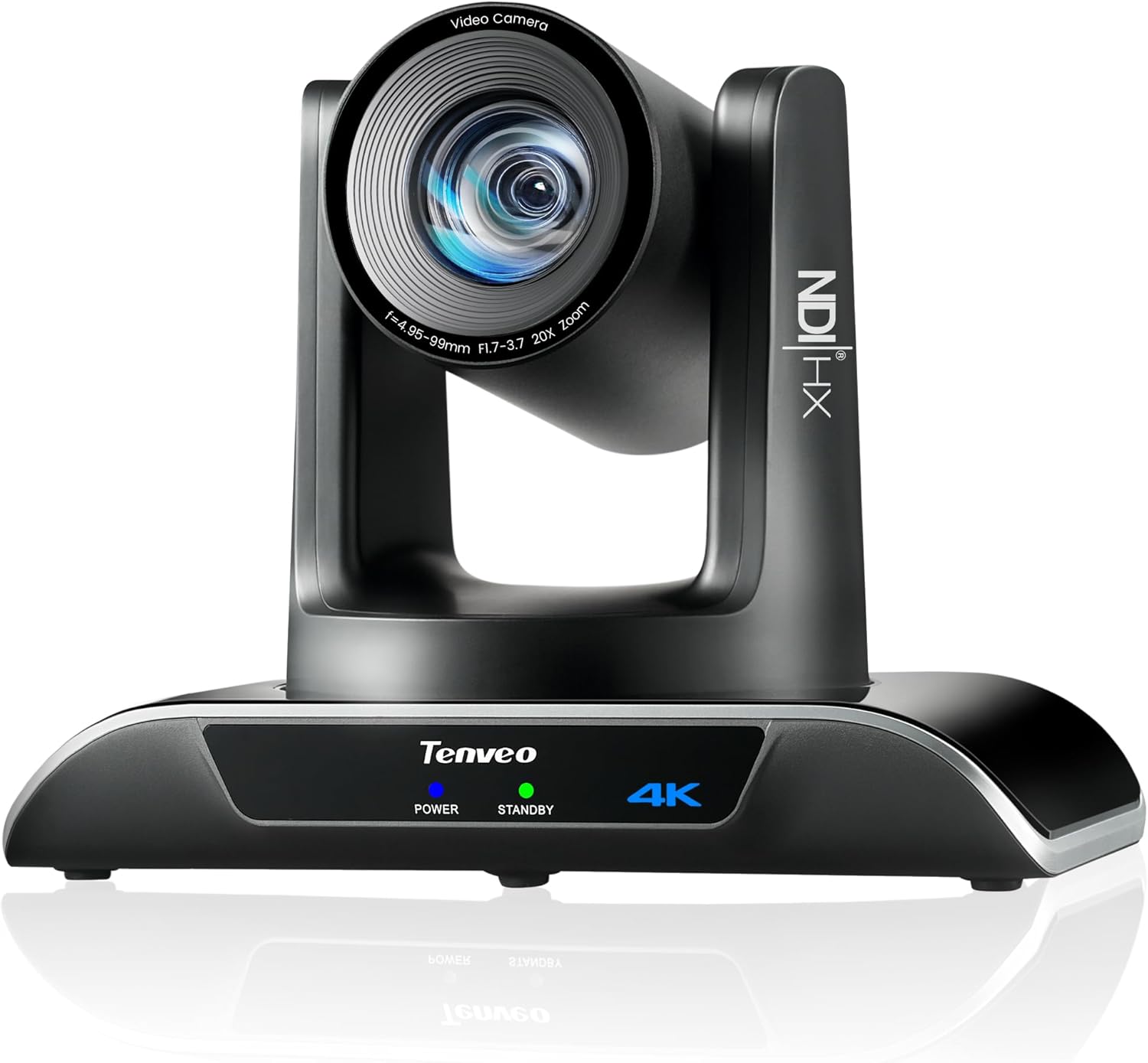
Figure 1: Tenveo 4K NDI PTZ Camera (Model TEVO-VHD20H4KN)
2. නිෂ්පාදන අවසන්view
2.1 ප්රධාන ලක්ෂණ
- 4K අල්ට්රා HD වීඩියෝව: Delivers 4K 30fps and 1080P 60fps video with a Sony 1/2.8" CMOS Sensor (8.29MP Effective Pixels).
- 20X දෘශ්ය විශාලනය: High-quality optical zoom for capturing distant subjects with clarity.
- AI Humanoid & Face Auto-Tracking: Advanced deep learning algorithms enable precise, millisecond-level response tracking and autoframing, even if the target is momentarily blocked.
- NDI|HX Support: Enables low-latency, IP-based production workflows for high-quality, frame-accurate video streaming and PTZ control.
- Multiple Video Output Interfaces: Supports USB3.0, HDMI, and LAN/NDI outputs.
- PoE (ඊතර්නෙට් හරහා බලය): Simplifies installation by providing power and data over a single Ethernet cable (802.3af compliant).
- Professional Live Streaming: Compatible with RTMP, RTSP, SRT protocols for direct streaming to platforms like YouTube, Facebook, and OBS.
- Multi-Camera Production: Supports multi-camera video production and sync capabilities.
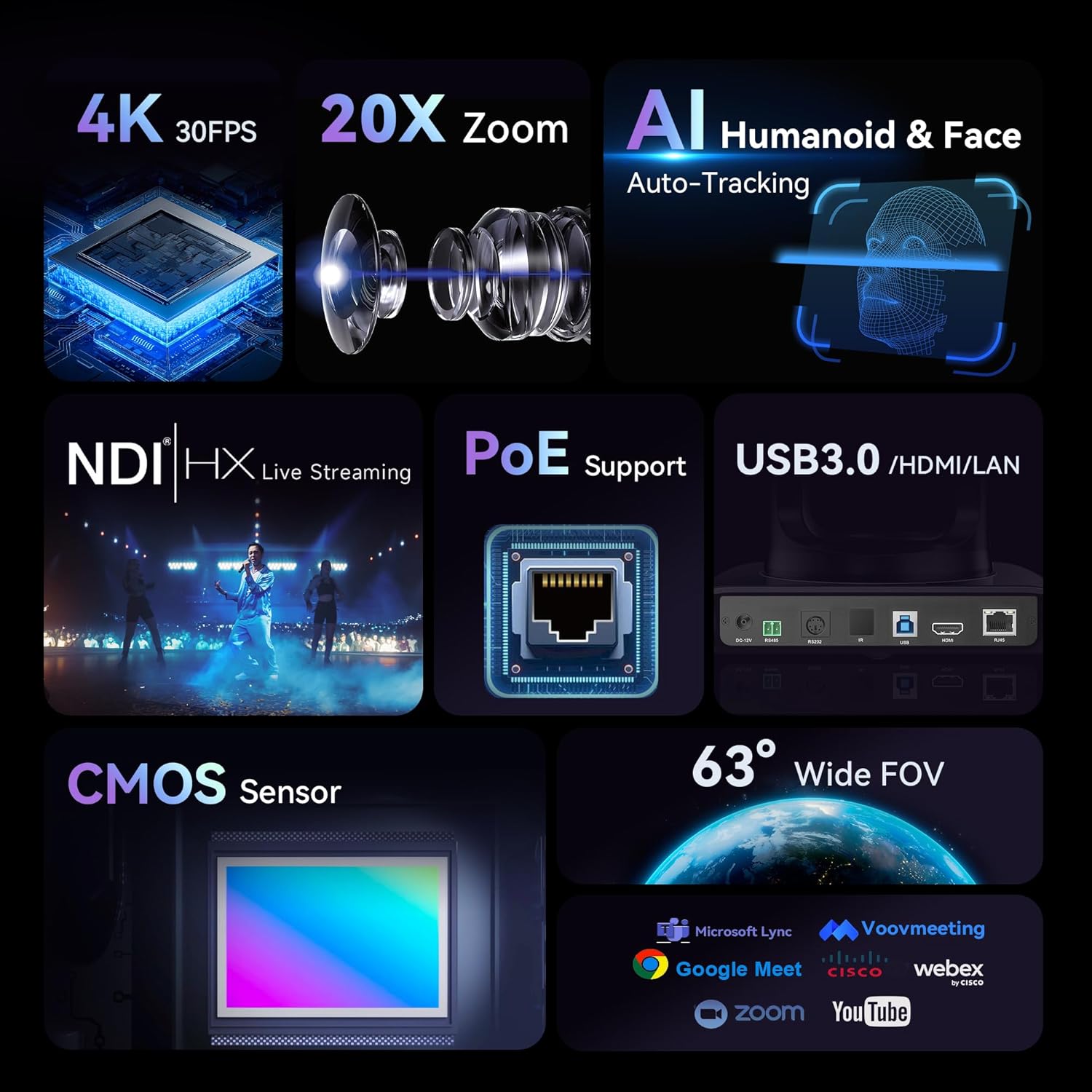
Figure 2: Key Features of the Tenveo 4K NDI PTZ Camera
2.2 පෙට්ටියේ ඇති දේ
- Tenveo 4K NDI AI Auto Tracking PTZ Live Streaming Camera (20X Optical Zoom)
- IR දුරස්ථ පාලකය
- DC12V බල ඇඩැප්ටරය
- USB3.0 කේබලය
- බිත්ති සවි කිරීම
- සවි කිරීම් ඉස්කුරුප්පු
- පරිශීලක අත්පොත
3. පිහිටුවීම
3.1 සවි කිරීමේ විකල්ප
The Tenveo 4K NDI PTZ Camera supports various installation methods to suit your environment:
- ඩෙස්ක්ටොප් ස්ථානගත කිරීම: Place the camera on a flat, stable surface.
- බිත්ති සවි කිරීම: Use the included wall mount and screws to secure the camera to a wall.
- සිවිලිම සවි කිරීම: The camera can be inverted and mounted to the ceiling. The image can be flipped via remote control or web අතුරුමුහුණත් සැකසුම්.
- ට්රයිපොඩ් සවි කිරීම: The camera can be mounted on a standard tripod for portable setups.

Figure 3: Various Installation Methods
3.2 සම්බන්ධතාවය
The camera offers multiple connection options for video output and control:
- USB3.0: Connect directly to a computer for video capture.
- HDMI: Connect to a display, video switcher, or capture card.
- LAN/NDI: Connect to a network for IP streaming, NDI workflows, and IP control. PoE (802.3af) is supported, requiring a PoE switch for power and data over a single cable.
- ආර්එස් -232/ආර්එස් -485: For external PTZ joystick controller connections.
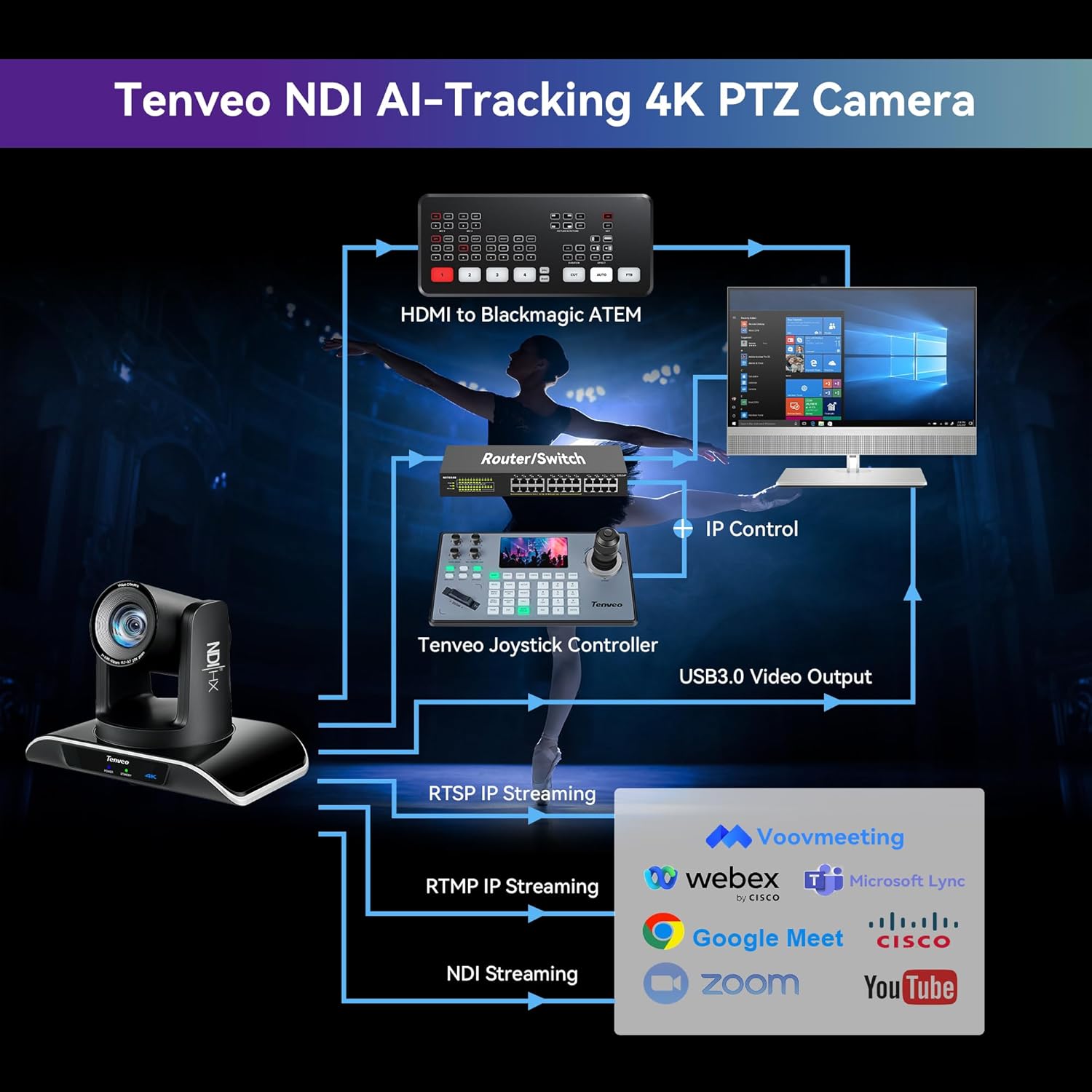
Figure 4: Multiple Connection Options
3.3 මූලික සැකසුම් පියවර
- සම්බන්ධක බලය: Connect the DC12V power adapter or use a PoE switch if utilizing Power over Ethernet.
- Connect Video Output: Choose your preferred video output (USB3.0, HDMI, or LAN) and connect it to your receiving device (computer, display, or network).
- Network Configuration (for LAN/NDI): If using LAN/NDI, connect the camera to your network. You may need to access the camera's web interface via its IP address to configure network settings and NDI.
- බල ගැන්වීම: Press the power button on the camera or remote control.

රූපය 5: උදාample Setup Diagram
4. මෙහෙයුම් උපදෙස්
4.1 පෑන්, ඇලවීම සහ විශාලනය (PTZ) පාලනය
The camera features 350° pan and 180° tilt capabilities, along with 20X optical zoom. Control can be achieved via the included IR remote control, a dedicated PTZ joystick controller (sold separately), or the web අතුරු මුහුණත.
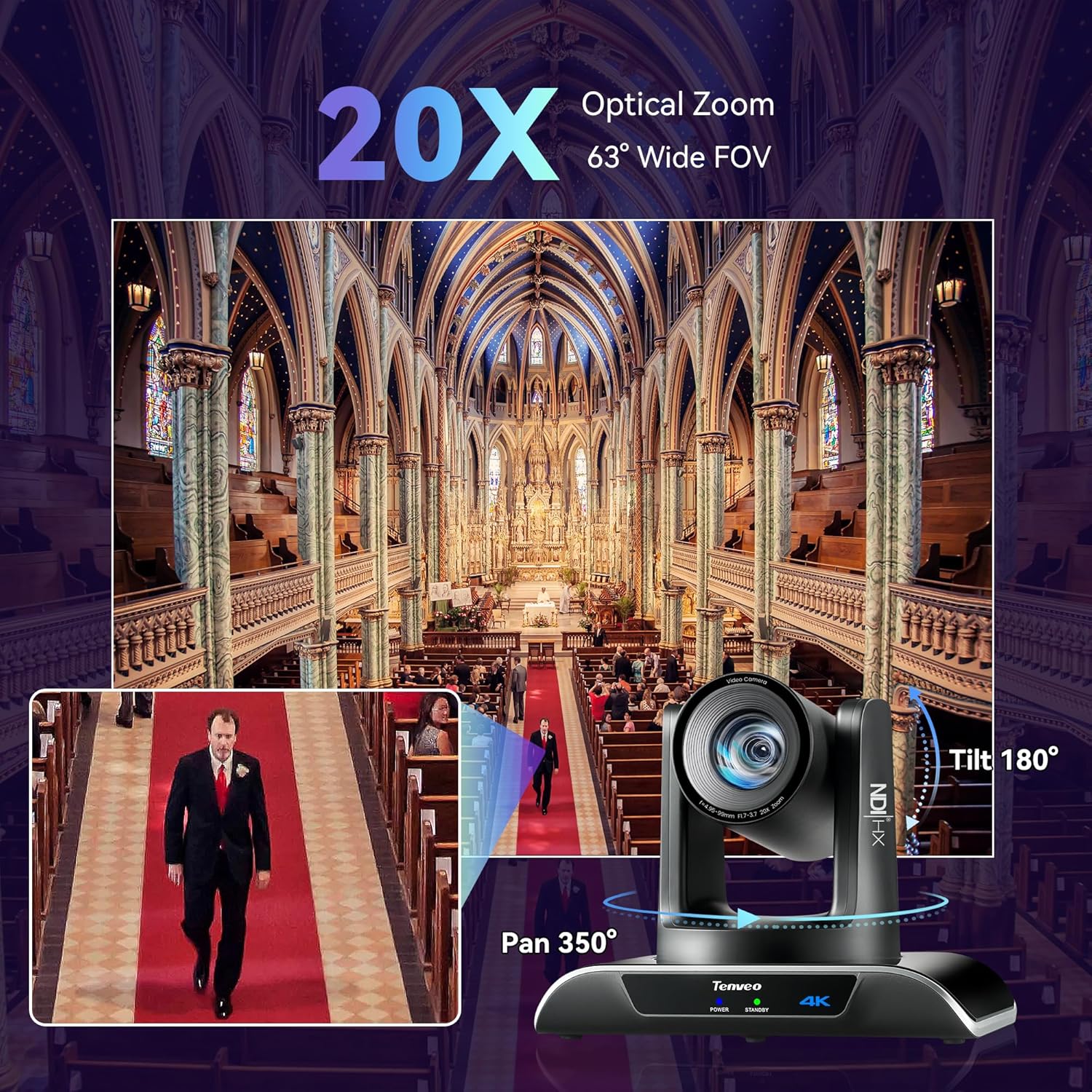
Figure 6: Pan, Tilt, and Zoom Capabilities
4.2 AI Auto-Tracking
The camera's AI auto-tracking function uses deep learning to accurately track human figures and faces. This ensures subjects remain centered in the frame during movement.
- ඉදිරිපත් කරන්නා මාදිලිය: Tracks a single designated speaker.
- Autoframing Mode: Automatically adjusts the frame to include all detected participants.
- Uninterrupted Tracking: The camera maintains tracking even if the target is momentarily obscured.

Figure 7: AI Auto-Tracking in Action
4.3 දුරස්ථ පාලක මෙහෙයුම
The IR remote control allows for easy adjustment of camera functions:
- PTZ පාලනය: Use the directional buttons to pan and tilt, and the zoom buttons to adjust magnification.
- පෙර සැකසුම: Save and recall up to 10 camera positions and zoom levels.
- AI Tracking/Autoframing: Dedicated buttons for enabling/disabling AI tracking and switching between modes.
- රූප සැකසීම්: Adjust brightness, focus, and other image parameters.
4.4 Web UI පාලනය
For advanced control and configuration, access the camera's web a හරහා අතුරු මුහුණත web browser. Enter the camera's IP address in your browser to access settings for:
- Network settings (IP address, subnet mask, gateway).
- Video encoding parameters (resolution, frame rate, bitrate).
- PTZ control and preset management.
- AI tracking mode selection and fine-tuning.
- Image adjustments (color, exposure, white balance).
4.5 සජීවී ප්රවාහය
The camera supports various protocols for direct live streaming:
- NDI|HX: For high-quality, low-latency video over IP networks.
- RTMP/RTSP/SRT: Directly stream to platforms like YouTube, Facebook Live, OBS, and other streaming services without additional hardware.

Figure 8: NDI|HX Live Streaming Integration
5. නඩත්තු කිරීම
To ensure the longevity and optimal performance of your Tenveo 4K NDI PTZ Camera, follow these maintenance guidelines:
- පිරිසිදු කිරීම: Use a soft, dry cloth to clean the camera body. For the lens, use a specialized lens cleaning cloth and solution. Avoid abrasive cleaners or solvents.
- පරිසරය: Operate and store the camera in a clean, dry environment, away from extreme temperatures, humidity, and direct sunlight.
- කේබල් කළමනාකරණය: Ensure all cables are securely connected and not under strain to prevent damage to ports or cables.
- ස්ථිරාංග යාවත්කාලීන කිරීම්: Periodically check the Tenveo webඔබගේ කැමරාවට නවතම විශේෂාංග සහ කාර්ය සාධන වැඩිදියුණු කිරීම් ඇති බව සහතික කිරීම සඳහා ස්ථිරාංග යාවත්කාලීන කිරීම් සඳහා අඩවිය.
6. දෝශ නිරාකරණය
ඔබේ කැමරාව සමඟ ගැටළු ඇති වුවහොත්, පහත පොදු දෝශ නිරාකරණ පියවර වෙත යොමු වන්න:
6.1 බලය නැත
- Verify the power adapter is securely connected to both the camera and a working power outlet.
- If using PoE, ensure your PoE switch is powered on and the Ethernet cable is connected correctly.
6.2 වීඩියෝ ප්රතිදානයක් නැත
- Check all video cables (USB3.0, HDMI, Ethernet) for secure connections.
- Ensure the input source on your display or capture device is correctly selected.
- For LAN/NDI, verify network connectivity and IP address settings.
6.3 PTZ Control Not Responding
- Ensure the IR remote control has fresh batteries and a clear line of sight to the camera's IR receiver.
- If using a joystick controller, check its connection and power.
- සඳහා web UI control, verify network connection to the camera.
6.4 AI Tracking Issues
- Ensure the lighting conditions are adequate for the camera to detect subjects clearly.
- Verify that AI tracking is enabled via the remote control or web අතුරු මුහුණත.
- Avoid rapid, erratic movements that might exceed the camera's tracking speed.
If problems persist, please contact Tenveo customer support for further assistance.
7. පිරිවිතර
| විශේෂාංගය | පිරිවිතර |
|---|---|
| ආදර්ශ අංකය | TEVO-VHD20H4KN |
| නිෂ්පාදන මානයන් | අඟල් 6.5 x 9.72 x 6.73 |
| අයිතමයේ බර | රාත්තල් 3.08 කි |
| වෙළඳ නාමය | Tenveo |
| ඡායාරූප සංවේදක තාක්ෂණය | CMOS |
| වීඩියෝ ග්රහණ විභේදනය | 4K |
| ඔප්ටිකල් සූම් | 20X |
| උපරිම නාභීය දිග | මිලිමීටර් 99 යි |
| උපරිම විවරය | 1.7 f |
| වීඩියෝ ග්රහණ ආකෘතිය | MJPEG/YUY2/H.264/H.265 |
| සම්බන්ධතා තාක්ෂණය | Infrared, USB3.0, Ethernet, HDMI, NDI |
| විශේෂ ලක්ෂණ | 4K30FPS & 1080P60FPS, HDMI/LAN/NDI/USB3.0 Multiple Connections, PoE Support, Easy Preset Setting, Universal Compatibility, Professional-Grade Live Streaming Capabilities, Enterprise-Grade Connectivity & Control, Optimized for Worship & Collaborative Spaces, Advanced AI Humanoid & Face Auto Tracking |
8. වගකීම් සහ සහාය
Tenveo offers a වසර 3 ක සම්මත වගකීමක් for this product. We are committed to providing excellent after-sales service and lifetime technical support. Should you require assistance with setup or encounter any issues, remote assistance can be provided if necessary.
Your purchase is backed by a 30-day no-questions-asked money-back guarantee, ensuring a risk-free experience.
For any questions or support needs, please contact Tenveo customer service. We aim to respond within 12 hours and provide a satisfactory solution.
සම්බන්ධතා ඊමේල්: tenveo_amazon@tenveo.com


