1. හැඳින්වීම
This manual provides essential information for setting up, operating, maintaining, and troubleshooting your new HP 27-inch Touchscreen All-in-One Desktop Computer. Please read this guide thoroughly to ensure optimal performance and longevity of your device.
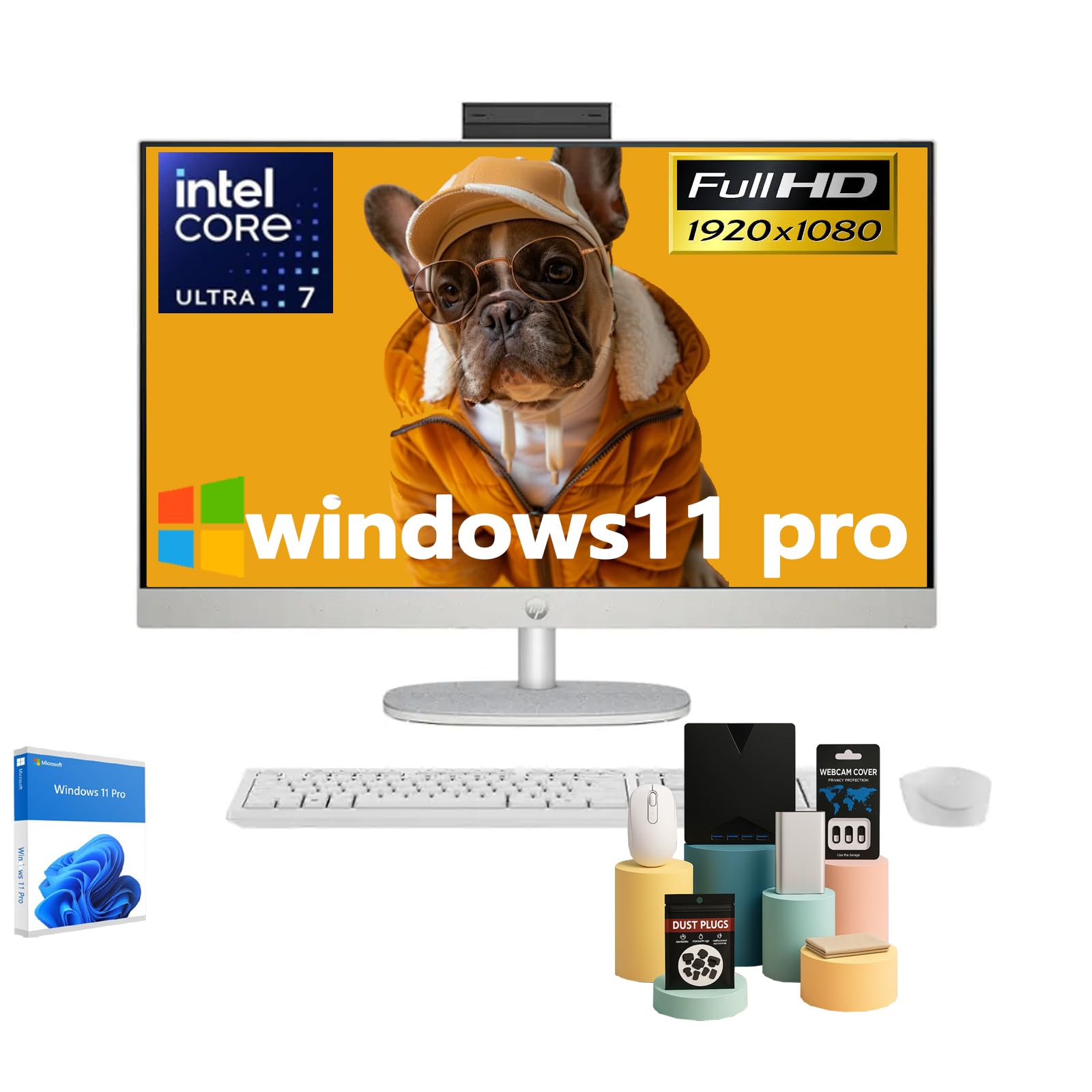
Figure 1: HP 27-inch All-in-One Desktop Computer
2. පෙට්ටියේ ඇති දේ
සියලුම අයිතම ඇසුරුම්වල ඇති බව තහවුරු කර ගන්න:
- HP 27-inch All-in-One Desktop Computer Touchscreen
- වයර් යතුරු පුවරුව
- වයර් මවුස්
- 90 W ස්මාර්ට් ඒසී බල ඇඩැප්ටරය
- සැකසුම් උපදෙස්

රූපය 2: ඇතුළත් උපාංග සහ සංරචක
3. පිහිටුවීම
- පරිගණකය ඉවත් කරන්න: Carefully remove the All-in-One computer and all accessories from the packaging.
- Place the Computer: Position the computer on a stable, flat surface. Ensure adequate ventilation around the device. The adjustable stand allows for tilting the display to your preferred viewing කෝණය.
- පර්යන්ත සම්බන්ධ කරන්න:
- Connect the wired keyboard and mouse to the available USB ports on the back of the computer.
- Plug the 90 W Smart AC power adapter into the power port on the back of the computer, then connect it to a power outlet.
- බල ගැන්වීම: සාමාන්යයෙන් සංදර්ශකයේ පැත්තේ හෝ පිටුපස පිහිටා ඇති බල බොත්තම ඔබන්න.
- ආරම්භක වින්ඩෝස් සැකසුම: Follow the on-screen instructions to complete the Windows 11 Pro setup, including language, network connection, and user account creation.

Figure 3: Rear ports for connectivity
4. ක්රියාත්මක වීම
4.1 ස්පර්ශ තිර ක්රියාකාරීත්වය
Your HP All-in-One Desktop features a 27-inch Full HD IPS touchscreen. You can interact directly with the display using touch gestures, similar to a tablet or smartphone. This allows for intuitive navigation, scrolling, and selection of items on the screen.
4.2 ඒකාබද්ධ Webකැමරාව සහ ශ්රව්ය
The computer includes an HP True Vision 1080p FHD IR Tilt Privacy Camera. This pop-up camera can be manually retracted into the display for privacy when not in use. Dual 2W speakers and integrated dual array digital microphones with temporal noise reduction provide clear audio for video calls and multimedia.
4.3 සම්බන්ධතාවය
උපාංගය පුළුල් සම්බන්ධතා විකල්ප ලබා දෙයි:
- රැහැන් රහිත: Built-in Realtek Rtl8852Be Wi-Fi 6 (2x2) for high-speed internet and Bluetooth 5.3 for connecting wireless peripherals.
- USB Ports: 2x USB Type-A 5Gbps Signaling Rate, 1x USB Type-C 5Gbps Signaling Rate, and 2x USB 2.0 Type-A for connecting various devices.
- වීඩියෝ ප්රතිදානය: 1x HDMI-out 1.4 port for connecting an external display.
- ජාලය: 1x RJ45 LAN Ethernet port for wired network connection.
- ශ්රව්ය: 1x Headphone/Microphone Combo jack.
වීඩියෝව 1: නිෂ්පාදනය අවසන්view. This video provides a brief visual overview of the HP All-in-One Desktop Computer's features and design.
5. නඩත්තු කිරීම
5.1 පිරිසිදු කිරීම
- තිරය: මෘදු, ලින්ට් රහිත රෙදි තරමක් භාවිතා කරන්න dampජලය හෝ තිර පිරිසිදු කරන්නෙකු සමඟ ආලේප කර ඇත. රළු රසායනික ද්රව්ය වලින් වළකින්න.
- චැසි: මෘදු, වියළි රෙද්දකින් පිස දමන්න. මුරණ්ඩු අපිරිසිදුකම සඳහා, තරමක් d භාවිතා කරන්න.amp රෙදි.
- වාතාශ්රය: Regularly check and clean the ventilation slots to prevent dust buildup, which can affect performance.
5.2 මෘදුකාංග යාවත්කාලීන
Keep your Windows 11 Pro operating system and drivers updated to ensure optimal performance, security, and compatibility. Windows Update will typically handle this automatically, but you can manually check for updates in the system settings.
5.3 පාරිසරික සලකා බැලීම්
This HP All-in-One Desktop is designed with sustainability in mind, incorporating post-consumer recycled plastics and ocean-bound plastics in its construction. Please dispose of the product responsibly at the end of its life cycle according to local regulations.

Figure 4: Designed with the planet in mind
6. දෝශ නිරාකරණය
If you encounter issues with your computer, try the following steps:
- බලය නැත: Ensure the power adapter is securely connected to both the computer and a working power outlet. Try a different outlet if necessary.
- සංදර්ශකය නැත: Check if the computer is powered on. If the screen remains black, try restarting the computer.
- ප්රතිචාර නොදක්වන පර්යන්ත: Verify that the keyboard and mouse are properly connected to the USB ports. If using wireless peripherals, ensure they are charged and correctly paired.
- මන්දගාමී කාර්ය සාධනය: Close unnecessary applications. Check for and install any pending Windows updates. Ensure sufficient free space on your SSD.
- Webcam Issues: Ensure the pop-up privacy camera is extended. Check privacy settings in Windows to ensure applications have permission to access the camera.
වඩාත් සංකීර්ණ ගැටළු සඳහා, HP සහාය වෙත යොමු වන්න. webඅඩවියට පිවිසෙන්න හෝ HP පාරිභෝගික සේවාව අමතන්න.
7. පිරිවිතර

Figure 5: Key specifications of the HP All-in-One Desktop
| විශේෂාංගය | විස්තරය |
|---|---|
| ස්ථාවර තිර සංදර්ශක ප්රමාණය | අඟල් 27 |
| තිර විභේදනය | 1920 x 1080 පික්සල (FHD) |
| සංදර්ශක වර්ගය | Touch Screen, IPS, Three-Sided Micro-Edge, Anti-Glare, 300 Nits, 99% sRGB |
| ප්රොසෙසරය | Intel Ultra 7 155U (12-Core, 1.7 GHz base, 4.8 GHz turbo, 12 MB Intel Smart Cache) |
| RAM | 16 GB DDR5 5600MHz (Upgradeable to 64 GB) |
| දෘඪ තැටිය | 1 TB SSD (Upgradeable to 2 TB) |
| ග්රැෆික් කොප්රොසෙසරය | Integrated Intel Graphics |
| මෙහෙයුම් පද්ධතිය | Windows 11 Pro |
| රැහැන් රහිත වර්ගය | Realtek Rtl8852Be Wi-Fi 6 (2x2), Bluetooth 5.3 |
| වරායන් | 2x USB Type-A 5Gbps, 1x USB Type-C 5Gbps, 2x USB 2.0 Type-A, 1x Headphone/Microphone Combo, 1x HDMI-out 1.4, 1x RJ45 LAN Ethernet |
| අයිතමයේ බර | රාත්තල් 14.81 කි |
| නිෂ්පාදන මානයන් | අඟල් 24.11 x 20.35 x 7.34 |
| විශේෂ ලක්ෂණ | Adjustable Stand, Dual Microphone with Advanced Noise Reduction, HP True Vision 1080p with Pop-Up Privacy Camera, Three-Side Micro-Edge Display with Wide-Viewකෝණ |

රූපය 6: නිෂ්පාදන මානයන්
8. වගකීම් සහ සහාය
Your HP 27-inch Touchscreen All-in-One Desktop Computer comes with a standard manufacturer's warranty. Please refer to the warranty card included in your product packaging for specific terms and conditions.
තාක්ෂණික සහාය, ධාවක බාගැනීම් සහ අමතර නිෂ්පාදන තොරතුරු සඳහා, කරුණාකර නිල HP සහාය වෙත පිවිසෙන්න. webඅඩවිය: www.hp.com/support