හැඳින්වීම
The Mighty 3 (2026 Edition) is a portable, screen-free music player designed to provide offline access to your Spotify Premium and Amazon Music Unlimited playlists and podcasts. This device allows you to enjoy your audio content without the need for a phone or internet connection, making it ideal for workouts, travel, or any activity where you want to minimize distractions. It supports both Bluetooth and wired headphones.
පෙට්ටියේ ඇති දේ
- Mighty 3 Player
- Type-C ආරෝපණ කේබලය
- ඉක්මන් ආරම්භක මාර්ගෝපදේශය
නිෂ්පාදනය අවසන්view
The Mighty 3 features a compact design with intuitive controls for easy navigation of your music and podcasts.
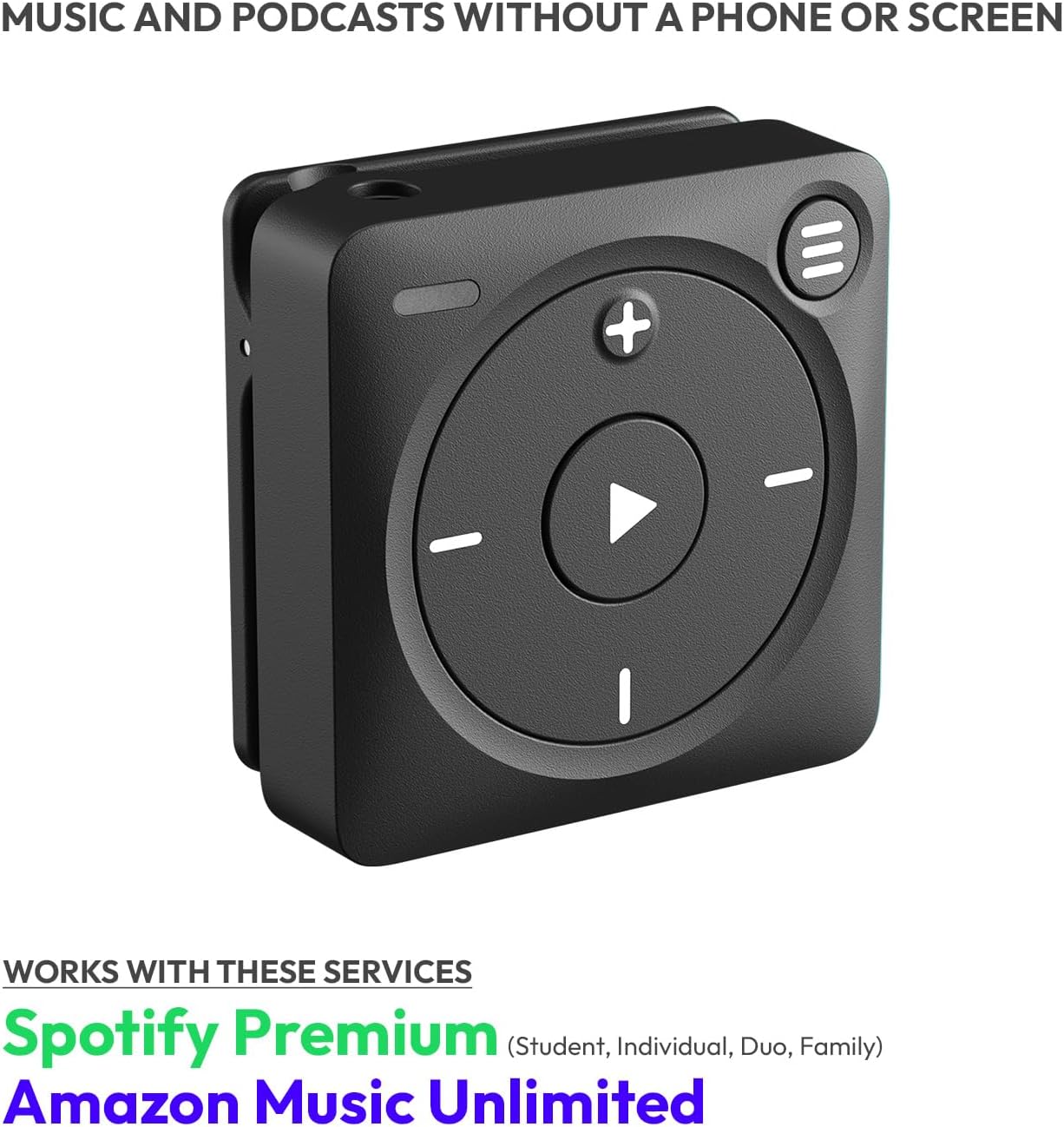
Figure 1: Mighty 3 Player, front view, highlighting compatibility with Spotify Premium and Amazon Music Unlimited.
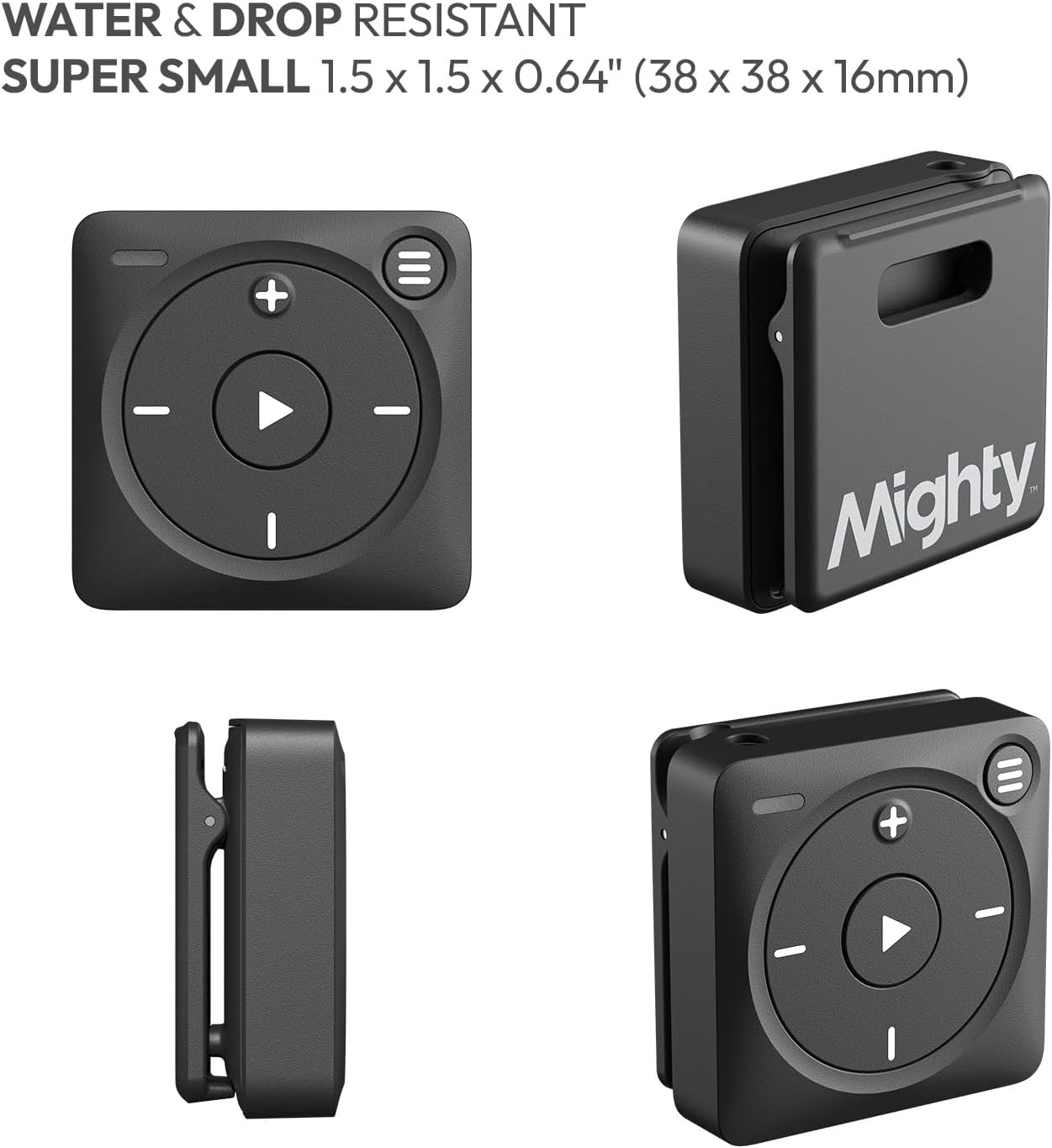
රූපය 2: විවිධ views of the Mighty 3 Player, illustrating its small size, clip mechanism, and port locations.
පාලන සහ වරාය
- වාදනය/විරාම බොත්තම: Central button for playback control.
- ශබ්දය වැඩි/පහළ: '+' and '-' buttons for adjusting audio volume.
- ධාවන පථය මඟ හැරීම: Left and right buttons for skipping tracks forward or backward.
- Playlist Button: Top-right button to cycle through playlists.
- LED දර්ශකය: Provides status updates (charging, connected, etc.).
- 3.5mm හෙඩ්ෆෝන් ජැක්: For wired headphone connection.
- USB-C වරාය: අයකිරීම් සහ දත්ත හුවමාරුව සඳහා.
- ඒකාබද්ධ ක්ලිප්: For attaching the device to clothing or accessories.
සැලසුම
Follow these steps to set up your Mighty 3 player and begin enjoying your music.
1. Install the Mighty App
The Mighty app is required for initial setup, syncing playlists, and managing your device. It is available for both iOS and Android devices.
- Scan the QR code provided in the Quick Start Guide or search for "Mighty Audio" in the Apple App Store or Google Play Store.
- ඔබගේ ස්මාර්ට් ජංගම දුරකතනයේ යෙදුම ස්ථාපනය කරන්න.

Figure 3: Visual guide for app installation and playlist syncing.
2. Power On and Connect to App
- Plug your Mighty 3 into the Type-C charging cable. Powering on will take up to 5 seconds.
- Open the Mighty app on your smartphone.
- Follow the on-screen instructions to connect your Mighty 3 to the app. You may need to select your Mighty model (Mighty 3) and confirm the LED status.
- Log in to your Mighty account or create a new one.
LED Startup Color Guide:
- Solid green: Powering on
- Blinking green: On
- ඝන සුදු: සම්පූර්ණයෙන්ම ආරෝපිත
- Blinking white: Charging
3. මෘදුකාංග යාවත්කාලීන කිරීම
Ensure your Mighty 3 has the latest software for optimal performance.
- The app will check for available software updates.
- If an update is available, follow the prompts to install it. Ensure your Mighty 3 remains connected to the charger during this process.
- Mighty will automatically restart and reconnect to the app after the update.
Video 1: This video demonstrates the step-by-step process of setting up your new Mighty 3 player, including app connection and initial configuration.
4. Connect Music Service & Sync Playlists
Mighty 3 supports Spotify Premium and Amazon Music Unlimited.
- In the Mighty app, select your preferred music service (Spotify or Amazon Music).
- Log in to your music service account through the app.
- Select the playlists you wish to sync to your Mighty 3.
- Ensure your Mighty 3 is connected to a Wi-Fi network for downloading songs.
- Tap 'Sync Now' to transfer your selected playlists to the device.
5. බ්ලූටූත් යුගලනය
Connect your Mighty 3 to Bluetooth headphones or speakers.
- ඔබගේ බ්ලූටූත් හෙඩ්ෆෝන් හෝ ස්පීකරය යුගල කිරීමේ ප්රකාරයට දමන්න.
- In the Mighty app, navigate to the Bluetooth settings.
- යුගල කිරීමට ලැයිස්තුවෙන් ඔබගේ උපාංගය තෝරන්න.
මෙහෙයුම් උපදෙස්
බලය සක්රිය / අක්රිය
- To turn Mighty on or off, hold down the Play button until the LED turns green (on) or orange (off).
පසුධාවන පාලන
- වාදනය/විරාමය: Press the central Play button.
- පරිමාව: '+' හෝ '-' බොත්තම් ඔබන්න.
- ධාවන පථය මඟ හරින්න: Press the left or right buttons.
- Change Playlist: Press the top-right playlist button. Mighty uses a voice UI to announce playlist names.
රැහැන් සහිත හෙඩ්ෆෝන් භාවිතා කිරීම
- Plug any standard 3.5mm wired headphones into the headphone jack on your Mighty 3.

Figure 4: Mighty 3 demonstrating compatibility with both wired and Bluetooth headphones.
Video 2: This short video highlights the core benefit of the Mighty 3 as a Spotify music player, enabling music and podcasts without a phone.
නඩත්තු කිරීම
අයකිරීම
- Use the provided Type-C charging cable to charge your Mighty 3.
- A full charge provides over 8 hours of continuous playback.
ජල ප්රතිරෝධය
- The Mighty 3 is IPX4 rated, meaning it is water, sweat, light rain, and splash resistant.
- වැදගත්: Do not swim with or submerge your Mighty 3.
Storage & 'Stay Fresh' Feature
- The device has 8 GB of memory, capable of storing over 1,000 songs.
- The 'Stay Fresh' feature automatically updates your playlists while the device is charging and connected to Wi-Fi, ensuring your content is always current without manual intervention.
දෝෂගවේෂණය
If you encounter issues with your Mighty 3, refer to the following common solutions:
- උපාංගය ක්රියාත්මක නොවේ: Ensure the device is charged. Connect it to the Type-C charging cable and allow it to charge for at least 15 minutes before attempting to power on again.
- සමමුහුර්ත කිරීමේ ගැටළු: Verify your Mighty 3 is connected to a stable Wi-Fi network. Ensure your Spotify Premium or Amazon Music Unlimited subscription is active. Try restarting both the Mighty 3 and the Mighty app.
- බ්ලූටූත් සම්බන්ධතා ගැටළු: Ensure your Bluetooth headphones/speakers are in pairing mode. Check that no other devices are actively connected to your Mighty 3. Try unpairing and re-pairing the Bluetooth device through the Mighty app.
- දුර්වල ශ්රව්ය ගුණාත්මකභාවය: Ensure your headphones are properly connected (wired) or paired (Bluetooth). Check the audio quality settings in the Mighty app.
- බැටරිය ඉක්මනින් සිඳී යාම: Ensure the device is fully charged before use. Background Wi-Fi activity during syncing can consume more power.
For more detailed troubleshooting, visit the official Mighty support webවෙබ් අඩවිය හෝ පාරිභෝගික සහාය අමතන්න.
පිරිවිතර
| විශේෂාංගය | විස්තර |
|---|---|
| නිෂ්පාදන මානයන් | අඟල් 0.63 x 1.5 x 1.5 |
| අයිතමයේ බර | අවුන්ස 0.705 කි |
| අයිතම ආදර්ශ අංකය | MD-M325 |
| මතක ගබඩා ධාරිතාව | 8 GB (1000+ songs) |
| බැටරි ආයු කාලය | 8+ hours playback |
| සම්බන්ධතා තාක්ෂණය | බ්ලූටූත් |
| හෙඩ්ෆෝන් සම්බන්ධතාවය | Bluetooth, 3.5mm Headphone Jack |
| ජල ප්රතිරෝධය | IPX4 (water, sweat, light rain, splash resistant) |
| සහාය දක්වන ප්රමිති | Spotify Premium, Amazon Music Prime, Amazon Music Unlimited |
| සංදර්ශක තාක්ෂණය | සංදර්ශකය නැත |
සහාය
For additional assistance or inquiries, please use the following resources:
- සබැඳි උදවු: පිවිසෙන්න bemighty.com/help
- ඊමේල් සහාය: අමතන්න heyo@bemighty.com
- Amazon Message Tool: Reach out through the Amazon message tool for support.
The Mighty team is committed to providing support and aims to respond within 48 hours.


