1. හැඳින්වීම
This manual provides essential information for the safe and efficient operation of your FOXX C10 10.1-inch Android Tablet. Please read this guide thoroughly before using your device to ensure proper functionality and to understand its features. Keep this manual for future reference.
2. පෙට්ටියේ ඇති දේ
සියලුම අයිතම පැකේජයේ ඇති බව තහවුරු කරගන්න:
- FOXX C10 Tablet
- Type-C කේබල්
- චාජර් (10W)
- පරිශීලක අත්පොත
- Protective Cover (pre-applied)
- Screen Protector Film (pre-applied)
3. නිෂ්පාදන අවසන්view
The FOXX C10 tablet features a 10.1-inch HD display, dual 8MP cameras, and a robust 6000mAh battery, all powered by an Android 13 operating system.

රූපය: ඉදිරිපස සහ පසුපස view of the FOXX C10 tablet, showcasing its sleek design and dual camera module on the rear.

Image: An infographic highlighting key features including the 10.1-inch display, Android 13, 6000mAh battery, 8MP cameras, MediaTek quad-core chipset, 4GB RAM + 64GB storage, 4G LTE bands, Wi-Fi, Bluetooth 5.0, Nano SIM, Type-C, and 3.5mm AUX port.
3.1 සංදර්ශකය
The tablet is equipped with a 10.1-inch HD TFT V-notch display, offering a resolution of 800x1280 pixels for clear visuals.

Image: Close-up of the tablet's 10.1-inch HD TFT V-notch display, showing vibrant colors and detail.
3.2 කැමරා
The FOXX C10 features dual 8-megapixel cameras, both on the front and rear, enabling high-quality photos and video calls.
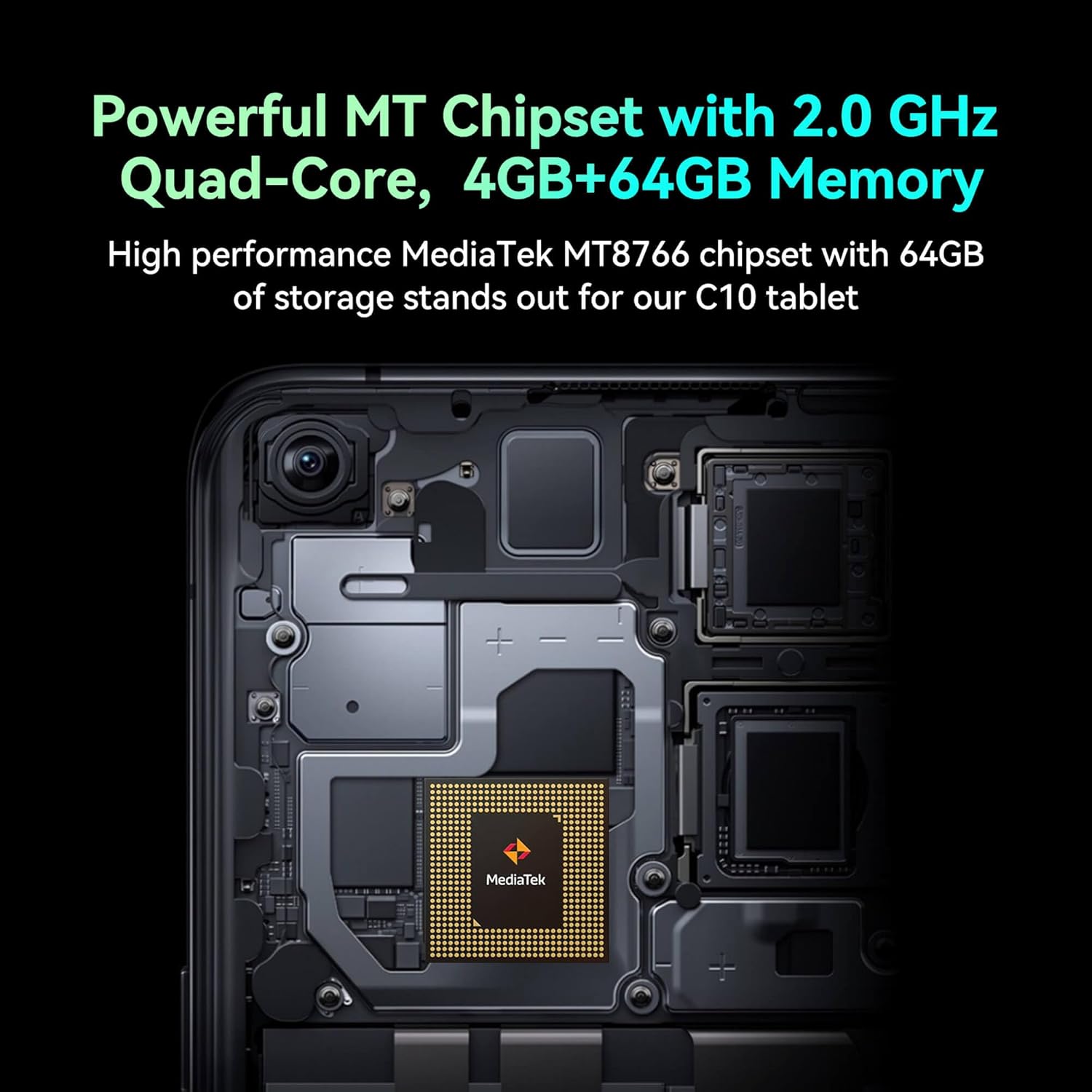
Image: Detail of the tablet's rear camera module, highlighting the 8-megapixel main camera with autofocus capabilities.
3.3 සකසනය සහ මතකය
It runs on a 2.0 GHz quad-core MediaTek MT8766 chipset, paired with 4GB of RAM and 64GB of internal storage for smooth performance and ampඉඩ.

රූපය: අභ්යන්තරයක් view of the tablet's motherboard, showcasing the MediaTek MT8766 quad-core chipset.
3.4 බැටරි
A 6000mAh battery provides extended usage time, ensuring the device stays powered throughout the day.
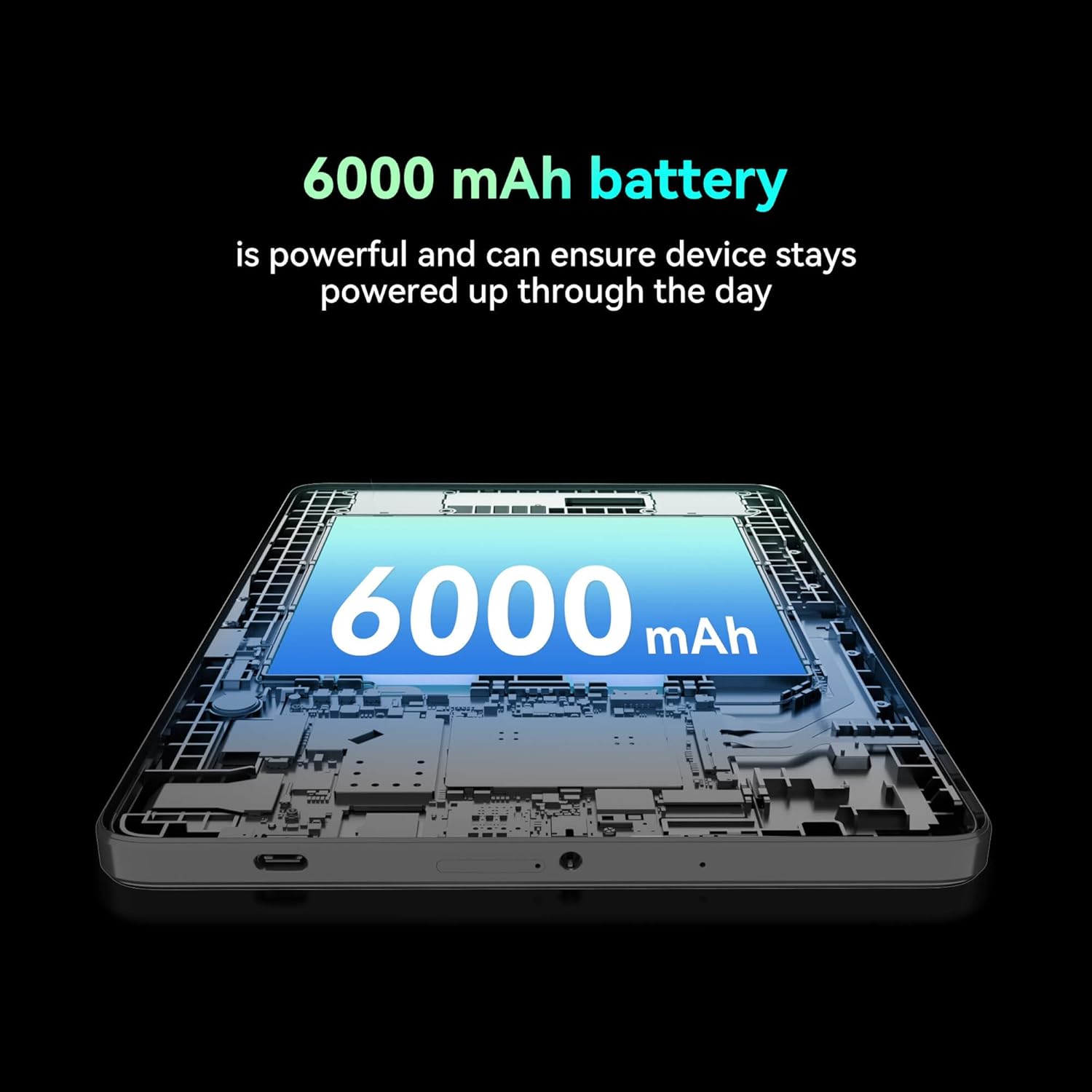
රූපය: කැපුමක් view of the tablet highlighting the large 6000 mAh battery component.
4. පිහිටුවීම
4.1 මූලික ආරෝපණය
Before first use, fully charge your tablet using the provided Type-C cable and 10W charger. The battery indicator on the screen will show charging status.
4.2 බල ගැන්වීම සක්රිය / අක්රිය කිරීම
- බල ගැන්වීමට: තිරය දැල්වෙන තුරු බල බොත්තම ඔබාගෙන සිටින්න.
- බලය අක්රිය කිරීමට: බල බොත්තම ඔබා අල්ලාගෙන සිටින්න, ඉන්පසු තිරයේ ඇති විකල්ප වලින් 'පවර් ඕෆ්' තෝරන්න.
- නැවත ආරම්භ කිරීමට: බල බොත්තම ඔබා අල්ලාගෙන සිටින්න, ඉන්පසු තිරයේ ඇති විකල්ප වලින් 'නැවත ආරම්භ කරන්න' තෝරන්න.
4.3 සිම් කාඩ්පත් සවි කිරීම
The FOXX C10 supports Nano SIM cards for cellular connectivity. Locate the SIM card tray on the side of the tablet. Use the provided SIM ejector tool to open the tray. Insert the Nano SIM card into the designated slot with the gold contacts facing down. Close the tray securely.
4.4 MicroSD කාඩ්පත් ස්ථාපනය (විකල්ප)
If your tablet supports expandable storage, locate the MicroSD card slot, often combined with the SIM tray. Insert a MicroSD card (up to 128GB, sold separately) into the slot with the gold contacts facing down. Close the tray securely.
5. මෙහෙයුම් උපදෙස්
5.1 මූලික සංචාලනය
ඔබගේ ටැබ්ලටය Android 13 මත ධාවනය වේ. සංචාලනය සඳහා ස්පර්ශ අභිනයන් භාවිතා කරන්න:
- තට්ටු කරන්න: අයිතමයක් තෝරන්න හෝ යෙදුමක් විවෘත කරන්න.
- ස්වයිප්: තිර හෝ ලැයිස්තු හරහා අනුචලනය කරන්න.
- පින්ච්: රූප විශාලනය කරන්න හෝ අඩු කරන්න සහ web පිටු.
- දිගු මුද්රණ යන්ත්රය: සන්දර්භීය මෙනු වෙත ප්රවේශ වන්න හෝ අයිකන ගෙන යන්න.
5.2 Wi-Fi වෙත සම්බන්ධ කිරීම
- වෙත යන්න සැකසීම් > ජාලය සහ අන්තර්ජාලය > Wifi.
- Wi-Fi ටොගල් කරන්න On.
- ලැයිස්තුවෙන් ඔබට අවශ්ය Wi-Fi ජාලය තෝරන්න.
- විමසුවහොත් මුරපදය ඇතුළත් කරන්න, ඉන්පසු තට්ටු කරන්න සම්බන්ධ කරන්න.
5.3 Making Calls (4G LTE)
With a properly installed and activated Nano SIM card, your tablet can make and receive calls.
- විවෘත කරන්න දුරකථනය යෙදුම.
- Dial the desired number or select a contact.
- තට්ටු කරන්න අමතන්න බොත්තම.
5.4 කැමරාව භාවිතා කිරීම
The tablet features dual 8MP cameras for photography and video recording.
- විවෘත කරන්න කැමරාව යෙදුම.
- තට්ටු කරන්න ෂටරය ඡායාරූපයක් ගැනීමට බොත්තම.
- තට්ටු කරන්න වීඩියෝ icon to switch to video recording mode.
- Use the camera switch icon to toggle between front and rear cameras.
5.5 බ්ලූටූත් යුගල කිරීම
- වෙත යන්න සැකසීම් > සම්බන්ධිත උපාංග > බ්ලූටූත්.
- බ්ලූටූත් ටොගල් කරන්න On.
- Ensure the device you want to pair with is in pairing mode.
- Select the device from the list and follow any on-screen prompts to complete pairing.
6. නඩත්තු කිරීම
6.1 බැටරි සත්කාර
- බැටරි ආයු කාලය පිරිහීමට ලක් කළ හැකි අධික උෂ්ණත්වයන්ගෙන් වළකින්න.
- ටැබ්ලටය සම්පූර්ණයෙන්ම ආරෝපණය වූ පසු දිගු වේලාවක් ආරෝපණය කරමින් තබන්න එපා.
- සපයා ඇති චාජරය සහ කේබලය පමණක් භාවිතා කරන්න.
6.2 පිරිසිදු කිරීම
ටැබ්ලටයේ තිරය සහ බඳ පිරිසිදු කිරීම සඳහා මෘදු, ලින්ට් රහිත රෙද්දක් භාවිතා කරන්න. රළු රසායනික ද්රව්ය හෝ උල්ෙල්ඛ ද්රව්ය භාවිතා කිරීමෙන් වළකින්න. මුරණ්ඩු පැල්ලම් සඳහා, තරමක් dampen ජලය සහිත රෙදි හෝ ඉලෙක්ට්රොනික උපකරණ සඳහා නිර්මාණය කර ඇති තිර පිරිසිදු කරන්නා.
6.3 මෘදුකාංග යාවත්කාලීන
ඔබගේ ටැබ්ලටයේ නවතම විශේෂාංග, ආරක්ෂක පැච් සහ කාර්ය සාධන වැඩිදියුණු කිරීම් ඇති බව සහතික කර ගැනීම සඳහා මෘදුකාංග යාවත්කාලීන කිරීම් නිතිපතා පරීක්ෂා කර ස්ථාපනය කරන්න. වෙත යන්න සැකසීම් > පද්ධතිය > පද්ධති යාවත්කාලීන කිරීම.
7. දෝශ නිරාකරණය
| ගැටලුව | විසඳුම |
|---|---|
| ටැබ්ලටය සක්රිය නොවේ | බැටරිය ආරෝපණය කර ඇති බවට වග බලා ගන්න. නැවත බලය ක්රියාත්මක කිරීමට උත්සාහ කිරීමට පෙර චාජරය සම්බන්ධ කර මිනිත්තු කිහිපයක් රැඳී සිටින්න. |
| Wi-Fi වෙත සම්බන්ධ විය නොහැක | Check if Wi-Fi is enabled in settings. Restart your router and the tablet. Verify the Wi-Fi password. |
| යෙදුම් මන්දගාමී හෝ බිඳ වැටෙමින් පවතී | Close unused apps. Clear app cache (Settings > Apps > [App Name] > Storage > Clear cache). Restart the tablet. Ensure sufficient storage space. |
| සෙලියුලර් සේවාවක් නොමැත | Ensure the Nano SIM card is correctly inserted and activated. Check your network settings and contact your service provider if necessary. |
| තිරය ප්රතිචාර නොදක්වයි | ටැබ්ලටය නැවත ආරම්භ කරන්න. ගැටලුව දිගටම පවතී නම්, කර්මාන්තශාලා යළි පිහිටුවීමක් සිදු කරන්න (දත්ත නැති වනු ඇත). |
8. පිරිවිතර
| විශේෂාංගය | විස්තර |
|---|---|
| මාදිලියේ නම | FOXX C10 |
| මෙහෙයුම් පද්ධතිය | Android 13 |
| තිර ප්රමාණය | අඟල් 10.1 |
| උපරිම තිර විභේදනය | පික්සල 800x1280 |
| ප්රොසෙසරය | 2 GHz Quad-Core MediaTek |
| RAM | 4 GB |
| අභ්යන්තර ගබඩාව | 64 GB |
| ෆ්ලෑෂ් මතක ප්රමාණය | 8 GB (likely referring to system partition or eMMC base) |
| කැමරා | Dual 8MP (Front & Rear) |
| බැටරි ධාරිතාව | 6000 mAh |
| සම්බන්ධතාවය | 4G LTE, Wi-Fi (802.11 b/g/n/ac), Bluetooth 5.0, USB-C, 3.5mm AUX |
| අයිතමයේ බර | රාත්තල් 1.26 කි |
| නිෂ්පාදන මානයන් | අඟල් 9.64 x 6.39 x 0.42 |
| වර්ණය | කළු |
9. වගකීම් සහ සහාය
වගකීම් තොරතුරු සහ තාක්ෂණික සහාය සඳහා, කරුණාකර ඔබේ මිලදී ගැනීම සමඟ සපයා ඇති ලියකියවිලි බලන්න හෝ සිල්ලර වෙළෙන්දා අමතන්න. වගකීම් හිමිකම් සඳහා ඔබේ මිලදී ගැනීම පිළිබඳ සාක්ෂි තබා ගන්න.


