1. නිෂ්පාදන අවසන්view
The SLuB HGD T2 Wireless Earbuds feature advanced Bluetooth 5.4 technology, delivering stable connectivity and high-fidelity audio. Designed for comfort and versatility, these ear-hook style earbuds offer ENC noise cancellation for clear calls, IPX6 water resistance, and intuitive touch controls.

Image: SLuB HGD T2 Wireless Earbuds in their charging case, displaying battery levels on an LED screen.
ප්රධාන ලක්ෂණ

Image: Visual representation of the earbuds' key features: Noise Reduction, Bluetooth 5.4, Hi-Fi Sound Quality, Stable Fit, Battery Level Display, and Long Playback Time.
- බ්ලූටූත් 5.4 තාක්ෂණය: Ensures stable connection, reduced audio delay, and efficient power consumption.
- Hi-Fi Audio Quality: Equipped with high-sensitivity dynamic drivers for balanced sound reproduction, enhanced bass, and immersive audio.
- ENC Noise Cancelling: Effectively reduces ambient noise for clear call quality.
- Ergonomic Ear-Hook Design: Provides a secure and comfortable fit, ideal for sports and extended wear, preventing accidental drops.
- IPX6 ජල ප්රතිරෝධය: Protects against sweat and rain, suitable for outdoor activities and workouts.
- ස්මාර්ට් ස්පර්ශ පාලන: Manage music playback, calls, volume, and activate voice assistants with simple taps.
- Long Battery Life with LED Display: Up to 7 hours of playback per charge, with the charging case providing multiple recharges. The case features an LED display for battery status.
- Single/Dual Earbud Mode: Use either earbud independently or both together.
පැකේජයේ අන්තර්ගතය

Image: Illustration of the package contents, including earbuds, charging case, USB Type-C cable, and user manual.
- SLuB HGD T2 Wireless Earbuds (Left and Right)
- අයකිරීමේ නඩුව
- USB Type-C ආරෝපණ කේබලය
- පරිශීලක අත්පොත
2. සැකසුම් මාර්ගෝපදේශය
2.1 ඉයර්බඩ් සහ කේස් ආරෝපණය කිරීම
- මූලික ගාස්තුව: පළමු භාවිතයට පෙර, ඉයර්බඩ් සහ ආරෝපණ පෙට්ටිය සම්පූර්ණයෙන්ම ආරෝපණය කරන්න.
- නඩුව අයකිරීම: Connect the provided USB Type-C cable to the charging port on the case and to a USB power adapter (not included). The LED display on the case will show the charging progress.
- ඉයර්බඩ් ආරෝපණය කිරීම: Place the earbuds into the charging case. Ensure they are correctly seated. The LED indicators on the earbuds and the case display will show charging status.
- සම්පූර්ණ ගාස්තු දර්ශකය: The LED display will show "100" when the charging case is fully charged. The individual earbud indicators will turn off when fully charged.
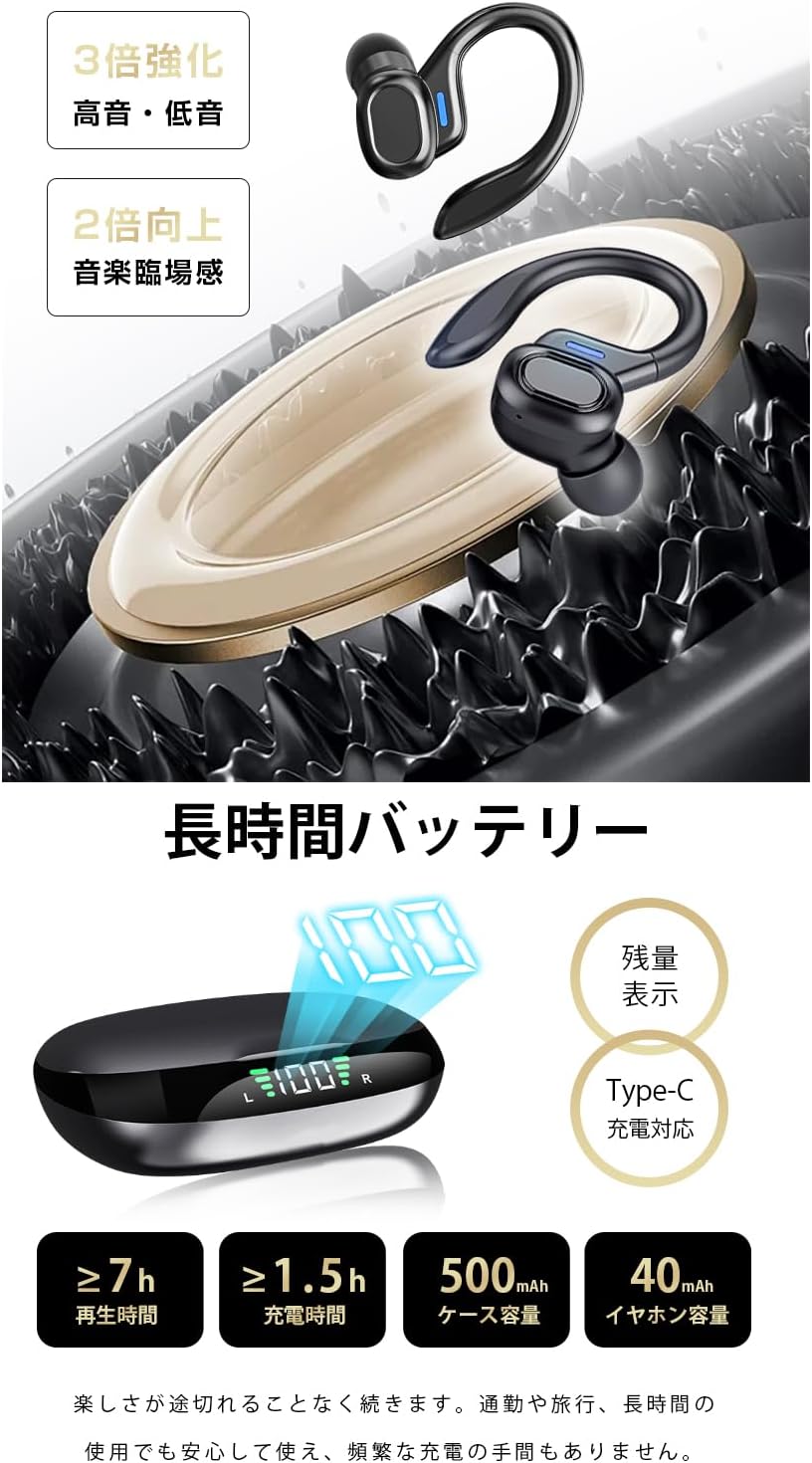
රූපය: බැටරි ප්රතිශතය පෙන්වන ආරෝපණ පෙට්ටියtage and individual earbud charge status.
2.2 ඔබගේ උපාංගය සමඟ යුගල කිරීම
- පළමු වරට යුගල කිරීම:
- ආරෝපණ පෙට්ටිය විවෘත කරන්න. ඉයර්බඩ් ස්වයංක්රීයව යුගල කිරීමේ ප්රකාරයට ඇතුළු වනු ඇත.
- ඔබගේ උපාංගයේ (ස්මාර්ට්ෆෝන්, ටැබ්ලටය, ආදිය), බ්ලූටූත් සක්රීය කරන්න.
- ඒ සඳහා සොයන්න "HGD T2" in the list of available Bluetooth devices and select it to connect.
- සම්බන්ධ වූ පසු, සාර්ථක යුගලනය තහවුරු කිරීමට හඬ විමසුමක් මඟින් හැකි වේ.
- ස්වයංක්රීය නැවත සම්බන්ධ කිරීම: After the initial pairing, the earbuds will automatically connect to the last paired device when removed from the charging case and Bluetooth is enabled on the device.
- තනි කරාබු ප්රකාරය: You can use either the left or right earbud independently. Simply take one earbud out of the case, and it will connect. The other earbud can remain in the case or be used later.

Image: Illustration showing the automatic connection process when opening the charging case and pairing with a smartphone.
3. මෙහෙයුම් උපදෙස්
3.1 ස්පර්ශ පාලන
The SLuB HGD T2 earbuds feature intuitive touch controls on each earbud. The functions are as follows:

Image: Visual guide to the touch controls for music playback, calls, volume adjustment, and voice assistant activation.
| ක්රියාව | වම් ඉයර්බඩ් | දකුණු අර්බඩ් |
|---|---|---|
| සංගීතය වාදනය/විරාම කරන්න | තනි තට්ටු කිරීම | තනි තට්ටු කිරීම |
| ඊළඟ ධාවන පථය | දෙවරක් තට්ටු කරන්න | දෙවරක් තට්ටු කරන්න |
| පෙර ධාවන පථය | ත්රිත්ව තට්ටු කරන්න | ත්රිත්ව තට්ටු කරන්න |
| ශබ්දය වැඩි කරන්න | N/A | දිගු ඔබන්න (තත්පර 1) |
| Volume Down | දිගු ඔබන්න (තත්පර 1) | N/A |
| ඇමතුමට පිළිතුරු දෙන්න/අවසන් කරන්න | තනි තට්ටු කිරීම | තනි තට්ටු කිරීම |
| ඇමතුම ප්රතික්ෂේප කරන්න | දිගු ඔබන්න (තත්පර 2) | දිගු ඔබන්න (තත්පර 2) |
| හඬ සහායක (සිරි/ගූගල් සහායක) සක්රිය කරන්න. | දිගු ඔබන්න (තත්පර 2) | දිගු ඔබන්න (තත්පර 2) |
4. නඩත්තුව සහ රැකවරණය
4.1 පිරිසිදු කිරීම
- මෘදු, වියලි, ලින්ට් රහිත රෙද්දකින් ඉයර්බඩ් සහ ආරෝපණ පෙට්ටිය නිතිපතා පිරිසිදු කරන්න.
- උල්ෙල්ඛ පිරිසිදු කරන්නන්, ද්රාවක හෝ එයරොසෝල් ඉසින භාවිතා නොකරන්න.
- Ensure charging contacts on both earbuds and case are clean and free of debris to maintain proper charging.
4.2 ගබඩා කිරීම
- භාවිතයේ නොමැති විට, ඉයර්බඩ් ආරක්ෂා කර ගැනීමට සහ ආරෝපණය කර තබා ගැනීමට ඒවායේ ආරෝපණ පෙට්ටියේ ගබඩා කරන්න.
- උපාංගය අධික උෂ්ණත්වයන්ගෙන් සහ සෘජු හිරු එළියෙන් ඈත්ව සිසිල් වියළි ස්ථානයක ගබඩා කරන්න.
4.3 ජල ප්රතිරෝධය (IPX6)
- The earbuds are rated IPX6, meaning they are resistant to powerful water jets. This makes them suitable for workouts and light rain.
- වැදගත්: IPX6 rating does not mean they are waterproof for submersion. Do not submerge the earbuds in water.
- ආරෝපණ සම්බන්ධතා වලට හානි වීම වැළැක්වීම සඳහා ඉයර්බඩ් නැවත ආරෝපණ පෙට්ටියට දැමීමට පෙර ඒවා වියළී ඇති බවට වග බලා ගන්න.
5. දෝශ නිරාකරණය
| ගැටලුව | හැකි විසඳුම |
|---|---|
| ඉයර්බඩ් යුගලනය/සම්බන්ධ නොවේ. |
|
| එක් ඉයර්බඩ් එකක් පමණක් ක්රියා කරයි. |
|
| ශබ්දයක් නැත හෝ අඩු පරිමාවක් නැත. |
|
| ආරෝපණ පෙට්ටිය ආරෝපණය නොවේ. |
|
6. පිරිවිතර
| විශේෂාංගය | විස්තර |
|---|---|
| වෙළඳ නාමය | SLuB |
| ආදර්ශ අංකය | HGD T2 |
| බ්ලූටූත් අනුවාදය | 5.4 |
| සහාය දක්වන ප්රෝfiles | HSP, HFP, A2DP, AVRCP |
| සම්ප්රේෂණ දුර | ආසන්න වශයෙන් මීටර් 10 (අඩි 33) |
| මෙහෙයුම් සංඛ්යාත කලාපය | 2.402GHz ~ 2.480GHz |
| Earbud බැටරි ධාරිතාව | 40mAh (එක් එක්) |
| ආරෝපණ කේස් බැටරි ධාරිතාව | 500mAh |
| සංගීත ධාවන කාලය | ≥ පැය 7 යි |
| ආරෝපණ කාලය (Earbuds) | ආසන්න වශයෙන්. පැය 1.5 යි |
| ආරෝපණ වරාය | වර්ගය-C |
| ජල ප්රතිරෝධක ශ්රේණිගත කිරීම | IPX6 |
| ගැළපෙන උපාංග | iOS/Android උපාංග |
7. වගකීම් සහ සහාය
For warranty information and customer support, please refer to the documentation included with your purchase or contact SLuB customer service through the retailer where you purchased the product.
SLuB is committed to providing a worry-free experience. If you encounter any issues or have questions regarding your HGD T2 Wireless Earbuds, please do not hesitate to reach out for assistance.