නිෂ්පාදනය අවසන්view
The USKEYVISION R01 PRO is a versatile 3-in-1 tripod designed for content creators, offering auto face tracking, gesture control, and a detachable wireless remote. It functions as a selfie stick, desktop stand, and camera mount tripod, supporting various shooting heights and angles.

Image: The USKEYVISION R01 PRO tripod shown in its full extended tripod form with a smartphone, as a folded selfie stick, and in a compact folded state. A remote control is also visible.
- බහුකාර්ය 3-in-1 නිර්මාණය: Easily switches between selfie stick, desktop stand, and camera mount tripod.
- Auto Face Tracking: Advanced AI automatically locks onto and follows subjects with 360° rotation.
- අභින පාලනය: Use "OK" gesture to start tracking/shooting and "Palm" gesture to stop.
- රැහැන් රහිත දුරස්ථ පාලක: Detachable remote with a 33ft (10m) range for convenient photo and video capture.
- පුළුල් අනුකූලතාව: Features a standard 1/4" screw for mounting various devices, compatible with most smartphones (2 to 3.62 inches width).
සැකසුම් උපදෙස්
- ත්රිපාදය ඉවත් කරන්න: Carefully remove all components from the packaging, including the tripod unit, remote control, and charging cable.
- උපාංගය ආරෝපණය කරන්න: Connect the tripod to a power source using the provided USB charging cable. Ensure the device is fully charged before first use.
- Extend the Tripod Legs:
- Locate the leg locks on each tripod leg.
- Release the locks and extend the legs to the desired height.
- Securely fasten the leg locks to ensure stability.
- ඔබගේ උපාංගය සවි කරන්න:
- For smartphones: Open the phone holder and carefully insert your smartphone, ensuring it is securely gripped. The holder accommodates devices 2 to 3.62 inches in width.
- For cameras/accessories: Utilize the standard 1/4" screw mount at the top of the tripod to attach compatible cameras, phone holders, or gimbal stabilizers.
- Adjust Angle and Orientation: The tripod supports 360° rotation and multi-angle adjustment for horizontal, vertical, and overhead shooting. Adjust the head to your preferred orientation.
- දුරස්ථ පාලකය යුගල කරන්න:
- Remove the detachable remote control from its slot on the tripod.
- ඔබගේ ස්මාර්ට් ජංගම දුරකතනයේ බ්ලූටූත් සක්රිය කරන්න.
- ඒ සඳහා සොයන්න available devices and select "Selfie" or a similar name to pair.

Image: The USKEYVISION R01 PRO tripod with a smartphone attached, illustrating its extendable design and how it can be folded for portability.
මෙහෙයුම් උපදෙස්
1. Auto Face Tracking & Gesture Control
The R01 PRO features an integrated AI camera that automatically detects and tracks human faces, ensuring you remain in the frame during recording or live streaming. No additional app is required for this function.
- ලුහුබැඳීම ආරම්භ කරන්න: Make an "OK" gesture with your hand towards the tripod's camera. The device will recognize the gesture and begin tracking your face.
- Stop Tracking: Make a "Palm" gesture with your hand towards the tripod's camera. The device will stop tracking.

Image: A user demonstrating the "OK" gesture to initiate face tracking and the "Palm" gesture to halt tracking on the R01 PRO tripod.
2. Using the Wireless Remote Control
The detachable remote control allows for convenient photo and video capture from a distance of up to 33 feet (10 meters).
- Once paired via Bluetooth, press the button on the remote to trigger your smartphone's camera shutter or start/stop video recording.
Video: An official product video demonstrating the features and usage of the USKEYVISION R01 PRO tripod, including its face tracking and remote control capabilities.
3. Multi-Mode Operation
The R01 PRO can be used in several modes to suit different needs:
- බිම් ආකාරය: Extend the tripod legs and place it on a flat surface for stable, hands-free recording.
- ඩෙස්ක්ටොප් ප්රකාරය: Use the shorter leg extension for tabletop use, ideal for video calls or tutorials.
- Handheld Mode (Selfie Stick): Collapse the legs and hold the unit for mobile shooting, vlogging, or selfies.
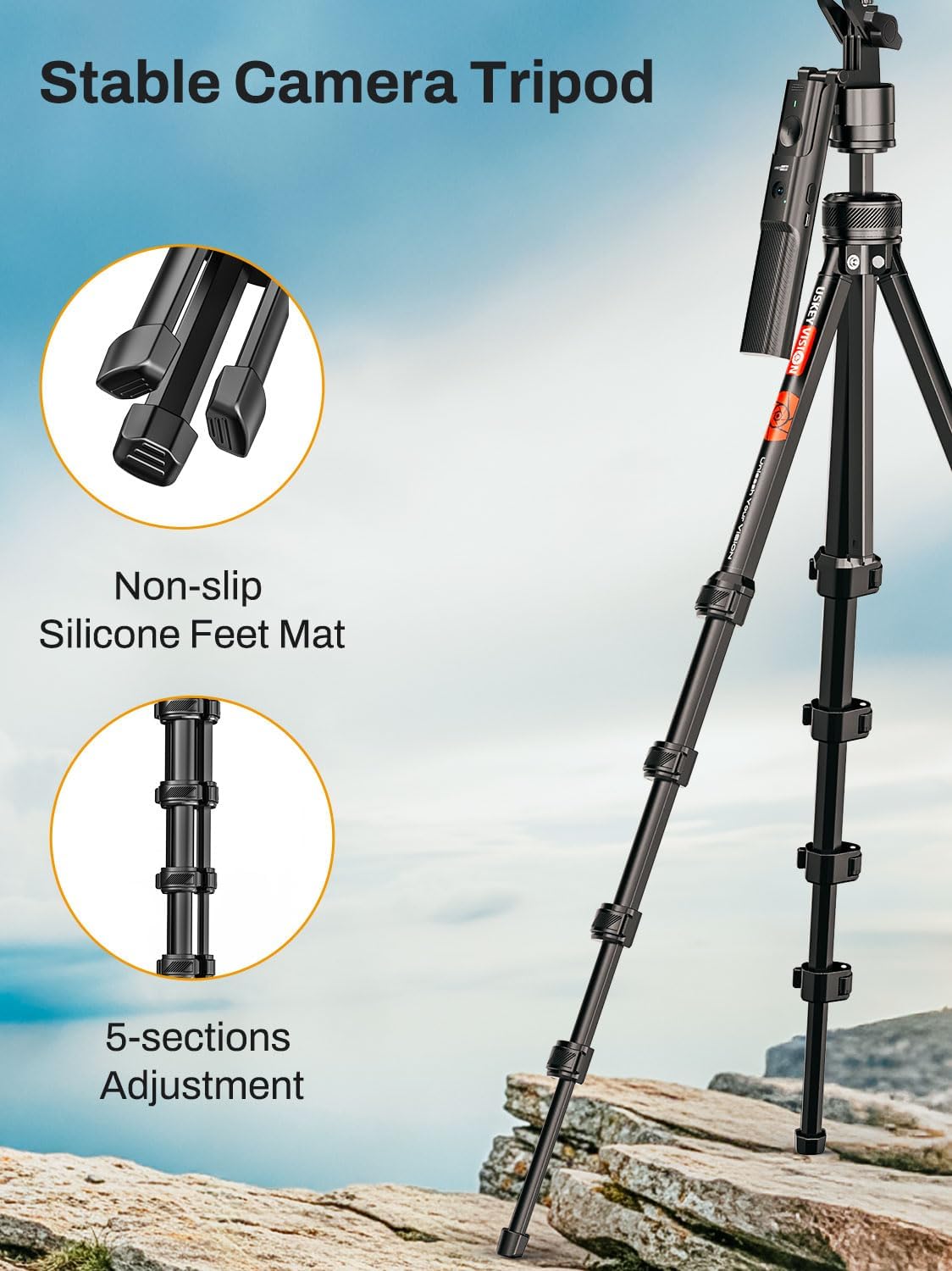
Image: The R01 PRO tripod demonstrated in Floor Mode for full-body tracking, Desktop Mode for seated use, and Handheld Mode for mobile recording.
නඩත්තු කිරීම
- පිරිසිදු කිරීම: මෘදු වියළි රෙද්දකින් ත්රිපාදය පිස දමන්න. රළු රසායනික ද්රව්ය හෝ උල්ෙල්ඛ ද්රව්ය භාවිතා කිරීමෙන් වළකින්න.
- ගබඩා: Store the tripod in a cool, dry place away from direct sunlight and extreme temperatures. Ensure it is fully collapsed and secured when not in use.
- බැටරි සත්කාර: Recharge the internal battery regularly, even if not in frequent use, to maintain battery health.
දෝෂගවේෂණය
| කලාපය | විය හැකි හේතුව | විසඳුම |
|---|---|---|
| Tracking is inconsistent or loses subject. |
|
|
| දුරස්ථ පාලකය යුගලනය නොවේ. |
|
|
| Smartphone does not fit in holder. |
|
|
පිරිවිතර
- මාදිලියේ නම: R01 PRO
- වෙළඳ නාමය: USKEYVISION
- වර්ණය: කළු
- ද්රව්ය: ඇලුමිනියම්, ප්ලාස්ටික්
- අයිතමයේ බර: රාත්තල් 2.07 කි
- පැකේජ මානයන්: අඟල් 17.4 x 4.45 x 2.72
- අවම උස: අඟල් 16.06
- උපරිම උස: අඟල් 57.67
- Number of Leg Sections: 3
- ට්රයිපොඩ් හිස වර්ගය: ගිම්බල් හෙඩ්ස්
- ගැළපෙන උපාංග: Compact Camera, Smartphone (not recommended for foldable phones)
- විශේෂ ලක්ෂණය: කරකැවිය හැකි
- බැටරි: ලිතියම් ලෝහ බැටරි 1ක් අවශ්යයි (ඇතුළත්)
වගකීම් සහ සහාය
For warranty information and customer support, please refer to the official USKEYVISION webවෙබ් අඩවියට හෝ ඔවුන්ගේ පාරිභෝගික සේවයට සෘජුවම සම්බන්ධ වන්න. ඕනෑම වගකීම් හිමිකම් සඳහා ඔබේ මිලදී ගැනීමේ රිසිට්පත තබා ගන්න.
අමතර සහාය සඳහා, ඔබට පිවිසිය හැක්කේ USKEYVISION Store on Amazon.


