හැඳින්වීම
Thank you for choosing the HelloBaby HB6550Plus-2 Baby Monitor. This system provides a secure, non-WiFi connection for monitoring your baby with a 6-inch IPS split screen and two cameras. It features remote pan-tilt-zoom, invisible night vision, two-way talk, lullabies, and temperature alerts to ensure your child's safety and comfort.

Image: The HelloBaby HB6550Plus-2 system, showing the parent unit with a 6-inch IPS screen displaying a split view of two babies, and two camera units.
පැකේජයේ අන්තර්ගතය
සියලුම අයිතම පවතින බව සහතික කර ගැනීමට කරුණාකර පැකේජයේ අන්තර්ගතය පරීක්ෂා කරන්න:
- 6-inch IPS Split-Screen Parent Unit (Monitor) x 1
- Remote Pan/Tilt/Zoom Camera Unit x 2
- HelloBaby AC Charger x 3 (One for the monitor, two for the cameras)
- බිත්ති සවිකිරීමේ ඉස්කුරුප්පු x 2
- පරිශීලක අත්පොත x 1
ආරක්ෂිත තොරතුරු
Please read and follow these safety instructions to prevent injury or damage:
- ගෙල සිරකිරීමේ අන්තරාය: Keep all cords out of reach of children. Never place the camera or monitor within 3 feet (1 meter) of the crib or playpen. Secure cords to a wall or floor using clips to prevent entanglement.
- හුස්ම හිරවීමේ අවදානම: මෙම නිෂ්පාදනයේ කුඩා කොටස් අඩංගු වේ. ඒවා දරුවන්ගෙන් ඈත් කර තබන්න.
- අධික උනුසුම් වීම: Do not cover the monitor or camera with blankets or towels. Ensure proper ventilation.
- ජලය සහ තෙතමනය: Do not expose the product to water or moisture. Use only in dry indoor environments.
- බලශක්ති ප්රභවය: Use only the AC adapters provided by HelloBaby. Using unauthorized adapters may damage the product and void the warranty.
- බාධා කිරීම්: This product operates on a 2.4GHz frequency. Keep it away from other 2.4GHz devices (e.g., Wi-Fi routers, microwaves) to avoid interference.
- වැඩිහිටි අධීක්ෂණය: This product is intended to assist in monitoring, not to replace responsible adult supervision.
සැලසුම
1. කැමරා ස්ථානගත කිරීම
Place the camera units in a location that provides a clear view of your baby. Ensure the camera is at least 3 feet (1 meter) away from the crib to prevent strangulation hazards from the power cord. The cameras can be placed on a flat surface or wall-mounted using the included screws.
- ප්රශස්ත View: Position the camera to capture the entire crib area.
- බල සම්බන්ධතාවය: Connect the camera to a power outlet using one of the provided AC chargers.

Image: A HelloBaby camera unit demonstrating its 355° horizontal and 120° vertical pan and tilt capabilities.
2. Monitor Placement
Place the parent unit (monitor) in a convenient location where you can easily view the screen and hear alerts. Ensure it is within the operational range of the cameras (up to 1000ft outdoors, less indoors depending on obstacles).
- බල සම්බන්ධතාවය: Connect the monitor to a power outlet using one of the provided AC chargers. The monitor has a built-in rechargeable battery for portable use.
- ඇන්ටනාව: Extend the antenna on the monitor for maximum range and signal stability.
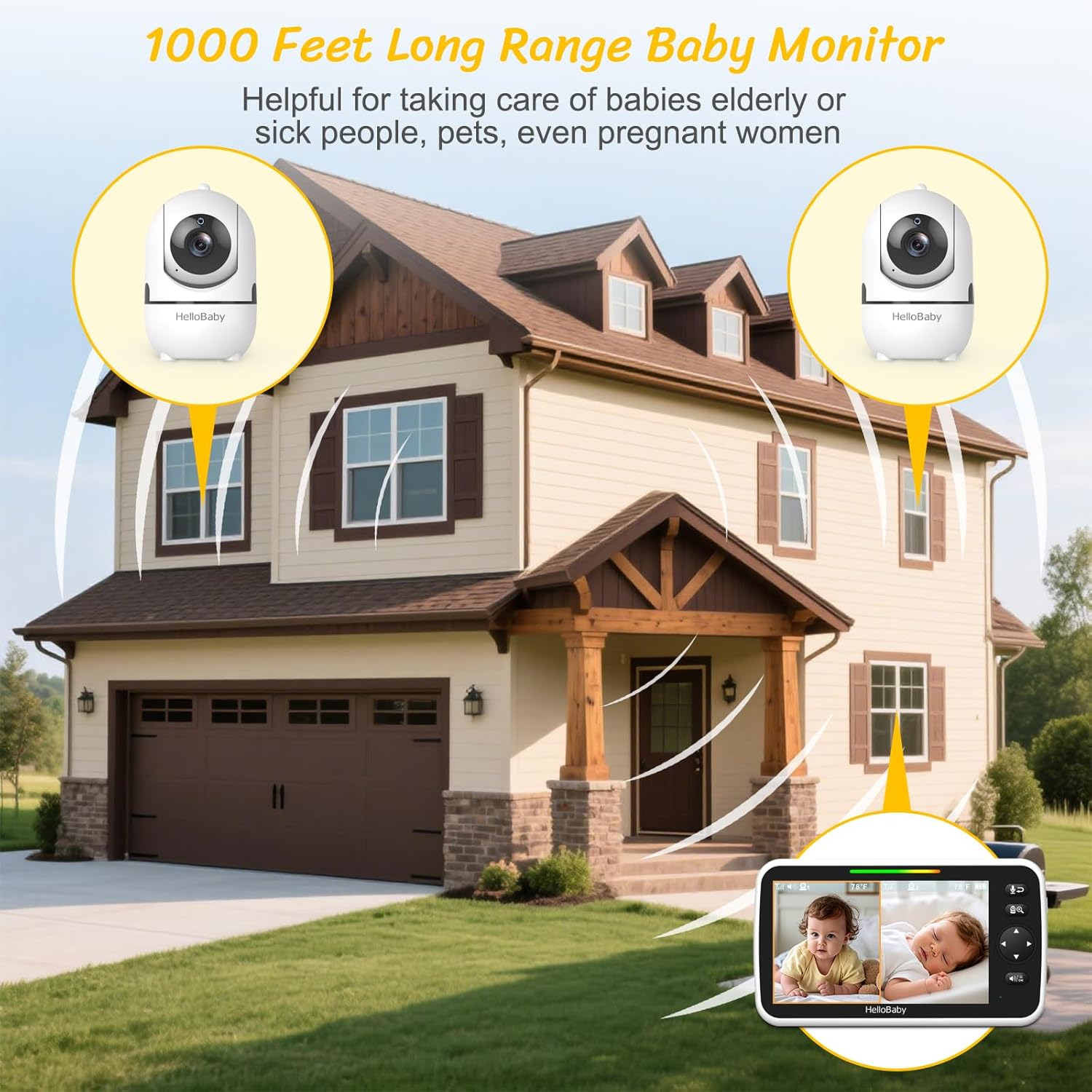
Image: A diagram illustrating the 1000-foot long-range capability of the baby monitor system within a multi-story house.
3. බලගැන්වීම සහ යුගල කිරීම
Once both the cameras and monitor are connected to power, turn them on. The units are typically pre-paired from the factory. If a camera does not connect automatically, you may need to manually pair it:
- Access the monitor's menu.
- Navigate to the "Camera" or "Pairing" option.
- Select an available camera channel.
- Press the pairing button on the back of the camera unit within 10 seconds.
- The monitor will display the camera's feed once successfully paired.
මෙහෙයුම් උපදෙස්
1. මූලික කාර්යයන්
- බලය සක්රිය / අක්රිය: Press and hold the power button on the monitor.
- ශබ්ද පාලනය: Use the dedicated volume buttons on the monitor to adjust the audio level.
- දීප්තිය: Adjust screen brightness through the monitor's menu settings.
2. Split-Screen Mode
The 6-inch IPS display allows simultaneous viewing of two cameras. Activate split-screen mode via the monitor's menu or a dedicated button (refer to your monitor's specific button layout).
- ශ්රව්ය තේරීම: In split-screen mode, you can select which camera's audio to hear. The monitor will provide visual alerts for sounds detected by the other camera.
- Auto-Switch Mode: Enable this feature to cycle between cameras every 15 seconds, providing hands-free multi-room awareness.

Image: The monitor screen showing a split view, allowing simultaneous monitoring of two separate rooms or children.
3. VOX / ECO Mode
VOX (Voice Operated eXchange) or ECO mode conserves battery by turning off the monitor screen when no sound is detected. The screen automatically activates when sound is picked up by the camera.
- සක්රිය කිරීම: Enable VOX/ECO mode through the monitor's menu. You can often adjust the sound sensitivity level.
- Visual Sound Indicators: Even when muted or in VOX mode, colored LED indicators on the monitor will show sound levels, alerting you to crying or noise.
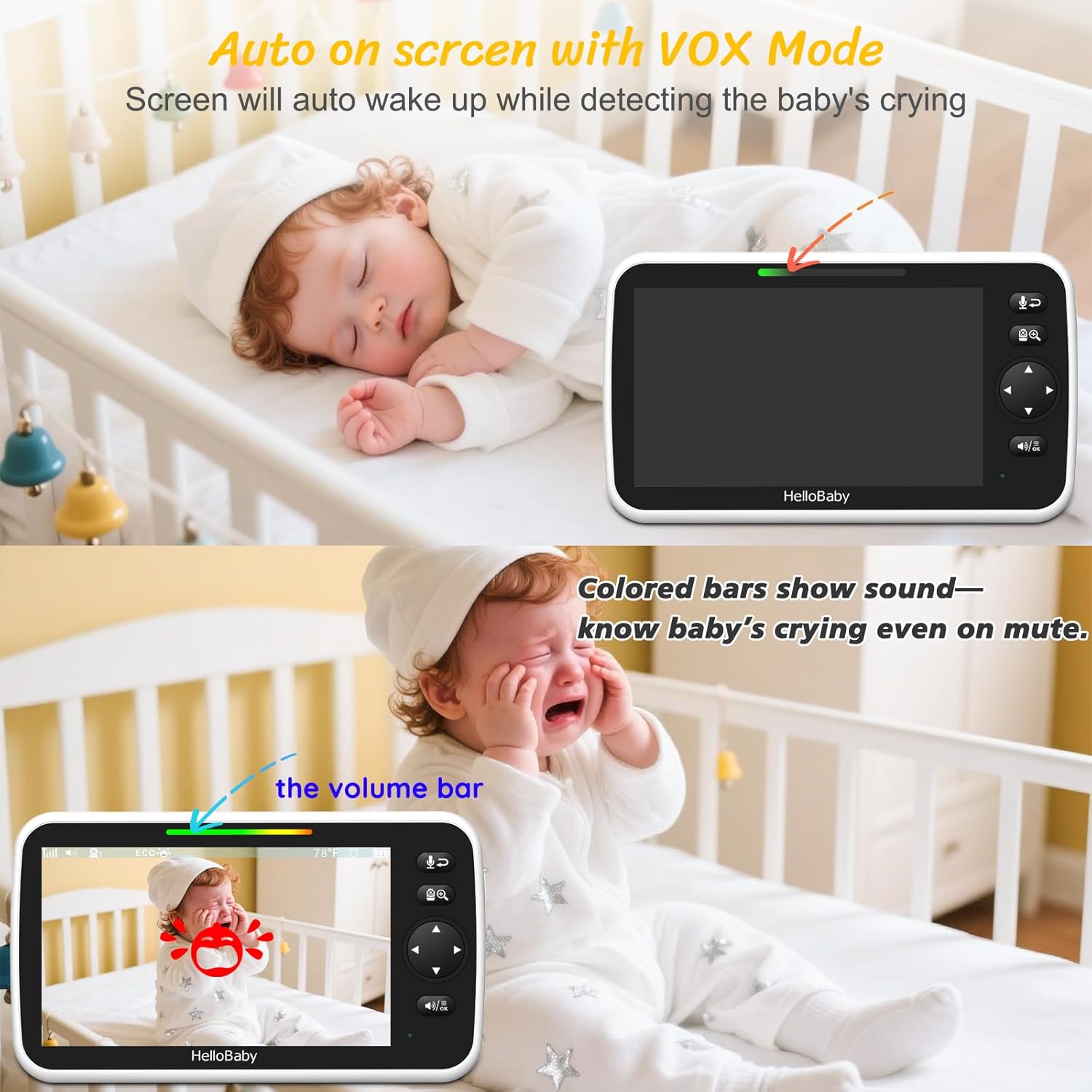
Image: The monitor in VOX mode, illustrating how the screen activates upon detecting a baby's cry, with a visual sound level indicator.
4. ද්වි-මාර්ග කතා
Press and hold the microphone button on the monitor to speak to your baby through the camera's speaker. Release the button to hear your baby again.

Image: A user interacting with the two-way talk feature, allowing communication with the monitored area.
5. ලලබීස්
The monitor includes 8 pre-programmed lullabies. Access the lullaby function through the menu to play soothing melodies to your baby remotely.
6. Night Vision
The cameras are equipped with invisible infrared night vision, automatically activating in low-light conditions. This provides a clear view of your baby in total darkness without disturbing them with visible red lights.
7. උෂ්ණත්ව නිරීක්ෂණය
The camera units include a room temperature sensor. The current temperature of the baby's room is displayed on the monitor. You can set alerts for temperatures outside a desired range.
8. පෑන්, ඇලවීම සහ විශාලනය (PTZ)
Use the directional buttons on the monitor to remotely control the camera's pan (horizontal) and tilt (vertical) movements. The cameras offer 355° pan and 120° tilt for comprehensive room coverage. The digital zoom function allows you to get a closer look at your baby.
නඩත්තු කිරීම
- පිරිසිදු කිරීම: මොනිටරය සහ කැමරා මතුපිට පිරිසිදු කිරීමට මෘදු වියළි රෙද්දක් භාවිතා කරන්න. උල්ෙල්ඛ පිරිසිදු කරන්නන් හෝ ද්රාවක භාවිතා නොකරන්න.
- බැටරි සත්කාර: For optimal battery life, fully charge the monitor before first use. Avoid extreme temperatures. If storing for extended periods, charge the battery every few months.
- කාච පිරිසිදු කිරීම: Gently wipe the camera lens with a lens cleaning cloth if it becomes dirty to ensure clear image quality.
දෝෂගවේෂණය
| ගැටලුව | හැකි විසඳුම |
|---|---|
| මොනිටරයේ රූපයක්/ශබ්දයක් නොමැත. |
|
| Poor image quality/signal interference |
|
| VOX මාදිලිය සක්රිය නොවේ |
|
| කැමරාව PTZ පාලන වලට ප්රතිචාර නොදක්වයි. |
|
පිරිවිතර
| විශේෂාංගය | විස්තර |
|---|---|
| මාදිලියේ නම | HB6550Plus-2 |
| තිර ප්රමාණය | 6-inch IPS Split-Screen |
| සම්බන්ධතා තාක්ෂණය | WiFi නැත 2.4GHz FHSS තාක්ෂණය |
| ගෘහස්ථ / එළිමහන් භාවිතය | ගෘහස්ථ, එළිමහන් |
| බලශක්ති ප්රභවය | Battery Powered (Monitor), AC Powered (Cameras) |
| පාලක වර්ගය | දුරස්ථ පාලකය |
| සවිකිරීමේ වර්ගය | Ceiling Mount / Wall Mount |
| නාලිකා ගණන | 4 |
| Viewing Angle (Camera) | 355 Degrees Pan, 120 Degrees Tilt |
| Monitor Battery Life (VOX/ECO Mode) | 16-30 පැය |
| බැටරි ආයු කාලය නිරීක්ෂණය කරන්න (තිරය ක්රියාත්මකයි) | පැය 16 යි |
| පරාසය | Up to 1000ft Outdoors |
| ඔප්ටිකල් සූම් | 2x |
| අඩු ආලෝක තාක්ෂණය | Thermal Sensing, Invisible Infrared Night Vision |
| ඇඟවීම් වර්ගය | Audio Only (for secondary camera in split-screen), Temperature Alert |
| විශේෂ ලක්ෂණ | Night Vision, 2-Way Audio, Long Battery Life, Portable, Hack Proof, PTZ Technology, Time Display, Cry Detection, 8 Lullabies |
| නිෂ්පාදන මානයන් | අඟල් 18.7 x 13.29 x 4.2 |
| අයිතමයේ බර | රාත්තල් 2.14 කි |
| බැටරි | 1 9V battery required (included for monitor) |
වගකීම් සහ සහාය
HelloBaby products are designed for reliability and performance. For warranty information, please refer to the documentation included with your purchase or visit the official HelloBaby webඅඩවිය.
If you encounter any issues or have questions regarding your HB6550Plus-2 Baby Monitor, please contact our customer support team:
- විද්යුත් තැපෑල: service@hellobaby.net.cn
- මාර්ගගත සහාය: වෙත පිවිසෙන්න Amazon හි HelloBaby වෙළඳසැල නිතර අසන ප්රශ්න සහ අමතර සම්පත් සඳහා.
Our professional support team is dedicated to making every stage of parenting easier, safer, and happier.


