1. හැඳින්වීම
This manual provides detailed instructions for the installation, operation, and maintenance of your CP PLUS EZ-P34Q 3MP Smart Wi-Fi CCTV Camera. Please read this manual thoroughly before using the product to ensure proper functionality and safety. Keep this manual for future reference.
2. නිෂ්පාදන අවසන්view
The CP PLUS EZ-P34Q is a 3MP Smart Wi-Fi CCTV Camera designed for indoor home surveillance. It features 360° pan and 60° tilt capabilities, providing comprehensive coverage. The camera supports 2K clarity video recording with H.265 compression, ensuring clear footage and efficient storage. Advanced features include motion detection, human body detection, motion tracking, sound alerts, dual-vision night mode, two-way communication, and cloud recording options. It is equipped with CTC Cyber Secure Tech for data privacy.

Figure 2.1: CP PLUS EZ-P34Q Camera with highlighted features.
3. පෙට්ටියේ ඇති දේ
පහත සඳහන් සියලුම අයිතම ඔබේ පැකේජයට ඇතුළත් කර ඇති බව තහවුරු කර ගන්න:
- CP PLUS EZ-P34Q Camera Unit
- බල ඇඩැප්ටරය
- ආරෝපණ කේබලය (USB Type-C)
- උපදෙස් අත්පොත
- සවිකරන ඉස්කුරුප්පු
4. පිහිටුවීම
4.1 භෞතික ස්ථාපනය
The camera is designed for indoor use and tabletop mounting. Ensure the camera is placed on a stable, flat surface with a clear view of the area you wish to monitor. For wall or ceiling mounting, use the provided mounting screws and follow the instructions in the separate mounting guide (if applicable).
- Choose a suitable indoor location for the camera.
- Connect the charging cable to the camera's USB Type-C port and the power adapter.
- බල ඇඩැප්ටරය සම්මත විදුලි අලෙවිසැලකට සම්බන්ධ කරන්න. කැමරාව ක්රියාත්මක වී එහි ආරම්භක අනුපිළිවෙල ආරම්භ කරනු ඇත.
4.2 යෙදුම් ස්ථාපනය සහ යුගල කිරීම
To operate the camera and access its features, you need to download and install the compatible mobile application on your smartphone.
- Download the official CP PLUS mobile application from your device's app store (e.g., Google Play Store or Apple App Store).
- නව ගිණුමක් සඳහා ලියාපදිංචි වන්න හෝ ඔබට දැනටමත් එකක් තිබේ නම් ලොග් වන්න.
- Follow the in-app instructions to add your new EZ-P34Q camera. This typically involves scanning a QR code on the camera or manually entering its device ID.
- Connect the camera to your Wi-Fi network as prompted by the application. Ensure your Wi-Fi network is 2.4GHz for optimal compatibility.
- Once successfully paired, you can view the live feed and configure camera settings through the app.
5. මෙහෙයුම
5.1 පෑන් සහ ඇලවීමේ පාලනය
The camera offers a 360° horizontal pan and 60° vertical tilt range, allowing you to adjust the viewing angle remotely via the mobile application.
- සජීවීව විවෘත කරන්න view ජංගම යෙදුම තුළ.
- Use the directional controls (usually an on-screen joystick or arrows) to move the camera lens horizontally (pan) and vertically (tilt).

Figure 5.1: Illustrates the 360° pan and tilt capability for comprehensive coverage.
5.2 Smart Detection Suite
The camera is equipped with advanced detection features to enhance security and reduce false alarms.
- චලන හඳුනාගැනීම: කැමරාව එහි ක්ෂේත්රය තුළ චලනය හඳුනා ගනී view.
- මිනිස් සිරුර හඳුනාගැනීම: Specifically identifies human shapes, minimizing alerts from pets or inanimate objects.
- චලන ලුහුබැඳීම: When motion is detected, the camera can automatically track the moving object.
- ශබ්ද ඇඟවීම්: The camera can detect unusual sounds and send notifications.
- ක්රියාකාරී වැළැක්වීම: Features a built-in siren and warm LED flash light that can be activated automatically upon detection of unexpected motion to deter intruders.
Configure these settings in the mobile application's detection settings menu to receive instant notifications on your smartphone.

Figure 5.2: Motion tracking feature in action, following movement.
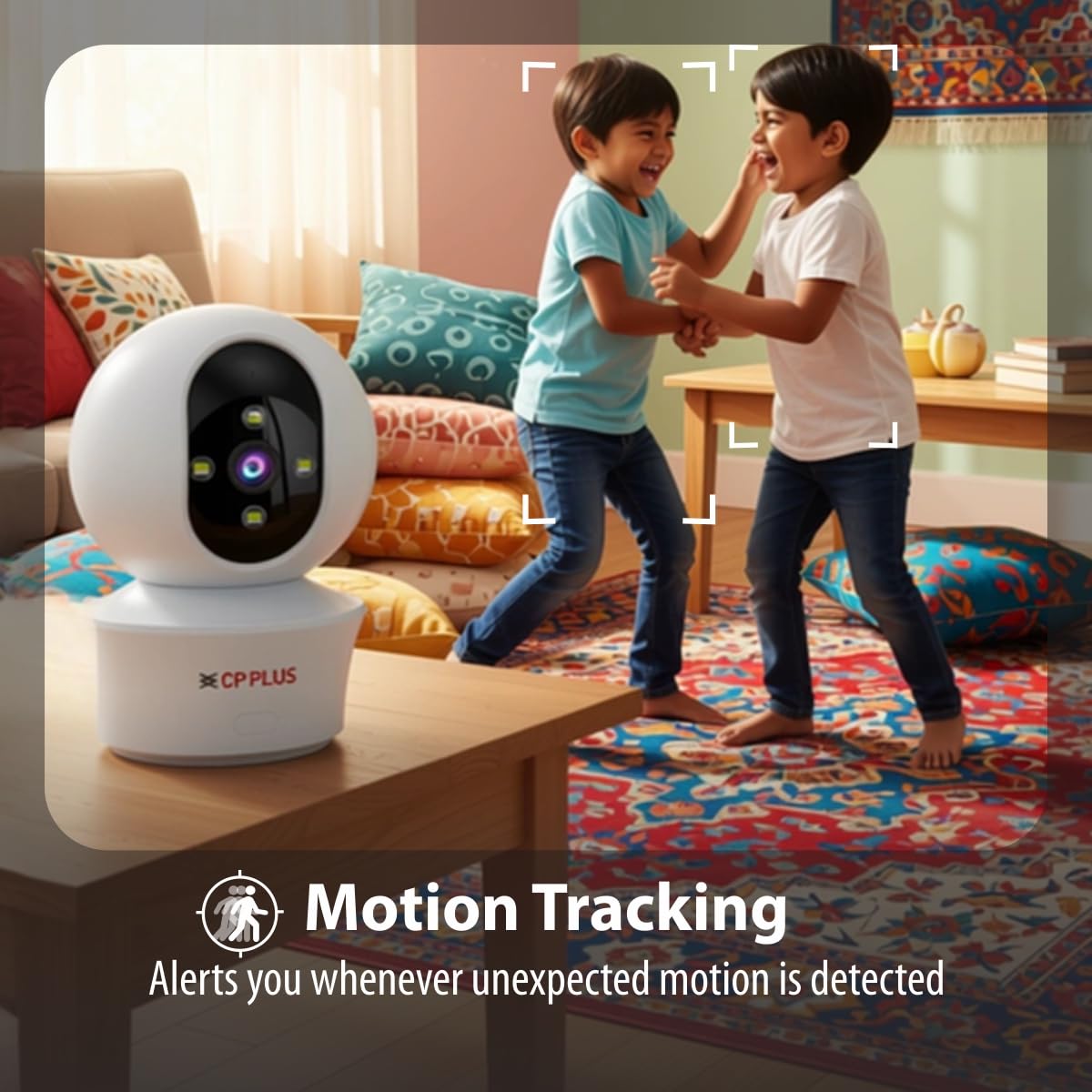
Figure 5.3: Human body detection providing real-time alerts.

Figure 5.4: Active deterrence using siren and LED flash light.
5.3 රාත්රී දර්ශනය
The camera offers dual-vision night mode for clear surveillance in low-light conditions.
- අධෝරක්ත (IR) රාත්රී දර්ශනය: පැහැදිලි කළු සහ සුදු foo සපයයිtage up to 20-30 meters in complete darkness.
- White LED Color Night Vision: Utilizes built-in white LEDs to deliver full-color video up to 15-20 meters at night, also serving as a deterrent.
You can switch between these modes or set them to activate automatically based on ambient light conditions through the app.

Figure 5.5: Full-color night vision capturing details in low light.
5.4 ද්වි-මාර්ග සන්නිවේදනය
The built-in microphone and speaker allow for two-way audio communication.
- සජීවී සිට view in the mobile app, tap the microphone icon to speak through the camera's speaker.
- The camera's microphone will pick up audio from the monitored area, which you can hear through your smartphone.
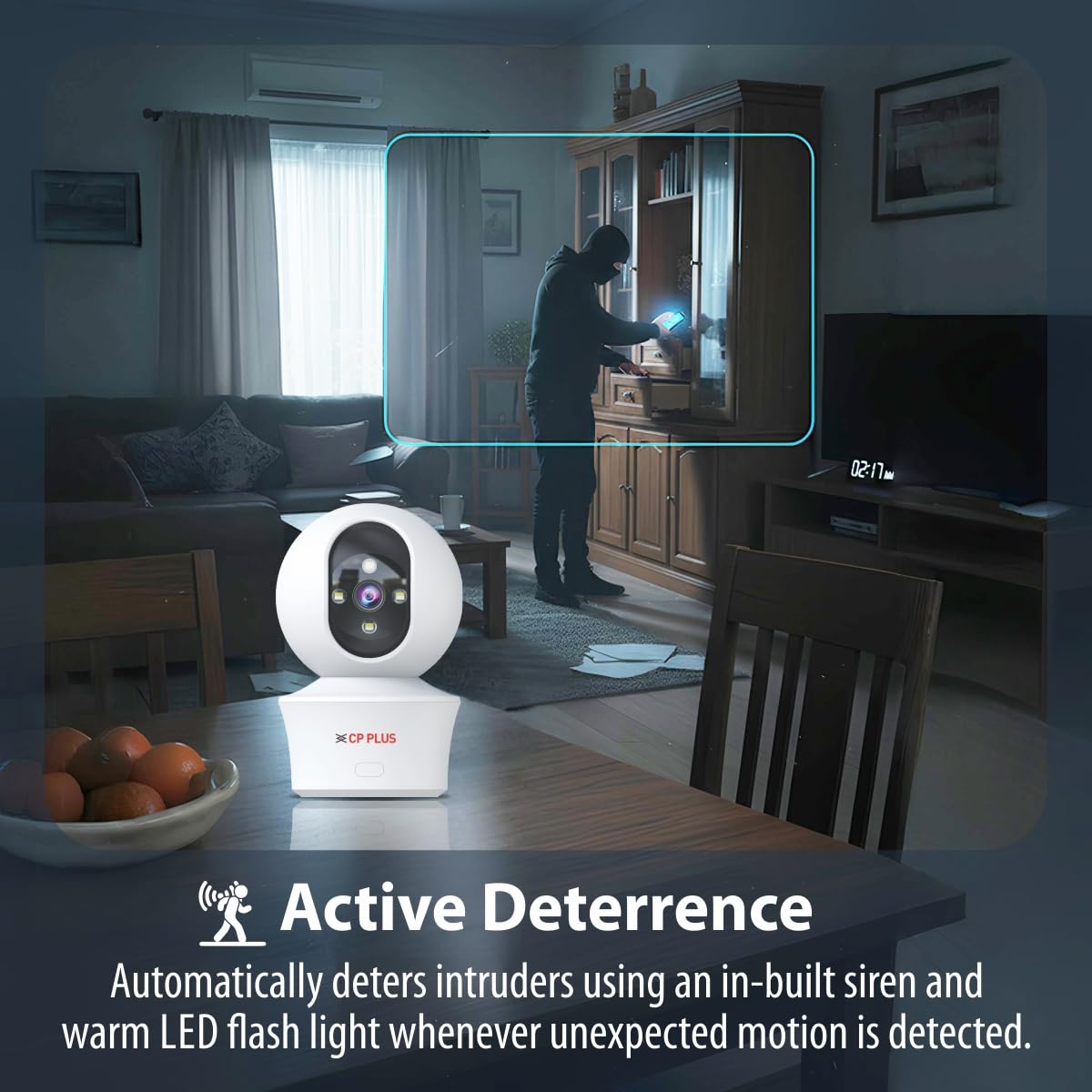
Figure 5.6: Two-way communication feature for interacting with the monitored area.
5.5 වීඩියෝ පටිගත කිරීම සහ ගබඩා කිරීම
The camera supports both local and cloud storage options for your video recordings.
- MicroSD කාඩ්පත් ගබඩාව: Insert a MicroSD card (up to 256GB, not included) into the designated slot on the camera for local storage. Recordings will be saved directly to the card.
- වලාකුළු පටිගත කිරීම: The camera supports cloud recording services (subscription may be required). Refer to the mobile application for details on activating and managing cloud storage.
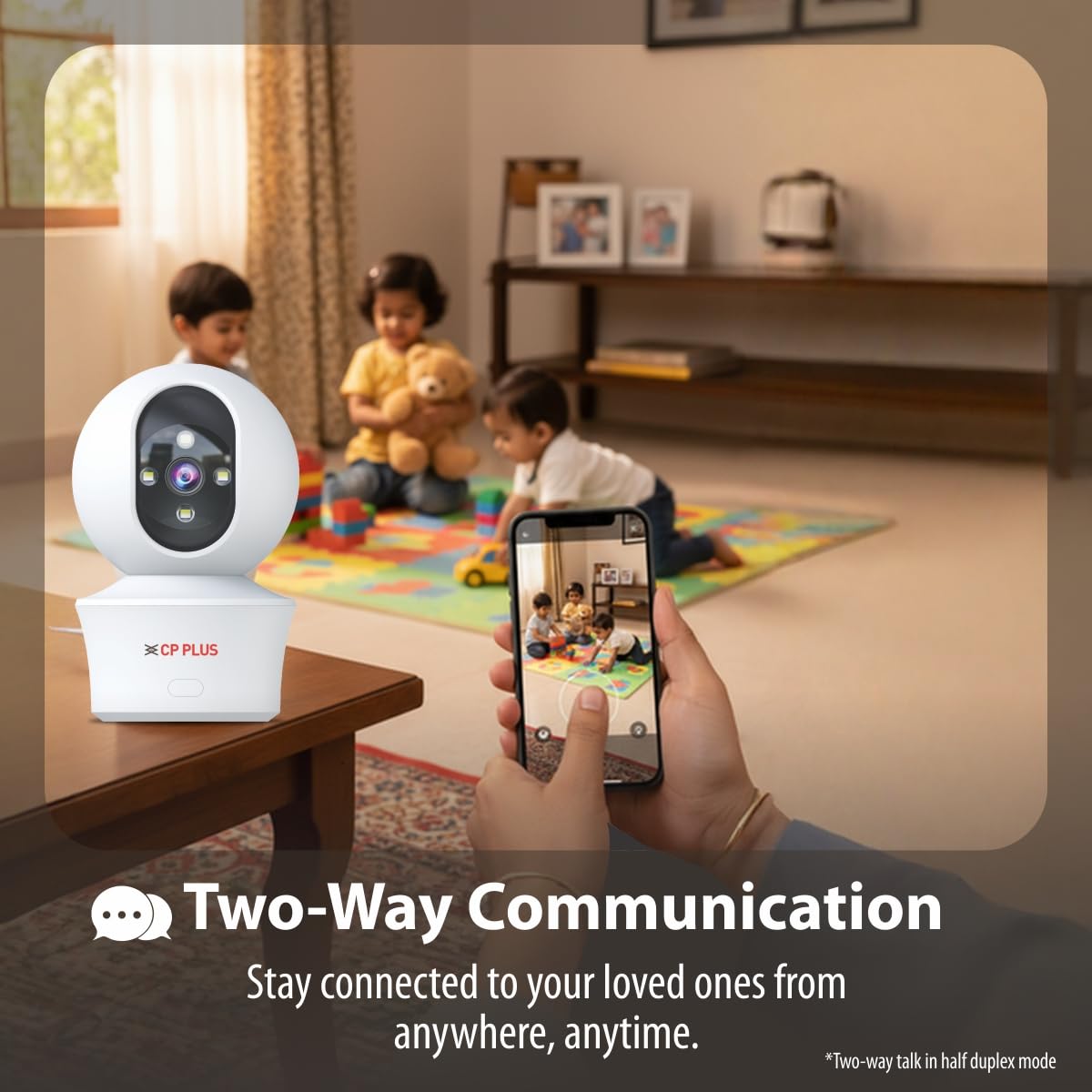
Figure 5.7: Cloud recording feature for remote access to footage.
5.6 CTC Cyber Secure Tech
Your CP PLUS camera incorporates CTC Cyber Secure Tech to ensure your video data remains encrypted, private, and protected from cyber threats.
6. පිරිවිතර
| විශේෂාංගය | පිරිවිතර |
|---|---|
| ආදර්ශ අංකය | EZ-P34Q |
| විභේදනය | 3MP (2304x1296) |
| වීඩියෝ සම්පීඩනය | එච්.265 |
| පෑන් පරාසය | 360° |
| ඇල පරාසය | 60° |
| IR රාත්රී දර්ශන පරාසය | මීටර් 20-30 |
| White LED Night Vision Range | 15-20 meters (Full Color) |
| රාමු අනුපාතය | තත්පරයකට රාමු 20 ක් |
| ගබඩා කිරීම | මයික්රෝ එස්ඩී කාඩ්පත (256GB දක්වා), වලාකුළු ආචයනය |
| සම්බන්ධතාවය | Wi-Fi (2.4GHz) |
| බල ආදානය | 5V USB Type-C |
| මානයන් (LxWxH) | 7.7 x 7.7 x 10.9 සෙ.මී |
| බර | ග්රෑම් 330 කි |
| ගෘහස්ථ / එළිමහන් භාවිතය | ගෘහස්ථ පමණි |
| විශේෂ ලක්ෂණ | 2-Way Audio, Motion Sensor, Night Vision, Human Detection, Auto Tracking, Built-in Siren |
7. දෝශ නිරාකරණය
ඔබේ කැමරාව සමඟ ගැටළු ඇති වුවහොත්, පහත සඳහන් පොදු ගැටළු සහ විසඳුම් වෙත යොමු වන්න:
- කැමරාව Wi-Fi වෙත සම්බන්ධ නොවේ:
- ඔබගේ Wi-Fi ජාලය 2.4GHz බව සහතික කර ගන්න.
- කැමරාවේ ස්ථානයේ Wi-Fi සංඥා ශක්තිය පරීක්ෂා කරන්න.
- යෙදුමේ නිවැරදි Wi-Fi මුරපදය ඇතුළත් කිරීම සත්යාපනය කරන්න.
- ඔබගේ Wi-Fi රවුටරය සහ කැමරාව නැවත ආරම්භ කරන්න.
- දුර්වල වීඩියෝ ගුණාත්මකභාවය:
- ඔබගේ අන්තර්ජාල සම්බන්ධතා වේගය පරීක්ෂා කරන්න.
- කැමරා කාචය පිරිසිදු බව සහතික කර ගන්න.
- Adjust video resolution settings in the app if your network bandwidth is limited.
- චලන හඳුනාගැනීමේ ඇඟවීම් නොමැත:
- Verify motion detection and notification settings are enabled in the app.
- හඳුනාගැනීමේ සංවේදීතා සැකසුම් පරීක්ෂා කරන්න.
- කැමරාව සහතික කරගන්න view බාධාවක් නොවේ.
- ද්වි-මාර්ග ශ්රව්ය ක්රියා නොකරයි:
- ඔබගේ දුරකථනයේ යෙදුම සඳහා මයික්රෆෝනය සහ ස්පීකර් අවසර පරීක්ෂා කරන්න.
- යෙදුම තුළ සහ ඔබගේ දුරකථනයේ ශබ්ද මට්ටම් නිවැරදිව සකස් කර ඇති බවට වග බලා ගන්න.
8 ආරක්ෂිත තොරතුරු
- This camera is designed for ගෘහස්ථ භාවිතය පමණිජලය, තෙතමනය හෝ අධික උෂ්ණත්වයන්ට නිරාවරණය නොකරන්න.
- Use only the provided power adapter and charging cable. Using unauthorized accessories may damage the product and void the warranty.
- කැමරාව සහ එහි උපාංග ළමයින්ට ළඟාවිය නොහැකි ලෙස තබා ගන්න.
- කැමරාව ඔබම විසුරුවා හැරීමට හෝ අලුත්වැඩියා කිරීමට උත්සාහ නොකරන්න. සහාය සඳහා පාරිභෝගික සහාය අමතන්න.
- Ensure proper ventilation around the camera to prevent overheating.
9. නිෂ්පාදන වීඩියෝව අවසන්view
Watch this short video for a quick overview of the CP PLUS EZ-P34Q camera's features and capabilities.
Video 9.1: A brief introduction to the CP PLUS 3MP Camera features.
10. වගකීම් සහ සහාය
For warranty information, technical support, or service inquiries, please refer to the official CP PLUS webවෙබ් අඩවියට පිවිසෙන්න හෝ ඔවුන්ගේ පාරිභෝගික සේවය අමතන්න. මිලදී ගැනීමේ සාක්ෂියක් ලෙස ඔබේ මිලදී ගැනීමේ රිසිට්පත තබා ගන්න.


