1. හැඳින්වීම
This manual provides detailed instructions for the installation, operation, and maintenance of your CP PLUS CP-E21Q 2MP Smart Wi-Fi CCTV Camera. This indoor camera offers Full HD 1080p resolution, 360° pan and tilt functionality, advanced smart detection features, and secure cloud recording, designed to enhance your home security.
ප්රධාන ලක්ෂණ:
- 2MP පූර්ණ HD විභේදනය: Provides clear 1080p video with H.265 compression for efficient storage.
- 360° පෑන් සහ 71° ඇලවීම: Ensures comprehensive area coverage without blind spots.
- 15M IR Night Vision: Delivers clear video monitoring in low-light or dark conditions.
- Smart Detection Suite: Includes motion detection, human body detection, sound detection, motion tracking, and a built-in siren for instant alerts.
- ද්වි-මාර්ග ශ්රව්ය: Enables communication through the camera via the View & Talk feature.
- වලාකුළු පටිගත කිරීම: Offers secure and accessible video storage.
- CTC Cyber Secure Tech: Ensures advanced data privacy and security.
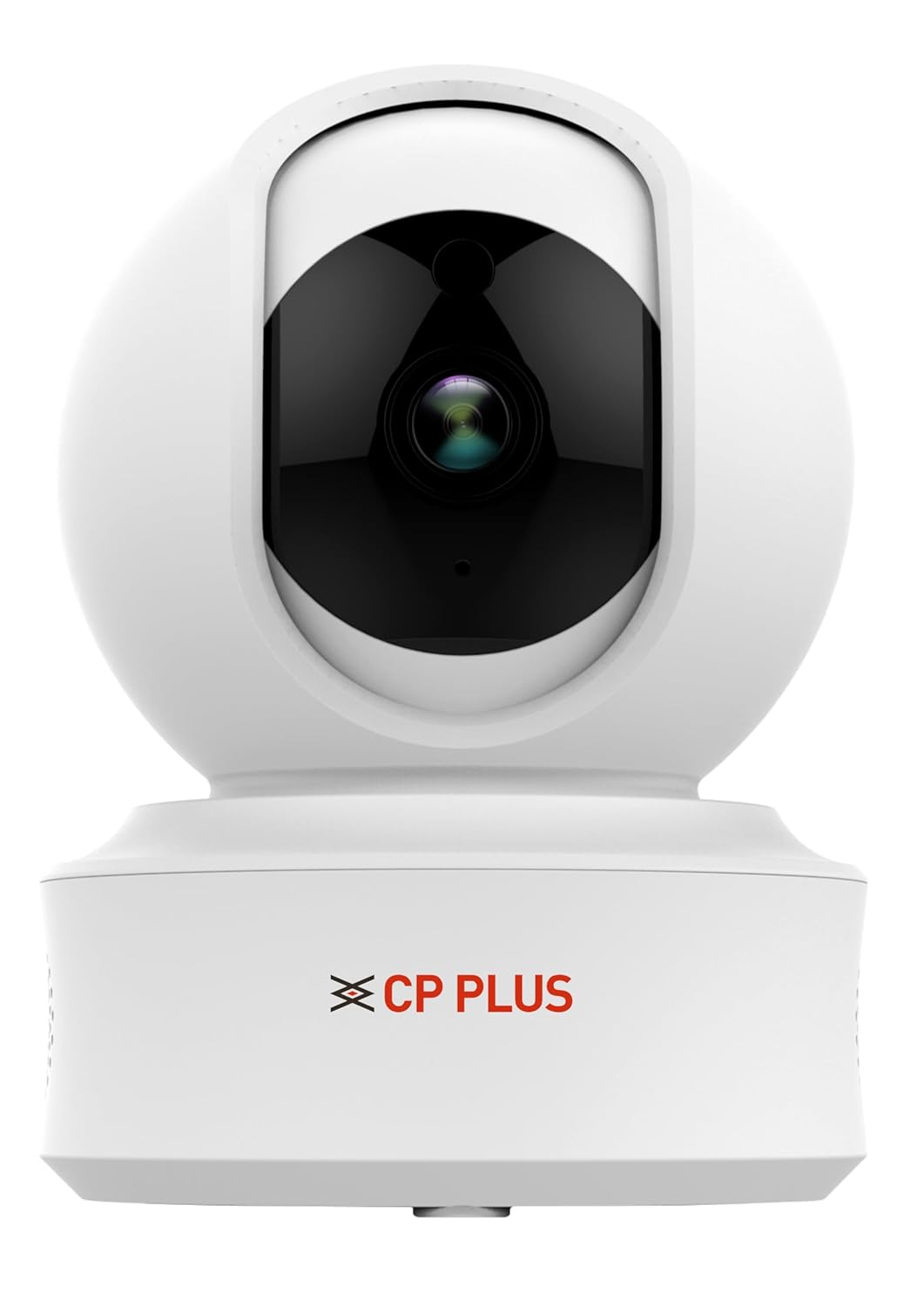
Figure 1: CP PLUS CP-E21Q Smart Wi-Fi CCTV Camera
2. පැකේජ අන්තර්ගතය
පහත ලැයිස්තුගත කර ඇති සියලුම අයිතම ඔබේ පැකේජයට ඇතුළත් කර ඇති බව තහවුරු කරගන්න:
- CP PLUS CP-E21Q Camera
- බල ඇඩැප්ටරය
- ආරෝපණ කේබලය
- නැගී සිටින්න
- සවිකරන ඉස්කුරුප්පු කට්ටලය
3. පිහිටුවීම සහ ස්ථාපනය
3.1 භෞතික ස්ථාපනය
The CP-E21Q camera is designed for indoor use and can be placed on a tabletop or mounted on a ceiling using the provided stand and mounting screws.
- ස්ථානයක් තෝරන්න: Select an indoor location that provides the desired viewකෝණය සහ ඔබගේ Wi-Fi ජාලයේ පරාසය තුළ පිහිටා ඇත.
- මේස මුදුන ස්ථානගත කිරීම: කැමරාව පැතලි, ස්ථාවර මතුපිටක් මත තබන්න.
- සිවිලිම සවි කිරීම:
- ස්ථාවරය කැමරාවට සම්බන්ධ කරන්න.
- Mark the screw positions on the ceiling using the stand as a template.
- Drill pilot holes and insert the mounting screws to secure the stand to the ceiling.
- Ensure the camera is securely fastened and oriented correctly.

රූපය 2: ඉදිරිපස view කැමරාවේ
3.2 බල සම්බන්ධතාවය
Connect the camera to a power source using the provided power adapter and charging cable.
- Insert the small end of the charging cable into the power port on the camera.
- බල ඇඩැප්ටරය සම්මත විදුලි අලෙවිසැලකට සම්බන්ධ කරන්න.
- The camera will power on, and an indicator light will show its status.

රූපය 3: ආපසු view of the camera showing power port
3.3 ජාල සම්බන්ධතාවය (Wi-Fi)
To connect your camera to your home Wi-Fi network, you will need the CP PLUS mobile application.
- යෙදුම බාගන්න: ඒ සඳහා සොයන්න the official CP PLUS app on your smartphone's app store (iOS or Android) and install it.
- ගිණුමක් තනන්න: යෙදුම විවෘත කර තිරයේ ඇති උපදෙස් අනුගමනය කර නව පරිශීලක ගිණුමක් සාදන්න හෝ ඔබට දැනටමත් එකක් තිබේ නම් ලොග් වන්න.
- උපාංගය එක් කරන්න: Tap the '+' icon or 'Add Device' option in the app.
- කැමරා වර්ගය තෝරන්න: Choose the appropriate camera model (CP-E21Q) or scan the QR code on the camera if available.
- යෙදුම තුළ උපදෙස් අනුගමනය කරන්න: The app will guide you through connecting the camera to your Wi-Fi network. This typically involves entering your Wi-Fi password and allowing the camera to scan a QR code displayed on your phone screen.
- තහවුරු කිරීම: සම්බන්ධ වූ පසු, කැමරාවේ දර්ශක ආලෝකය වෙනස් වන අතර, යෙදුම සාර්ථක යුගලනය තහවුරු කරයි.
3.4 MicroSD කාඩ්පත් ස්ථාපනය (විකල්ප)
For local video storage, you can install a MicroSD card (up to 256GB).
- Locate the MicroSD card slot on the camera (refer to the camera's physical design for exact placement, often under the lens or on the side).
- මයික්රෝ එස්ඩී කාඩ්පත නිසි තැනට ක්ලික් වන තුරු ස්ලොට් එකට මෘදු ලෙස ඇතුළු කරන්න.
- Format the MicroSD card through the camera settings in the mobile app for optimal performance.
4. කැමරාව ක්රියාත්මක කිරීම
Access and control your CP-E21Q camera using the CP PLUS mobile application.
4.1 සජීවී View සහ පෑන්/ටිල්ට් පාලනය
යෙදුම විවෘත කර ඔබේ කැමරාව තෝරන්න view the live feed. Use the on-screen controls to remotely pan (rotate horizontally 360°) and tilt (rotate vertically 71°) the camera lens to monitor different areas.

Figure 4: Camera demonstrating pan and tilt capabilities

රූපය 5: උදාample of 360° view ආවරණය
4.2 ද්වි-මාර්ග ශ්රව්ය (View & කතා කරන්න)
The camera features a built-in microphone and speaker. Tap the microphone icon in the app to speak through the camera, and listen to audio from the camera's location.

Figure 6: Two-Way Communication via the app
4.3 Smart Detection Suite
Configure various detection settings in the app to receive alerts for specific events:
- චලන හඳුනාගැනීම: කැමරාවේ ක්ෂේත්රය තුළ සාමාන්ය චලනය හඳුනා ගනී view.
- මිනිස් සිරුර හඳුනාගැනීම: Specifically identifies human shapes, reducing false alarms.
- ශබ්ද හඳුනාගැනීම: Triggers alerts based on detected sounds.
- චලන ලුහුබැඳීම: The camera automatically follows detected movement.
- බිල්ට්-ඉන් සයිරන්: Can be activated manually or automatically upon detection to deter intruders.
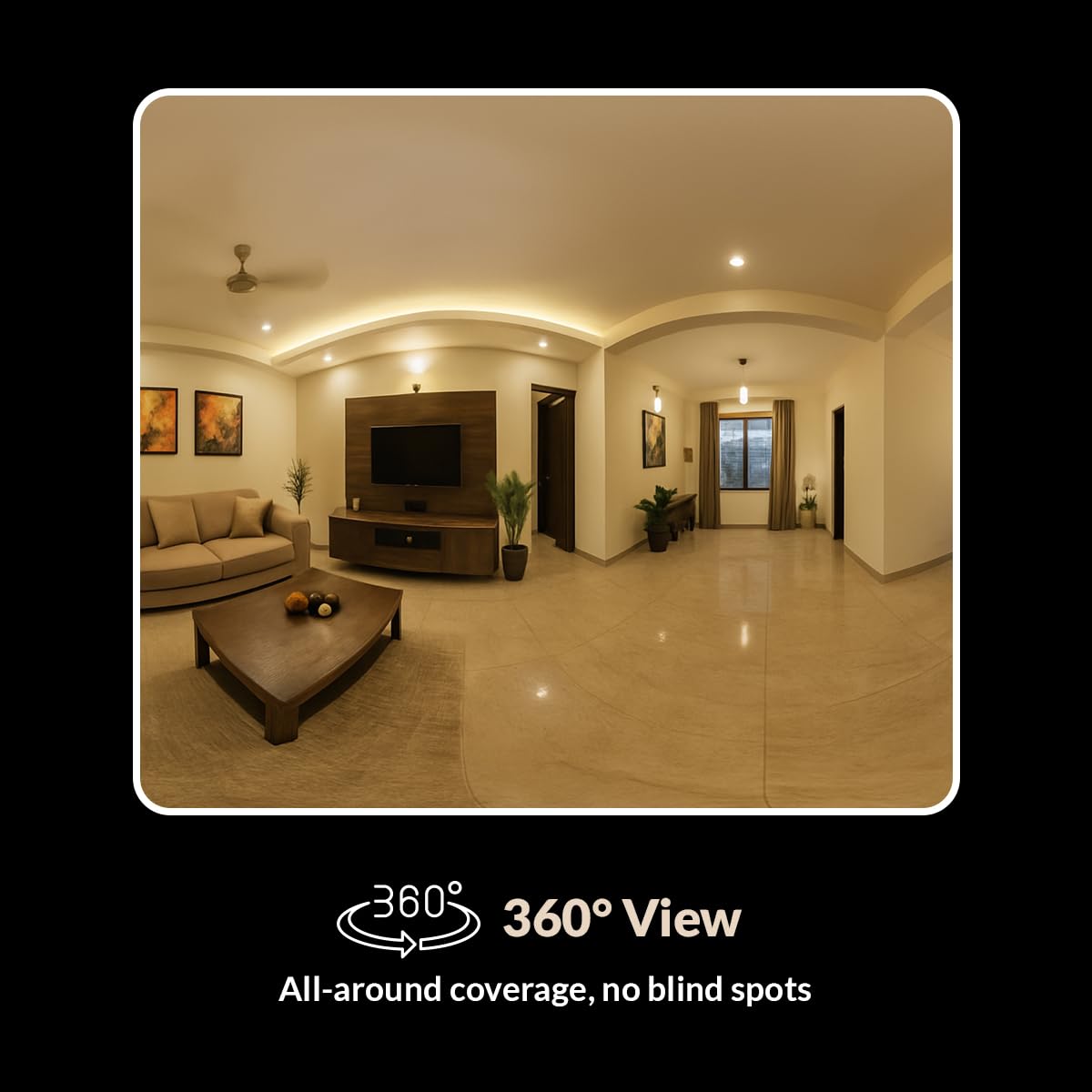
Figure 7: Smart Detection Suite capabilities
4.4 රාත්රී දර්ශනය
The camera automatically switches to infrared (IR) night vision in low-light conditions, providing clear black-and-white video up to 15 meters.
4.5 Cloud Recording and Local Storage
පටිගත කිරීම් ආකාර දෙකකින් ගබඩා කළ හැකිය:
- වලාකුළු පටිගත කිරීම: Subscribe to CP PLUS cloud services for secure, remote access to your video history.
- දේශීය ගබඩාව: Videos are saved to an installed MicroSD card (up to 256GB). Manage recordings and playback through the app.

Figure 8: Cloud Recording for secure access
4.6 රහස්යතා ප්රකාරය
Activate Privacy Mode via the app to temporarily disable video recording and live viewing when privacy is desired.
5. නඩත්තු කිරීම
5.1 පිරිසිදු කිරීම
To maintain optimal performance, periodically clean the camera lens and exterior.
- පිරිසිදු කිරීමට පෙර කැමරාව ක්රියා විරහිත කර ඇති බවට වග බලා ගන්න.
- කැමරා ශරීරය පිස දැමීමට මෘදු, වියළි රෙද්දක් භාවිතා කරන්න.
- කාචය සඳහා, සීරීම් වළක්වා ගැනීම සඳහා කාච පිරිසිදු කිරීමේ රෙදි සහ විශේෂිත කාච පිරිසිදු කිරීමේ ද්රාවණයක් භාවිතා කරන්න.
- සැර රසායනික ද්රව්ය හෝ උල්ෙල්ඛ පිරිසිදුකාරක භාවිතා නොකරන්න.
5.2 ස්ථිරාංග යාවත්කාලීන කිරීම්
Regularly check the CP PLUS app for available firmware updates. Updates often include performance improvements, new features, and security enhancements. Follow the in-app instructions to perform firmware updates.
6. දෝශ නිරාකරණය
If you encounter issues with your CP-E21Q camera, refer to the following common problems and solutions:
| ගැටලුව | හැකි විසඳුම |
|---|---|
| කැමරාව Wi-Fi වෙත සම්බන්ධ නොවේ |
|
| Poor video quality or blurry images |
|
| Motion detection alerts are inconsistent |
|
| Two-way audio issues (echo, low volume) |
|
| Camera frequently goes offline or glitches during live view |
|
7. පිරිවිතර
| විශේෂාංගය | විස්තර |
|---|---|
| මාදිලියේ නම | CP-E21Q (Ezykam) |
| වීඩියෝ ග්රහණ විභේදනය | 1080p (සම්පූර්ණ HD) |
| සම්බන්ධතා තාක්ෂණය | රැහැන් රහිත (Wi-Fi) |
| සම්බන්ධතා ප්රොටෝකෝලය | Wi-Fi (2.4GHz) |
| විශේෂ ලක්ෂණ | 2 Way Audio, HD Resolution, Motion Sensor, Night Vision, Pan & Tilt |
| ගෘහස්ථ / එළිමහන් භාවිතය | ගෘහස්ථ |
| බලශක්ති ප්රභවය | රැහැන්ගත විදුලි |
| සවිකිරීමේ වර්ගය | tabletop Mount |
| නිෂ්පාදන මානයන් (LxWxH) | 7.7 x 7.7 x 10.7 සෙ.මී |
| අයිතමයේ බර | 176 ග්රෑම් |
| MicroSD Card Support | 256GB දක්වා |
8. වගකීම් සහ සහාය
Your CP PLUS CP-E21Q camera is manufactured by AIL DIXON Technologies and imported by Aditya Infotech Ltd. For specific warranty terms and conditions, please refer to the warranty card included with your product or visit the official CP PLUS webඅඩවිය.
For technical assistance, troubleshooting beyond this manual, or warranty claims, please contact CP PLUS customer support. Contact details can typically be found on the product packaging, the official CP PLUS webඅඩවිය, හෝ ජංගම යෙදුම තුළ.


