1. හැඳින්වීම
This manual provides detailed instructions for the installation, operation, and maintenance of your ANRAN Q7M2 Dual-Lens Solar Security Camera. This device is designed to provide comprehensive outdoor surveillance with its innovative dual-lens system, solar power, and advanced detection features.

Figure 1: ANRAN Q7M2 Dual-Lens Solar Security Camera (2-Pack)
2. පෙට්ටියේ ඇති දේ
ස්ථාපනය සමඟ ඉදිරියට යාමට පෙර සියලුම සංරචක පවතින බව තහවුරු කර ගන්න:
- 1x Dual Lens Camera
- 1x C වර්ගයේ කේබල්
- 1x සූර්ය පැනලය
- 1x සවි කිරීමේ වරහන
- 1x Screw Pack (screws and wall anchors)

රූපය 2: ඇතුළත් සංරචක
3. පිහිටුවීම
3.1 මූලික ආරෝපණය
Before first use, fully charge the camera's internal battery using the provided USB-C cable. Locate the USB-C port under the rubber flap on the camera. A red indicator light will illuminate during charging and turn off when fully charged.
3.2 යෙදුම් ස්ථාපනය සහ සම්බන්ධතාවය
Download the ANRAN app from your device's app store (available for iOS and Android). Create an account using your email address and a password. Follow the in-app instructions to connect the camera to your local 2.4GHz Wi-Fi network. You will need your Wi-Fi password for this step.
3.3 කැමරාව සවි කිරීම
The camera comes with a mounting bracket that allows for flexible positioning. Loosen the bracket's adjustment screw to pivot the camera to your desired angle. Once positioned, tighten the screw to secure it. Use the provided screws and wall anchors to securely mount the bracket to a wall or ceiling. Ensure the solar panel is positioned to receive maximum direct sunlight for optimal charging.

රූපය 3: පහසු ස්ථාපන පියවර
4. මෙහෙයුම් උපදෙස්
4.1 ද්විත්ව කාච පද්ධතිය
The camera features a dual-lens system for comprehensive surveillance:
- Fixed Wide-Angle Lens: Provides constant monitoring of a broad area.
- PTZ (Pan-Tilt-Zoom) Lens: Can be remotely controlled via the ANRAN app to pan 355° and tilt 90° for detailed views. It also supports 4x digital zoom.

Figure 4: Dual-Lens System for Better Viewing

Figure 5: No Blind Spot Monitoring with Dual Lenses
4.2 Solar Power and Wire-Free Operation
The camera is 100% wire-free and powered by an integrated high-efficiency solar panel. This ensures continuous operation without the need for external power cables, provided the solar panel receives adequate sunlight.

Figure 6: 100% Wireless and Solar-Powered
4.3 සජීවී View සහ ද්වි-මාර්ග කතා
Access real-time video feed from anywhere using the ANRAN app. The built-in microphone and speaker enable two-way audio communication, allowing you to speak with visitors or deter intruders.

Figure 7: Motion Detection & Two-way Talk
4.4 Color Night Vision and Smart Human Detection
The camera offers full-color night vision, activated by a built-in spotlight, providing clear and identifiable details in low-light conditions. Advanced AI-powered human detection filters out false alerts by distinguishing between people, pets, and vehicles.

Figure 8: Color Night Vision

Figure 9: Smart PIR Senses & Instant Alerts
4.5 නම්යශීලී ගබඩා විකල්ප
Recordings can be stored locally on a microSD card (up to 128GB, not included) or securely in the cloud with an optional subscription. The microSD card slot is located under the rubber flap next to the USB-C port.

රූපය 10: දේශීය ගබඩා විකල්පය
4.6 App Controls
The ANRAN app provides various controls:
- සජීවීව View, History, Cloud Playback
- Screenshot, Hold to Talk, Record
- Motion Detection settings, Light control, Siren activation
- Full Color Mode, Album access

Figure 11: App Interface for 2K Viewing
4.7 Video Demonstration of ANRAN Dual-Lens Solar Security Camera
Video 1: Official ANRAN demonstration of the Dual-Lens Solar Security Camera features.
5. නඩත්තු කිරීම
5.1 කාලගුණ ප්රතිරෝධය
The ANRAN Q7M2 camera is engineered with an IP66 waterproof rating, ensuring durability against various outdoor elements including sun, rain, and freezing temperatures. Regular cleaning of the solar panel and camera lenses is recommended to maintain optimal performance.
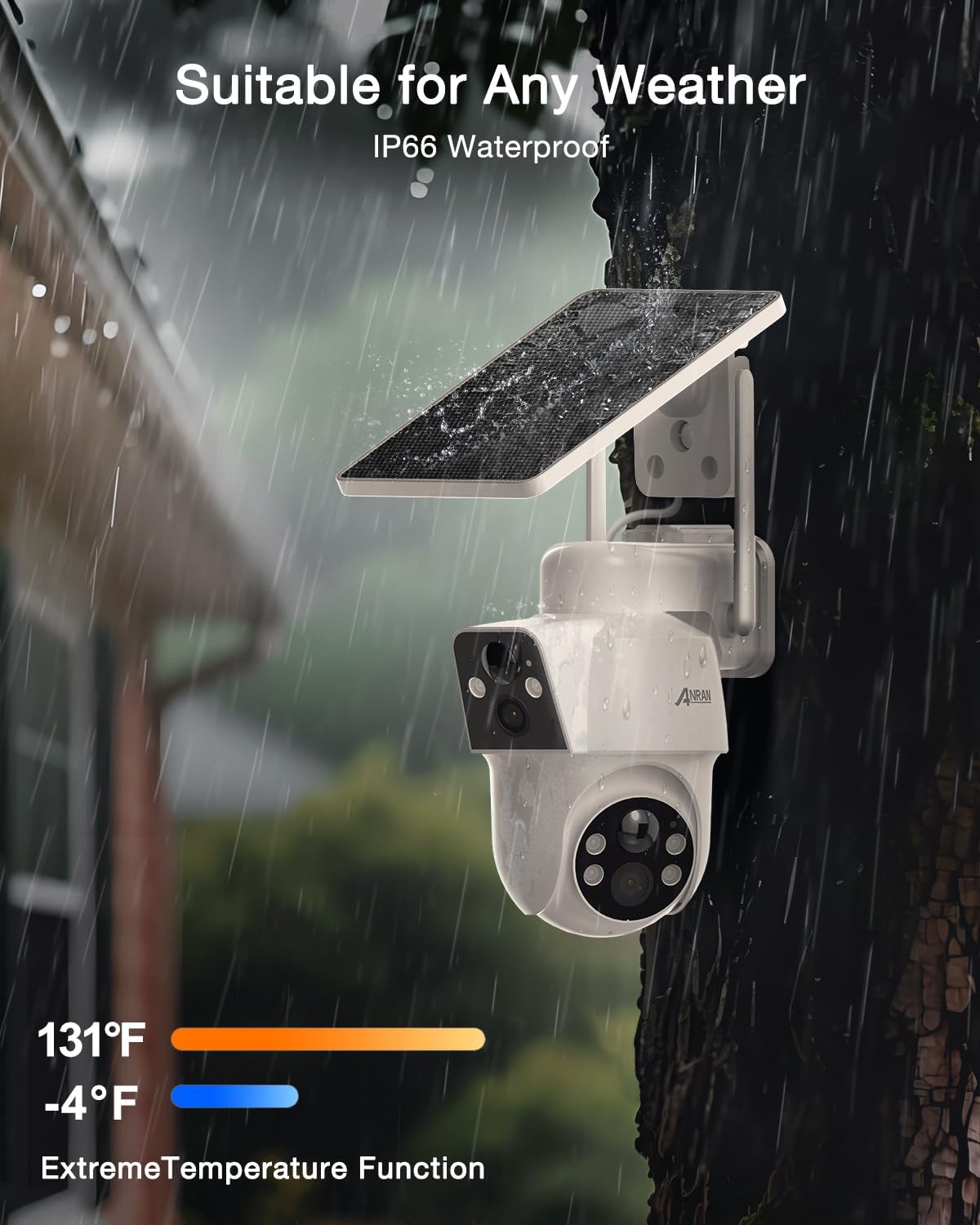
Figure 12: Suitable for Any Weather (IP66 Waterproof)
6. දෝශ නිරාකරණය
6.1 උපාංගය නැවත සැකසීම
If you encounter issues, locate the reset button under the rubber flap near the USB-C port. Use a small pin or paperclip to press and hold the reset button for approximately 5 seconds to restart the device.
7. පිරිවිතර
| විශේෂාංගය | වටිනාකම |
|---|---|
| ගෘහස්ථ / එළිමහන් භාවිතය | ගෘහස්ථ, එළිමහන් |
| ගැළපෙන උපාංග | ස්මාර්ට් ජංගම දුරකථනය |
| බලශක්ති ප්රභවය | සූර්ය බලශක්තිය |
| සම්බන්ධතා ප්රොටෝකෝලය | Cellular, Wi-Fi (2.4G) |
| පාලක වර්ගය | Amazon Alexa, Android, CloudEdge, SmartThings |
| සවිකිරීමේ වර්ගය | වෝල් මවුන්ට් |
| වීඩියෝ ග්රහණ විභේදනය | 4k (Effective 3MP) |
| අයිතම ගණන | 2 |
| රැහැන් රහිත සන්නිවේදන තාක්ෂණය | සෙලියුලර්, Wi-Fi |
| ආකෘති සාධකය | Dome |
| Viewing කෝණය | අංශක 360 (PTZ) |
| රාත්රී දැක්ම පරාසය | අඩි 55 |
| ද්රව්ය | ඇක්රිලෝනයිට්රයිල් බියුඩඩීන් ස්ටයිරීන් (ABS) |
| ජල ප්රතිරෝධක මට්ටම | ජල ආරක්ෂිත (IP66) |
| ෆ්ලෑෂ් මතකය ස්ථාපිත ප්රමාණය | 128 GB (මයික්රෝ SD, ඇතුළත් නොවේ) |
| බැටරි අවශ්යද? | Yes (1 9V batteries included) |
| ඔප්ටිකල් සූම් | 4 x |
| වීඩියෝ කේතන කිරීම | MPEG-4 |
| අවධානය යොමු කිරීමේ වර්ගය | ස්වයංක්රීය අවධානය |
| අඩු ආලෝක තාක්ෂණය | රාත්රී වර්ණය |
| ඇඟවීම් වර්ගය | ශ්රව්ය සහ චලනය |
| ආලෝක ප්රභවයේ වර්ගය | අධෝරක්ත කිරණ |
| වීඩියෝ ග්රහණ ආකෘතිය | MP4 |
| ඡායාරූප සංවේදක තාක්ෂණය | CMOS |
| විශේෂ ලක්ෂණය | 2-Way Audio, Dual Lens, Night Vision, PTZ Technology, Weather Proof |
8. වගකීම් සහ සහාය
ANRAN is committed to providing reliable products and excellent customer service. Your ANRAN Q7M2 Dual-Lens Solar Security Camera comes with the following support:
- 24/7 මාර්ගගත පාරිභෝගික සේවය
- ජීවිත කාලය තාක්ෂණික සහාය
- Extended One-Year Warranty
For further questions or assistance, please contact ANRAN customer support:
- Webඅඩවිය: www.anran-cctv.com
- විද්යුත් තැපෑල: support@anran-cctv.com
- Social Media: @AnranTechnology
Please register your product within 10 days of purchase to ensure your warranty is fully activated.


