1. හැඳින්වීම
ස්තූතියි, උදව් කළාටasing the LG 43 inch UHD AI UA73 4K Smart TV. This television combines stunning 4K Ultra High Definition visuals with advanced Artificial Intelligence features and the intuitive webOS25 platform. Enjoy vibrant colors, sharp details, and smart functionalities including AI-powered search and voice control. This manual provides essential information for setting up, operating, and maintaining your new television.
2 ආරක්ෂිත තොරතුරු
ඔබගේ රූපවාහිනිය භාවිතා කිරීමට පෙර කරුණාකර සියලුම ආරක්ෂක උපදෙස් හොඳින් කියවන්න. අනාගත යොමුව සඳහා මෙම අත්පොත තබා ගන්න.
2.1 විදුලි ආරක්ෂාව
- බිත්ති අලෙවිසැල් හෝ දිගු රැහැන් අධික ලෙස පටවන්න එපා.
- විදුලි රැහැන රූපවාහිනියට සහ බිත්ති අලෙවිසැලට ආරක්ෂිතව සම්බන්ධ කර ඇති බවට වග බලා ගන්න.
- තෙත් දෑතින් විදුලි පේනුව ස්පර්ශ නොකරන්න.
2.2 ස්ථානගත කිරීම
- Place the TV on a stable, level surface or mount it securely to a wall using a compatible VESA mount.
- අධික උනුසුම් වීම වැළැක්වීම සඳහා රූපවාහිනිය වටා ප්රමාණවත් වාතාශ්රයක් සහතික කරන්න.
- Keep the TV away from direct sunlight, heat sources, and moisture.
2.3 පිරිසිදු කිරීම
- පිරිසිදු කිරීමට පෙර රූපවාහිනිය විසන්ධි කරන්න.
- Use a soft, dry cloth to clean the screen and exterior. Do not use liquid cleaners or sprays directly on the TV.
3. පැකේජ අන්තර්ගතය
කොටුව තුළ සියලුම අයිතම ඇති බව තහවුරු කරගන්න:
- LG 43 inch UHD AI 4K Smart TV (Model 43UA73006LA)
- AI Magic Remote Control
- විදුලි රැහැන්
- රූපවාහිනී නැවතුම්පළ (කෑලි 2) සහ ඉස්කුරුප්පු
- User Manual and Regulatory Information
- දුරස්ථ පාලකය සඳහා බැටරි (AA x 2)
4. පිහිටුවීම
4.1 ඇසුරුම් ඉවත් කිරීම සහ ස්ථාවරය ස්ථාපනය කිරීම
- රූපවාහිනිය එහි ඇසුරුම්වලින් ප්රවේශමෙන් ඉවත් කරන්න. මෙම පියවර සඳහා දෙදෙනෙකු සිටීම නිර්දේශ කෙරේ.
- හානි වැළැක්වීම සඳහා රූපවාහිනී තිරය මෘදු, පැතලි මතුපිටක් මත තබන්න.
- Attach the stand pieces to the TV using the provided screws, ensuring they are securely fastened. Refer to the diagram in the quick setup guide for specific screw locations.
- Alternatively, if wall-mounting, follow the instructions provided with your VESA-compatible wall mount kit.
4.2 සම්බන්ධක පර්යන්ත
Connect external devices such as Blu-ray players, game consoles, or soundbars to the appropriate ports on the back of the TV.
- HDMI වරාය: අධි-විභේදන වීඩියෝ සහ ශ්රව්ය සඳහා.
- USB Ports: USB ගබඩා උපාංග සම්බන්ධ කිරීම සඳහා.
- ඇන්ටෙනා/කේබල් ආදානය: ඇන්ටෙනාවක් හෝ කේබල් රූපවාහිනියක් සම්බන්ධ කිරීම සඳහා.
- දෘශ්ය ඩිජිටල් ශ්රව්ය ප්රතිදානය: ශබ්ද තීරුවකට හෝ ශ්රව්ය ග්රාහකයකට සම්බන්ධ කිරීම සඳහා.
4.3 මූලික බලය සක්රිය කිරීම සහ ජාල සම්බන්ධතාවය
- විදුලි රැහැන රූපවාහිනියට සම්බන්ධ කර පසුව බිත්ති අලෙවිසැලකට සම්බන්ධ කරන්න.
- දුරස්ථ පාලකයේ හෝ රූපවාහිනියේ බල බොත්තම ඔබන්න.
- Follow the on-screen instructions for the initial setup wizard. This will guide you through language selection, time zone, and network connection.
- Select your Wi-Fi network and enter the password, or connect an Ethernet cable for a wired connection.
5. මෙහෙයුම
5.1 AI Magic Remote Control
The AI Magic Remote allows for intuitive control of your TV, including point-and-click navigation and voice commands.
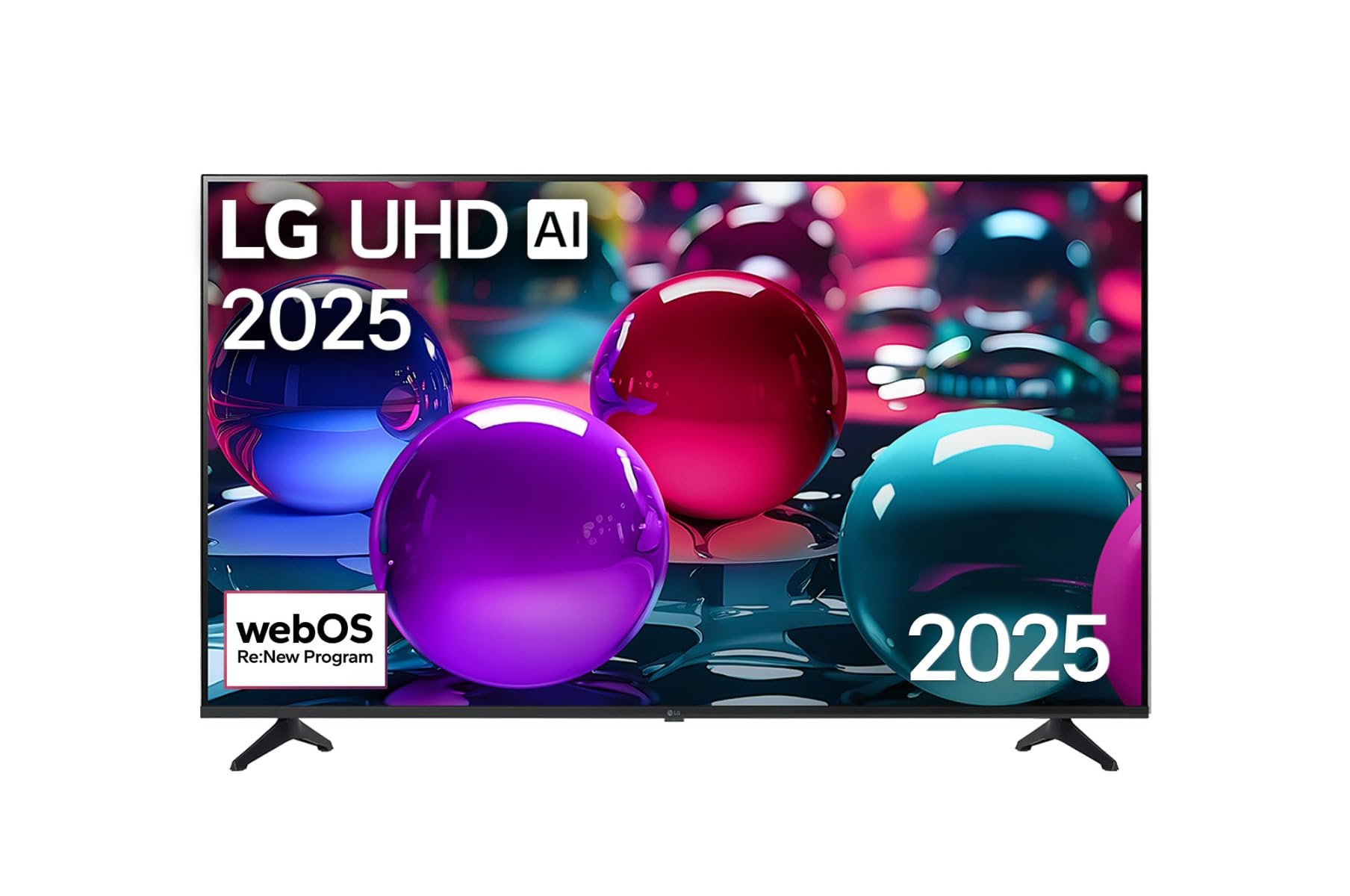
This image displays the LG 43 inch UHD AI 4K Smart TV, highlighting its webOS Re:New Program and Artificial Intelligence features. The accompanying AI Magic Remote is shown with a speech bubble indicating 'Just speak!', emphasizing its voice control capabilities.
- බල බොත්තම: රූපවාහිනිය ක්රියාත්මක හෝ අක්රිය කරයි.
- Scroll Wheel/OK Button: මෙනු සංචාලනය කර තේරීම් තහවුරු කරයි.
- හඬ විධාන බොත්තම: Press and hold to activate AI Search, AI Chatbot, or AI Concierge. Speak your command into the remote.
- මුල් පිටුව බොත්තම: වෙත ප්රවේශ වේ webOS මුල් තිරය.
- පසුපස බොත්තම: පෙර තිරය වෙත නැවත පැමිණේ.
- ශබ්දය වැඩි/පහළ: පරිමාව සකස් කරයි.
- නාලිකාව ඉහළ/පහළ: නාලිකා වෙනස් කරයි.
5.2 webOS අතුරුමුහුණත
ද webOS Home screen provides quick access to apps, inputs, and settings. Use the Magic Remote to point and click on desired options or navigate with the directional buttons.
- යෙදුම් දියත් කිරීම: Customize and access your favorite streaming services and applications.
- ආදාන තේරීම: Switch between HDMI inputs, USB, or live TV.
- සැකසීම්: Adjust picture, sound, network, and general TV settings.
5.3 AI විශේෂාංග
Leverage the power of AI for enhanced TV experience:
- AI සෙවීම: Use voice commands to find content, information, or apps quickly.
- AI කතාබස් බොට්: Interact with the TV for assistance or information.
- AI කොන්සියර්ජ්: Receive personalized content recommendations and smart home integration.
6. නඩත්තු කිරීම
6.1 ඔබේ රූපවාහිනිය පිරිසිදු කිරීම
රූපවාහිනියේ පෙනුම සහ ක්රියාකාරිත්වය පවත්වා ගැනීම සඳහා:
- පිරිසිදු කිරීමට පෙර සෑම විටම රූපවාහිනිය විසන්ධි කරන්න.
- තිරය මෘදු ලෙස පිස දැමීමට මෘදු, ලින්ට් රහිත රෙද්දක් භාවිතා කරන්න. මුරණ්ඩු සලකුණු සඳහා, තරමක් dampරෙදි කැබැල්ල වතුරෙන් පිස දමා වහාම වියළා ගන්න.
- රූපවාහිනී රාමුව පිරිසිදු කර මෘදු වියළි රෙද්දකින් සිටගන්න.
- උල්ෙල්ඛ පිරිසිදු කරන්නන්, මධ්යසාර, බෙන්සීන් හෝ තිනර් භාවිතා නොකරන්න, මන්ද මේවා තිරයට හෝ නිමාවට හානි කළ හැකිය.
6.2 මෘදුකාංග යාවත්කාලීන
Your LG Smart TV periodically receives software updates to improve performance and add new features. Ensure your TV is connected to the internet to receive these updates automatically. You can also manually check for updates in the TV's settings menu.
7. දෝශ නිරාකරණය
ඔබේ රූපවාහිනිය සමඟ ගැටළු ඇති වුවහොත්, පහත පොදු විසඳුම් වෙත යොමු වන්න:
| ගැටලුව | හැකි විසඳුම |
|---|---|
| බලය නැත | Check if the power cord is securely plugged in. Try a different power outlet. |
| පින්තූරයක් නැත, නමුත් ශබ්දය පවතී | නිවැරදි ආදාන මූලාශ්රය තෝරාගෙන ඇති බව සහතික කර ගන්න. බාහිර උපාංග වෙත කේබල් සම්බන්ධතා පරීක්ෂා කරන්න. |
| ශබ්දයක් නැත, නමුත් පින්තූරය තිබේ | ශබ්ද මට්ටම් සහ නිහඬ සැකසුම් පරීක්ෂා කරන්න. රූපවාහිනී මෙනුවේ ශ්රව්ය ප්රතිදාන සැකසුම් සත්යාපනය කරන්න. |
| දුරස්ථ පාලකය ක්රියා නොකරයි | Replace batteries. Ensure there are no obstructions between the remote and the TV. Re-pair the Magic Remote if necessary (refer to TV settings). |
| Wi-Fi වෙත සම්බන්ධ විය නොහැක | ඔබේ රවුටරය සහ මොඩමය නැවත ආරම්භ කරන්න. Wi-Fi මුරපදය පරීක්ෂා කරන්න. රූපවාහිනිය රවුටරයේ පරාසය තුළ ඇති බව සහතික කර ගන්න. |
| පින්තූර ගුණාත්මක ගැටළු (උදා: නොපැහැදිලි, විකෘති) | Check the resolution of the input source. Adjust picture settings in the TV menu. |
If the problem persists, please contact LG customer support.
8. පිරිවිතර
| විශේෂාංගය | විස්තර |
|---|---|
| වෙළඳ නාමය | LG |
| මාදිලියේ නම | 43UA73006LA හඳුන්වා දීම |
| තිර ප්රමාණය | අඟල් 43 |
| සංදර්ශක තාක්ෂණය | LED |
| විභේදනය | 4K UHD (3840 x 2160) |
| දර්ශන අනුපාතය | 16:9 |
| මෙහෙයුම් පද්ධතිය | webOS25 |
| විශේෂ ලක්ෂණ | AI Processor, AI Magic Remote, HDR10, Sleep Timer |
| වර්ණය | කළු |
| අයිතමයේ බර | කිලෝග්රෑම් 6.8 (රාත්තල් 14.96) |
| නිෂ්පාදන මානයන් | අඟල් 37.68 x 37.68 x 21.97 |
| පළමු දිනය තිබේ | නොවැම්බර් 28, 2025 |
9. වගකීම් සහ සහාය
9.1 නිෂ්පාදන වගකීම්
Your LG 43 inch UHD AI UA73 4K Smart TV is covered by a limited manufacturer's warranty. Please refer to the warranty card included in your package for specific terms, conditions, and duration of coverage. Keep your proof of purchase for warranty claims.
9.2 පාරිභෝගික සහාය
තාක්ෂණික සහාය, මෙම අත්පොතෙන් ඔබ්බට දෝශ නිරාකරණය හෝ වගකීම් සේවාව සඳහා, කරුණාකර LG පාරිභෝගික සහාය අමතන්න:
- Webඅඩවිය: නිල LG සහාය වෙත පිවිසෙන්න website for FAQs, downloads, and service requests.
- දුරකථනය: Refer to your warranty card or LG's official webකලාපීය සම්බන්ධතා අංක සඳහා අඩවිය.