1. හැඳින්වීම
Thank you for choosing the Baseus Bass BP1 NC Hybrid Active Noise Cancelling Wireless Earbuds. This manual provides essential information for setting up, operating, and maintaining your earbuds to ensure optimal performance and longevity. Please read it thoroughly before use.
2. පෙට්ටියේ ඇති දේ
ඔබගේ පැකේජයේ සියලුම අයිතම ඇති බව තහවුරු කරගන්න:
- Baseus Bass BP1 NC Wireless Earbuds
- රැහැන් රහිත ආරෝපණ නඩුව
- කන් ඉඟි (S/M/L ප්රමාණ)
- පරිශීලක අත්පොත

Image: Contents of the Baseus Bass BP1 NC Earbuds package.
3. නිෂ්පාදන අවසන්view
Familiarize yourself with the components of your Baseus Bass BP1 NC earbuds and charging case.
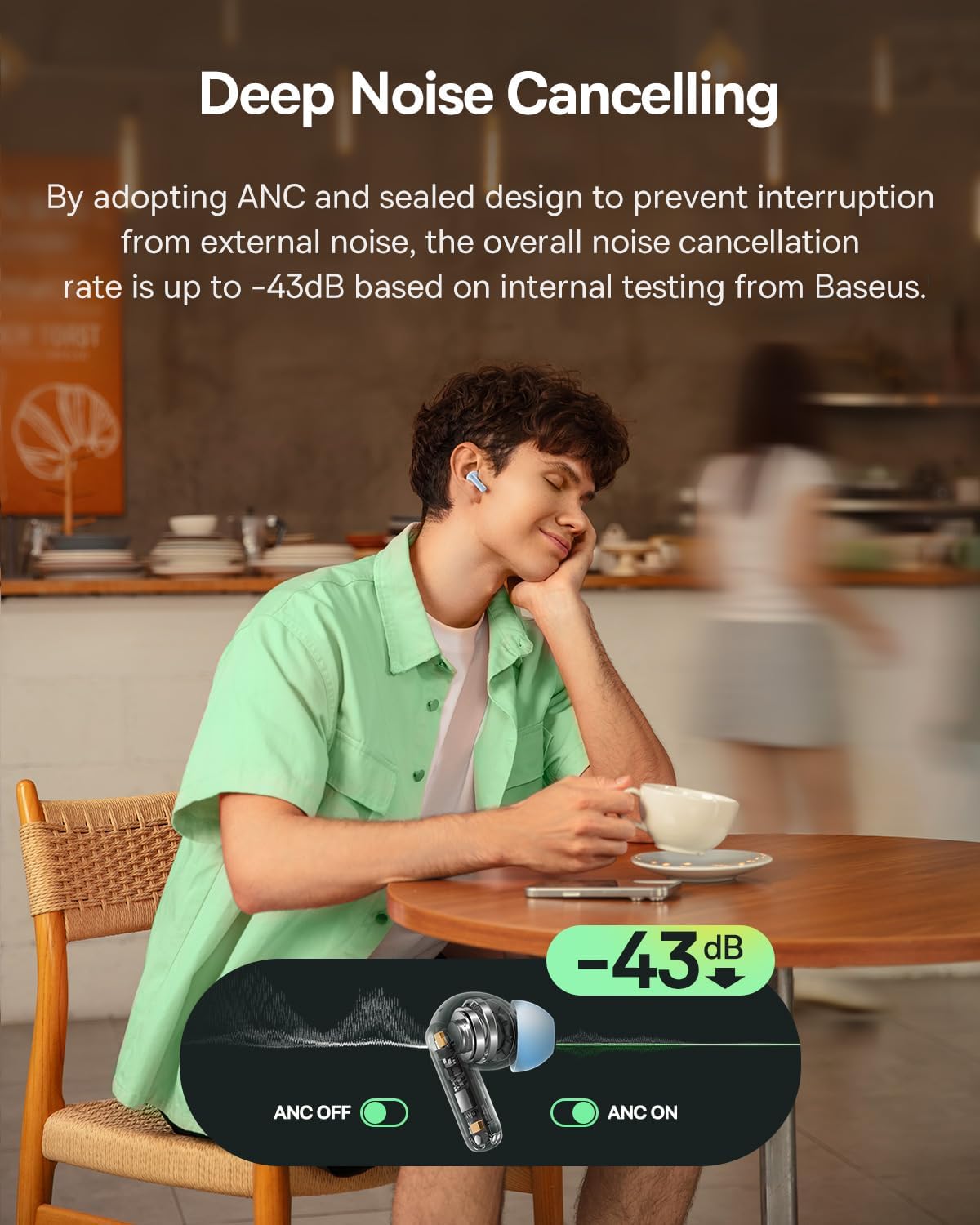
Image: Baseus Bass BP1 NC Earbuds and Charging Case.
රූපය: විස්තරාත්මක view of a single earbud.
4. පිහිටුවීම
4.1 ඉයර්බඩ් සහ කේස් ආරෝපණය කිරීම
Before first use, fully charge the earbuds and charging case. Place the earbuds into the charging case. Connect the charging case to a power source using a USB-C cable. The indicator lights on the case will show the charging status.
මිනිත්තු 10ක ආරෝපණයක් මඟින් ආසන්න වශයෙන් පැය 2ක ක්රීඩා කාලයක් ලබා දේ.

Image: Battery life and charging information.
4.2 බ්ලූටූත් යුගල කිරීම
- Open the charging case. The earbuds will automatically enter pairing mode, indicated by a flashing light.
- ඔබගේ උපාංගයේ (ස්මාර්ට්ෆෝන්, ටැබ්ලටය, ආදිය), බ්ලූටූත් සක්රීය කරන්න.
- ඒ සඳහා සොයන්න "Baseus Bass BP1 NC" in the list of available Bluetooth devices and select it to connect.
- Once connected, the indicator light on the earbuds will turn off or show a steady light, depending on the model.
The earbuds feature Bluetooth 6.0 for lower latency, more stable connectivity, and increased transmission range.

Image: Bluetooth 6.0 technology overview.
4.3 ඉයර්බඩ් සවි කිරීම
For optimal sound quality and noise cancellation, ensure a proper fit. Choose the eartips that provide a snug seal in your ear canal. Insert the earbuds gently and twist them slightly until they feel secure and comfortable.

Image: Earbuds properly fitted in ear.
5. මෙහෙයුම් උපදෙස්
5.1 බලය සක්රිය / අක්රිය
- බල ගැන්වීම: ආරෝපණ පෙට්ටිය විවෘත කරන්න, එවිට ඉයර්බඩ් ස්වයංක්රීයව ක්රියාත්මක වේ.
- විදුලිය විසන්ධි කිරීම: ඉයර්බඩ් නැවත ආරෝපණ පෙට්ටියට දමා පියන වසා දමන්න. ඒවා ස්වයංක්රීයව ක්රියා විරහිත වී ආරෝපණය වීමට පටන් ගනී.
5.2 ස්පර්ශ පාලන
The Baseus Bass BP1 NC earbuds feature intuitive touch controls on each earbud. The 'Pinch Area' on the stem of the earbud is where touch gestures are registered.

Image: Touch control functions.
| ක්රියාව | කාර්යය |
|---|---|
| දෙවරක් තට්ටු කරන්න (x2) | Play/Pause music; Answer/End calls |
| ත්රිත්ව තට්ටු කිරීම (x3) | Play Previous Track (Left earbud); Play Next Track (Right earbud) |
| ඔබා අල්ලාගෙන සිටින්න (තත්පර 2) | Reject calls; Switch Noise Reduction / Transparency Mode |
5.3 ක්රියාකාරී ශබ්ද අවලංගු කිරීම (ANC) සහ විනිවිදභාවය ප්රකාරය
The earbuds feature Hybrid ANC technology, reducing external noise by up to -43dB. You can switch between ANC On, ANC Off, and Transparency modes by pressing and holding the touch area for 2 seconds.
- ANC මත: ගිලී යන සවන්දීමේ අත්දැකීමක් සඳහා අවට ශබ්දය අවහිර කරයි.
- ANC අක්රිය: ශබ්දය අවලංගු කිරීමකින් තොරව සම්මත ශ්රව්ය මාදිලිය.
- විනිවිදභාවය ප්රකාරය: කාර්යබහුල පරිසරයන් තුළ දැනුවත්භාවය සඳහා ප්රයෝජනවත් වන අතර, ඔබේ ශ්රව්ය රස විඳින අතරතුර ඔබේ වටපිටාවට සවන් දීමට ඔබට ඉඩ සලසයි.

Image: Deep Noise Cancelling feature in action.
5.4 ඇමතුම් කළමනාකරණය
The 4-Mic AI ENC technology ensures clear calls by isolating your voice from background noise.

Image: 4-Mic AI ENC for clear calls.
5.5 Customizable Audio Performance (EQ)
Utilize the Baseus app to personalize your listening experience with 24 customizable EQ settings. This allows you to tailor the sound profile to your preferences for various music genres or content types.

Image: Baseus app EQ customization interface.
5.6 අඩු ප්රමාද ක්රීඩා
The earbuds offer a low latency of 58ms, providing a synchronized audio-visual experience ideal for gaming.
Video: Demonstrating the low latency feature for gaming.
6. නඩත්තු කිරීම
6.1 පිරිසිදු කිරීම
- ඉයර්බඩ්, විශේෂයෙන් ඉයර්ටිප් සහ ආරෝපණ සම්බන්ධතා, මෘදු, වියලි, ලින්ට් රහිත රෙද්දකින් නිතිපතා පිරිසිදු කරන්න.
- Remove eartips and clean them with mild soap and water if necessary. Ensure they are completely dry before reattaching.
- උල්ෙල්ඛ පිරිසිදු කරන්නන් හෝ ද්රාවණ භාවිතා නොකරන්න.
6.2 ගබඩා කිරීම
භාවිතයේ නොමැති විට, දූවිලි, හානිවලින් ආරක්ෂා වීමට සහ ආරෝපණය කර තබා ගැනීමට ඉයර්බඩ් සෑම විටම ඒවායේ ආරෝපණ පෙට්ටියේ ගබඩා කරන්න.
6.3 ජල ප්රතිරෝධය
The earbuds are IP55 water-resistant, protecting them from sweat, splashes, and light rain. Do not submerge them in water or expose them to strong jets of water.

Image: IP55 Water & Dust Resistant feature.
7. දෝශ නිරාකරණය
ඔබට ගැටළු ඇති වුවහොත්, පහත පොදු ගැටළු සහ විසඳුම් වෙත යොමු වන්න:
| ගැටලුව | හැකි විසඳුම |
|---|---|
| ඉයර්බඩ් යුගල නොවේ | Ensure earbuds are charged. Turn off and on Bluetooth on your device. Place earbuds back in case, close, then reopen to re-enter pairing mode. |
| එක් ඉයර්බඩ් එකකින් ශබ්දයක් නැත | Check if both earbuds are charged. Try resetting the earbuds (refer to manufacturer's specific reset instructions if available). Re-pair with your device. |
| Poor sound quality / Weak bass | Ensure eartips provide a snug seal. Try different sized eartips. Check EQ settings in the Baseus app. |
| ANC ඵලදායී නොවේ | Ensure earbuds are properly seated in your ears. Verify ANC mode is active via touch control or the Baseus app. |
| ඉයර්බඩ් ආරෝපණය නොවේ | Clean charging contacts on both earbuds and case. Ensure charging cable is securely connected and power source is active. |
8. පිරිවිතර
Detailed technical specifications for the Baseus Bass BP1 NC Earbuds:
- මාදිලියේ නම: Baseus Bass BP1 NC
- ශබ්ද පාලනය: Adaptive Noise Cancellation (Hybrid ANC up to -43dB)
- ශ්රව්ය ධාවක වර්ගය: ගතික ධාවකය
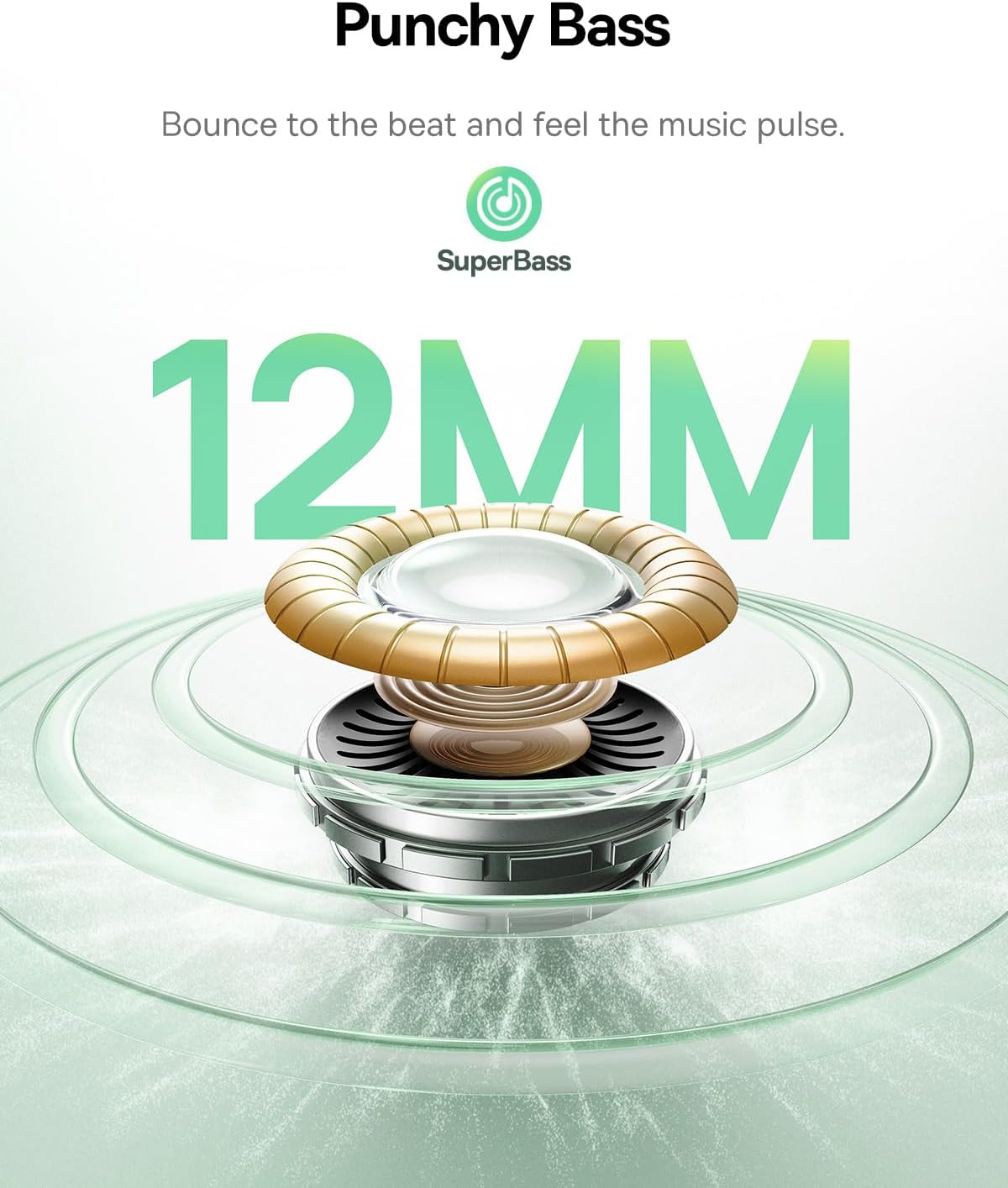
- ශ්රව්ය ධාවක ප්රමාණය: 12 මි.මී
- සංඛ්යාත ප්රතිචාරය: 20 KHz
- සම්බාධනය: 16 ඕම්
- සම්බන්ධතා තාක්ෂණය: රැහැන් රහිත
- රැහැන් රහිත සන්නිවේදන තාක්ෂණය: බ්ලූටූත්
- බ්ලූටූත් අනුවාදය: 6.0
- බ්ලූටූත් පරාසය: මීටර් 10
- ශ්රව්ය ප්රමාදය: 58 මිලි තත්පර
- බැටරි ආයු කාලය (Earbuds): පැය 7 දක්වා (ANC අක්රියයි)
- මුළු ක්රීඩා කාලය (ආරෝපණ නඩුව සමඟ): පැය 41 දක්වා (ANC අක්රියයි)
- Charging Time (Rapid Charge): පැය 10 ක්රීඩා කාලය සඳහා මිනිත්තු 2 යි
- ජල ප්රතිරෝධක මට්ටම: IP55 (ජල ප්රතිරෝධී)
- පාලන වර්ගය: ස්පර්ශ පාලනය
- මයික්රෆෝන: 4-Mic AI ENC
- අභිරුචිකරණය කළ හැකි EQ: 24 settings via Baseus App
- ද්රව්ය: ඇක්රිලෝනිට්රයිල් බියුටඩීන් ස්ටයිරීන් (ABS), පොලිකාබනේට් (PC)
- Item Weight (per earbud): ග්රෑම් 4.1 (ආසන්න වශයෙන් අවුන්ස 0.145)
- නිෂ්පාදන මානයන්: අඟල් 1.2 x 0.8 x 0.9
- රැගෙන යන නඩුවේ මානයන්: 5.7 x 4.9 x 2.8 සෙ.මී
- UPC: 810196183469
9 ආරක්ෂිත තොරතුරු
- නිෂ්පාදිතය විසුරුවා හැරීම හෝ වෙනස් කිරීම නොකරන්න.
- අධික උෂ්ණත්වයන්, සෘජු හිරු එළිය සහ විවෘත ගිනිදැල් වලින් ඈත්ව සිටින්න.
- Avoid exposing the product to water beyond its IP55 rating.
- ශ්රවණ හානිය වළක්වා ගැනීම සඳහා දිගු කාලයක් තිස්සේ අධික ශබ්දයකින් ඉයර්බඩ් භාවිතා නොකරන්න.
- ළමයින්ට සහ සුරතල් සතුන්ට ළඟාවිය නොහැකි ලෙස තබා ගන්න.
10. වගකීම් සහ සහාය
Baseus products are covered by a limited warranty. For specific warranty terms, registration, or technical support, please refer to the warranty card included in your package or visit the official Baseus webවෙබ් අඩවිය. වගකීම් හිමිකම් සඳහා කරුණාකර ඔබේ මිලදී ගැනීමේ සාක්ෂි තබා ගන්න.


