හැඳින්වීම
This manual provides detailed instructions for the installation, operation, and maintenance of your Imagebon 11.3-inch QLED Android Car Navigation System. Please read this manual thoroughly before using the product to ensure proper function and safety. Keep this manual for future reference.
ප්රධාන ලක්ෂණ
- High-Performance 8-Core Android System: Equipped with an 8-core Android processor, 4GB RAM, and 64GB storage for smooth operation and ampයෙදුම් සහ මාධ්ය සඳහා le ඉඩ.
- ගූගල් ප්ලේ අනුකූලතාව: Download and use your favorite apps directly from Google Play. Pre-installed with popular apps like YouTube and Netflix.
- ස්ප්ලිට්-ස්ක්රීන් සමඟ බහුකාර්යකරණය: Simultaneously display navigation and entertainment apps for enhanced convenience while driving.
- Dual-Band Wi-Fi & Bluetooth: Supports 2.4GHz/5GHz Wi-Fi for stable streaming and Bluetooth for seamless smartphone connectivity and hands-free calling.
- 1080P Backup Camera: Includes a high-definition backup camera with adjustable guidelines for safe and easy parking.
- 11.3-inch IN-CELL QLED Display: Features a large, vibrant QLED screen for clear visuals and responsive touch control.
- Flexible Navigation Options: Supports CarPlay, Android Auto, and direct installation of navigation apps like Google Maps or Waze, with online and offline map capabilities.
- හඬ පාලනය: Operate navigation, music, and phone calls hands-free for increased safety and convenience.
- ඕවර්-ද-එයාර් (OTA) යාවත්කාලීන: Easily update software and apps wirelessly to ensure you always have the latest features and improvements.
සැලසුම
පැකේජයේ අන්තර්ගතය
ස්ථාපනය ආරම්භ කිරීමට පෙර, සියලුම සංරචක පවතින බව තහවුරු කර ගන්න:
- Imagebon 11.3-inch QLED Android Car Navigation System
- මීටර් 10 පසුපස කැමරාව
- AUX කේබල්
- GPS ඇන්ටනාව
- මැලියම් කන්ද
- Car Charger (Cigarette Lighter Adapter)
- පරිශීලක අත්පොත

Image: All components included with the Imagebon car navigation system, including the main unit, rear camera, cables, and mounts.
ස්ථාපන පියවර
- ඒකකය සවි කිරීම: Securely attach the main unit to your dashboard using the provided adhesive mount. Ensure the unit is positioned to not obstruct your view නැතහොත් වාහන පාලනයට බාධා කරයි.
- බල සම්බන්ධතාවය: Connect the car charger to your vehicle's cigarette lighter socket and the Type-C port on the navigation unit.
- GPS Antenna Connection: Connect the GPS antenna to the designated port on the unit and place it in a location with a clear view ප්රශස්ත සංඥා පිළිගැනීම සඳහා අහසේ.
- Rear Camera Installation (Optional): If using the backup camera, install it at the rear of your vehicle and route the cable to the main unit. Connect the camera cable to the AV-IN port.
- ශ්රව්ය ප්රතිදානය: For audio output, you can use the built-in speaker, FM transmission, AUX cable connection, or Bluetooth connection to your car's audio system.
මෙහෙයුම් උපදෙස්
Initial Power On and System Overview
Upon first power-on, the system will boot into the Android interface. You can customize the home screen, access apps, and adjust settings.
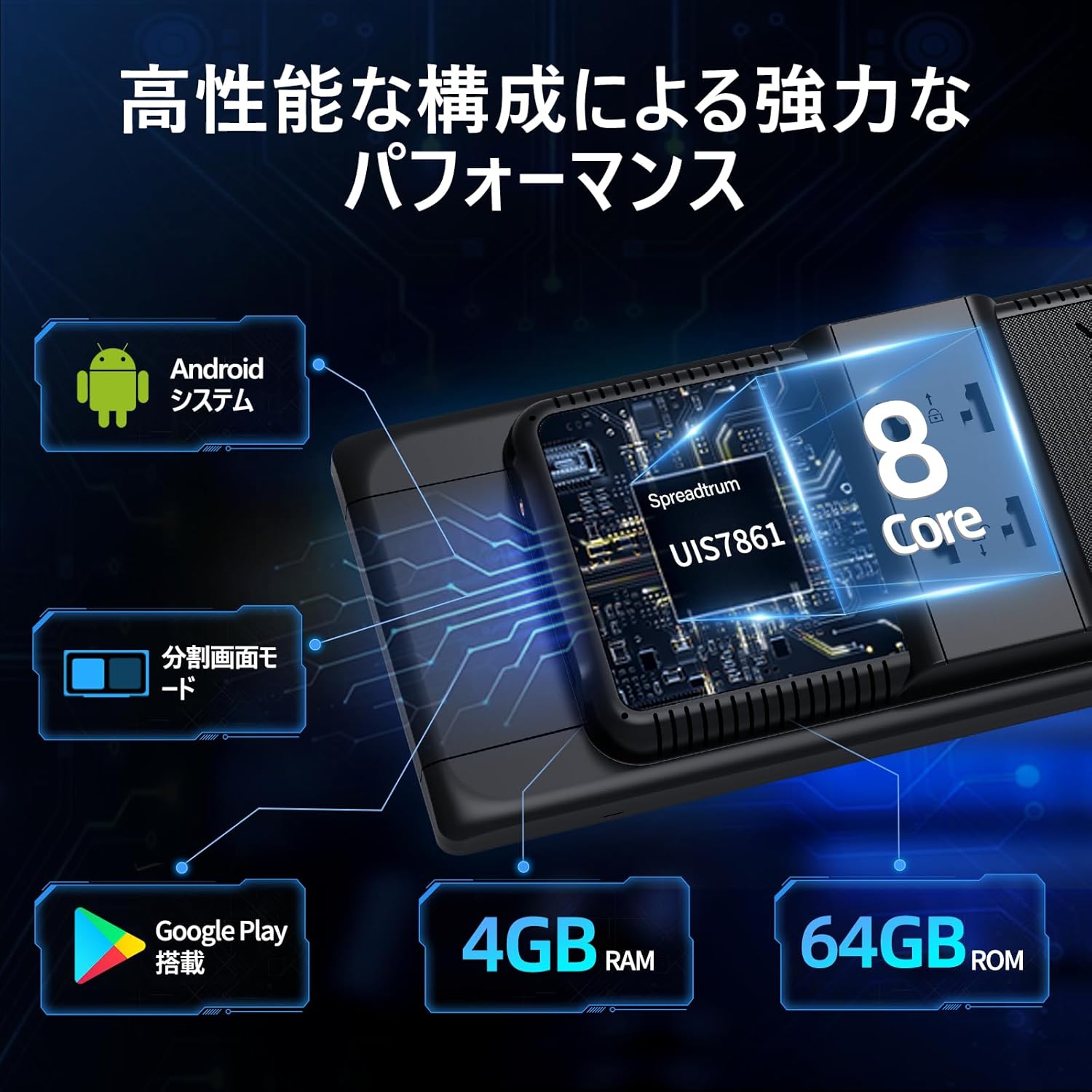
Image: The main interface of the Imagebon car navigation system, showing various app icons and the time display.
සම්බන්ධතාවය (Wi-Fi සහ බ්ලූටූත්)
The unit supports dual-band Wi-Fi (2.4GHz/5GHz) and Bluetooth for seamless connectivity.
- Wi-Fi සම්බන්ධතාවය: Go to Settings > Network & Internet > Wi-Fi. Select your desired network and enter the password.
- බ්ලූටූත් යුගලනය: Go to Settings > Connected devices > Bluetooth. Turn on Bluetooth and search for available devices. Select your smartphone to pair.

Image: The Imagebon car navigation system demonstrating dual-band Wi-Fi and Bluetooth connectivity, showing a phone call and navigation simultaneously.
Google Play and App Installation
අමතර යෙදුම් බාගැනීමට සහ ස්ථාපනය කිරීමට Google Play Store වෙත පිවිසෙන්න.
- Ensure the unit is connected to Wi-Fi.
- Tap the "Google Play Store" icon on the home screen.
- ඔබගේ Google ගිණුම සමඟින් පුරනය වන්න.
- Browse or search for apps and tap "Install" to download.
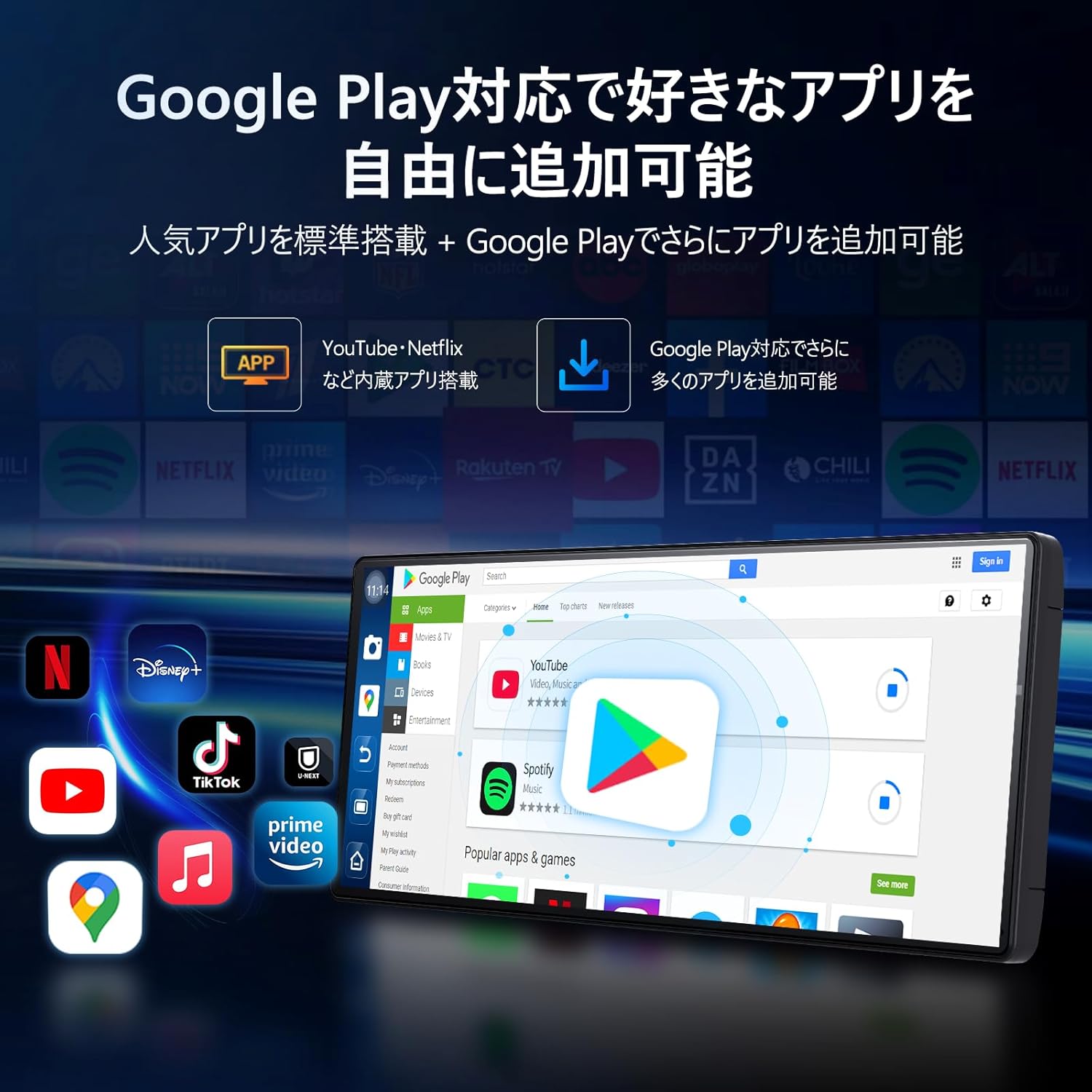
Image: The Imagebon car navigation system displaying the Google Play Store interface, showing various apps available for download.
Navigation (CarPlay / Android Auto / Built-in GPS)
The system offers multiple navigation options.
- CarPlay: Connect your iPhone via Bluetooth. A prompt will appear on your phone to allow CarPlay. Follow the on-screen instructions.
- Android Auto: Connect your Android phone via Bluetooth. A pairing request will appear. Confirm pairing and wait for the screen to cast.
- බිල්ට් GPS: Use pre-installed navigation apps or download your preferred ones from Google Play. The system supports both online and offline maps.

Image: The Imagebon car navigation system showing both Google Maps interface and a smartphone connected via CarPlay/Android Auto for navigation.
Split-Screen Functionality
To use split-screen mode:
- Open the first application you wish to use.
- Tap the split-screen button (usually represented by two rectangles) or swipe up to view මෑත යෙදුම්.
- Drag the second application to the other half of the screen.
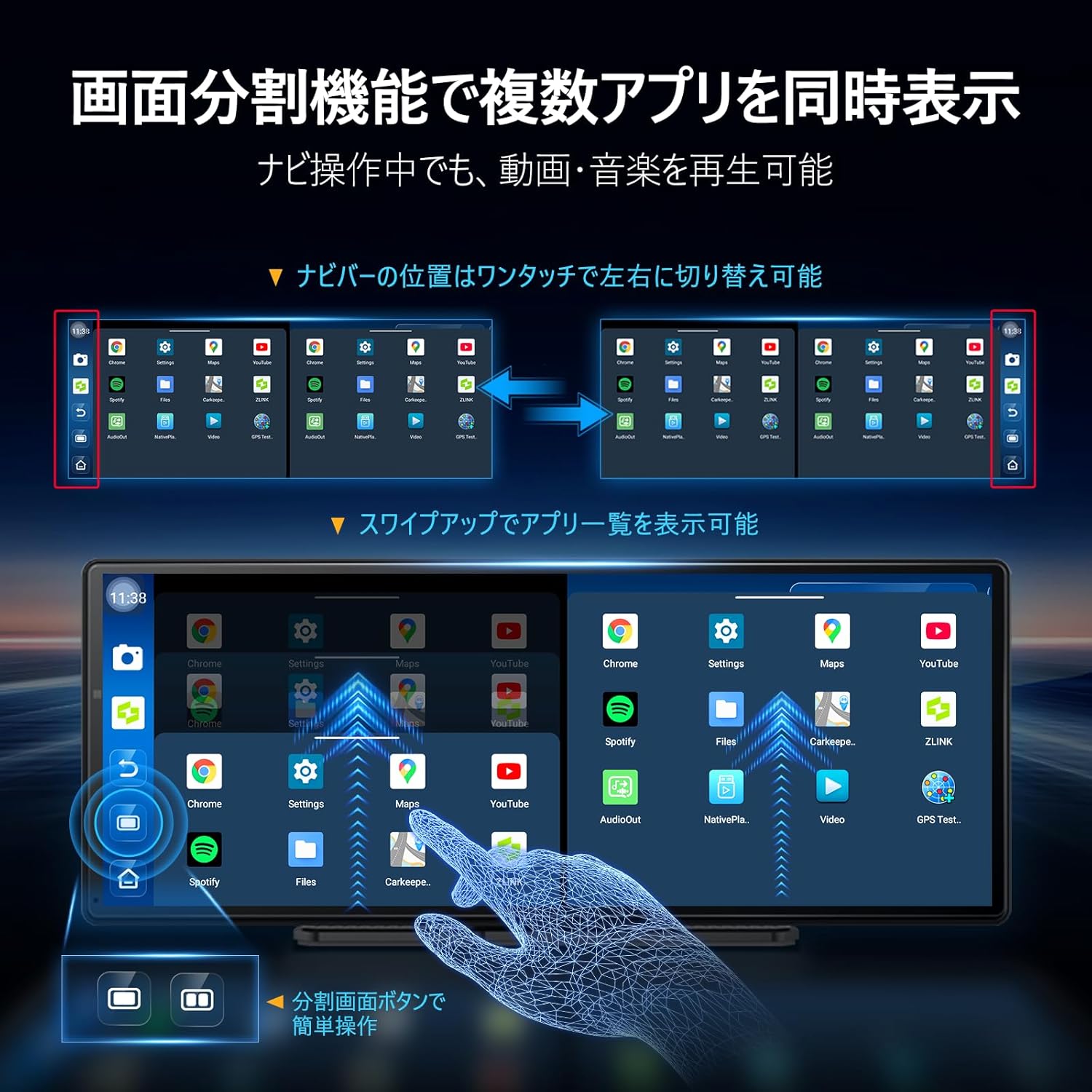
Image: The Imagebon car navigation system demonstrating split-screen functionality, showing two applications running side-by-side.
හඬ පාලනය
Activate voice control by saying "Hey Siri" (for CarPlay) or "OK Google" (for Android Auto/Android system) or by tapping the microphone icon. You can issue commands such as:
- "Navigate to [destination]"
- "Play [song/artist]"
- "Call [contact name]"
- "Increase/Decrease volume"
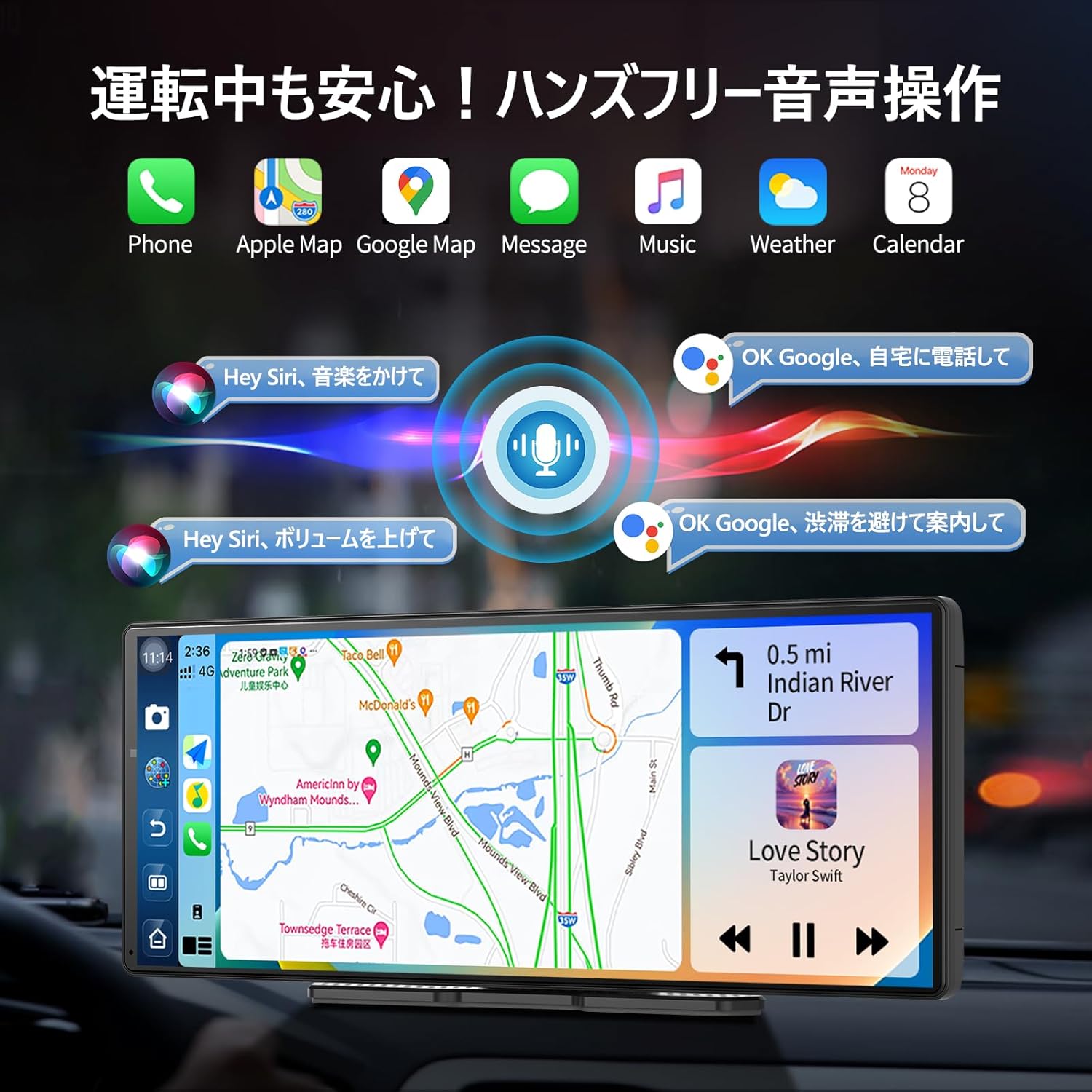
Image: The Imagebon car navigation system illustrating voice control commands for navigation, music, and calls, with a visual representation of sound waves.
පසුපස කැමරා මෙහෙයුම
When the vehicle is shifted into reverse, the display will automatically switch to the rear camera view. Adjustable guidelines assist with parking.

Image: The Imagebon car navigation system displaying the 1080P rear camera view with adjustable parking guidelines, showing a car reversing into a parking spot.
OTA යාවත්කාලීන කිරීම්
The system supports Over-The-Air (OTA) updates to keep your software and maps current.
- Ensure the unit is connected to Wi-Fi.
- Go to "App List" > "Settings".
- Select "Updater" from the "Device Information" menu.
- Follow the on-screen prompts to download and install updates. The unit will restart automatically after the update is complete.
නඩත්තු කිරීම
- පිරිසිදු කිරීම: තිරය සහ බාහිර පෙනුම පිරිසිදු කිරීමට මෘදු, වියළි රෙද්දක් භාවිතා කරන්න. උල්ෙල්ඛ පිරිසිදු කරන්නන් හෝ ද්රාවක භාවිතා කිරීමෙන් වළකින්න.
- මෘදුකාංග යාවත්කාලීන: Regularly check for and install OTA updates to ensure optimal performance and access to new features.
- උෂ්ණත්වය: ඒකකය අධික උෂ්ණත්වයට නිරාවරණය වීමෙන් වළකින්න.
- කේබල් කළමනාකරණය: Ensure all cables are securely connected and not interfering with vehicle operation.
දෝෂගවේෂණය
| ගැටලුව | විය හැකි හේතුව | විසඳුම |
|---|---|---|
| ඒකකය බලය සක්රිය නොවේ | Power cable not connected or faulty; vehicle's power outlet issue. | Check power cable connection. Ensure vehicle's cigarette lighter socket is functional. |
| GPS සංඥා නැත | GPS ඇන්ටනාව නිසි ලෙස සම්බන්ධ වී නොමැති හෝ අවහිර වී ඇත view අහසින්. | Ensure GPS antenna is securely connected and placed in an unobstructed location. |
| Wi-Fi/බ්ලූටූත් සම්බන්ධතා ගැටළු | Incorrect password; device out of range; interference. | Verify password. Ensure devices are within range. Restart unit and connecting device. |
| උපස්ථ කැමරාව දර්ශනය නොවේ | Camera cable loose or faulty; vehicle not in reverse. | Check camera cable connection. Ensure vehicle is in reverse gear. |
| ස්පර්ශ තිරය ප්රතිචාර නොදක්වයි | තාවකාලික මෘදුකාංග දෝෂයක්. | Restart the unit. If problem persists, perform a factory reset (data will be lost). |
පිරිවිතර
| විශේෂාංගය | විස්තර |
|---|---|
| තිර ප්රමාණය | අඟල් 11.3 |
| සංදර්ශක වර්ගය | QLED |
| ප්රොසෙසරය | 8-Core Android |
| RAM | 4GB |
| ගබඩා කිරීම | 64GB |
| සම්බන්ධතාවය | Bluetooth, USB, Wi-Fi (2.4GHz/5GHz) |
| පාලන ක්රමය | ස්පර්ශ, හඬ |
| විශේෂ ලක්ෂණ | Android Auto, Apple CarPlay, Built-in Bluetooth, Hands-free calling, 1080P Backup Camera |
| ශ්රව්ය ප්රතිදාන ප්රකාරය | ස්ටීරියෝ |
| අයිතමයේ බර | කිලෝ ග්රෑම් 0.95 කි |
| මානයන් (පැකේජය) | 31.1 x 14.7 x 11.2 සෙ.මී |
| ආදර්ශ අංකය | W60N-JP |
වගකීම් සහ සහාය
This product comes with a standard manufacturer's warranty. For specific warranty details, please refer to the warranty card included in your package or contact Imagebon customer support.
For technical support, troubleshooting assistance, or any questions regarding your Imagebon car navigation system, please contact our customer service team. Contact information can be found on our official webඅඩවිය හෝ නිෂ්පාදන ඇසුරුම්කරණය මත.
නිෂ්පාදන වීඩියෝ
නිෂ්පාදනය අවසන්view
වීඩියෝ: සාමාන්ය තරඟයක්view of the Imagebon 11.3-inch QLED Android Car Navigation System, highlighting its main features and design. (Duration: 1:15)
Split-Screen Demonstration
Video: A demonstration of the split-screen functionality, showing how to run two applications simultaneously on the display. (Duration: 0:44)
CarPlay සහ Android Auto සම්බන්ධතාවය
Video: This video illustrates the process of connecting and using Apple CarPlay and Android Auto with the navigation system. (Duration: 2:07)
හඬ පාලන විශේෂාංග
Video: A short demonstration of the voice control capabilities, showing how to issue commands for navigation and media playback. (Duration: 0:23)
උපස්ථ කැමරා ක්රියාකාරිත්වය
Video: This video showcases the 1080P backup camera in action, including the adjustable guidelines for safe parking. (Duration: 2:00)


