1. හැඳින්වීම
ස්තූතියි, උදව් කළාටasing the MangoKit SR-L WiFi Internet Radio. This device offers a versatile listening experience, combining WiFi Internet Radio, FM Radio, a Podcast Player, and Bluetooth streaming capabilities. It also features an alarm clock and can be powered by mains or batteries for portability. This manual provides detailed instructions for setup, operation, and maintenance to ensure optimal performance and enjoyment of your radio.
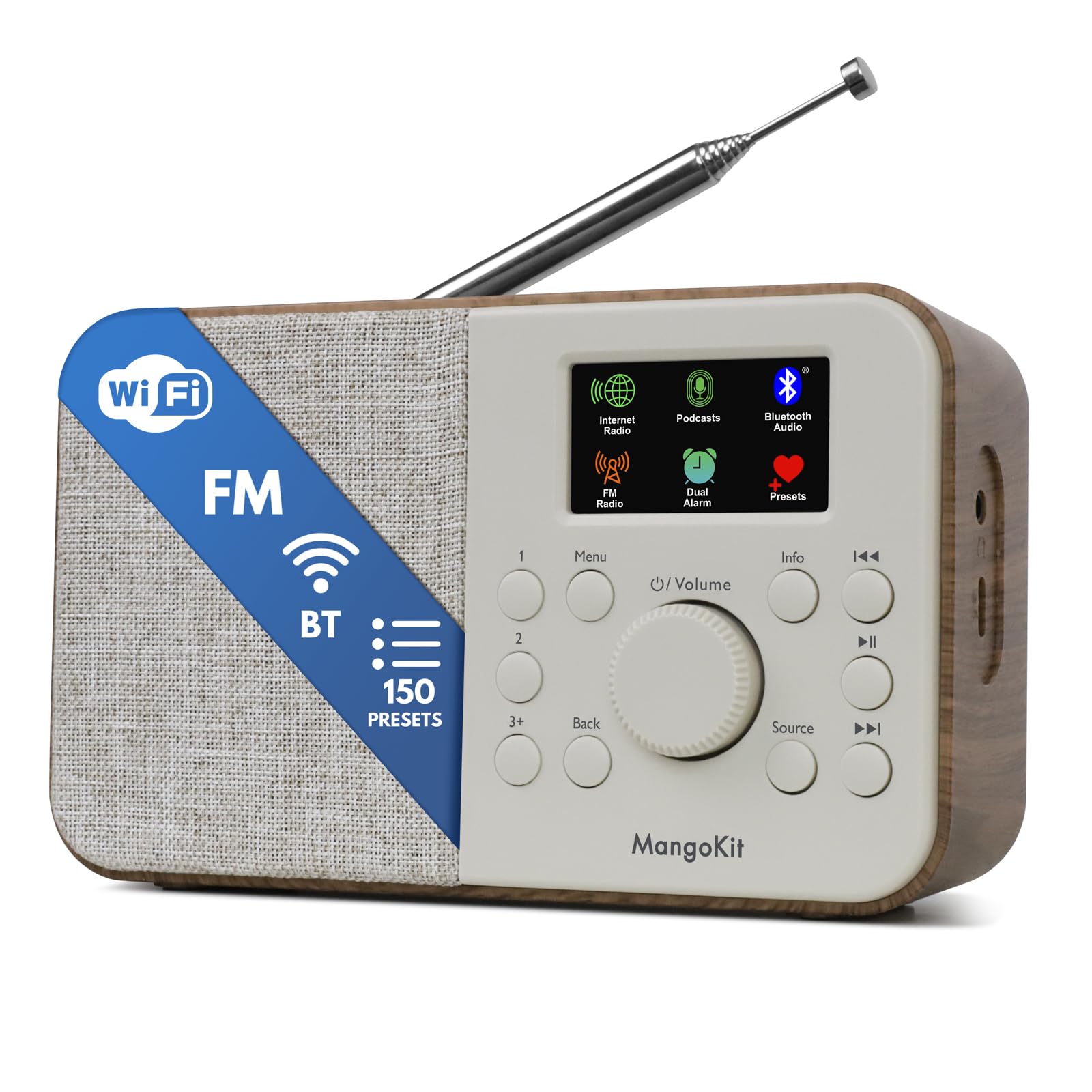
Image 1.1: The MangoKit SR-L WiFi Internet Radio in Walnut finish, showcasing එහි සංයුක්ත නිර්මාණය.
2. වැදගත් ආරක්ෂක තොරතුරු
උපාංගය භාවිතා කිරීමට පෙර කරුණාකර සියලුම ආරක්ෂක උපදෙස් කියවන්න. අනාගත යොමුව සඳහා මෙම අත්පොත තබා ගන්න.
- ඒකකය වර්ෂාව, තෙතමනය හෝ අධික උෂ්ණත්වයන්ට නිරාවරණය නොකරන්න.
- ඒකකය තාප ප්රභවයන් අසල හෝ සෘජු හිරු එළියේ තැබීමෙන් වළකින්න.
- නිසි වාතාශ්රය සහතික කරන්න; වාතාශ්රය විවරයන් අවහිර නොකරන්න.
- සපයන ලද බල ඇඩැප්ටරය පමණක් භාවිතා කරන්න.
- ඒකකය විසුරුවා හැරීමට හෝ වෙනස් කිරීමට උත්සාහ නොකරන්න. සියලුම සේවා සුදුසුකම් ලත් පුද්ගලයින් වෙත යොමු කරන්න.
- දේශීය රෙගුලාසි වලට අනුව වගකීමෙන් යුතුව බැටරි බැහැර කරන්න.
3. පැකේජ අන්තර්ගතය
සියලුම අයිතම පැකේජයේ ඇති බව තහවුරු කරගන්න:
- MangoKit SR-L WiFi Internet Radio
- බල ඇඩැප්ටරය
- හිමිකරුගේ අත්පොත
4. නිෂ්පාදන අවසන්view
The MangoKit SR-L features an intuitive control panel and a full-color display for easy navigation and information display.

රූපය 4.1: සමීප ඡායාරූපයක් view of the MangoKit SR-L's front panel, highlighting the display, rotary knob, and control buttons.
පාලන සහ සංදර්ශකය:
- Full Colour Display: ස්ථාන තොරතුරු, වේලාව සහ මෙනු විකල්ප පෙන්වයි.
- Rotary Knob (Volume/Select): Turn to adjust volume or navigate menus; press to confirm selections.
- මෙනු බොත්තම: ප්රධාන මෙනුවට ප්රවේශ වේ.
- පසුපස බොත්තම: පෙර තිරයට හෝ මෙනුවට නැවත පැමිණේ.
- මූලාශ්ර බොත්තම: Switches between Internet Radio, FM, Bluetooth, and Podcast modes.
- Preset Buttons (1, 2, 3+): Quick access to saved favorite stations.
- තොරතුරු බොත්තම: Displays additional information about the current broadcast.
- Skip/Tune Buttons: Navigate tracks or tune radio frequencies.
- බල බොත්තම: ඒකකය සක්රිය/අක්රිය කරයි.
5. බල සැපයුම
The MangoKit SR-L can be powered by the included mains adapter or by batteries for portable use.
5.1 ප්රධාන බලය
Connect the provided power adapter to the DC IN port on the back of the radio and then plug it into a standard wall outlet.
5.2 බැටරි බලය
For portable operation, insert 4 AA batteries (not included) into the battery compartment on the back of the unit. Ensure correct polarity. The radio can provide up to 10 hours of portable listening on batteries.

Image 5.1: The MangoKit SR-L radio used outdoors, demonstrating its portability with battery power.
6. මූලික සැකසුම
Upon first power-on, the radio will guide you through the initial setup process.
- භාෂා තේරීම: Use the rotary knob to select your preferred language and press to confirm.
- වේලාව සහ දිනය: Set the current time and date. This can often be synchronized automatically via the internet once connected.
- ජාල සම්බන්ධතාවය (Wi-Fi):
- රේඩියෝව පවතින Wi-Fi ජාල සඳහා ස්කෑන් කරනු ඇත.
- ලැයිස්තුවෙන් ඔබේ ජාලය තෝරන්න.
- Enter your Wi-Fi password using the rotary knob to select characters and press to confirm each character.
- සම්බන්ධ වූ පසු, රේඩියෝව සම්බන්ධතාවය තහවුරු කරයි.
7. මෙහෙයුම් මාතයන්
The MangoKit SR-L offers multiple listening modes. Press the මූලාශ්රය ඒවා අතර මාරු වීමට බොත්තම.
7.1 අන්තර්ජාල ගුවන් විදුලිය
Access thousands of radio stations worldwide via your Wi-Fi connection.
- Select 'Internet Radio' from the source menu.
- Browse stations by location, genre, or use the search function.
- Use the rotary knob to navigate and select a station.
- පෙරසිටුවීම් සුරැකීම: To save a station, press and hold one of the preset buttons (1, 2, or 3+). To recall a preset, simply press the corresponding button. The radio supports up to 150 presets.
Video 7.1: An official product video demonstrating the features of the MangoKit SR-L, including Internet Radio, FM, and Bluetooth functionality.
7.2 FM රේඩියෝව
Listen to local FM broadcasts.
- Select 'FM Radio' from the source menu.
- Extend the telescopic antenna for best reception.
- Use the skip/tune buttons to manually tune or auto-scan for stations.
- Save and recall FM stations using the preset buttons as described for Internet Radio.
7.3 බ්ලූටූත් ප්රවාහය
Connect your smartphone or tablet to play audio wirelessly.
- Select 'Bluetooth' from the source menu. The radio will enter pairing mode.
- On your device, enable Bluetooth and search for 'MangoKit SR-L'.
- Select the radio to pair. Once connected, you can stream audio from your device.
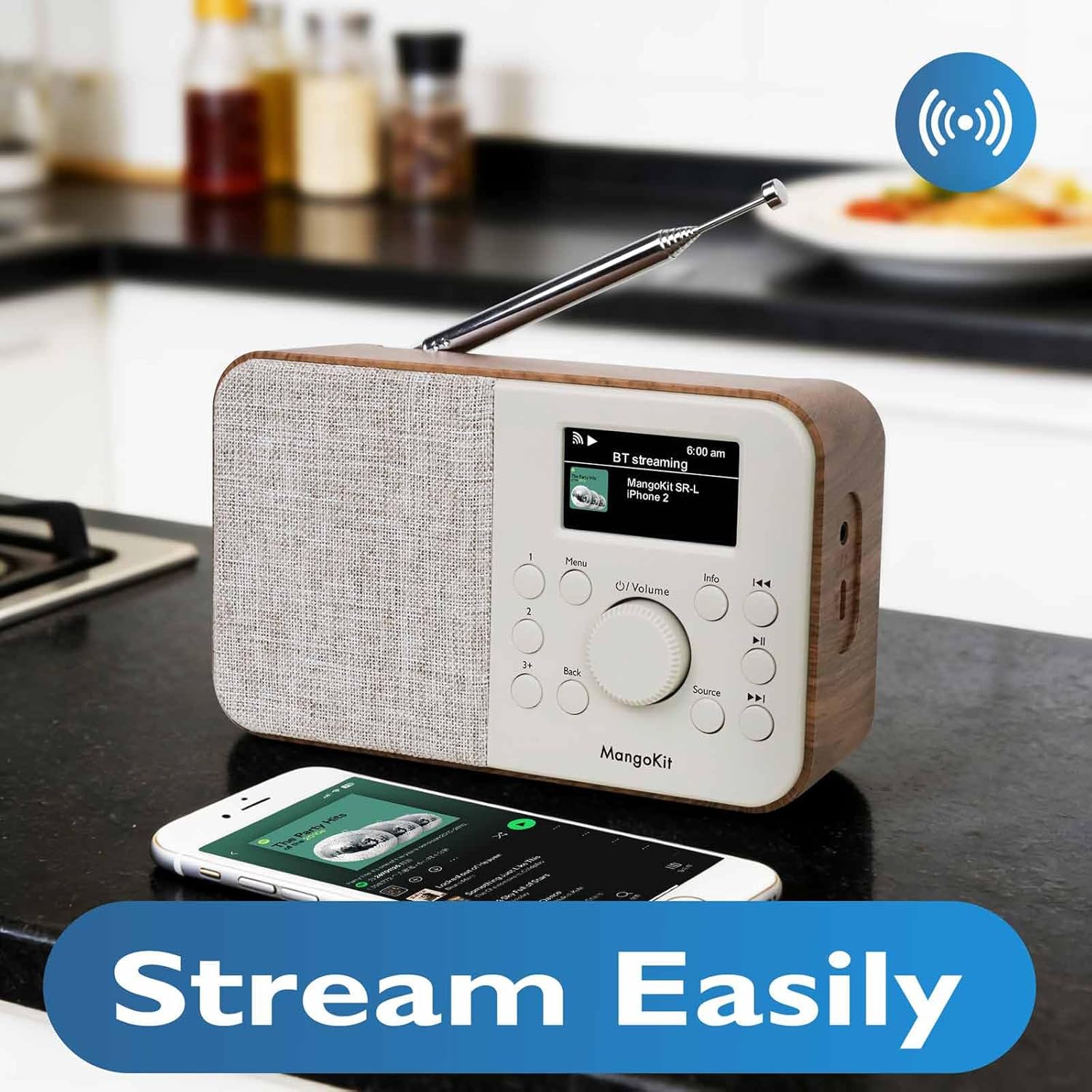
Image 7.2: The MangoKit SR-L radio connected via Bluetooth to a smartphone, demonstrating wireless audio streaming.
7.4 Podcast Player
Browse and listen to podcasts directly on the radio.
- Select 'Podcast' from the source menu.
- Browse podcasts by category, search, or view recently played.
- Select an episode to play. The player allows you to save and return to favorite episodes.
8. Alarm Clock and Sleep Timer
The MangoKit SR-L includes an alarm clock and a sleep timer function.
8.1 අනතුරු ඇඟවීම සැකසීම
- Access the 'Alarm' option from the main menu.
- ස්වාධීන අනතුරු ඇඟවීම් දෙකක් දක්වා සකසන්න.
- Configure alarm time, source (FM, Internet Radio, or buzzer), and volume.
- Enable or disable the alarm. When an alarm sounds, press any button to snooze or the power button to turn it off.
8.2 නිදන වේලාව
නියමිත කාල සීමාවකට පසු රේඩියෝව ස්වයංක්රීයව ක්රියා විරහිත කිරීමට නින්ද ටයිමරය ඉඩ සලසයි.
- Access the 'Sleep Timer' option from the main menu.
- Select the desired duration (e.g., 15, 30, 60 minutes).
- The radio will count down and automatically switch off.
9. නඩත්තු කිරීම
To ensure the longevity and optimal performance of your MangoKit SR-L radio, follow these maintenance guidelines:
- පිරිසිදු කිරීම: රේඩියෝවේ බාහිර පෙනුම පිරිසිදු කිරීම සඳහා මෘදු වියළි රෙද්දක් භාවිතා කරන්න. උල්ෙල්ඛ පිරිසිදු කරන්නන්, ඉටි හෝ ද්රාවක භාවිතා නොකරන්න.
- ඇන්ටනාව: නැමීම හෝ කැඩීම වළක්වා ගැනීම සඳහා දුරේක්ෂ ඇන්ටෙනාව ප්රවේශමෙන් හසුරුවන්න.
- ගබඩා: If storing the radio for an extended period, remove the batteries to prevent leakage.
10. දෝශ නිරාකරණය
ඔබේ රේඩියෝව සමඟ ගැටළු ඇති වුවහොත්, පහත පොදු ගැටළු සහ විසඳුම් වෙත යොමු වන්න:
| ගැටලුව | විය හැකි හේතුව | විසඳුම |
|---|---|---|
| බලය නැත | Power adapter not connected; batteries depleted or incorrectly inserted. | Check power adapter connection; replace batteries or ensure correct polarity. |
| No Internet Radio connection | Incorrect Wi-Fi password; Wi-Fi signal too weak; router issue. | Re-enter Wi-Fi password; move radio closer to router; restart router. |
| දුර්වල එෆ්එම් පිළිගැනීම | ඇන්ටනාව දිගු කර නැත; බාධා කිරීම්. | Fully extend the telescopic antenna; reposition the radio. |
| බ්ලූටූත් යුගල කිරීම අසාර්ථක විය | රේඩියෝව යුගල කිරීමේ මාදිලියේ නැත; උපාංගය ඕනෑවට වඩා දුරයි; උපාංගය දැනටමත් වෙනත් ඒකකයක් සමඟ යුගල කර ඇත. | Ensure radio is in Bluetooth mode; bring devices closer; unpair from other devices. |
| ශබ්දයක් නැත | Volume too low; mute activated; headphones connected. | Increase volume; check if mute is active; disconnect headphones if not needed. |
11. පිරිවිතර
| විශේෂාංගය | විස්තර |
|---|---|
| ආදර්ශ අංකය | SR-L |
| නිෂ්පාදන මානයන් | අඟල් 7 x 3 x 2.5 |
| අයිතමයේ බර | රාත්තල් 1ක් |
| සම්බන්ධතා තාක්ෂණය | බ්ලූටූත්, වයි-ෆයි |
| සුසරක තාක්ෂණය | අන්තර්ජාල ගුවන් විදුලිය, එෆ්එම් |
| බලශක්ති ප්රභවය | Corded Electric, Battery (4 AA, not included) |
| විශේෂ ලක්ෂණය | Portable, Alarm Clock, Podcast Player, 150 Presets |
| ප්රදර්ශනය කරන්න | Full Colour Display |
| හෙඩ්ෆෝන් ජැක් | ඔව් |
12. වගකීම් සහ සහාය
MangoKit products are designed for reliability and performance. This product comes with a standard manufacturer's warranty. Please refer to the warranty card included in your package for specific terms and conditions.
පාරිභෝගික සහාය:
For technical assistance, troubleshooting, or warranty inquiries, please contact MangoKit customer support through the retailer where you purchased the product or visit the official MangoKit webසම්බන්ධතා තොරතුරු සඳහා අඩවිය.


