හැඳින්වීම
This manual provides detailed instructions for the setup, operation, and maintenance of your Zebronics Pixaplay 35 Android Smart LED Projector. Please read this manual thoroughly before using the product to ensure proper functionality and to prevent damage.
වැදගත් ආරක්ෂක තොරතුරු
- වාතාශ්රය විවරයන් අවහිර නොකරන්න. ප්රොජෙක්ටරය වටා ප්රමාණවත් වායු ප්රවාහයක් සහතික කරන්න.
- l ක්රියාත්මක වන විට ප්රොජෙක්ටර් කාචයට ඇස් සෘජුව නිරාවරණය වීමෙන් වළකින්න.amp මත වේ.
- උපාංගය සමඟ සපයා ඇති බල ඇඩැප්ටරය පමණක් භාවිතා කරන්න.
- ප්රොජෙක්ටරය ජලය, තෙතමනය සහ අධික උෂ්ණත්වයන්ගෙන් ඈත් කර තබන්න.
- ප්රොජෙක්ටරය ඔබම විසුරුවා හැරීමට හෝ අලුත්වැඩියා කිරීමට උත්සාහ නොකරන්න. සියලුම සේවා සුදුසුකම් ලත් පුද්ගලයින් වෙත යොමු කරන්න.
නිෂ්පාදනය අවසන්view
The Zebronics Pixaplay 35 is a compact Android Smart LED Projector designed for versatile home entertainment. It features 4K UHD support, 4000 lumens brightness, and a 240° tilt mechanism for flexible projection.
පැකේජයේ අන්තර්ගතය
- Projector - 1 Unit
- දුරස්ථ පාලකය
- Power Adapter - 1 Unit
- HDMI කේබලය
- QR කේත මාර්ගෝපදේශය - ඒකකය 1
- Cotton Swab Pack - 1 Unit
ප්රක්ෂේපක සංරචක

රූපය 1: ඉදිරිපස-ඉහළ view of the Zebronics Pixaplay 35 projector with its remote control.
The projector features a compact design with a lens at the front, ventilation grilles on the sides, and various ports at the rear for connectivity. The included remote control allows for easy navigation and settings adjustment.
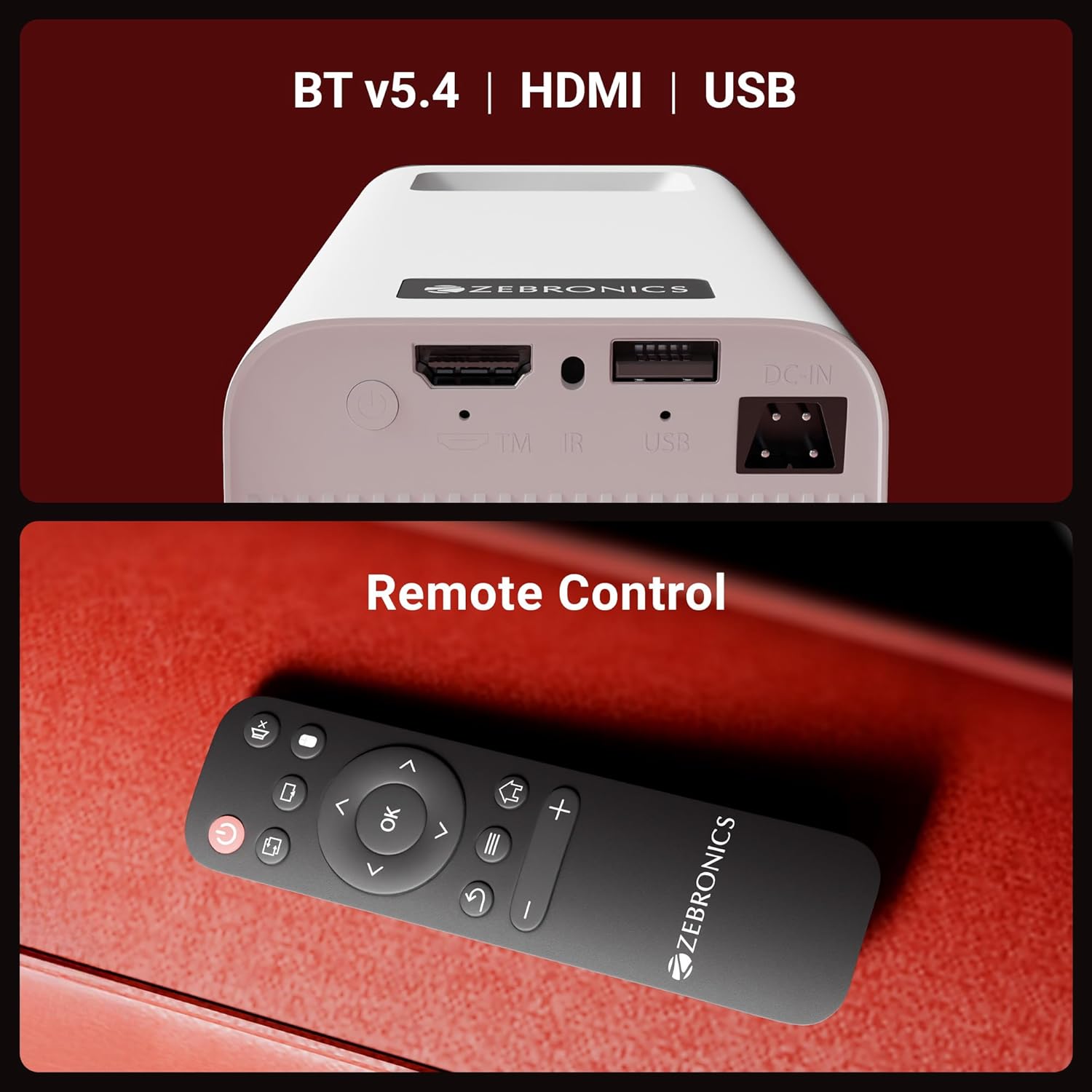
රූපය 2: පසුපස view of the projector highlighting the connectivity ports (DC-IN, USB, HDMI) and the remote control.
The rear panel includes a DC-IN port for power, a USB port for media playback, and an HDMI port for connecting external devices. An IR receiver is also present for remote control operation.
සැකසුම් උපදෙස්
1. ස්ථානගත කිරීම
Position the projector on a stable, flat surface. The 240° tilt mechanism allows you to adjust the projection angle for optimal viewing on a wall or screen. Ensure there are no obstructions in front of the lens or around the ventilation areas.

රූපය 3: The projector's 240° tilt mechanism allows for flexible positioning and projection angles.
For best results, project onto a smooth, light-colored surface. The projector can create a screen size of up to 254cm (100 inches).

රූපය 4: The projector can display images up to 254cm (100 inches) diagonally, creating a large viewඅත්දැකීමෙන්.
2. බල සම්බන්ධතාවය
Connect the provided power adapter to the DC-IN port on the projector and then plug it into a power outlet.
3. මූලික බලය සක්රිය කිරීම
Press the power button on the projector or the remote control to turn on the device. The projector will boot up and display the Android smart interface.
මෙහෙයුම් උපදෙස්
දුරස්ථ පාලකය
Use the included remote control to navigate the projector's interface, adjust settings, and control media playback. Ensure batteries are correctly inserted.
අවධානය යොමු කිරීම
Rotate the focus wheel located near the lens to achieve a clear and sharp image on your projection surface.
ස්වයංක්රීය කීස්ටෝන් අනුවර්තනය
The projector features automatic vertical keystone correction. This function automatically adjusts the image to be rectangular even if the projector is placed at an angle. Manual adjustment may be available in settings for fine-tuning.
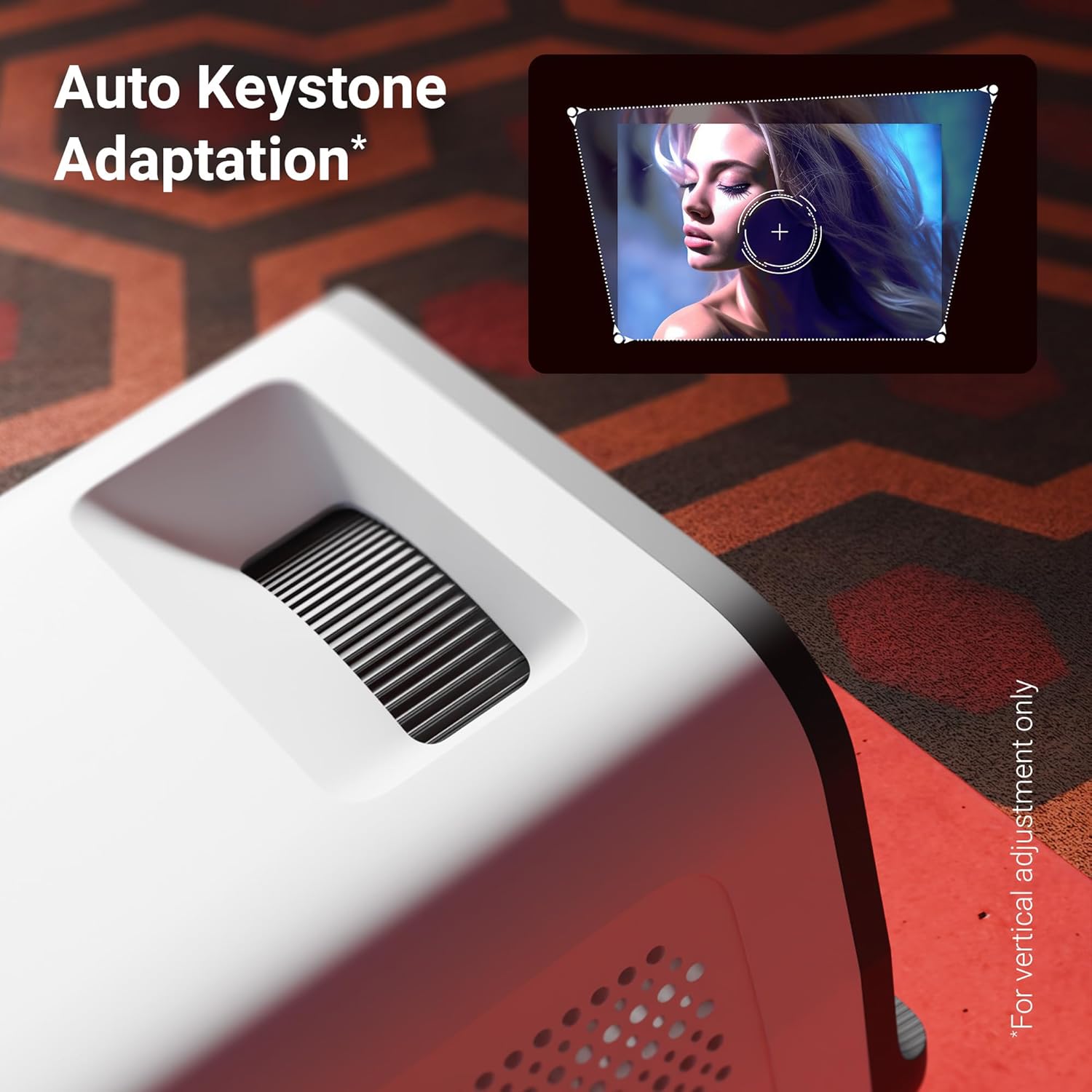
රූපය 5: The auto keystone adaptation feature corrects vertical image distortion automatically.
සම්බන්ධතාවය
- HDMI: Connect external devices such as laptops, gaming consoles, or Blu-ray players using an HDMI cable. Select the HDMI input source from the projector's menu.
- USB: මාධ්ය වාදනය කිරීමට USB තොටට USB ධාවකයක් ඇතුළු කරන්න. files (photos, videos, music) directly from the drive.
- බ්ලූටූත් v5.4: Pair Bluetooth audio devices like speakers or headphones for enhanced sound. Access Bluetooth settings in the Android interface.
- Wi-Fi (2.4GHz සහ 5GHz): Connect the projector to your home Wi-Fi network to access online content, streaming apps, and firmware updates.
- Miracast & iOS Screen Mirroring: Wirelessly mirror the screen of your Android or iOS smartphone/tablet to the projector. Follow the on-screen instructions for pairing.
Smart Features (Android OS)
The projector runs on an Android operating system, allowing you to download and use various OTT (Over-The-Top) applications like Netflix and Prime Video directly on the device. Navigate the app store to install desired applications.
ප්රධාන ලක්ෂණ
- 4K UHD සහාය: Experience high-resolution content with support for 4K Ultra HD input, delivering sharp and detailed images.
- 4000 Lumens දීප්තිය: LED එල්amp provides 4000 lumens, ensuring bright and clear visuals for an immersive viewඅත්දැකීමෙන්.
- Up to 254cm (100") Screen Size: Project large images suitable for home theater setups.
- 240° Tilt Mechanism: Offers flexible projection angles, reducing glare and improving viewසැනසිල්ල.
- Auto Keystone Adaptation: Automatically corrects vertical image distortion for a perfectly rectangular picture.
- බිල්ට් ස්පීකර්: Integrated speaker provides audio output for convenience. External audio can be connected via Bluetooth or other ports.
- 30,000-hour LED Lamp ජීවිතය: දිගුකාලීන LED lamp ensures extended usage without frequent replacement.
- Quad-Core Processor: Enhances performance and responsiveness for smooth operation of the Android OS and applications.
- ද්විත්ව කලාප Wi-Fi: Supports both 2.4GHz and 5GHz Wi-Fi for stable and fast wireless connectivity.
- Miracast & iOS Screen Mirroring: Seamlessly cast content from Android and iOS devices.

රූපය 6: ඉවරයිview of key features including brightness, connectivity, and processing power.

රූපය 7: The projector includes a built-in speaker for integrated audio playback.
නඩත්තු කිරීම
- කාච පිරිසිදු කිරීම: Use a soft, lint-free cloth or the provided cotton swab to gently clean the projector lens. Do not use abrasive cleaners.
- වාතාශ්රය: Regularly check and clean the ventilation grilles to prevent dust buildup, which can affect performance and lifespan.
- ගබඩා: දිගු කාලයක් භාවිතයේ නොමැති විට, ප්රොජෙක්ටරය දූවිලි හා සෘජු හිරු එළියෙන් ආරක්ෂා වූ සිසිල් වියළි ස්ථානයක ගබඩා කරන්න.
දෝෂගවේෂණය
| ගැටලුව | විය හැකි හේතුව | විසඳුම |
|---|---|---|
| රූපයක් නොපෙන්වයි | බලය සම්බන්ධ කර නැත; වැරදි ආදාන මූලාශ්රය; කාච ආවරණය ක්රියාත්මකයි. | Ensure power is connected and unit is on. Select correct HDMI/USB input. Remove lens cap. |
| රූපය බොඳ වී ඇත | අවධානය සකස් කර නැත; ප්රොජෙක්ටරය තිරයට ඉතා දුරින්/සමීපව ඇත. | Adjust the focus wheel. Reposition the projector for optimal distance. |
| ශබ්දයක් නැත | Volume too low; Muted; External audio device not connected/paired. | Increase volume. Unmute. Check Bluetooth connection or external audio cable. |
| දුරස්ථ පාලකය ක්රියා නොකරයි | Batteries low/incorrectly inserted; Obstruction between remote and projector. | Replace batteries. Ensure clear line of sight to IR receiver. |
| Wi-Fi සම්බන්ධතා ගැටළු | වැරදි මුරපදය; රවුටරය ඕනෑවට වඩා දුරයි; ජාල බාධාව. | Verify Wi-Fi password. Move projector closer to router. Try connecting to 2.4GHz or 5GHz band. |
පිරිවිතර
| වෙළඳ නාමය | සෙබ්රොනික්ස් |
| ආකෘතිය | Zeb-Pixa Play 35 |
| සංදර්ශක තාක්ෂණය | LED |
| සංදර්ශක වර්ගය | 4K UHD Support |
| දේශීය විභේදනය | 1280 x 720 පික්සල |
| රූපයේ දීප්තිය | 4000 Lumens |
| රූප පරස්පර අනුපාතය | 1000:1 |
| දර්ශන අනුපාතය | 16:10 |
| සම්බන්ධතා තාක්ෂණය | Bluetooth v5.4, HDMI, USB, Dual-band Wi-Fi (2.4GHz & 5GHz) |
| ගැළපෙන උපාංග | Laptops, Smartphones, Tablets, Gaming Consoles, Blu-ray Players, Media Streaming Devices |
| නිෂ්පාදන මානයන් | 10.5 x 8.8 x 16.5 සෙ.මී |
| අයිතමයේ බර | 355 ග්රෑම් |
| සවිකිරීමේ වර්ගය | tabletop Mount |
වගකීම් සහ සහාය
The Zebronics Pixaplay 35 Projector comes with a වසර 1ක වගකීමක් from the date of purchase. For warranty claims, technical support, or service inquiries, please contact Zebronics customer service. Refer to the QR Code Guide included in your package for contact details or visit the official Zebronics webඅඩවිය.
නිෂ්පාදකයා: සෙබ්රොනික්ස් ඉන්දියා පුද්ගලික සමාගම


